
Most anti-detect browsers are built with Windows in mind, and if you've ever tried running one on Linux, you already know the frustration. Half of them don't support it. The other half barely works without workarounds, broken dependencies, or clunky virtual machines eating up your RAM.
For anyone managing multiple browser profiles on Ubuntu, Debian, or other Linux distros — whether for affiliate campaigns, web scraping, or multi-accounting, the experience can feel like an afterthought. Fingerprint spoofing, proxy integration, and profile isolation should just work, regardless of your OS.
But here's the thing: a few antidetect browsers actually run natively on Linux now, and some of them are surprisingly solid. The gap is closing, but not every option deserves your time or money.
Below, we break down 6 anti-detect browsers for Linux that are worth a serious look in 2026 — what they handle well, where they fall short, and which ones fit different use cases.
The Core Problem: Why Most Anti-Detect Browsers Fail on Linux

Linux users often expect anti-detect browsers to work the same way they do on Windows or macOS — but the reality is different. Most developers build these tools around a Windows-first architecture, leaving Linux users with stripped-down or unstable versions.
The gap usually shows up in three places:
Understanding these pain points helps explain why some tools outperform others on Linux systems.
Ultimate Anti-Detect Browsers for Linux Privacy and Security
| Best Anti-Detect Browsers for Linux | Best Use Case | Key Strength |
|---|---|---|
| Multilogin | Agency team management | Mimic + Stealthfox engines |
| Dolphin Anty | Affiliate media buying | Built-in cookie robot |
| Octo Browser | Scraping and crypto | Kernel-level spoofing |
| Incogniton | E-commerce storefronts | Human typing emulation |
| AdsPower | No-code automation | Drag-and-drop RPA |
| Undetectable | Offline privacy workflows | Unlimited local profiles |
1. Multilogin

When managing enterprise-level campaigns on Ubuntu or Debian, hardware inconsistencies often trigger platform bans. Multilogin addresses this by offering one of the most stable anti-detect browsers for Linux environments, focusing on deep hardware fingerprint masking rather than superficial spoofing.
The platform uses two custom engines, Mimic and Stealthfox, to safely isolate agency workflows across social media and advertising networks. It provides a robust, heavily tested environment for teams that need strict access controls and reliable multi-account management without the risk of profile cross-contamination.
Multilogin Key Features
Best for: Best for established marketing agencies requiring highly reliable, scalable profile isolation and advanced team collaboration features.
2. Dolphin Anty
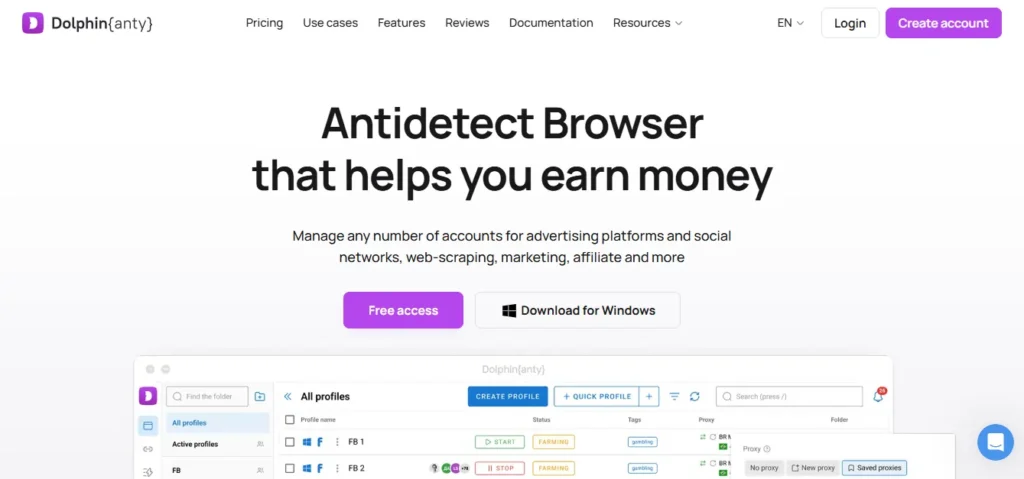
Dolphin Anty solves the frequent challenge of traffic arbitrage and affiliate marketing on Linux systems, which require juggling dozens of active sessions simultaneously. It provides a highly responsive anti-detect browser for Linux that simplifies multi-accounting on Debian-based systems, specifically tailored to handle social media and advertising platform restrictions.
Users can manage proxy configurations, statuses, and team notes directly from an intuitive central dashboard. The tool excels in daily operational tasks, allowing media buyers to maintain separate, secure digital identities while bulk-managing browser profiles through built-in automation and cookie-farming features.
Dolphin Anty Key Featyures
Best for: Best for individual media buyers and affiliate marketers needing efficient workflow tools and an intuitive interface.
3. Octo Browser
Scraping data or running cryptocurrency operations on Linux requires avoiding sophisticated anti-bot systems that easily flag standard browsers. Octo Browser offers a Chromium-based anti-detect browser for Linux that focuses on deep kernel-level fingerprint spoofing to bypass complex tracking scripts and security protocols.
The platform delivers fast, lightweight performance across various Linux distributions, ensuring that virtual profiles easily pass strict fingerprint checkers. It is designed for users who prioritise speed and technical accuracy, offering seamless API integration for programmatic workflows without compromising resource efficiency.
Octo Browser Key Features:
Best for: Best for data scrapers and cryptocurrency enthusiasts demanding high-speed performance alongside rigorous fingerprint checker compliance.
4. Incogniton
Starting a new e-commerce operation often involves creating multiple storefronts, which can lead to linked accounts and instant suspensions. Incogniton serves as an accessible anti-detect browser for Linux that allows users to generate and manage bulk profiles seamlessly without triggering platform security alerts.
It provides a structured environment where cookies, local storage, and unique digital identities remain strictly separated. The software is particularly useful for small businesses testing the waters, offering cloud synchronisation alongside human typing emulation to build account longevity safely and consistently.
Incogniton Key Features:
Best for: Best for small businesses and e-commerce managers needing a cost-effective method to oversee isolated storefronts securely.
5. AdsPower
AdsPower prevents scaling repetitive social media tasks manually on Ubuntu from consuming hours of valuable time and risking human error. It is a highly automated anti-detect browser for Linux that pairs robust fingerprint masking with built-in Robotic Process Automation to streamline redundant digital workflows.
The software allows users to build no-code automation scripts that interact with web pages naturally, mimicking genuine user behaviour. It effectively centralises ad account management, ensuring that cross-border e-commerce sellers and marketers can scale their operations efficiently while maintaining strict profile isolation.
AdsPower Key Features:
Best for: Best for cross-border e-commerce sellers scaling operations through reliable no-code browser automation and workflow efficiency.
6. Undetectable
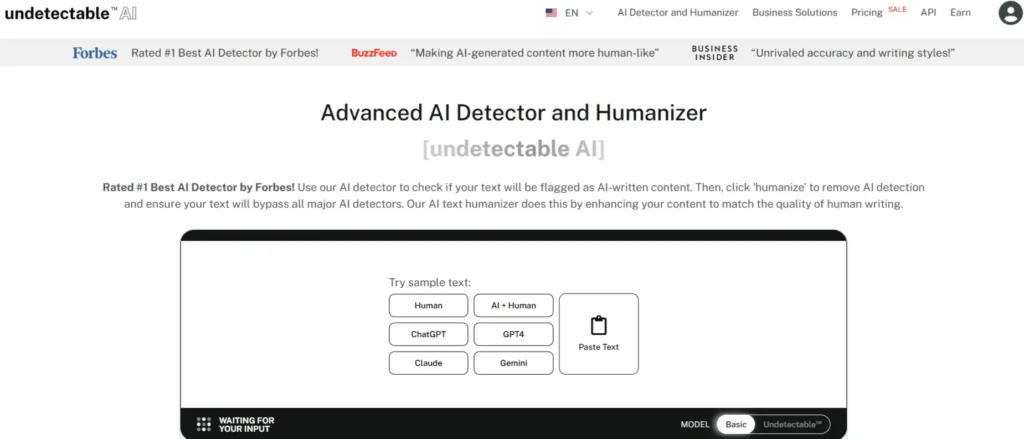
Privacy-conscious professionals often hesitate to store sensitive session data on third-party cloud servers. Undetectable provides a unique anti-detect browser for Linux by offering unlimited local profile storage, ensuring that all digital identities and session cookies remain securely on the user’s physical machine.
The platform generates highly realistic device fingerprints by sourcing configurations from actual web users rather than algorithmic generation. It delivers a stable, offline-first approach to multi-accounting, making it a highly practical choice for technical users managing vast quantities of accounts across different network conditions.
Undetectable Key Features:
Best for: Best for privacy-focused technical users managing massive account volumes who prefer secure, offline local data storage.
How to Set Up an Anti-Detect Browser on Linux Ubuntu/Mint
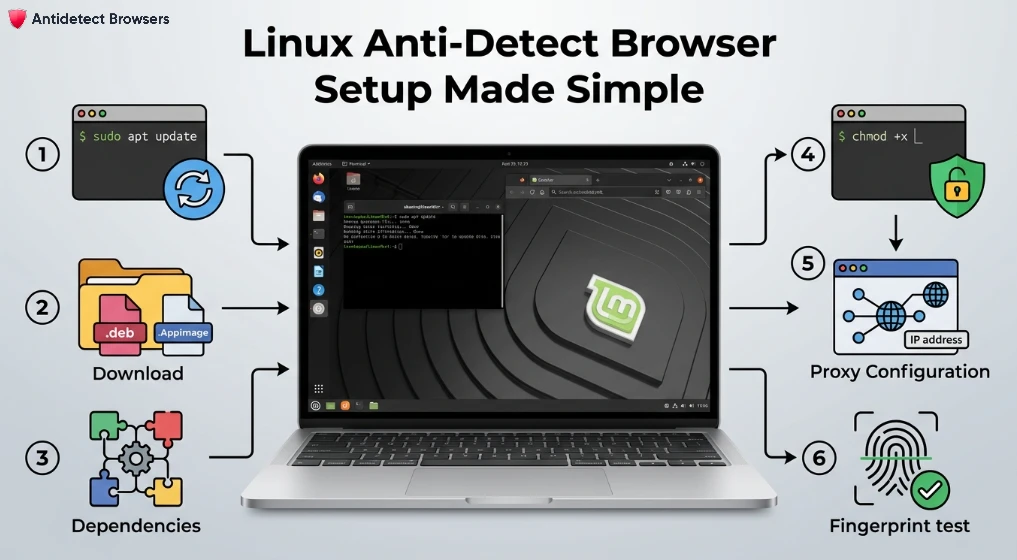
Setting up an anti-detect browser on Ubuntu or Linux Mint is straightforward once you handle a few dependencies and permissions correctly. The process is similar across most tools like Dolphin Anty, GoLogin, and AdsPower, but each distro has small quirks worth noting.
Follow these steps to get started without running into install errors:
Once installed, test your fingerprint on Pixelscan to confirm a clean setup.
Final Thoughts
Running multiple accounts on a Linux setup has never been the easiest path, yet the tools available today make the workload far more manageable than it used to be. Each option covered here handles fingerprint isolation, proxy support, and profile management in its own way, so the right fit really depends on your daily workflow and budget.
Take time to test a free plan before committing to anything long-term. A reliable anti-detect browser for Linux should feel invisible in your routine, quietly doing its job while you focus on the actual work.