
If you manage multiple online accounts, run affiliate campaigns, or scrape data at scale, you have probably hit a wall. Platforms ban accounts, flag fingerprints, and block access faster than ever.
An anti-detect browser solves exactly that problem. It is a specialised web browser built to modify your digital fingerprint so each browser profile appears as a completely separate user on a completely different device.
In 2026, platforms like Facebook, Amazon, Google, and TikTok rely on advanced device fingerprinting, behavioural analysis, and cross-session correlation to detect linked accounts. Simple VPNs and incognito mode no longer work.
Anti-detect browsers have become essential tools for affiliate marketers, e-commerce sellers, social media managers, and data professionals who need multi-account management without risking bans or suspensions.
How Does Browser Fingerprinting Work?
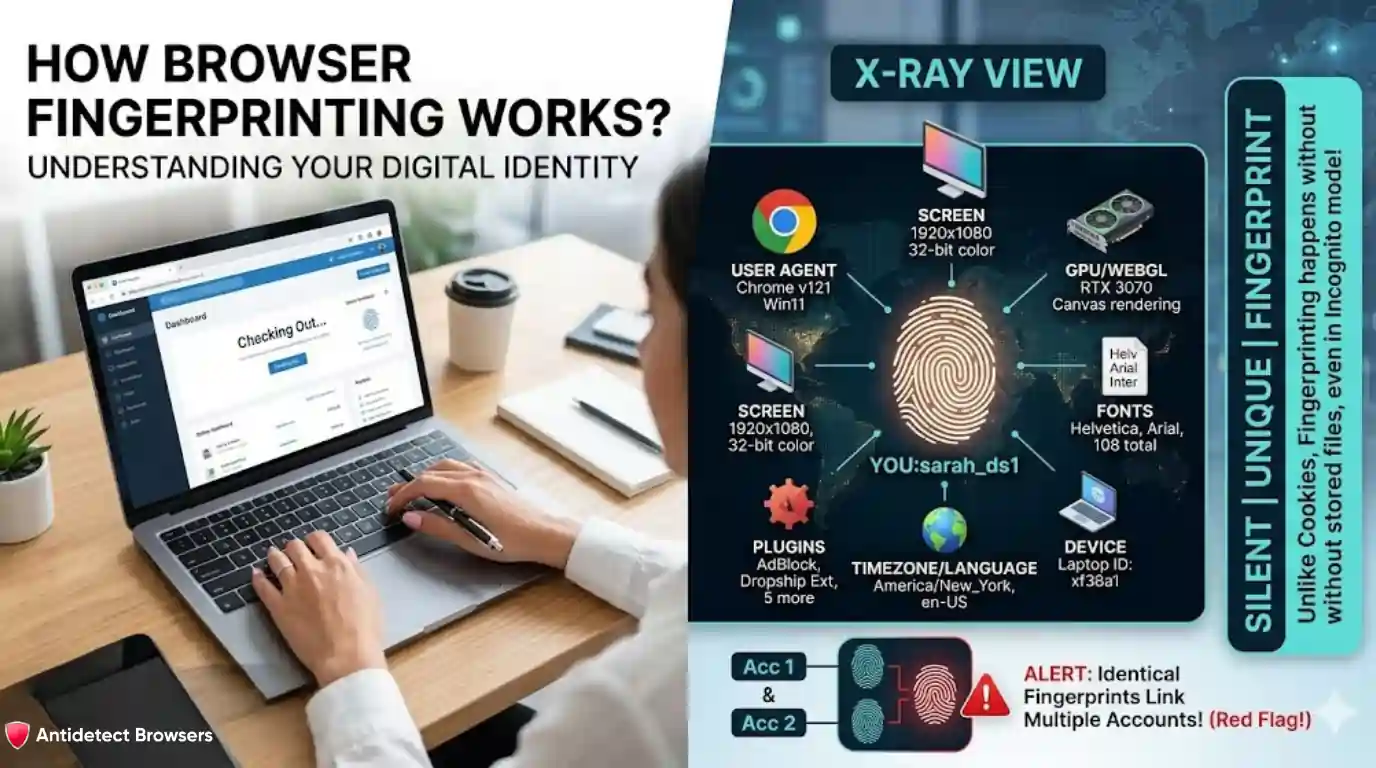
Before understanding anti-detect browsers, you need to know what they protect against.
Browser fingerprinting is a tracking method that identifies users by collecting technical details from browsers and devices. Unlike cookies, fingerprinting does not rely on stored files. It works silently, even in incognito mode.
Websites collect signals like:
By combining these small signals, websites create a highly unique digital profile. Even minor differences between devices produce distinct fingerprints. When two accounts share identical fingerprints, platforms flag them instantly.
How Does an Anti-Detect Browser Work?
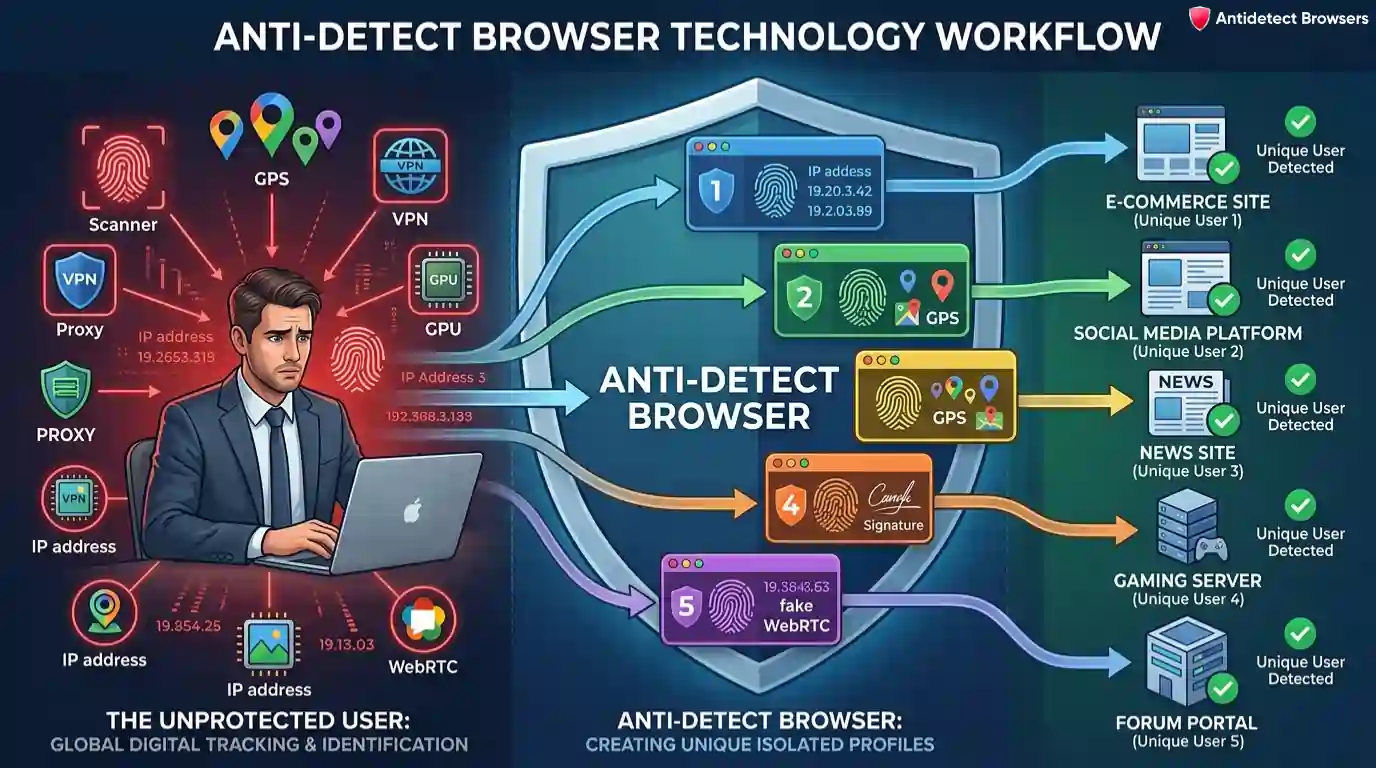
An anti-detect browser creates isolated browsing environments. Each profile gets a distinct browser fingerprint, separate cookies, and independent storage. Websites see every profile as a unique person on a unique device.
Here is what happens under the hood:
Each profile maintains consistent data across sessions. Platforms see a real-looking user, not a bot or a linked account.
Why Anti-Detect Browsers Matter in 2026
Online platforms have evolved far beyond simple cookie checks. In 2026, automation without fingerprint protection is no longer viable.
Over 30% of affiliate marketers have experienced platform bans, account suspensions, or login verifications caused by browser fingerprinting and behavioural tracking.
One flagged account can burn all linked profiles and permanently reduce trust scores across an entire operation. Anti-detect browsers solve this by isolating every account into a separate environment with unique fingerprints, proxies, and behaviour profiles.
AI-powered detection systems now analyse typing patterns, mouse movements, and scroll behaviour. Leading anti-detect browsers in 2026 counter this with AI-driven fingerprint rotation and behavioural mimicry that looks indistinguishable from genuine user activity.
Anti-Detect Browser vs Regular Browser vs Incognito Mode
| Feature | Regular Browser | Incognito Mode | Anti-Detect Browser |
|---|---|---|---|
| Hides IP address | No | No | Yes (with proxy) |
| Blocks fingerprinting | No | No | Yes |
| Supports multiple profiles | No | No | Yes |
| Isolates cookies per profile | No | Partial | Yes |
| Prevents WebRTC leaks | No | No | Yes |
| Spoofs hardware data | No | No | Yes |
Incognito mode only clears cookies and browsing history after a session ends. It does not hide your fingerprint, IP, or device data. Anti-detect browsers go several steps further by generating entirely new identities for each profile.
Top Use Cases for Anti-Detect Browsers
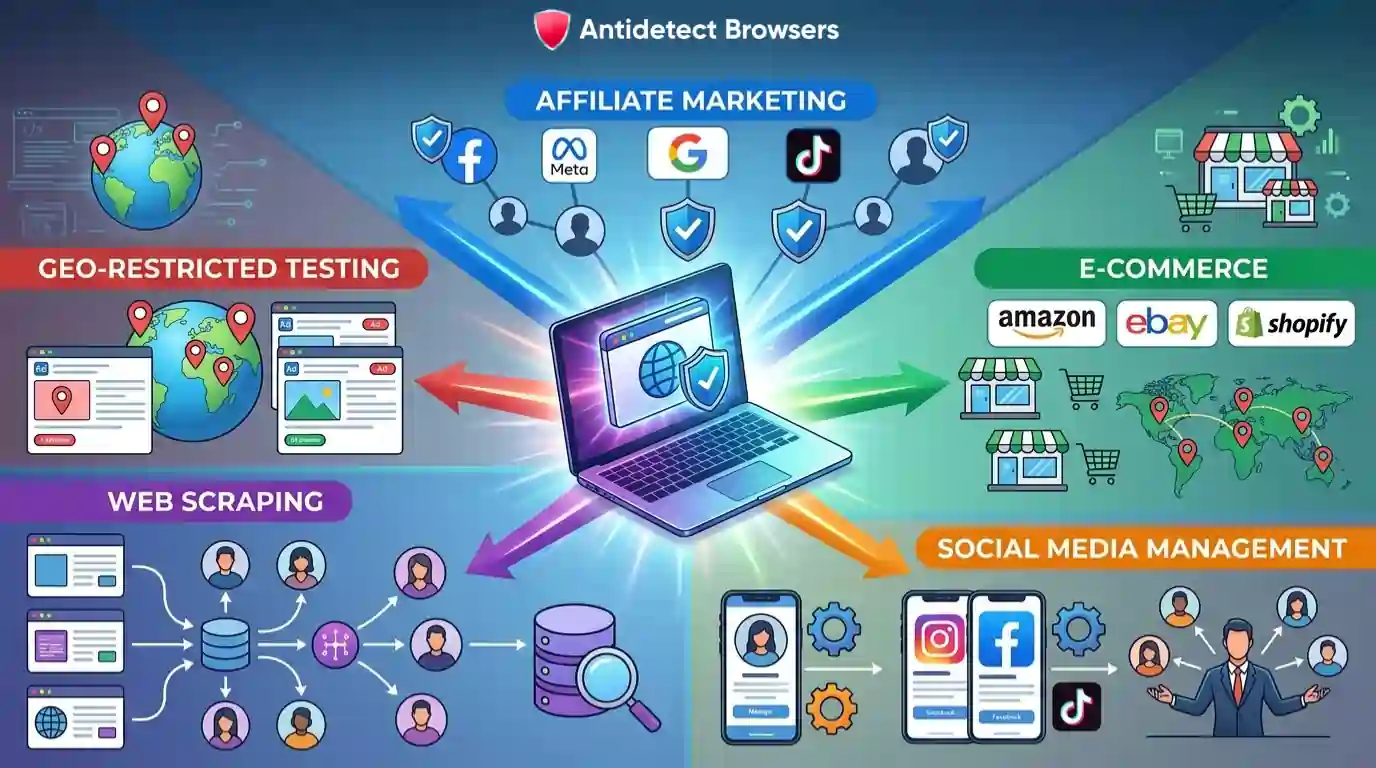
Affiliate Marketing and Ad Account Management
Affiliate marketers run multiple ad accounts across Facebook, Google, TikTok, and native ad platforms. Anti-detect browsers let them operate separate accounts safely without linkage.
Key benefits include:
Running affiliate offers from a single fingerprint is a guaranteed way to get flagged. Anti-detect browsers eliminate that risk entirely.
Multi-Account E-Commerce Management
E-commerce sellers on Amazon, eBay, and Shopify often need multiple seller accounts per region. Anti-detect browsers allow simultaneous management of multiple accounts from one computer without platform bans.
Entrepreneurs use them to test pricing strategies, manage inventory across regions, and run separate storefronts. Combined with rotating proxies, each seller profile looks like an independent business operating from a different location.
Social Media Automation
Social media managers handle dozens of accounts for clients. Platforms like Instagram, Facebook, and TikTok aggressively detect and ban linked accounts.
Anti-detect browsers paired with automation tools like Puppeteer or Selenium allow managers to:
In 2026, mobile fingerprint spoofing has also become a major trend, with browsers like Kameleo offering Android and iOS-style environments for TikTok and Instagram automation.
Web Scraping at Scale
Anti-detect browsers help data professionals scrape websites without getting blocked. Each scraping session runs under a realistic identity, and websites believe many different real people are making requests.
Essential features for large-scale web scraping include:
Social media platforms now use anti-bot systems with browser fingerprinting and behavioural analysis as standard defences. Anti-detect browsers bypass these checks effectively.
Geo-Restricted Ad Verification and Testing
Advertisers need to verify how ads appear in different countries. Anti-detect browsers let teams simulate access from specific regions to check geo-restricted ad placements, landing page variations, and localised pricing.
Each profile can be configured with a location-specific proxy, matching timezone, language, and currency settings. Ad agencies use this to ensure campaigns display correctly before spending budget on live traffic.
Popular Anti-Detect Browsers and Pricing in 2026
| Browser | Starting Price | Free Plan | Best For |
|---|---|---|---|
| Multilogin | $99/month | No | Enterprise teams, advanced control |
| GoLogin | $49/month | Yes (limited) | Budget-friendly multi-accounting |
| AdsPower | $9/month | Yes (5 profiles) | High-volume automation |
| Incogniton | $29.99/month | Yes (10 profiles) | Freelancers and beginners |
| Octo Browser | $29/month | No | Performance and stability |
| Kameleo | $59/month | Limited free tier | Mobile fingerprint spoofing |
Pricing varies based on profile limits, team seats, and automation features. Beginners can start with free tiers from AdsPower or Incogniton before scaling up.
How to Set Up an Anti-Detect Browser?
Getting started takes just a few steps:
- Download and install an anti-detect browser from its official website
- Create a new browser profile in the dashboard
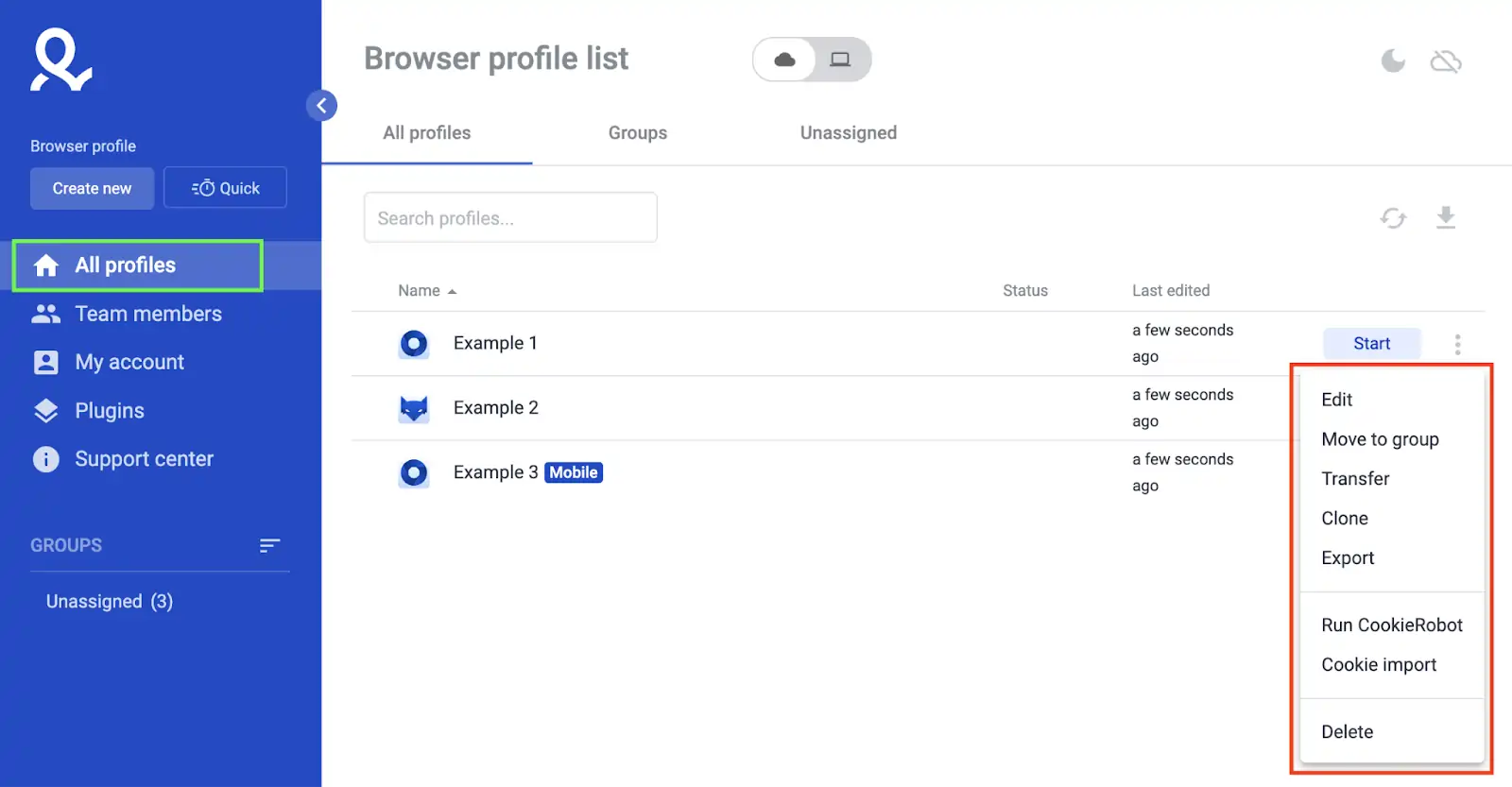
- Configure fingerprint settings like user agent, screen resolution, WebGL, and canvas data
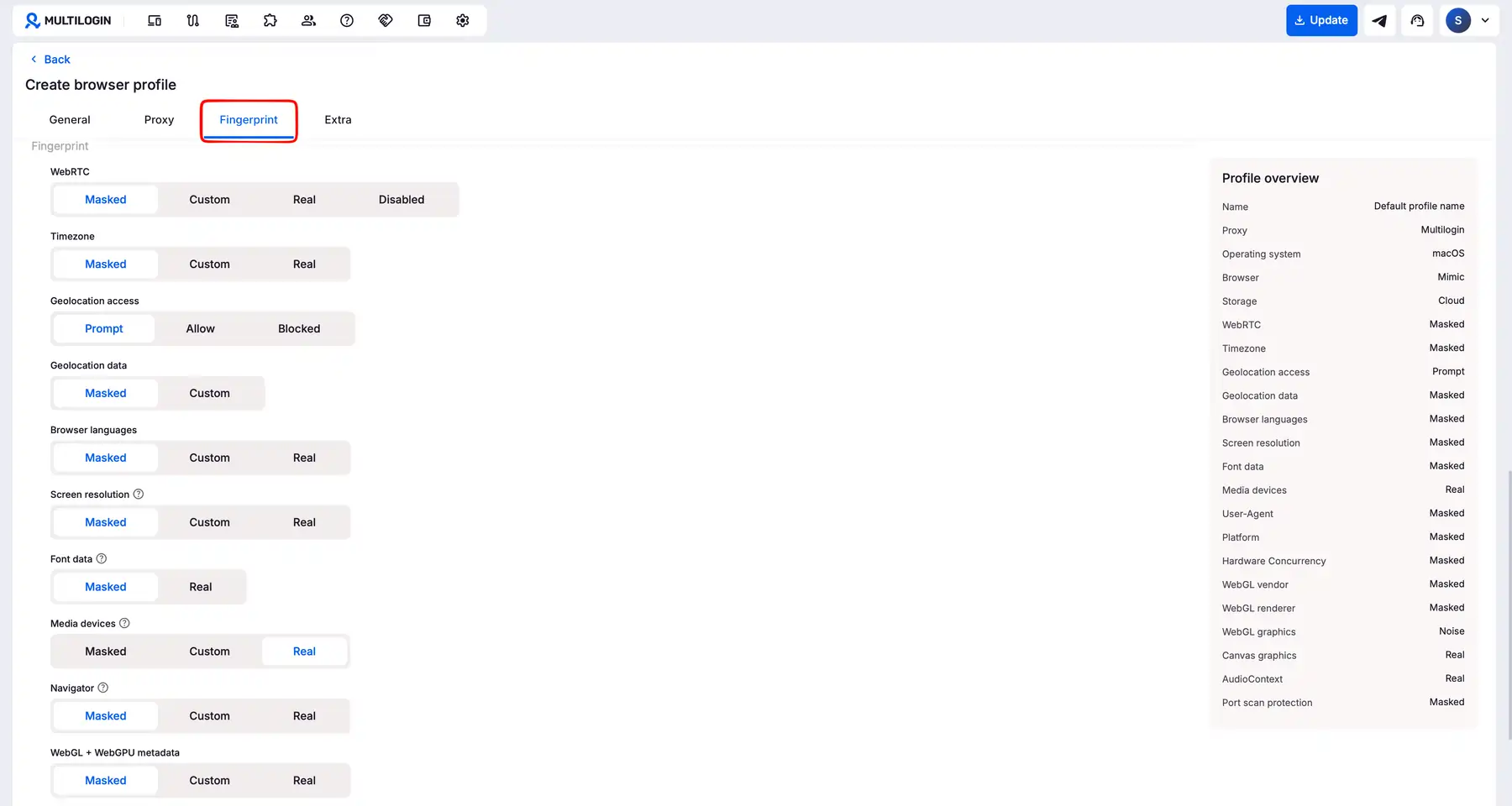
- Assign a dedicated proxy IP to each profile for IP address isolation
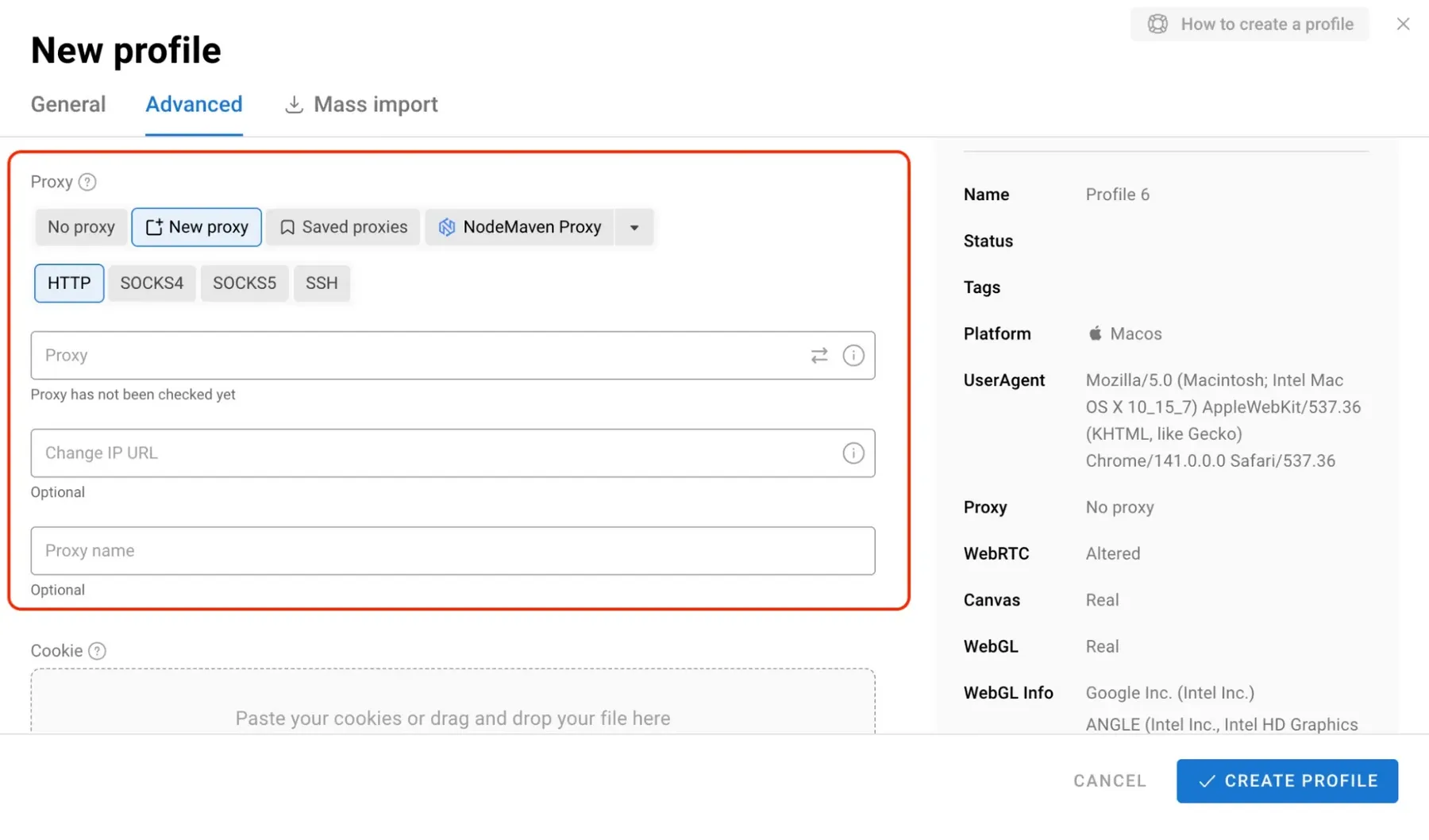
- Test your setup using fingerprint checkers like iphey.com or PixelScan
- Launch profiles and begin browsing with full identity separation
Always verify that your IP matches expected geolocation, timezone, and language settings. Consistency across these parameters is what keeps profiles undetectable.
Are Anti-Detect Browsers Legal to Use?
Yes. Anti-detect browsers are legal software tools used for privacy protection, digital marketing, testing, and research. Professionals across affiliate marketing, e-commerce, and cybersecurity rely on them daily.
However, using them to commit fraud, violate platform terms maliciously, or engage in illegal activity can result in penalties. Legality depends entirely on how you use the tool, not the tool itself.
Choosing the Right Anti-Detect Browser for Your Needs
Selecting an anti-detect browser depends on your scale, technical skill, and budget. Look for realistic fingerprint generation that covers canvas, WebGL, audio context, and user agents. Ensure proxy integration supports HTTP, HTTPS, SOCKS5, and rotating proxies.
If you plan to automate workflows, prioritise browsers with API access and Selenium or Puppeteer compatibility. For team operations, features like permission management, profile sharing, and cloud sync make a real difference in 2026.
Anti-detect browsers are no longer optional extras for digital professionals. From running affiliate campaigns across ad networks to managing e-commerce empires and scraping competitive intelligence, they have become foundational infrastructure for anyone serious about working online at scale.