Quick answer: To manage multiple Facebook accounts safely, give each account its own browser fingerprint, its own residential proxy, and its own isolated profile. A normal browser links everything together, so Meta bans accounts in bulk.
Sounds easy, right? Yet most affiliates still watch a whole stack of accounts vanish in a single afternoon.
We have run multi-account Facebook setups since 2015. Back then, a fresh IP was enough. Not anymore.
Today Meta reads your canvas, fonts, WebGL, and device signals. Clearing cookies does nothing. An antidetect browser fixes this by handing every account a clean, separate identity.
So here's how we keep dozens of accounts alive in 2026. No filler. Just the setup that actually holds up.
Why Facebook Quietly Links Your Accounts
Most people think a fresh email and a new password mean a fresh account. Facebook disagrees.
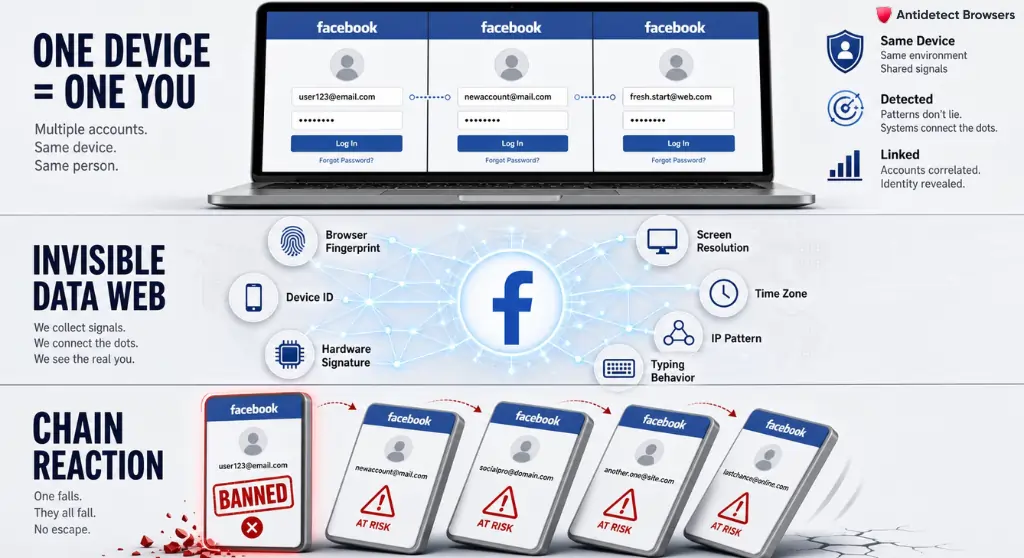
Behind the scenes, every browser leaks a trail of signals. Facebook stitches those signals together and builds a profile of you — the person, not the account. So even ten different logins can point back to one operator.
This is called cross-account correlation, and Facebook is brutally good at it.
Here's the kicker: clearing cookies, opening incognito, or switching to Edge changes almost nothing. Your browser fingerprint stays the same. Same device. Same hardware. Same hidden tells.
And once Facebook ties two accounts together, a ban on one often drags the others down with it. One bad ad. One flagged page. Then a chain reaction.
For affiliates, that's not a small annoyance. That's lost spend, lost data, and a wasted morning rebuilding Business Manager from scratch.
What Actually Gives You Away
People love blaming proxies. But your IP address is only one piece. Facebook reads a whole cluster of device-level signals.
Here's a quick look at the main culprits:
| Signal Facebook reads | What it quietly reveals |
|---|---|
| Canvas & WebGL rendering | How your GPU draws graphics — almost like a serial number |
| Audio context fingerprint | Tiny quirks in how your machine processes sound |
| Installed fonts & screen size | A near-unique combo on most devices |
| Timezone & language settings | Mismatches scream “fake location” |
| User agent & OS build | Your browser and system version |
| Hardware concurrency | Core count and memory hints |
See the problem? A VPN swaps your IP, sure. But it leaves every other tell wide open. That's why so many affiliates get burned even after buying proxies.
To really separate accounts, you need to change the whole device picture — not just the IP. And that's where antidetect browser profiles earn their keep.
Why an Antidetect Browser Became Non-Negotiable for Us
We've leaned on antidetect tech since the early days of paid social. Back then, options were clunky and half-broken. Today, they're the backbone of how we operate.
An antidetect browser spins up separate, walled-off browser environments. Each one carries its own fingerprint, its own cookies, its own cache, and its own proxy. To Facebook, each profile looks like a totally different person on a totally different device.
No leaking between accounts. No shared storage. No accidental link.
Think of it like a block of flats. Same building, but every flat has its own door, its own key, and its own postbox. Nobody can tell who lives next door.
We've used this exact approach to manage multiple Facebook accounts across white-hat brands, agency clients, and split-test setups. Once you've felt the difference, going back to a normal browser feels reckless.
These days, honestly, you simply can't scale paid social without one.
Multilogin: The Tool We Keep Coming Back To
We've tested plenty of antidetect browsers over the years. Some are cheap and flaky. Some look slick but crumble under real pressure.
Multilogin keeps winning on the thing that matters most — fingerprint masking quality. And in 2026 it's become a full platform, not just a browser.
A few reasons it stays on our machines:
Ratings back it up too — G2 sits at 4.8 and Capterra at a perfect 5.0. Not paid puff. Operators who scale for a living.
Save 50% With Our Tested Multilogin Coupon
We negotiated an exclusive deal for our readers. Drop the code below at checkout and get 50% off your monthly plan.
Step-by-Step: Set Up Several Facebook Accounts in Multilogin
Right, let's get practical. Here's the exact flow we follow when we add Facebook accounts to a clean setup.
- Grab Multilogin first: Sign up here and apply code AFFMAVEN50 to lock in 50% off. Pick the Pro plan that matches your account count.
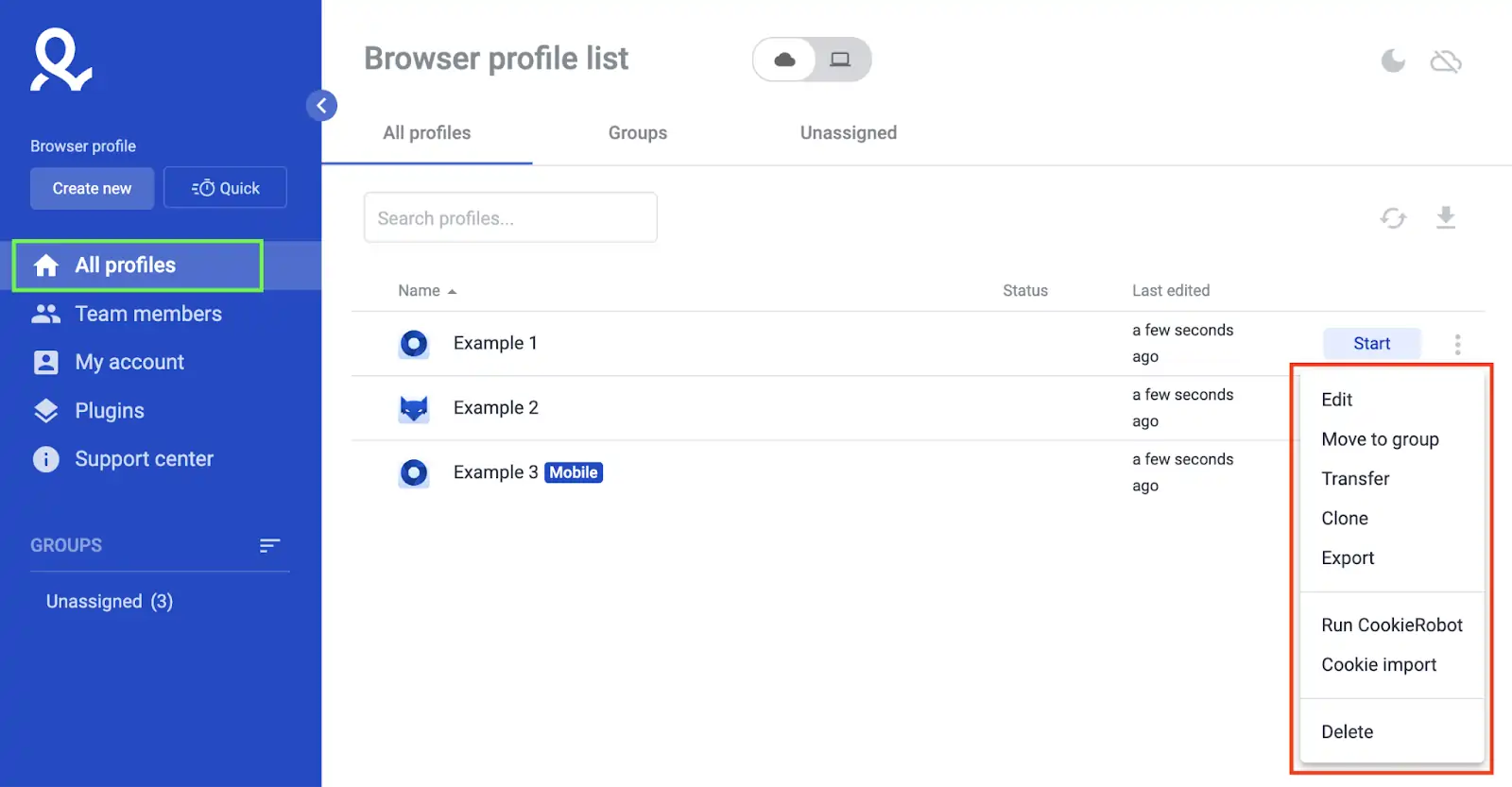
- Create your first profile: Hit “New Profile”. Name it clearly, like FB-Ads-US-01. Clear labels save you later headaches.
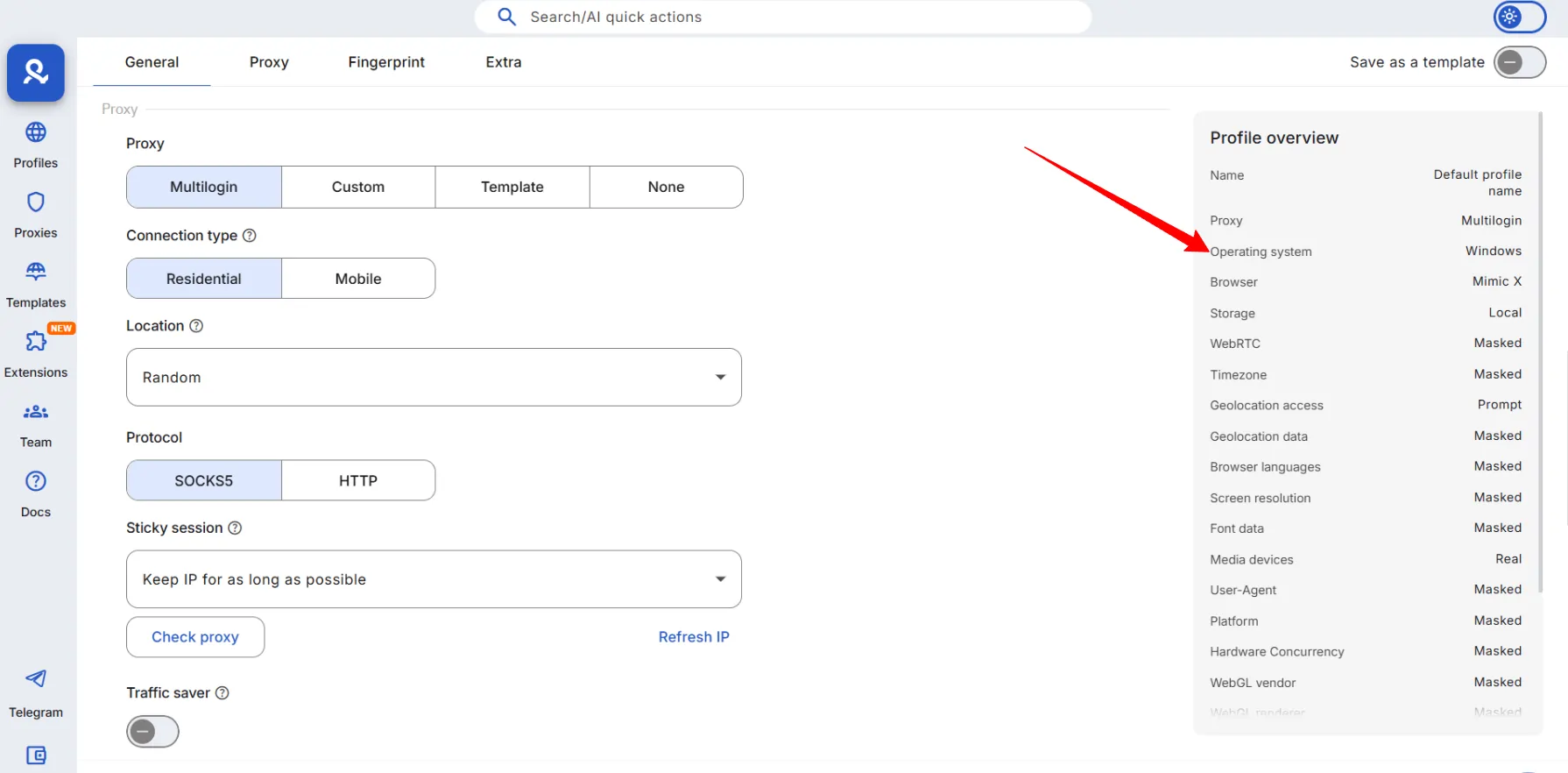
- Pick a clean operating system signal: Choose Windows 11 or macOS, then let Multilogin auto-generate a matching fingerprint. Never reuse one fingerprint across two accounts.
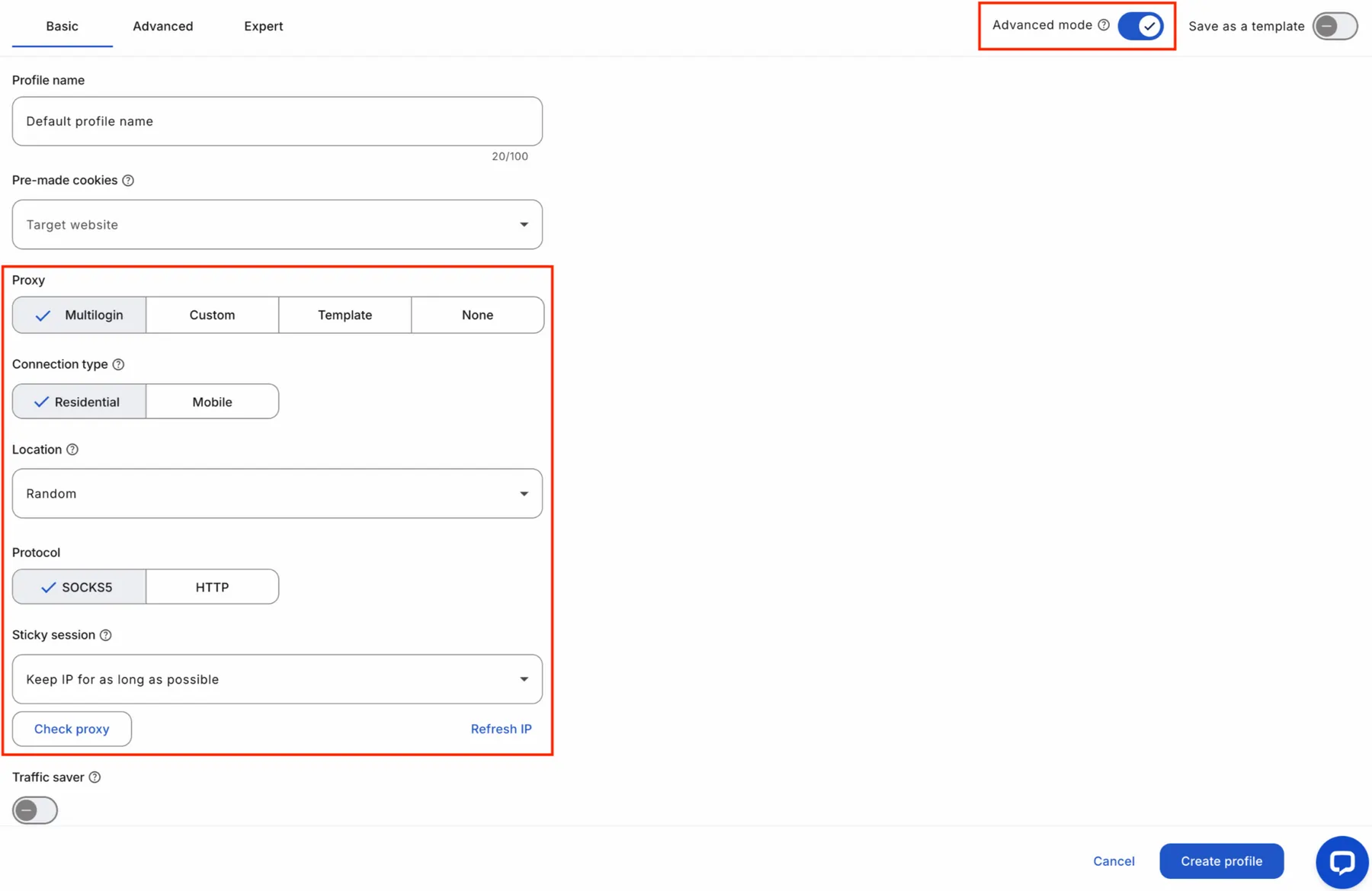
- Attach a dedicated residential proxy: Assign one dedicated residential proxy per profile. Match the proxy city to the account's target country. One account, one IP — never share.
- Sync the timezone and locale: Set both to match the proxy location. A New York IP with a Delhi clock is an instant red flag.
- Log into Facebook gently: Open the profile, go to Facebook, and log in like a normal person. Slow typing. Natural scrolling. No rush.
- Repeat for each account: Clone these steps for every new profile. Each one stays fully isolated, with its own browser fingerprint and proxy.
- Open Business Manager last: Once a profile feels settled, link it to Facebook Business Manager and start building ad accounts inside it.
Stick to this order every single time. Consistency is what keeps accounts breathing.
One more practical note on scaling. Each open profile eats memory, so plan your hardware. A handful of profiles is fine on most laptops. But if you want a dozen or more live at once, aim for at least 16GB of RAM.
Cloud storage helps here too — park older profiles in the cloud and only spin up what you need today. That keeps your machine quick and your isolated browser environments stable even on busy ad days. Secure every Facebook profile using Multilogin.
Can't Facebook Business Suite Just Handle This?
Fair question. Lots of people ask about it.
Yes, Meta Business Suite lets you sit several Pages and ad accounts under one umbrella. Handy for one brand with a few assets. But notice the catch — everything still ties back to one personal profile and one device.
So if Meta flags that core profile, the whole structure topples. One weak link, and your Pages, your ad accounts, and your Business Manager assets all freeze together.
Native tools also won't help when you need genuinely separate identities. Agencies running client work, affiliates testing risky offers, or sellers spreading risk all need true separation. Meta Business Suite simply was not built for that.
An antidetect browser solves the gap. Each Business Manager lives in its own profile, on its own fingerprint, behind its own proxy. One account going down never drags the rest with it. That separation is the whole point.
Proxies: The Half Most People Skip
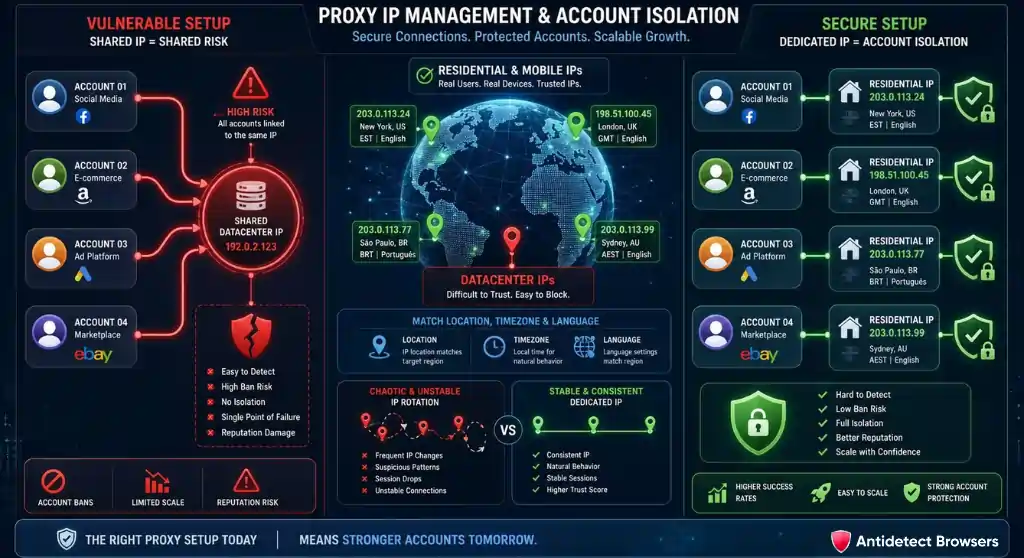
Here's a hard truth. A flawless fingerprint with a rubbish IP still gets you banned.
Facebook checks both. Browser fingerprint isolation and independent proxy IPs have to work together. Skip one, and the other can't save you.
A few proxy ground rules we live by:
Multilogin's bundled residential pool covers most of this in one place, which trims a whole vendor off your stack. Fewer logins, fewer headaches.
VPN vs Proxy vs Antidetect Browser
A lot of newcomers ask which one they actually need. Short version: they do different jobs. Here's how they stack up.
| Tool | What it hides | What it misses | Multi-account ready? |
|---|---|---|---|
| VPN | Your IP address only | Fingerprint, cookies, device data | No — accounts still link |
| Standalone proxy | IP per session | Browser fingerprint | Partly — risky on its own |
| Antidetect browser | Fingerprint, cookies, storage, plus proxy support | Nothing major, when set up right | Yes — built for this |
The takeaway is simple. A VPN is fine for privacy on coffee-shop WiFi. To genuinely separate multiple Facebook ad accounts, you need an antidetect browser doing the heavy lifting.
The Daily Routine That Keeps Profiles Clean
Setup is half the battle. The other half is how you behave once accounts are live.
A few habits we never break:
None of this is glamorous. But this quiet discipline is exactly what separates affiliates who scale from affiliates who keep starting over.
Scaling Past 10 Accounts: The Team Workflow
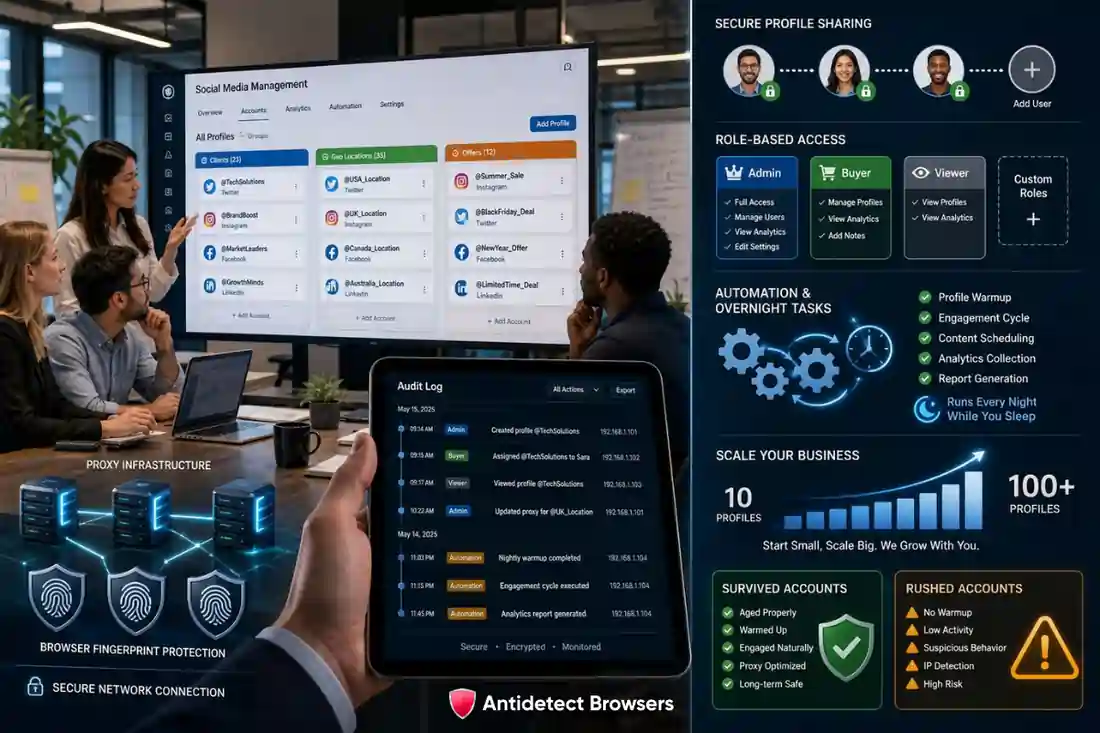
Handling five accounts solo is easy. Handling fifty across a team is where things break — unless you set it up right.
Here is how we keep a growing stack clean.
This structure is how agencies push past a hundred separate Facebook profiles without a single cross-link. Tooling does the heavy lifting; you keep the oversight.
A quick reality check, though. More accounts means more proxies, more warm-up time, and tighter discipline.
Scale steadily. Add a batch, prove it survives, then add the next. Rushing volume is still the fastest route to a mass ban.
Wrapping Up
Managing multiple Facebook ad accounts in 2026 is not about tricks or luck. It comes down to clean infrastructure.
Give each account its own identity. Feed it a proper residential proxy. Warm it up like a real human would. Then scale with confidence.
We have done this for nearly a decade, and the toolset has changed completely. These days, without an antidetect browser, you simply cannot keep multiple accounts alive on Meta. Full stop.
If you want the setup we trust most, start with Multilogin and apply AFFMAVEN50 for 50% off. Then go build something profitable.