Quick answer: Browser fingerprinting is a tracking method that spots you by reading 50+ technical signals your browser quietly hands over. Canvas output, WebGL, fonts, screen size, timezone, audio. Sites stitch these into one unique device fingerprint.
No cookies needed. No login needed.
So you clear your cache, flip on a VPN, open an incognito window. And sites still know who you are. That's the part most folks never see coming.
We benchmark these tools every single month. So here's how it actually works.
The Invisible ID Badge Your Browser Hands Out
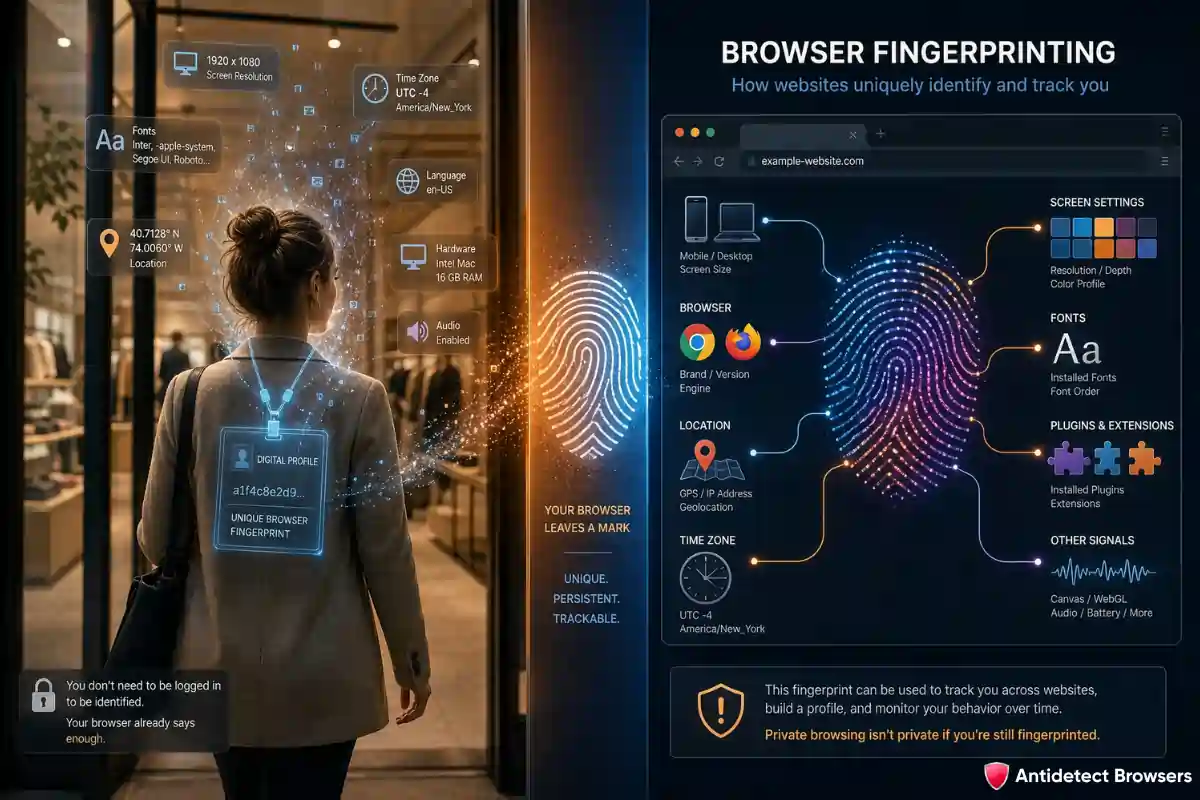
Picture walking into a shop wearing a name tag you can't take off. You don't see it. The shop does.
That's roughly what your browser does on every site you open.
Each visit, a small script grabs dozens of details about your setup. On their own, each detail is boring. Stacked together, they get scary specific.
And here's the kicker. Two people can clear every cookie, yet still look like two clearly different visitors. Because cross-site tracking moved on from cookies a long while back.
Cookies sit on your device. You can delete them.
A fingerprint isn't stored on your machine at all. So there's nothing to wipe.
Which Signals Get Collected (And Why They Leak So Much)
A site doesn't grab one big secret. It grabs many tiny ones.
Then it cross-checks them against each other. If the pieces fit together neatly, you look real. If they clash, you get flagged.
Here's a snapshot of the usual suspects we see during testing:
| Signal | What it reveals | Tracking strength |
|---|---|---|
| Canvas render | GPU and driver quirks | 🔴 Very high |
| WebGL | Graphics card vendor + model | 🔴 Very high |
| AudioContext | Sound stack maths | 🟠 High |
| Fonts | Installed software + OS | 🟠 High |
| Client Hints | Browser + platform version | 🟡 Medium |
| Timezone + locale | Rough location | 🟡 Medium |
| Screen + colour depth | Display setup | 🟡 Medium |
| WebRTC | Can leak your real IP | 🔴 Very high |
| TLS / JA3 | Handshake signature | 🔴 Very high |
Notice something? Plenty of these point straight at your hardware.
Software signals can shift. Hardware signals barely move. So they make brilliant long-term trackers.
Canvas and WebGL: the Heavy Hitters
Let's talk about the two signals that do most of the work.
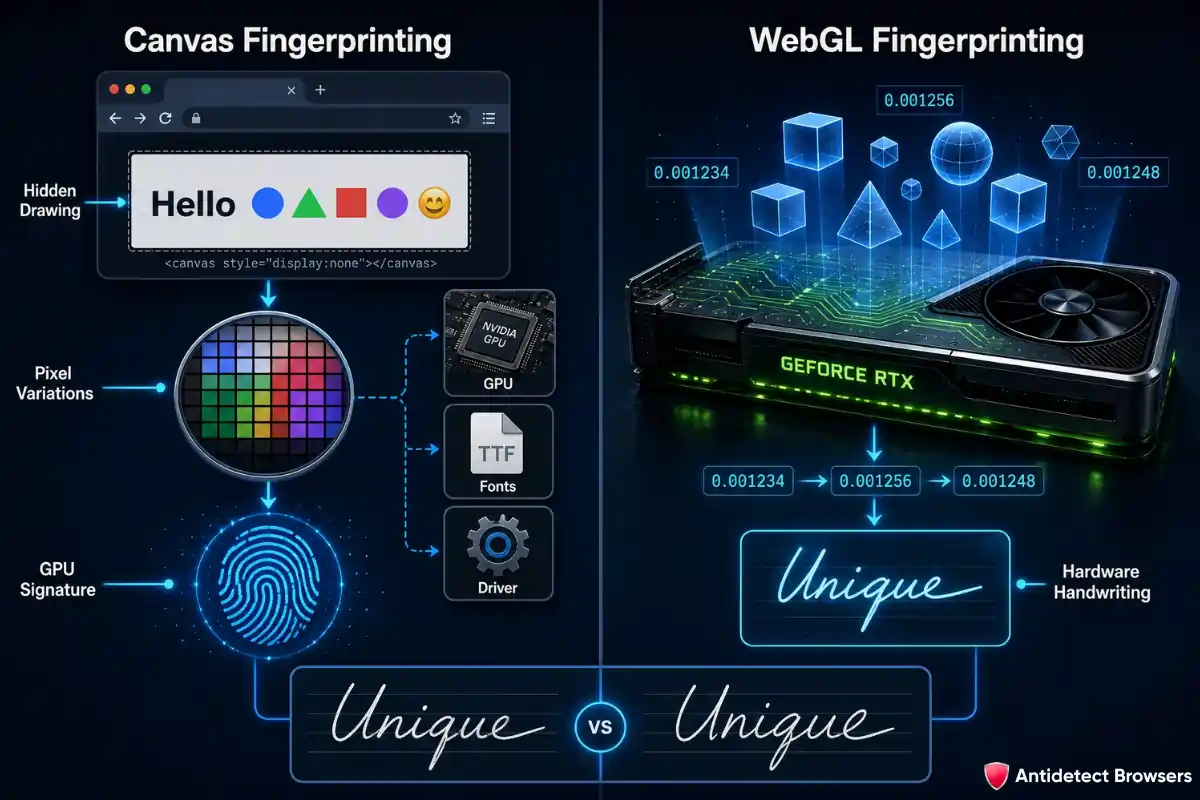
Canvas fingerprinting asks your browser to draw a hidden image. Some text, a few shapes, maybe an emoji.
You never see it. But the result gets read back, pixel by pixel.
Here's the clever bit. The same drawing code produces slightly different pixels on different machines. Your GPU, driver, and font stack all leave faint marks.
Those marks become a signature.
WebGL fingerprinting goes deeper. It pokes your graphics card through 3D rendering and reads back tiny floating-point differences.
Think of it like handwriting. Two people write the same word, yet the strokes never match exactly.
Your GPU writes its own way. And WebGL reads that handwriting.
Why does this matter so much? Because hardware signals are painfully hard to fake well. Claim an RTX card while your WebGL limits say otherwise, and a good detector spots the lie instantly.
Sound, Fonts, and The Version Game
Canvas and WebGL grab the headlines. Other signals fill the gaps.
Audio fingerprinting runs a silent sound through your browser's audio engine. Then it measures the output. Different devices process that maths differently, so you get yet another marker. It ranks second only to canvas in reliability.
Fonts give you away too. Your installed font list hints at your OS, your apps, even your job. Designers carry different fonts than gamers.
Then there's client hints data. Modern Chrome sends neat little headers stating your browser and platform version.
These must line up with everything else. Say your client hints whisper “Chrome 124” while your canvas screams something older. That mismatch is a red flag.
The Layer that Checks you Before the Page Even Loads
Most guides stop at JavaScript signals. We won't, because the game changed.
There's a check that fires during the TLS handshake fingerprinting stage. That happens before any page content loads. Before a single line of your script runs.
It's called JA3, and it reads how your browser opens a secure connection.
So why does this trip people up? Simple. You can't spoof it with page scripts, since it fires first. By the time your clever code wakes up, you've already been measured.
On top of that, big platforms watch behavioural tracking signals. Mouse movement, scroll speed, typing rhythm. Bots move too smoothly. Humans wobble.
Five layers, really: IP, TLS, fingerprint, behaviour, and account linking. A VPN touches one of them.
So How Unique Are Y ou, Really?
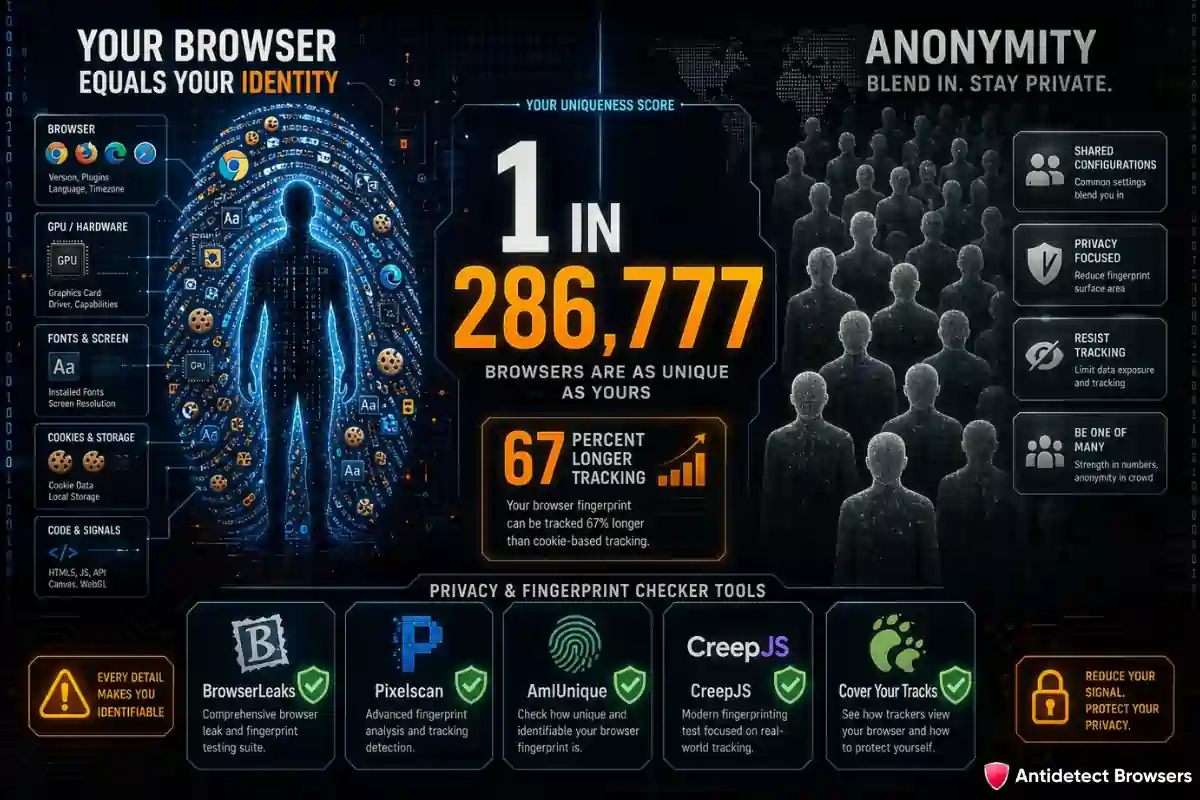
Here's an uncomfortable truth. Your “normal” browser is probably one in millions.
Tools like AmIUnique and Cover Your Tracks measure this. Plenty of setups turn out to be totally unique inside their database. One match. You.
That uniqueness is the whole point. The rarer your combo, the easier you are to follow across sites, sessions, and even reinstalls.
And research keeps making things worse. A method called DrawnApart stretched fingerprint tracking duration by 67%, by squeezing extra detail out of the GPU.
Want to test yourself? These checkers do the job well:
Run two or three, not one. A single green tick proves very little.
Why This Blew Up Right Now
You'd think cookies dying would calm tracking down. The opposite happened.
Safari blocked third-party cookies back in 2020. Firefox followed its own path even earlier. Brave and DuckDuckGo refuse them flat out.
Google? After years of promises, it scrapped the plan in 2025 and kept third-party cookies alive in Chrome under a user-choice setup. Its Privacy Sandbox then wound down entirely.
But here's what really happened underneath. Trackers needed something cookies couldn't offer. Something you can't clear.
Fingerprinting fits perfectly.
Regulators noticed too. The UK's ICO publicly slammed Google's fingerprinting stance as “irresponsible”. Strong words from a watchdog. ⚖️
Bottom line, fingerprinting is now the default way platforms recognise you. Cookies became the backup, not the star.
Cookies vs fingerprints, side by side
Quick comparison, since people mix these up constantly:
| Trait | Cookies | Fingerprint |
|---|---|---|
| Stored on your device | Yes | No |
| Can you delete it | Yes | Not really |
| Survives incognito | No | Yes |
| Survives a VPN | Sometimes | Yes |
| Needs your consent | Often | Rarely asked |
| Works across sites | Limited now | Very well |
See the gap? You control cookies. You barely control a fingerprint.
That single difference explains why account bans and ad-account links keep happening, even to careful people.
Where Antidetect Browsers Fit In 🛡️
Right now the practical part. Because spotting the problem is easy. Solving it is the hard bit.
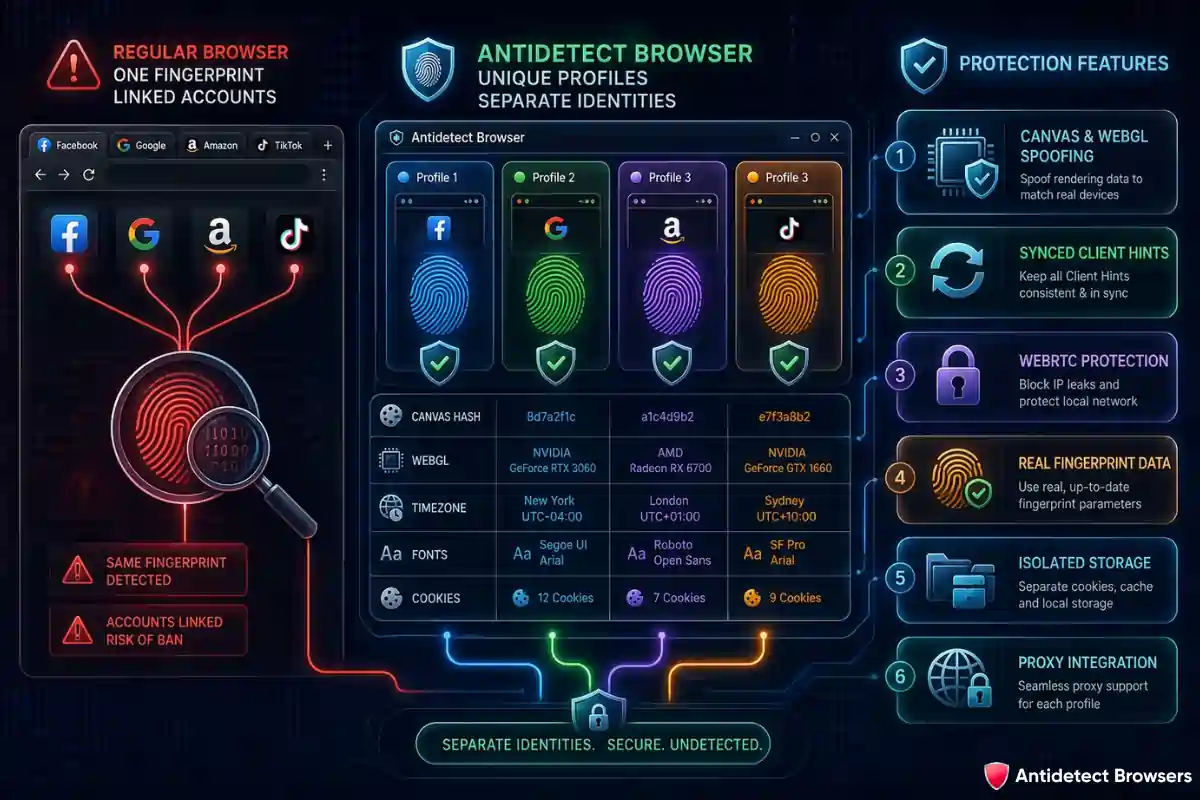
A regular browser shows one fingerprint. Same canvas, same WebGL, same fonts, every tab, every account. So Facebook, Google, Amazon, and TikTok link your profiles in seconds.
An antidetect browser flips that logic on its head.
Each profile gets its own fingerprint. Its own canvas hash, WebGL string, timezone, fonts, cookies, and cache. Every profile looks like a separate person on a separate device.
We've tested this across many platforms, and one rule decides everything: consistency.
A weak tool randomises signals carelessly. Result? An Intel-style canvas paired with an Nvidia WebGL string. Detectors love that kind of slip.
A strong tool keeps every signal internally consistent with fingerprints, so the whole identity holds together. Intel GPU, Intel canvas, matching WebGL, matching fonts, matching client hints. No cracks.
That's the difference between a profile that survives 30 days and one that gets flagged on day one.
In our monthly tests, the top tools hold a clean scan across five separate checkers at once. The weak ones throw warnings on the very first audit. So the gap shows up fast, and it shows up in survival rates too.
Here's roughly what separates the good ones from the rest:
Pair that with the right proxy, and you cover both halves. The browser handles your fingerprint. The proxy handles your IP. You need both, because
Quick Myth-Buster: A VPN is Not Enough
Plenty of people email us saying “I use a VPN, so I'm fine.” Sorry, but no.
A VPN swaps your IP address. Useful, sure.
Yet it does nothing about canvas, WebGL, audio, or fonts. Those still shout your real identity. So platforms link your accounts anyway, IP change or not.
A VPN hides where you connect from. Fingerprinting tracks what you connect with. Two totally different problems.
What it Costs the People Who Ignore It
Let's make this concrete, because the stakes feel abstract until they don't.
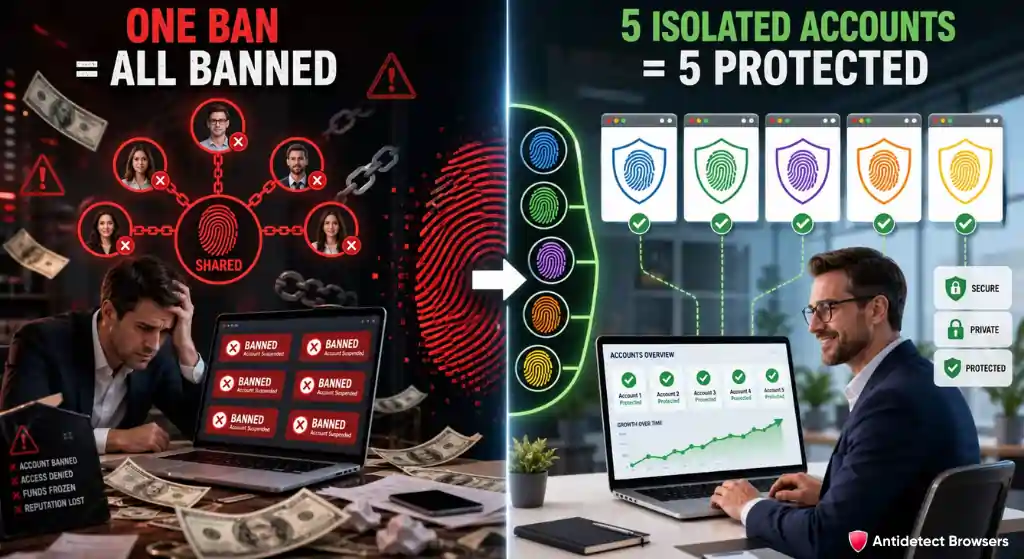
An affiliate opens five ad accounts from one browser. Same fingerprint on all five. One account trips a rule. So the platform links the other four in minutes, then bans the lot.
A seller does the same on a marketplace. One flagged store drags down every linked store beside it.
We've watched this play out plenty of times. The pattern never changes. Shared fingerprint, shared fate.
That's the quiet tax of ignoring device fingerprint tracking. Lost accounts, lost ad spend, lost time rebuilding from zero.
Good isolation isn't paranoia. For multi-account work, it's basic hygiene.
Wrapping Up: Control What You Can
Let's bring it home. Browser fingerprinting quietly became the web's main tracking tool, and it works with or without a single cookie.
Your hardware leaks signals. Your software leaks more. Together they paint a picture rare enough to follow you everywhere.
You can't delete that picture. But you can shape it.
So check your own fingerprint with a tool like BrowserLeaks today. Then, if you juggle multiple accounts, an antidetect browser with consistent fingerprints does the heavy lifting a VPN simply can't.
Want the data behind our picks? Browse our 2026 rankings and verified deals before you commit to any tool.
One question to leave you with: when did you last check what your everyday browser gives away, before you even click a thing?