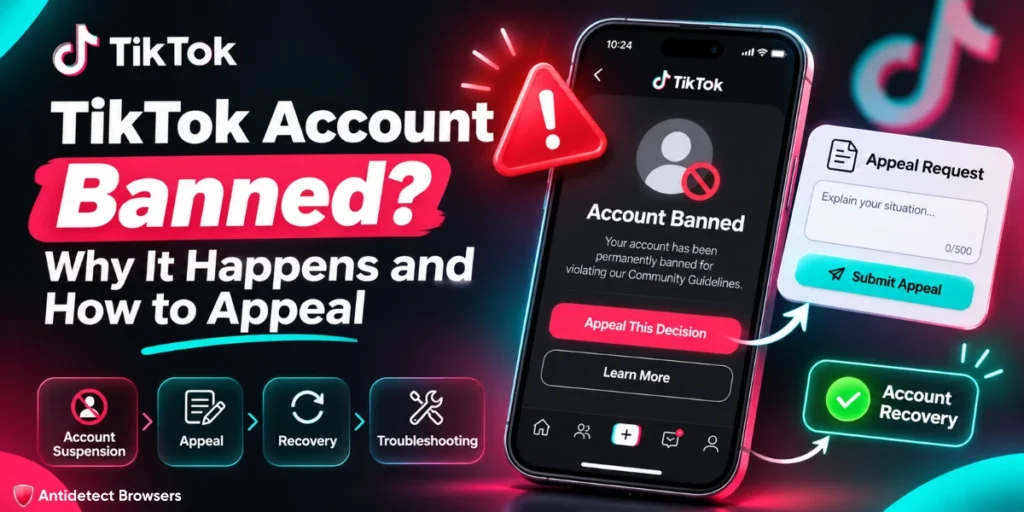
Quick answer: If your TikTok account is banned, TikTok shows a banner the next time you open the app, and the appeal starts there. Account status in the in-app Safety Center shows which rule TikTok applied. Strikes expire after 90 days, but one severe violation can mean a permanent ban. Opening a new account to get around the ban breaks TikTok's rules.
A client's three-year-old brand account opens to a ban banner instead of the feed. Nobody posted anything wild. Then someone remembers the four new hires who logged in to it on Friday, from the same office Wi-Fi as nine other client accounts.
You can't undo Friday. You can read the notice properly, file one clean appeal, and set up the other accounts so next Monday is boring.
What kinds of TikTok bans and restrictions are there?
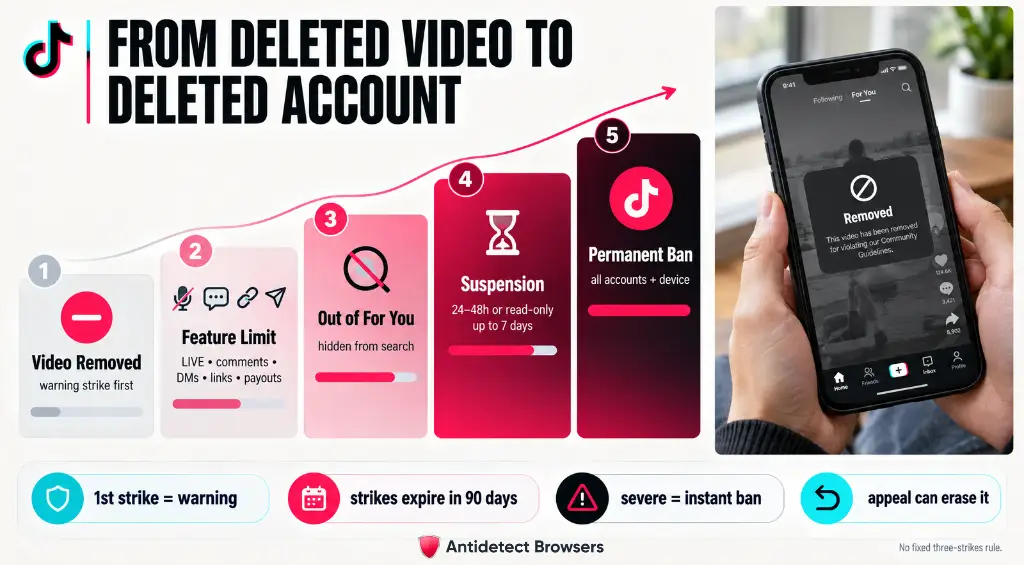
TikTok's enforcement runs from removing one video to banning every account a person holds. Find out which step you are on before you write anything.
| Enforcement | What TikTok says happens |
| Content removal | The video is removed and the account gets a strike. |
| Feature restriction | Temporary limits on LIVE, comments, DMs, links or monetization. |
| For You ineligibility | The account is temporarily kept out of recommendations and is harder to find in search. |
| Temporary suspension | In 2021: 24 or 48 hour pauses on posting or commenting, or view-only mode for 72 hours to a week. [confirm: still current] |
| Permanent ban | One severe violation, repeated violations, getting around enforcement, or an account dedicated to breaking the rules. |
| Other accounts and devices | TikTok may ban the holder's other accounts, and has said it may block a device from making new ones. |
How does TikTok's strike system work?
Anyone quoting a fixed “three strikes” rule for TikTok is guessing.
Is a suspended TikTok account the same as a banned one?
Not quite. TikTok uses “ban” for losing the account and “restriction” for limits on features or reach. If the app says your TikTok account is suspended but you can still log in and watch, you are probably under a timed restriction.
Why does TikTok ban accounts?
Most bans trace back to five causes. The last two are how operators usually walk into the first three.
1. Community Guidelines violations
One severe violation or a run of smaller ones. TikTok says content first goes through automated review, then flagged posts are removed or sent to moderators.
2. Age requirements
The minimum age is 13, and TikTok bans accounts when it learns the holder is younger. LIVE and monetization need the holder to be 18 or over, and DMs need 16 or over. Underage bans have their own appeal route.
3. Spam and fake engagement
TikTok's Integrity and Authenticity rules prohibit accounts run in bulk, accounts run through unauthorized automation, and high-volume commercial content. Buying followers, likes or views breaks the fake-engagement rule, and TikTok removes the fakes it finds.
4. Suspected automation
We read bots, bulk-follow tools and auto-commenters as the “unauthorized automation” the rules prohibit. Fast, repeated actions can look like a script even when a tired intern made them.
5. Many accounts run carelessly from one device and network
TikTok allows multiple accounts, but not to bypass its rules. Ten client accounts sharing one phone, one IP and a rotating team can look like one operator.
For severe violations, TikTok may ban “any other existing accounts of the account holder.” Shared setups blur who holds what, so one client's mistake can spill over.
How do you check why your TikTok account was banned?
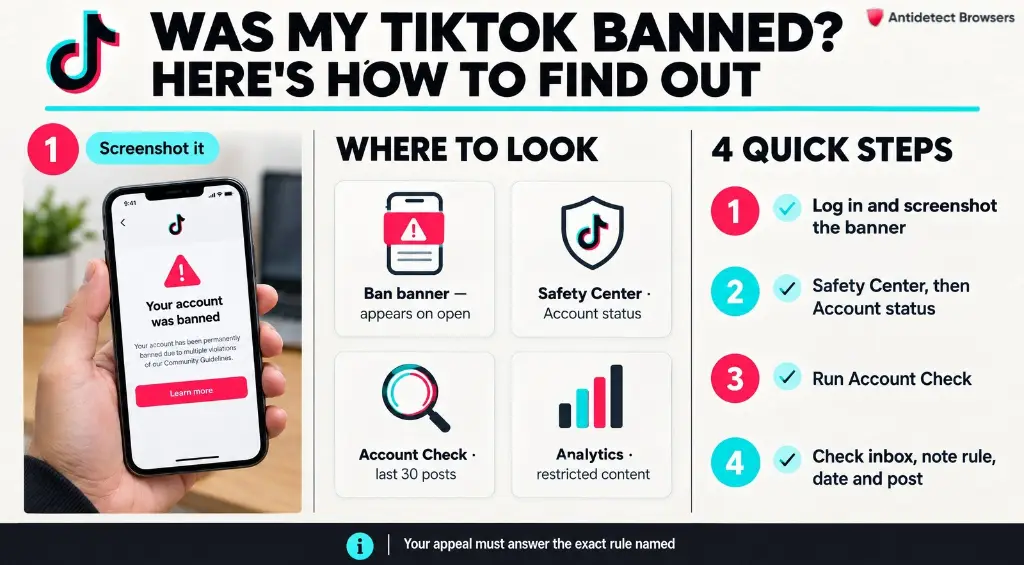
TikTok says it tells you which rule you broke. Read its notice before you guess.
| Where | What it shows |
|---|---|
| Ban banner | Appears the next time you open the app. The appeal starts here. |
| Account status (Safety Center) | Your video violations and the account's standing. |
| Account Check | An audit of the account and its last 30 posts, including feature limits and posts kept off For You. |
| Analytics | Content that is ineligible for For You or otherwise restricted. |
Write down the rule named, the date, and the post or feature involved. Your appeal has to answer exactly that.
How do you appeal a TikTok ban?
The TikTok ban appeal happens in the app. TikTok says you can appeal a ban, a content violation, For You ineligibility or other restrictions you think are wrong.
How to get unbanned on TikTok, step by step
In Europe, TikTok said in 2023 it would notify users of more moderation decisions under the Digital Services Act.
What should a TikTok ban appeal include?
Short, specific and easy to check.
A template to adapt:
This account belongs to [Brand] and is managed by our agency. The notice cites [rule] on [date] for [post]. We believe the post is within the guidelines because [reason]. Since then we have [change made]. Please review the decision.
How long does a TikTok appeal take?
We found no published review time for ban appeals on the official TikTok pages we could open, so we won't guess one.
What should you not do while a TikTok appeal is pending?
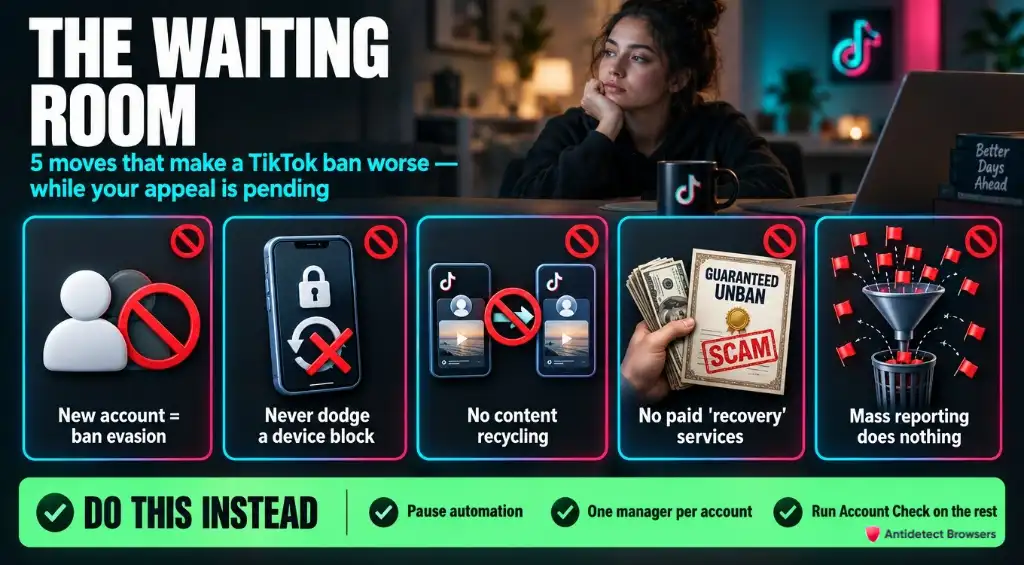
The wait is where most people make it worse.
Use the wait well: pause any automation, cut each account to one manager, and run Account Check on the rest.
Is a TikTok shadowban real?
“Shadowban” is the creator word. TikTok's term is For You ineligibility, and it says it notifies creators whose accounts are restricted.
Content misses the For You standards when it is, among other things:
Low views alone prove nothing. TikTok's own page says they may just mean low engagement. In 2020 it said follower count and past hits are not direct ranking factors.
Check Account Check and analytics first. Restriction listed: appeal it. Nothing listed: fix the content.
How do you protect a business or agency's TikTok accounts going forward?
TikTok allows multiple accounts but forbids using them to dodge its rules. So each legitimate client account gets its own steady setup, run by named people. An account TikTok has already banned goes through the appeal, not this.
Which tools help agencies keep TikTok accounts separate?
TikTok is a phone app first, so a cloud phone gives each client its own Android environment running the real app.
New to them? Read what a cloud phone is. For Ads Manager on desktop, see antidetect browsers for TikTok ads.
Two cloud phone options we point agencies to first.
| GeeLark | Multilogin | |
|---|---|---|
| Free plan | 2 profiles, 1 seat | 5 cloud profiles, 30 mobile minutes (one-time) |
| Paid from | Base and Pro prices did not load [confirm] | Pro 10: $11 a month, or from $7.08 billed yearly |
| Phone time | $0.007 a minute, or $29.90 per device a month | Packs from $16.80 for 2,000 minutes |
| Team seats | Unlimited on Base and Pro | 1 on Pro 10, unlimited on Business |
GeeLark cloud phones
GeeLark rents Android phones in the cloud and says it is “not an Android emulator.” Its randomized fingerprints are a vendor claim, not our test result. Paid plans add unlimited seats, permissions and an action log. Proxy management comes on every plan.
Price: pay as you go is capped at $1.20 per device a day on paid plans. A 2,000-minute add-on is $13.30. The page advertised up to 35% off subscriptions until 30 Nov.
Where it falls short:

GeeLark Coupon Code AFFMAVEN: Save 20% Today
exclusive
Grab GeeLark AFFMAVEN for 20% off cloud phones, Android automation, proxy management, and affordable multi-account management.
SAVE UP TO 20%
Multilogin cloud phone
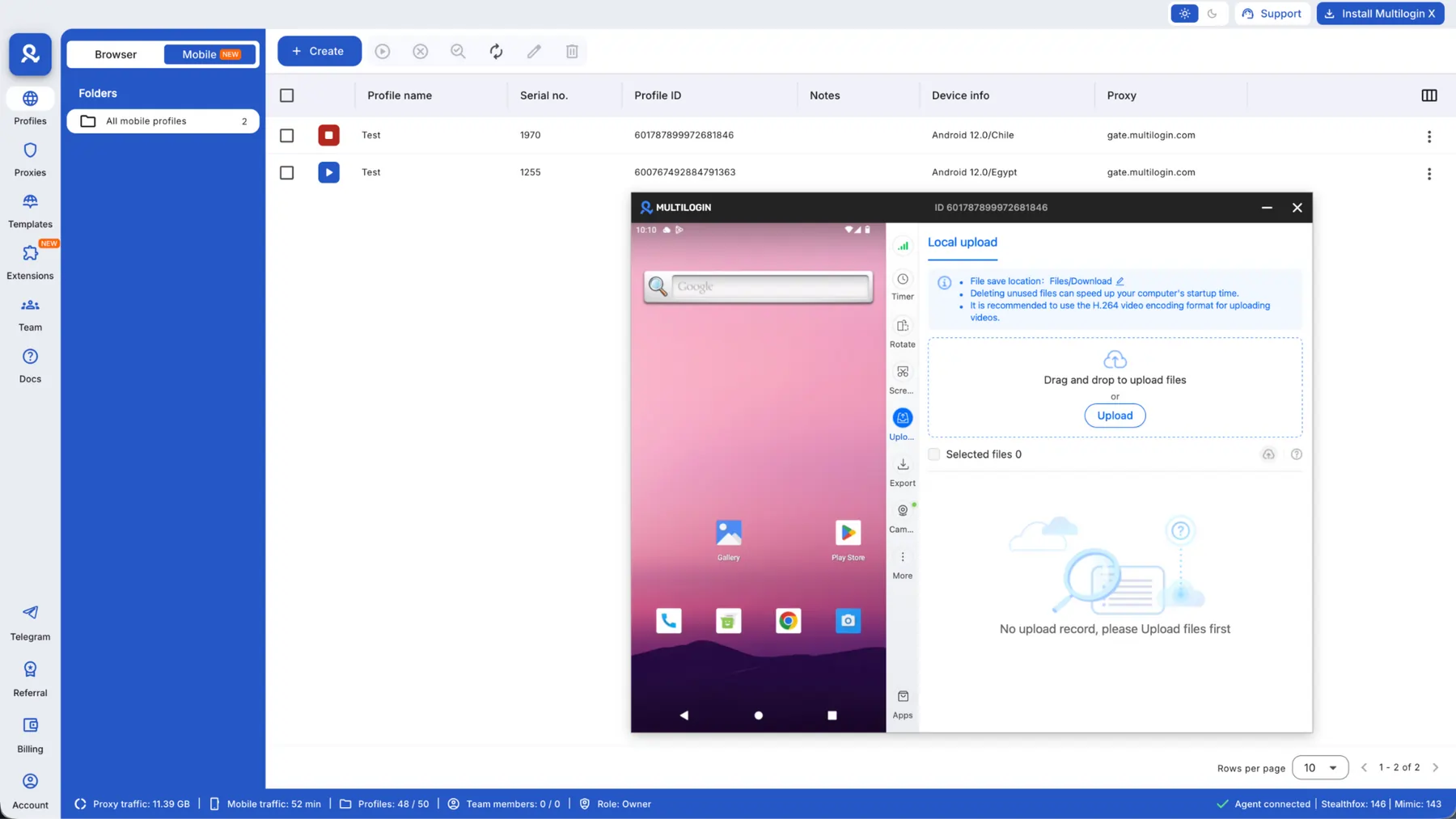
Multilogin is an antidetect browser that also runs Android cloud phones. It says they run on real smartphone hardware, Android 10 to 16. Residential proxy traffic is bundled: 1 GB a month on Pro 10. It suits agencies running Ads Manager on desktop and the app on mobile from one dashboard.
Price: Pro 10 costs $11 a month, or from $7.08 a month billed yearly. It includes 10 profiles and 60 mobile minutes a month. Business 100 is $40 a month, or $320 a year. Multilogin says only the first 180 minutes of one unbroken session are billed.
Where it falls short:

Multilogin Coupon Code AFFMAVEN50: Get 50% Off
exclusive
Save 50% with Multilogin coupon code AFFMAVEN50 and access affordable antidetect browser profiles, Android cloud phones, and residential proxies.
SAVE UP TO 50%
Price Reality: one client on a cloud phone
One cloud phone per client, 60 minutes a day for 30 days: 1,800 minutes a month.
| Option | Math | Per account per month |
|---|---|---|
| GeeLark 2,000-minute add-on | $13.30 / 2,000 x 1,800 | $11.97 |
| GeeLark pay as you go | $0.007 x 1,800 | $12.60 |
| Multilogin 2,000-minute pack | $16.80 / 2,000 x 1,800 | $15.12 |
| GeeLark monthly rental | flat | $29.90 |
Plan fees come on top. Against the pay-as-you-go rate, the GeeLark rental only wins above about 4,270 minutes a month.
Pick GeeLark if your TikTok work is mostly in the app and the team is large. Pick Multilogin if you also need desktop browser profiles.
FAQs About TikTok Account Banned
Why has TikTok banned my account?
TikTok bans accounts for one severe Community Guidelines violation, repeated violations, or getting around enforcement. Accounts dedicated to breaking its rules, such as spam or impersonation, are banned too. Being under 13 also leads to a ban. The ban banner and Account status in the Safety Center name the rule TikTok applied. Start there before you write an appeal.
Can a permanently banned TikTok account be unbanned?
Sometimes. TikTok says that when a review finds an account was removed by mistake, it reinstates the account and erases the penalty. A successful appeal also removes the strike. Zero-tolerance violations, such as child sexual abuse material, bring an immediate ban with no warning. File one clear appeal from the ban banner and accept the final outcome.
How do I appeal a suspended TikTok account?
Open the TikTok app and log in to the affected account. Tap the banner or violation notice, choose the appeal option, and explain in a few sentences why the decision is wrong. Name the post or feature involved. Then track progress in the Safety Center. A temporary restriction lifts on its own, so appeal only if you think it was wrong.
Can I make a new TikTok account after being banned?
Not to get around the ban. TikTok's Integrity and Authenticity rules forbid creating or using another account to avoid a ban or a feature restriction. They also forbid opening a new account after a ban for a severe violation. TikTok says it may ban those new accounts as well. Appeal the original decision instead of starting over.
How long do TikTok strikes last?
TikTok says strikes expire from an account's record after 90 days. A first violation usually brings a warning strike that does not count toward the tally. Strikes are counted per feature, such as LIVE or Comments, and per policy. Reaching the threshold in either one means a permanent ban. TikTok does not publish the thresholds themselves.
What is a TikTok device ban?
It means TikTok blocks a phone or other device so no new accounts can be created on it. TikTok described the measure in 2021 as part of its enforcement system. If your device is blocked, the legitimate route is the appeal on the original account. Getting around the block to sign up again is ban evasion under TikTok's rules.
Next step
If you are reading this with a ban banner open, file the appeal first. Then fix the setup for the accounts still standing, starting with how to manage multiple TikTok accounts and what a cloud phone is. Running Instagram for the same clients?