Your phone is where the accounts live now. TikTok, Instagram, WhatsApp, Shopee, the whole lot. So if your setup still dresses a desktop up as a smartphone, platforms sniff it out in seconds.
Here's the short answer straight away. The best mobile antidetect browsers in 2026 are the ones built on real Android cloud phones and true native mobile apps, not desktop tools wearing a mobile mask.
Cloud phones boot a genuine Android OS on real ARM chips. Each one carries a unique device fingerprint, so every app treats your profile like a separate handset with its own IMEI, sensors and GPS.
We've lived inside this world for years. Across our own affiliate operations we've spun through dozens of tools, farmed accounts, burned a few, and logged what actually survives.
Below sit six that earned their spot, each with a quality score and a plain-spoken take on how they handle mobile.
Why Mobile Broke the Old Antidetect Playbook
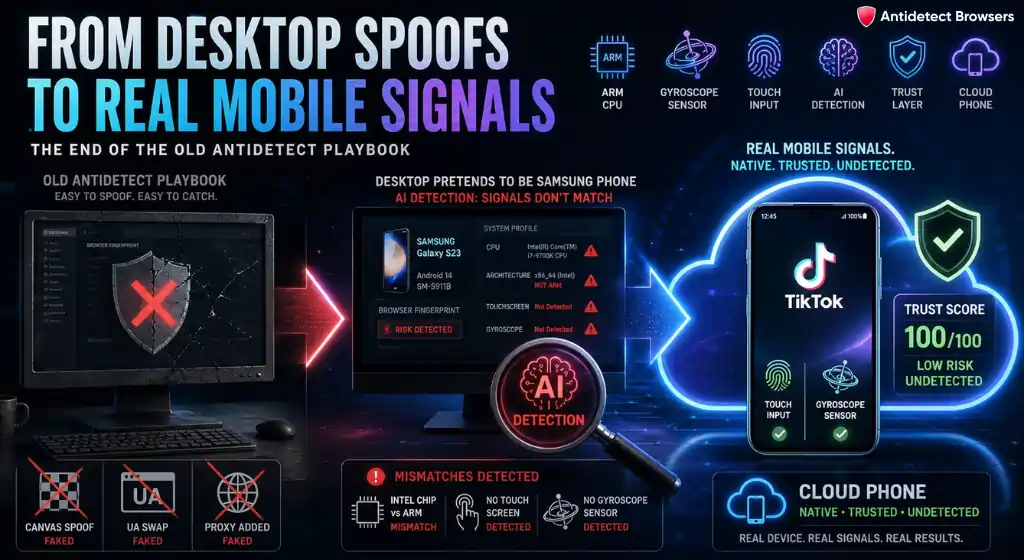
For a long time, a desktop antidetect browser was plenty. Spoof the Canvas, swap the user agent, add a proxy, done. That era is fading fast.
Today the big mobile-first platforms weigh their trust scores toward real phone signals. TikTok especially. When every session pings in from a Windows box, you stand out from the crowd of genuine app users.
Here's the catch with desktop imitation. A “mobile view” toggle only rewrites the user agent. Underneath, apps still read desktop hardware, an Intel or AMD chip, no touch sensors, no gyroscope.
Meanwhile, AI-driven anti-fraud systems now cross-check CPU performance against real ARM behaviour. A desktop pretending to be a Samsung gets flagged. That gap is exactly why mobile device emulation moved from nice-to-have to essential.
On top of that, plenty of platforms simply refuse the browser. You cannot post a TikTok the same way from a laptop as from the app. So native mobile apps matter, and only a cloud phone opens them properly.
Two Flavours of Mobile: Cloud Phones vs Mobile Profiles
Before the picks, sort out the two categories. Muddle them and you'll buy the wrong thing. 🤔
Both have a place. For app-only work like short-form video, cloud phones win because app-level detection is brutal. For mobile web logins and lighter jobs, a good mobile profile does the trick.
Also worth saying: neither replaces a proxy. The browser handles the fingerprint, the proxy handles the IP. You need both, and we cover the proxy side further down.
How We Picked these Mobile Antidetect Browsers
No vendor paid for a slot here. Our list comes from hands-on testing, not blog scraping. We've been in affiliate marketing and media buying long enough to know that marketing pages lie and account survival tells the truth.
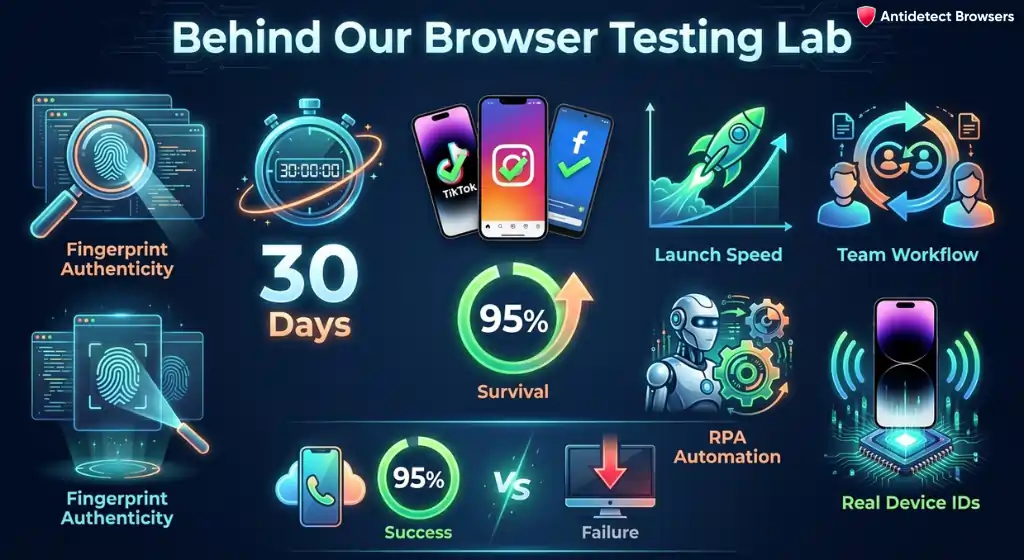
Every tool went through the same wringer:
Our infrastructure background helps here too. Alongside this directory we operate TradingVPSHub, where we stress-test the low-latency VPS setups that keep desktop antidetect clients and cloud phone dashboards online round the clock. That mix of browser testing and server testing shapes how we score reliability.
What we found across months of use: real cloud phones held roughly 95% survival on app platforms, while desktop imitation slipped noticeably on TikTok. Launch speed varied more than any spec sheet admits. Numbers below reflect that.
Mobile Antidetect Browsers Compared at a Glance
Here's the whole field side by side, so you can weigh mobile method against automation and free access in one look. 👇
| Mobile Antidetect Browser | Mobile method | Native app? | Device signals | Free start |
|---|---|---|---|---|
| GeeLark | Android cloud phone | ✅ Cloud phone | Real IMEI, MAC, sensors, GPS | 2 + 60 mins |
| Multilogin | Cloud phone + browser | ✅ Cloud phone | Real IMEI, matched proxy | $2 trial |
| Octo Browser | Native iOS app | ✅ iOS only | Real Safari signals | 100 iOS profiles |
| GoLogin | Native Android app | ✅ On real phone | Real ARM, battery, gyroscope | 3 profiles |
| Dolphin Anty | Desktop control, FPs soon | ❌ Not yet | Real-device DB (browser) | 5 profiles |
| MoreLogin | Cloud phone + browser | ✅ Cloud phone | Real ARM, ADB access | 2 + 2 phones |
1. GeeLark
Our score
GeeLark started the whole antidetect phone category, and it still feels the most native. Rather than fake a phone, it hands you a real Android device in the cloud, controlled from your desktop with a mouse and keyboard.
For anyone deep in TikTok multi-accounting, that difference is everything. You install the actual TikTok, Instagram or Reddit app, warm accounts with real touch events, and post video from a handset the platform genuinely trusts.
What stands out on the mobile side:
GeeLark's own case data lines up with what we saw: teams reported a 4.3× jump in content output, 27.5% lower cost per acquisition, and one Reddit operation aged 894 accounts at around 95% survival. Support and docs lag a little, but for pure mobile firepower it leads.
| Mobile approach | Engine / OS | Fingerprint depth | Automation | Free tier |
|---|---|---|---|---|
| Real Android cloud phone | Android 10–15 on ARM + GeeBrowser | Device-level (IMEI, MAC, sensors) | RPA templates, Synchronizer, API | 2 profiles + 60 mins/mo |
2. Multilogin
Our score
Multilogin earned its name on the browser side, then bolted on a proper mobile arm. Today it drives both cloud-based Android devices and isolated browser profiles from a single desktop app, which suits mixed workflows nicely.
The mobile half is the real deal, not emulation. Each cloud phone is a dedicated Android device (versions 10 to 15) with genuine hardware identifiers, so TikTok, Instagram and Reddit read them as separate handsets.
Where it pulls ahead for mobile teams:
Automation is strong too, with native hooks for Selenium, Puppeteer, Playwright and Postman. Its legacy Android browser profiles are being retired in favour of these full cloud phones, a smart move given how detectable pure emulation has become.
| Mobile approach | Engine / OS | Fingerprint depth | Automation | Free tier |
|---|---|---|---|---|
| Real cloud phone + browser profiles | Android 10–15 + Mimic / Stealthfox | Device-level, 25+ params, matched proxy | Selenium, Puppeteer, Playwright, API | 3-day trial |
3. Octo Browser
Our score
Octo built its reputation on raw speed and clean fingerprints on desktop. For mobile, its big 2026 story is fresh: in May it launched a proper iOS app for iPhone and iPad.
Those iOS profiles use mobile Safari fingerprints generated with native Apple technologies. The clever bit is that real iPhone users on matching Safari builds look almost identical, differing mainly by IP, so a well-set iOS profile blends into a genuine crowd.
On the mobile front the app brings:
One honest caveat. Those iOS profiles live only in the iOS app, and there is still no native Android app, only software-level Android skins on desktop. So for app-heavy Android work you'll pair it with something else. Even so, launch speed remains the fastest we clock, roughly a second cold.
| Mobile approach | Engine / OS | Fingerprint depth | Automation | Free tier |
|---|---|---|---|---|
| Native iOS app + desktop Android skin | Latest Chromium + native iOS | 50+ params, real Safari signals | REST API, Selenium, Puppeteer | 100 free iOS profiles |
4. GoLogin
Our score
GoLogin does something none of the others quite match. It ships a true native Android app through Google Play that launches profiles on your actual phone, not a simulated one.
That means apps and sites see a real ARM CPU, a genuine GPU, live battery telemetry and real gyroscope and accelerometer readings. Detection built to catch fake mobile traffic simply doesn't fire, because the traffic isn't fake. For Instagram account farming and Reels work, that authenticity is gold.
The mobile toolkit covers:
There's also a web version that opens from any device, plus fresh AI-agent support for hands-off account warm-up. If your operation is Android-first and you want real device signals without buying a phone farm, this is the sharpest option here.
| Mobile approach | Engine / OS | Fingerprint depth | Automation | Free tier |
|---|---|---|---|---|
| Native Android app on real device | Orbita (Chromium 148) | 53 params + real ARM signals | API 1200 req/min, agents | 3 profiles forever |
5. Dolphin Anty
Our score
Dolphin Anty is the tool half the affiliate community already uses for Facebook and TikTok ad work. On mobile, though, it's honest about being desktop-first for now, its mobile interface handles account oversight, not profile launching.
So why include it in a mobile round-up? Because most mobile ad accounts are still steered from a desktop cockpit, and Dolphin's real device fingerprints plus platform presets make it a natural command centre for mobile-targeted campaigns.
What it brings to that job:
The team has confirmed mobile fingerprints for iOS and Android are on the roadmap. Until they land, treat Dolphin as your desktop control room for mobile campaigns and pair it with a cloud phone for the app-side lifting.
| Mobile approach | Engine / OS | Fingerprint depth | Automation | Free tier |
|---|---|---|---|---|
| Desktop control, mobile FPs coming | Chromium (desktop) | 20 params, real-device DB | Synchronizer, API, no-code builder | 5 profiles free |
6. MoreLogin
Our score
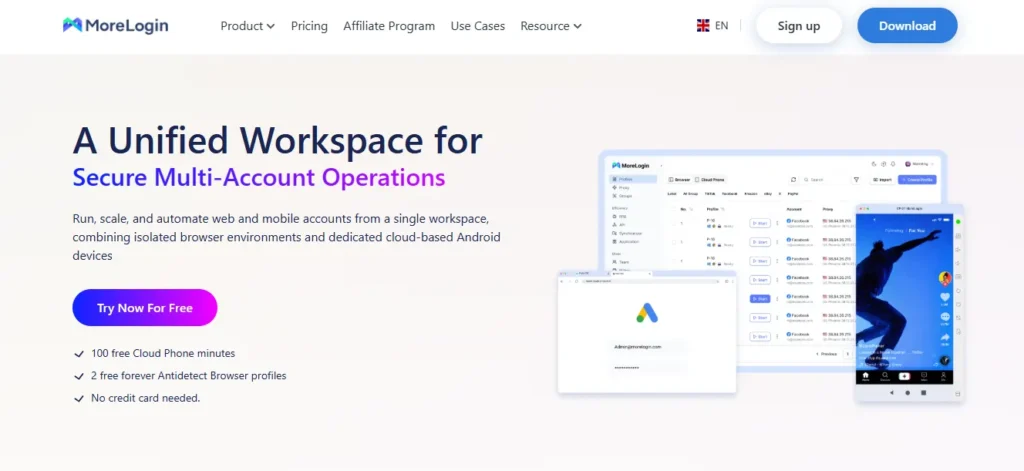
MoreLogin quietly pairs a solid antidetect browser with a real cloud phone arm, and it's one of the friendlier ways into mobile multi-accounting for smaller teams.
Its Cloud Phone sits on real ARM chips with a genuine Android stack, not a local emulator. Each device gets a unique device fingerprint and auto-matches country, timezone and language to the proxy, so a fresh phone looks like a local from minute one.
Standout bits for mobile:
The interface still feels a touch raw and the English translation is patchy, a fair trade for the low barrier to entry. Automation even hooks into Zapier and Make. For budget-minded operators who want genuine cloud-based Android devices rather than fakery, it punches above its weight.
| Mobile approach | Engine / OS | Fingerprint depth | Automation | Free tier |
|---|---|---|---|---|
| Real cloud phone + browser | ARM Android + Chromium / FlowerBrowser | 100+ cloud-phone params, ML Canvas | Synchronizer, API, Zapier/Make | 2 profiles + 2 cloud phones |
Proxies: The Other Half Nobody Should Skip
A perfect fingerprint with a rubbish IP still gets you flagged. So proxies deserve as much thought as the browser itself.
For mobile work, match the proxy to the job. Here's the quick lay of it:
One rule saves a lot of pain. Your IP geolocation, timezone and language should all agree. A phone in Berlin on a New York proxy is a walking red flag. Tools like Multilogin and GoLogin bake in matched proxies for this exact reason.
What Actually Trips Mobile Detection Systems
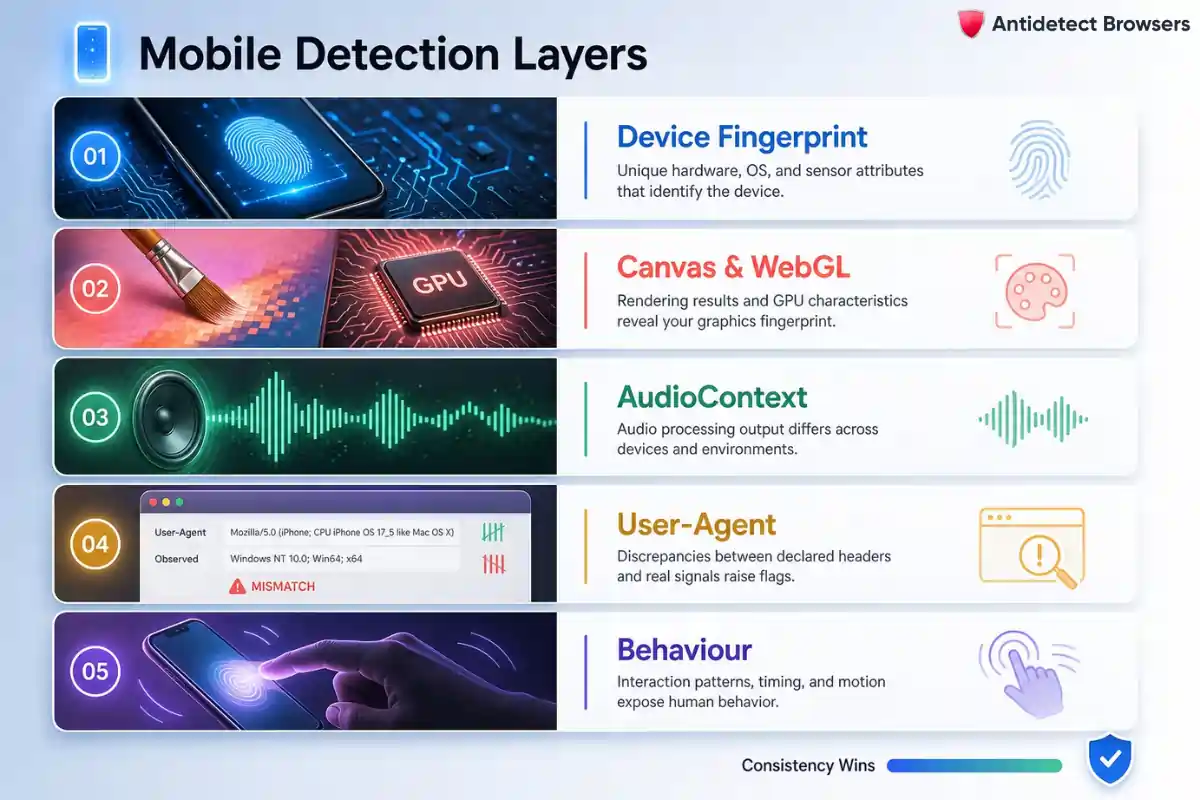
Bans rarely come from posting too much. They come from signals that quietly contradict each other. So it pays to know what the platforms really inspect.
From our testing, five layers do most of the damage:
The theme across all five is consistency. A single odd value rarely sinks you. Two values that disagree usually do. That's why real hardware identifiers beat painted-on ones every time.
Where Mobile Antidetect is Heading through 2026
The category is moving quickly, so a tool that wins today can slip in a quarter. A few shifts are worth watching before you commit.
First, real hardware is pulling away from imitation. As anti-fraud AI compares chip behaviour, Android emulator alternative tools that spoof from the desktop keep losing ground to genuine cloud phones and native apps.
Second, AI content sits inside the browser now. GeeLark's built-in video editor is the clearest sign, cutting the busywork of unique creative for social media accounts at scale.
Third, the iOS gap is finally closing. Octo's fresh iOS app shows demand for mobile Safari fingerprints, while most rivals still lean Android-only. Expect more iPhone-grade profiles soon.
Lastly, automation keeps deepening. Between synchronisers, RPA and API access, hands-off bulk account creation and warm-up are becoming the norm, not a luxury. Pick a tool whose automation you'll actually grow into.
The Verdict After Years in the Trenches
Here's the plain truth. If your accounts live inside apps, buy a real cloud phone or a native mobile solution, full stop. Desktop imitation still has its place for mobile web tasks, yet it can't fake real ARM hardware, and the big platforms already know that.
So match the tool to your reality. App-first and Android-heavy? Go native and real. iPhone campaigns? Chase authentic Safari signals. Steering mobile ads from a desk? A sharp desktop cockpit paired with a cloud phone covers you.
Every option above earned its score through survival, not marketing. Start on a free tier, test with your own accounts, and trust what stays alive over 30 days. That single habit will save you more banned profiles than any spec sheet ever could.