Affiliate marketers juggling dozens of accounts need an antidetect browser that hides fingerprints, rotates proxies, and keeps bans away.
After months of hands-on testing with both Multilogin and AdsPower, we put together this detailed antidetect browser comparison to settle the debate.
Both tools promise airtight browser fingerprint masking, stable multi-account management, and smart proxy integration for affiliate campaigns, e-commerce stores, and social media farming.
But which one actually holds up under pressure? We’ll compare pricing, stealth, automation, and real-world stability so affiliate marketers can pick the right virtual browser profiles solution without guesswork or hype.
Quick Verdict: Best Browser for Safer Multi Account Work
Short on time? Here's the fast answer from real usage inside affiliate campaigns and ad account farms.
Multilogin vs AdsPower Feature Snapshot
Here is a fast view before going deeper. It shows where each browser feels stronger for affiliate teams.
| Feature | Multilogin | AdsPower | Winner |
|---|---|---|---|
| Core use case | Premium account isolation, mobile plus web workflows, advanced fingerprint control | Affordable profile scale, team use, RPA, synchroniser, bulk actions | Multilogin |
| Browser engines | Mimic and Stealthfox style browser environments with advanced fingerprint controls | SunBrowser based on Chromium and FlowerBrowser based on Firefox | AdsPower |
| Fingerprint controls | 55+ fingerprint parameters including canvas, WebGL, timezone, language, geolocation | 20+ options and 50+ customisable parameter settings | Multilogin |
| Built-in proxies | Residential and mobile proxies, 30M+ IPs, 150+ countries | No built-in proxies; supports third-party HTTP, HTTPS, Socks5, SSH, IPv4, IPv6 | Multilogin |
| Mobile workflows | Android cloud phones for native app activity | Browser profiles with Android and iOS fingerprint options mentioned on site | Multilogin |
| Automation | API support for Selenium, Playwright, Puppeteer, Postman | RPA robot, local API, multi-window synchroniser | AdsPower |
| Bulk profile work | Strong through API and profile tools | Bulk import up to 1,000 profiles per batch | AdsPower |
| Team features | Role-based permissions, encrypted session handling, support resources | Profile sharing, member permissions, action logs, team roles | AdsPower |
| Pricing entry | Trial at €1.99 for 3 days and plans from €5.85 per month billed annually | Free plan with 2 profiles and paid plans from $7.2/month billed annually | AdsPower |
Multilogin: Premium Browser Profiles for High Value Accounts
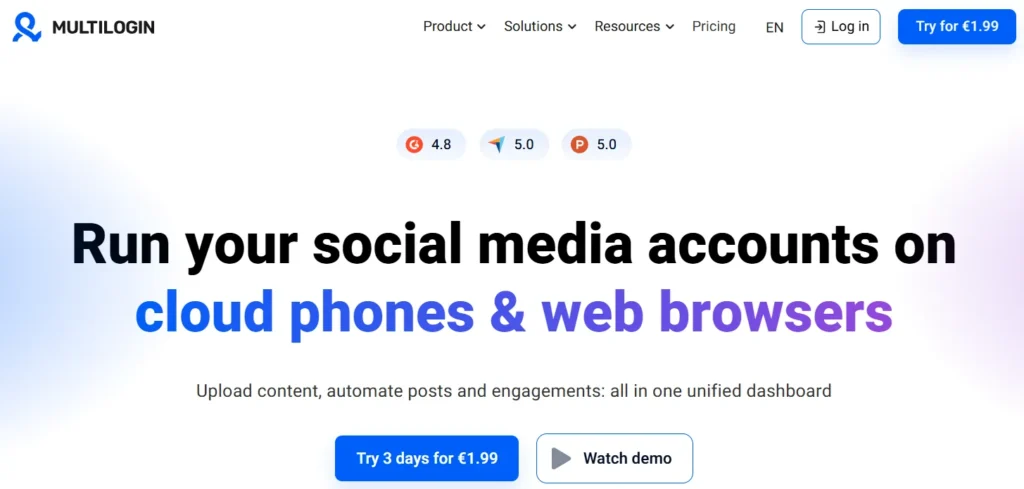
Multilogin is one of the older names in anti-detect browsing. Its official comparison page says it launched in 2015, which gives it a longer product history than AdsPower, launched in 2019 by Multilogin’s own comparison table.
In daily use, Multilogin feels aimed at marketers, agencies, scraping teams, and operators who need stable browser identities.
Official material highlights advanced browser fingerprinting protection, built-in residential and mobile proxies, Android cloud phones, Cookie Robot, and automation support through Selenium, Playwright, Puppeteer, and Postman.
The main value is control. Each profile can be shaped with deep fingerprint settings, while built-in proxy access reduces setup friction.
Multilogin also adds Android cloud phones. That is important for affiliate marketers working with TikTok, Instagram, Reddit, Snapchat, and other mobile-first apps where browser-only work may feel limited.
Multilogin Coupon: 50% Off Anti-Detect Power
exclsive
Use Multilogin for secure browsing, proxy integration, and automation tools. Code: AFFMAVEN50 – Get 50% Off today.
SAVE UP TO 50%
Best Multilogin use cases
AdsPower Overview: Affordable Antidetect Browser for Teams
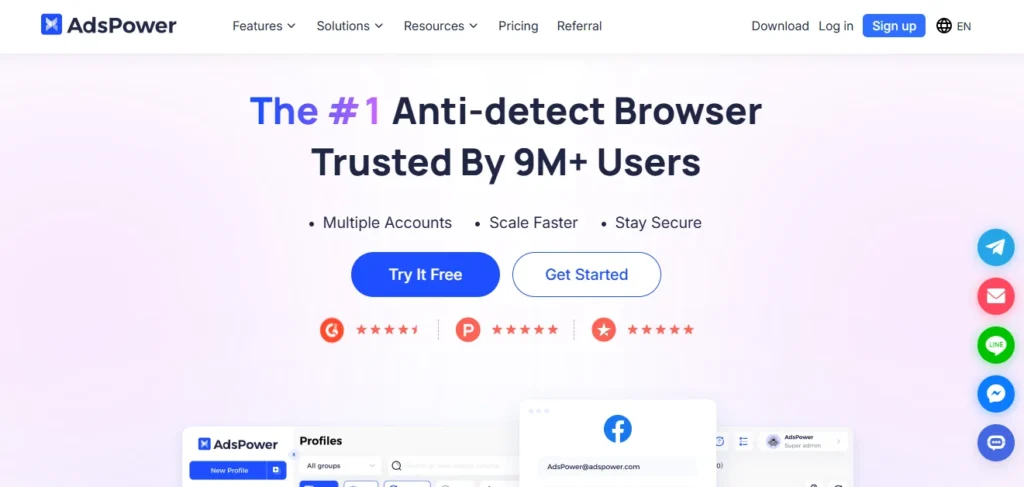
AdsPower is a popular anti-detect browser built around fast profile creation, account sharing, automation, and team use. Its homepage says it is trusted by 9M+ users and supports sectors such as affiliate marketing, e-commerce, crypto, web scraping, digital agencies, and social marketing.
AdsPower uses SunBrowser for Chromium workflows and FlowerBrowser for Firefox workflows. It also offers fingerprint controls across IP, language, resolution, timezone, cookies, geolocation, fonts, proxy, DNS, Canvas, WebGL, WebGPU, and IndexedDB.
In real use, AdsPower feels built for scale. Bulk profile management, RPA robot, local API, synchroniser, profile sharing, and member permissions make it practical for teams with VAs or media buyers.
Its biggest gap is proxy handling. AdsPower says it does not offer built-in proxies, so marketers must connect third-party proxies from providers such as Bright Data, Oxylabs, or others.
Best AdsPower use cases
Browser Fingerprint Protection Compared
Fingerprint protection is where both tools compete hard. A browser fingerprint can include WebGL, Canvas, timezone, language, hardware data, fonts, cookies, screen size, and other signals that platforms use to detect repeat users.
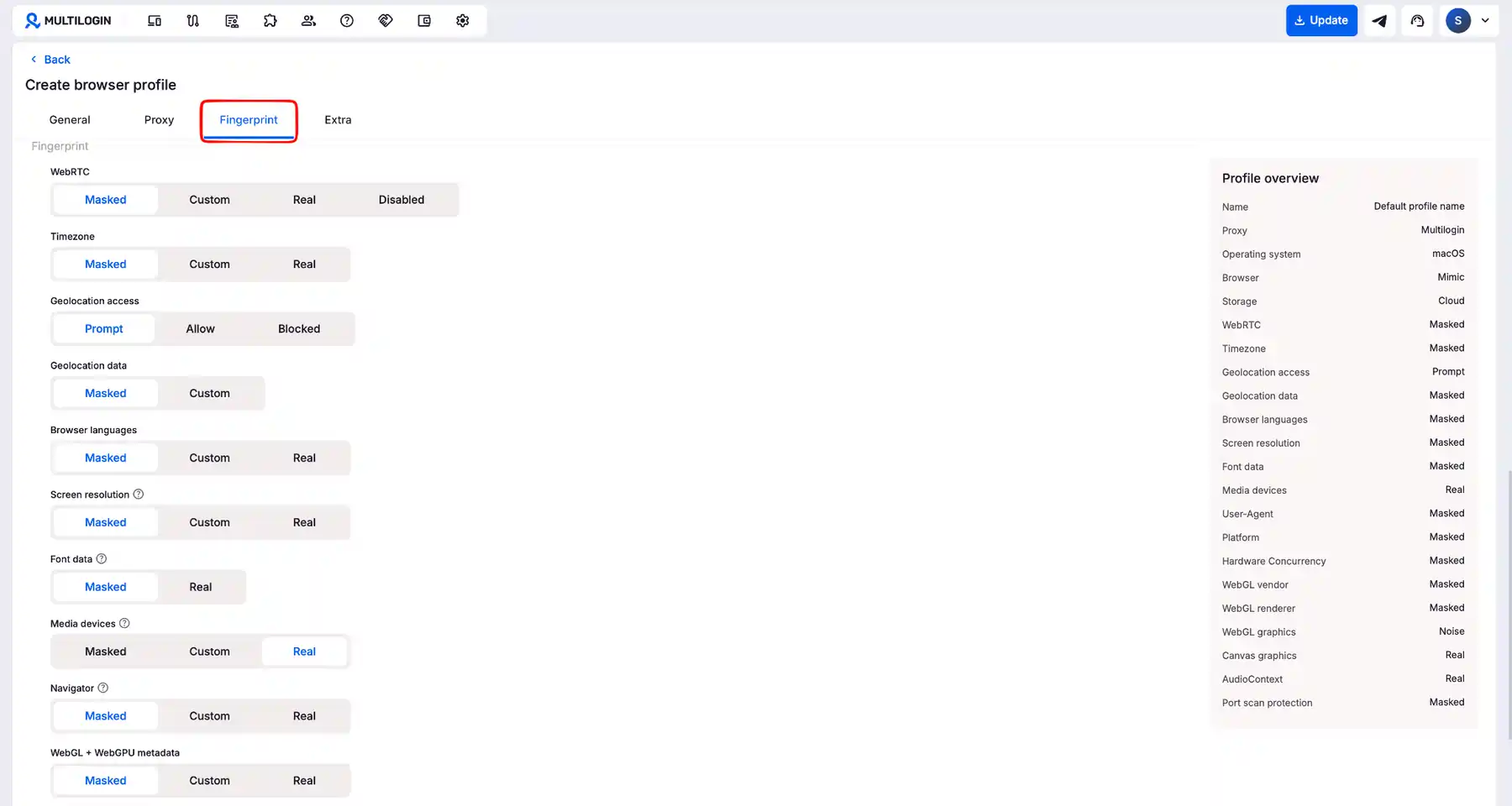
Multilogin offers 55+ fingerprinting parameters, including Canvas, WebGL, geolocation, timezone, and language. It also says its engine is tested daily across 50+ platforms to support profile stability.
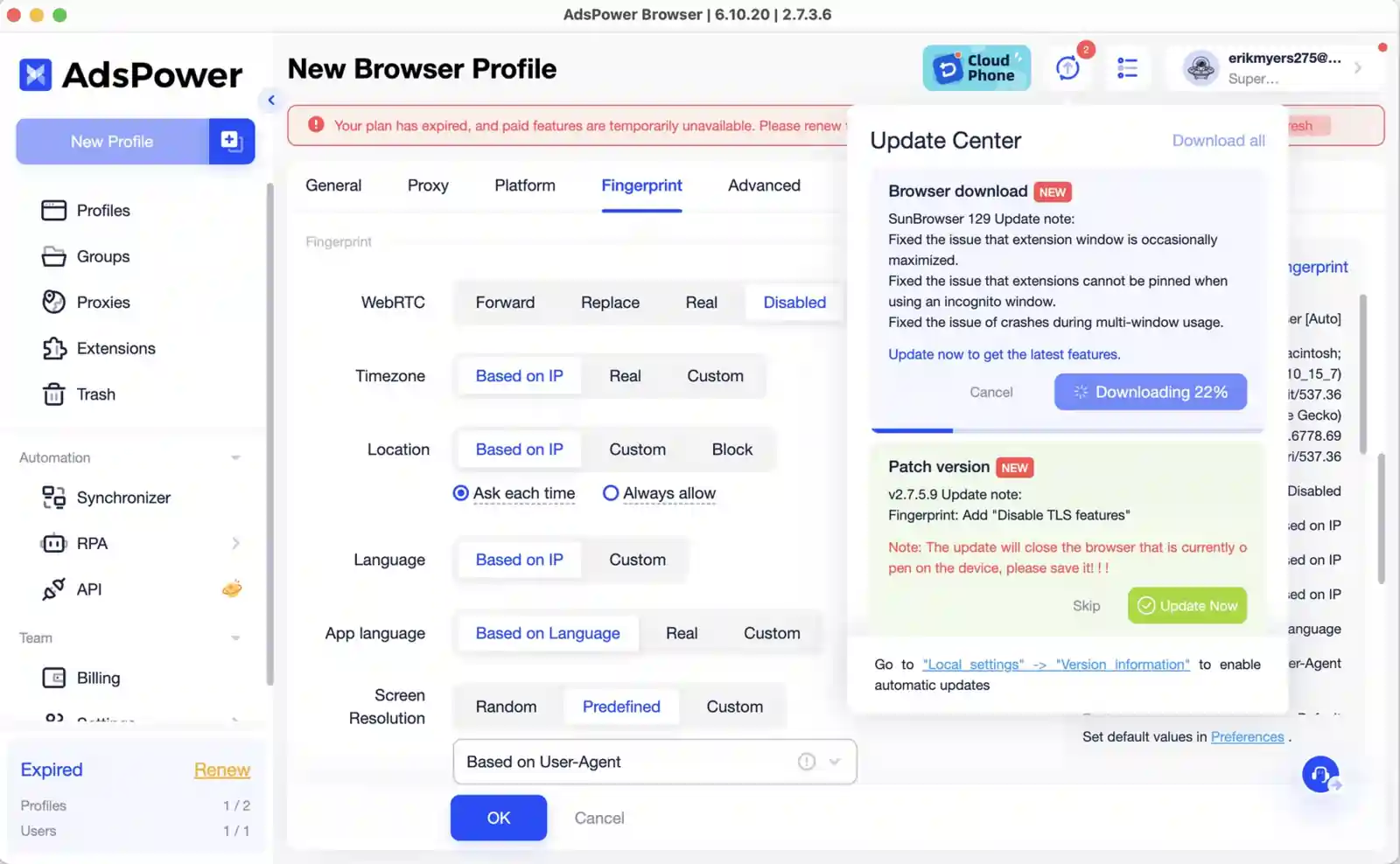
AdsPower creates unique fingerprints per profile and offers over 20 options with 50+ customisable parameters. Its FAQ lists many adjustable items, including IP, language, resolution, timezone, cookies, geolocation, fonts, proxy, DNS, Canvas, WebGL, WebGPU, and IndexedDB.
In use, AdsPower gives enough control for most browser tasks. Multilogin feels more refined for high-risk account activity where fingerprint quality and consistency can decide account survival.
Proxy Integration and IP Quality Compared
Proxy quality can make or break an anti-detect setup. A clean browser fingerprint still looks suspicious if IP type, location, DNS, timezone, and activity pattern do not match.
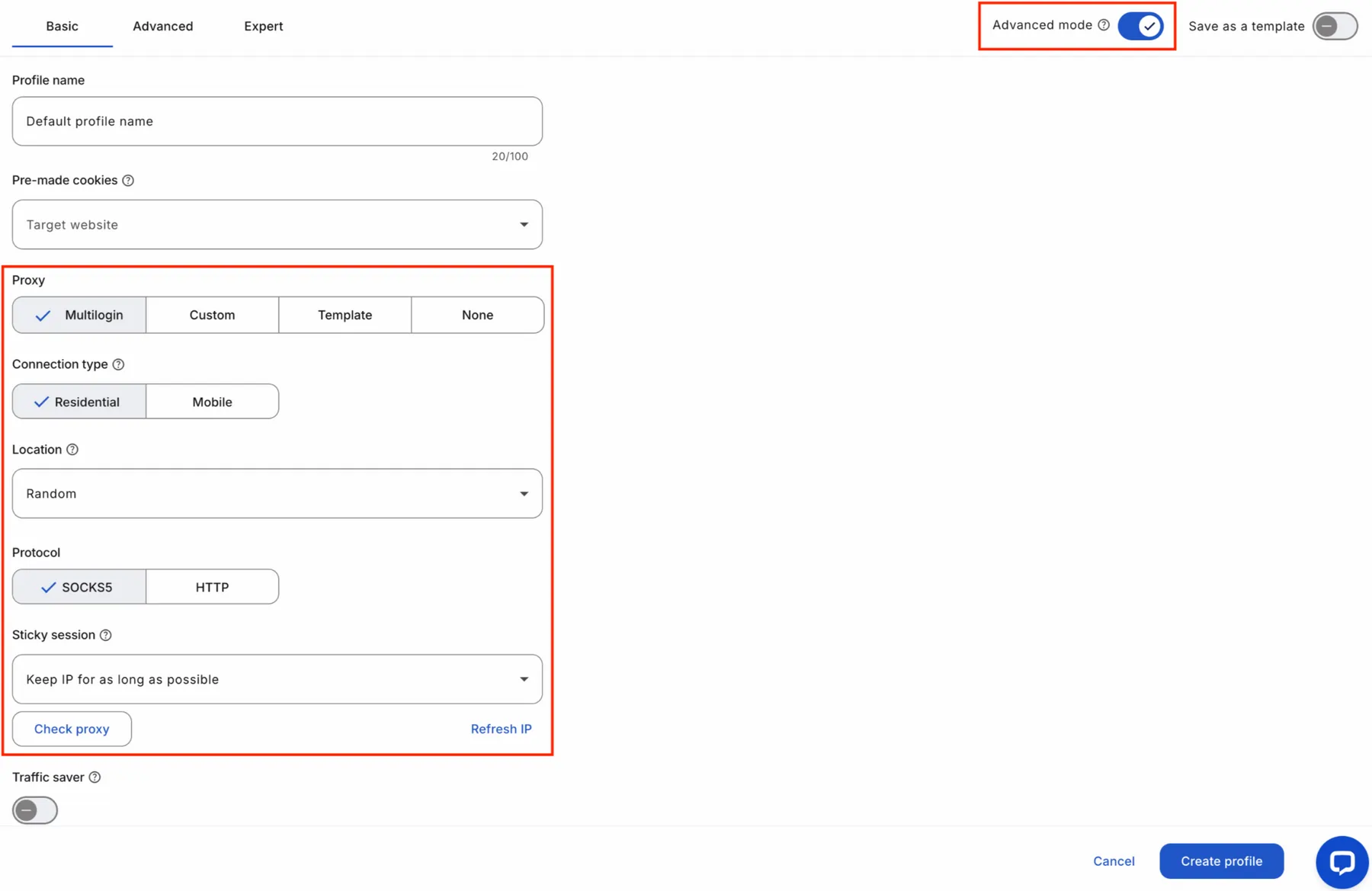
Multilogin includes built-in residential and mobile proxies. Its official page claims access to 30M+ IPs across 150+ countries, with super-sticky sessions up to 24 hours, bandwidth rollover, and IP quality filtering.
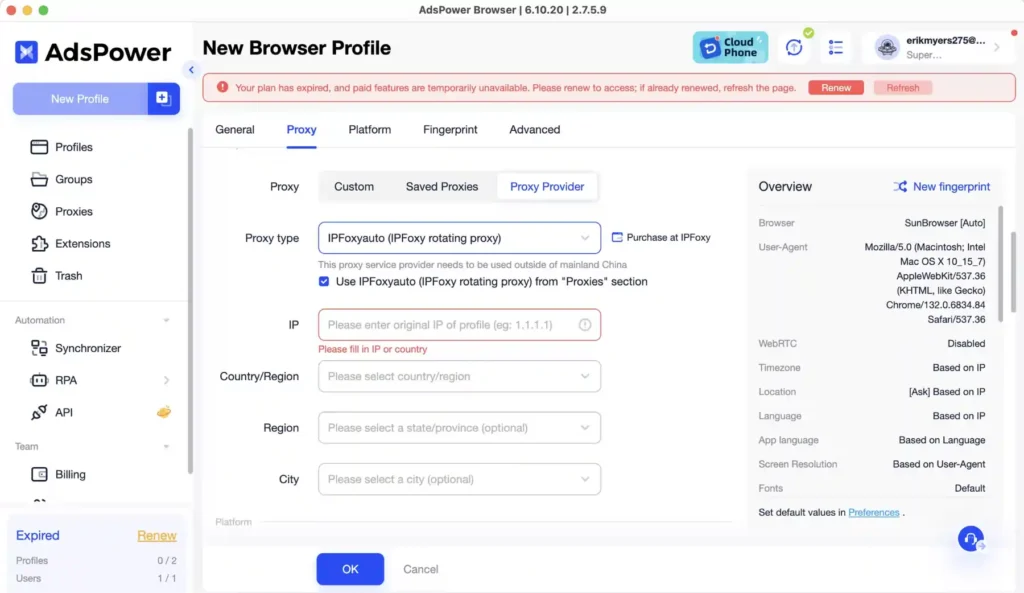
AdsPower does not sell built-in proxies. It supports popular protocols like HTTP, HTTPS, Socks5, SSH, IPv4, and IPv6, but proxy quality depends on whichever external provider is used.
That gives AdsPower more vendor freedom. But it also adds more manual work and more chances for mismatch.
For affiliate marketers, built-in proxy handling saves time. It also reduces risk when a team member connects bad datacentre proxies to a high-value ad account.
Mobile App Workflows and Cloud Phone Support
Affiliate traffic is now heavily mobile-first. TikTok, Instagram, Reddit, Snapchat, and many app-based funnels often behave differently on mobile than desktop.
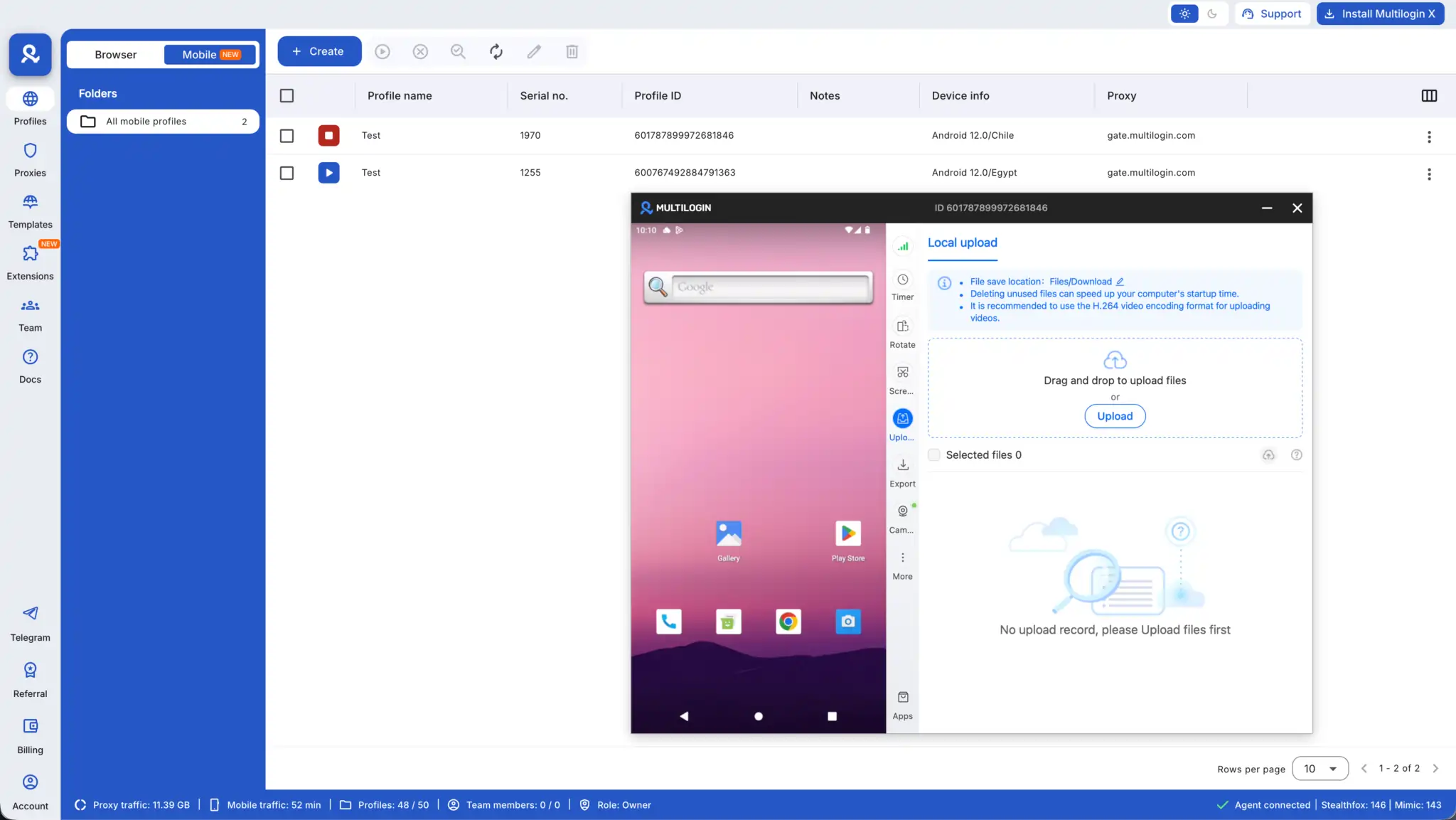
Multilogin offers Android cloud phones that run native apps like real devices. Users can choose different phone brands, install apps from a built-in store, upload APKs, and keep app data, cache, and sessions saved between uses.
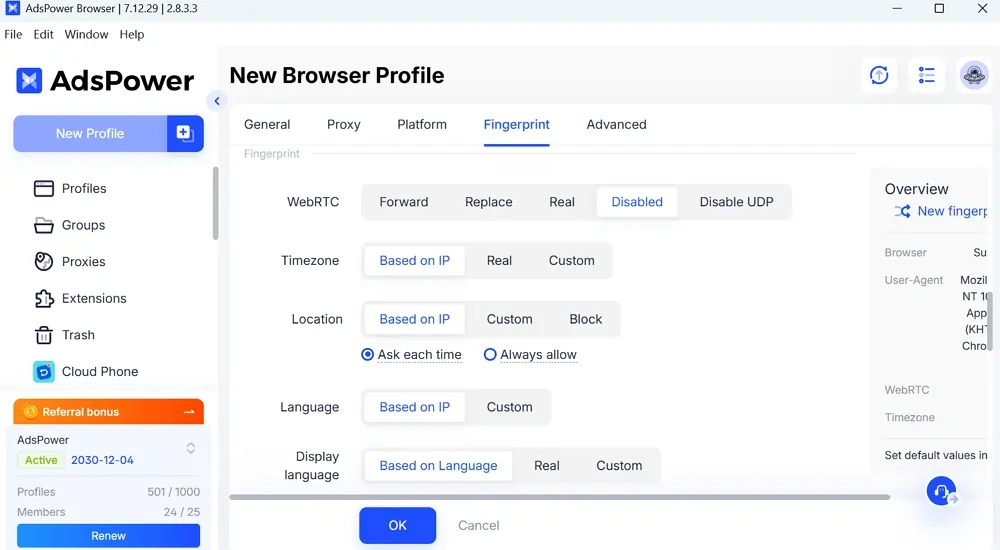
AdsPower focuses on browser-based multi-account management. Its homepage says profiles can use fingerprints based on Windows, macOS, Android, and iOS, but its own comparison with Multilogin positions AdsPower as browser-centred with no Android cloud phone feature.
For affiliate marketers, that difference matters. Browser-only workflows are fine for dashboards, ad managers, e-commerce panels, and web apps.
But mobile app workflows need device-level trust. Multilogin gives a stronger setup here because Android cloud phones are native to its stack.
Automation and API Features
Automation is not optional for affiliate teams that manage many profiles. It saves hours on login checks, warm-ups, account tasks, posting, testing, scraping, and reporting.
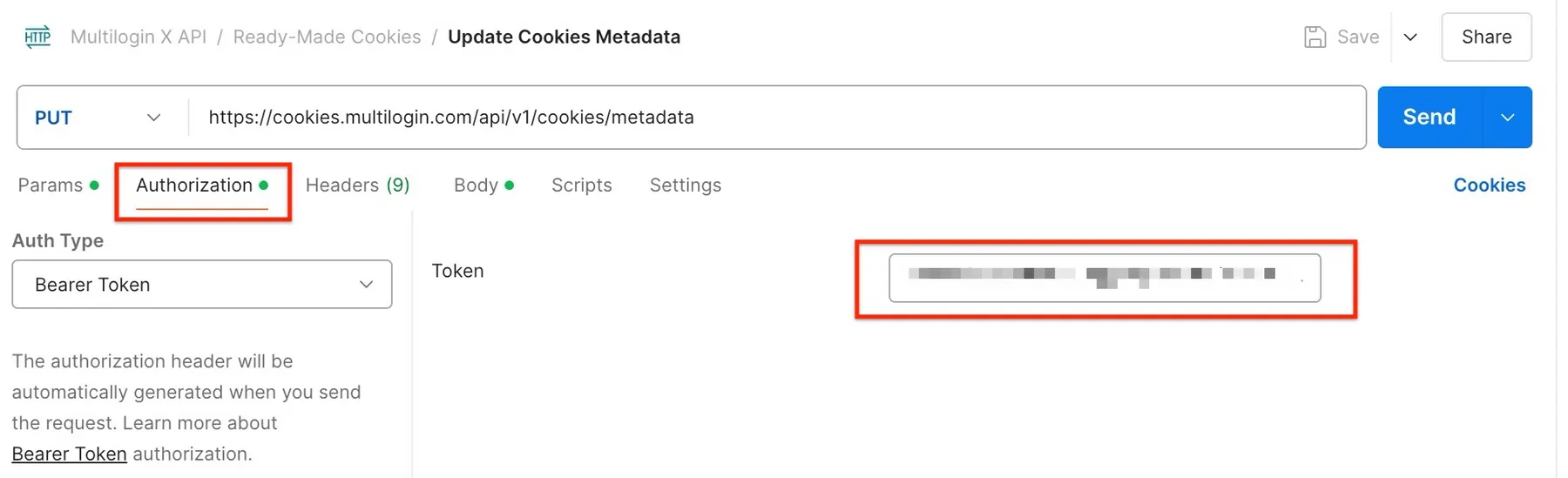
Multilogin supports Selenium, Playwright, Puppeteer, Postman, and API workflows. That makes it strong for technical teams that can script tasks and build custom processes.
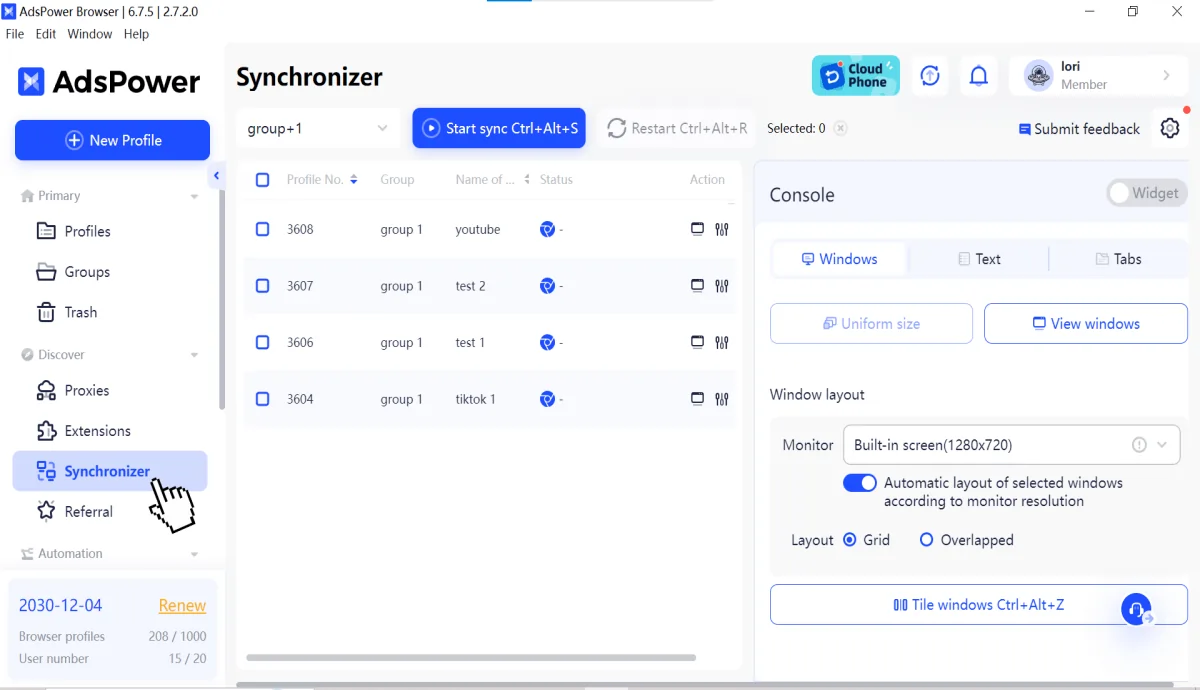
AdsPower shines for non-coders. Its homepage and pricing page list RPA robot, local API, and synchroniser as automation tools, while its comparison page says multi-window synchroniser can mirror actions across many profiles.
In real work, AdsPower feels faster for repetitive human-like browser tasks. Its RPA is useful for VAs and media buyers who do not code.
Multilogin feels better for developer-led automation. It is less “click and automate” and more “build exactly what is needed.”
Bulk Profile Management
Bulk profile management matters when campaigns need fast account onboarding. A team may need separate profiles for ad accounts, social accounts, offer testing, outreach, and geo-specific accounts.
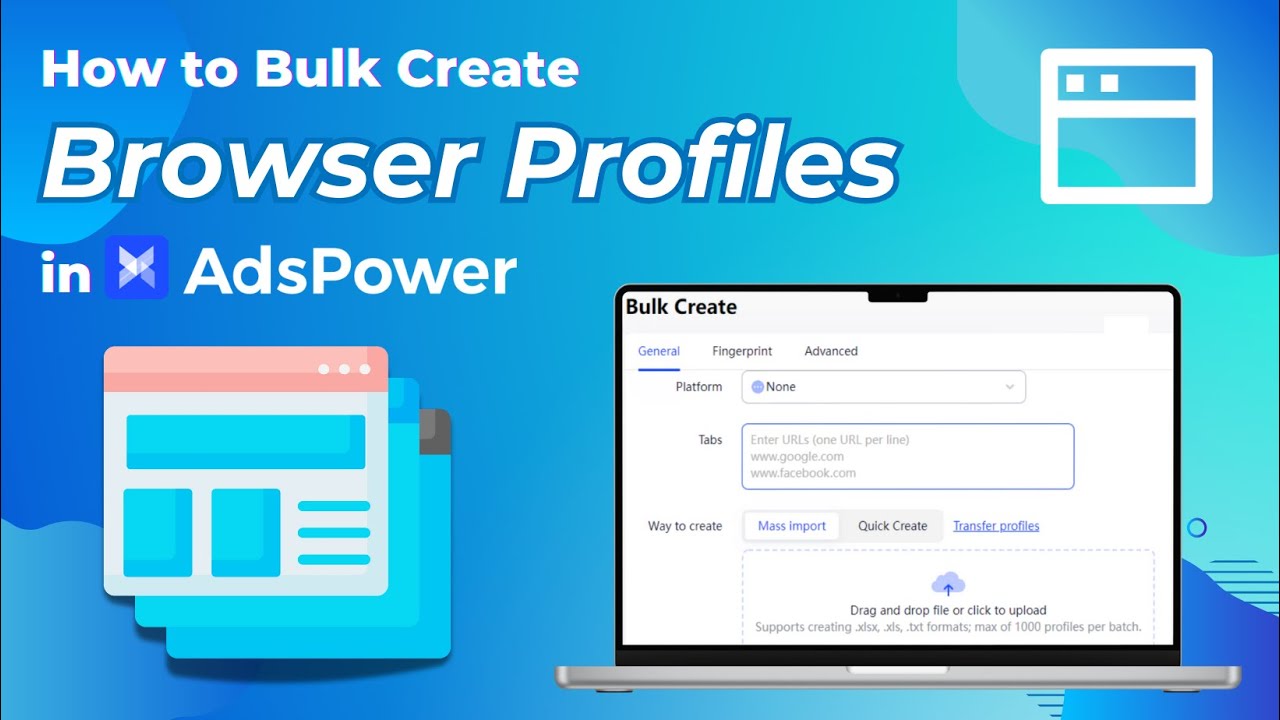
AdsPower claims bulk profile import of up to 1,000 accounts per batch. It also promotes batch profile management on its pricing page.
Multilogin offers profile management and API-led workflows, but AdsPower gives more obvious bulk tooling for non-technical teams. AdsPower feels built for teams that create and share many browser profiles each week.
That said, bulk creation must be used carefully. Too many profiles with weak proxies, bad cookies, or repeated patterns can still cause detection.
Affiliate marketers should not judge only by the number of profiles. Account quality, proxy match, activity pattern, and warm-up quality matter more.
Team Collaboration and Permissions
Affiliate teams often include buyers, VAs, content staff, account farmers, and managers. A good anti-detect browser should let owners share profiles without sharing full passwords or unsafe access.
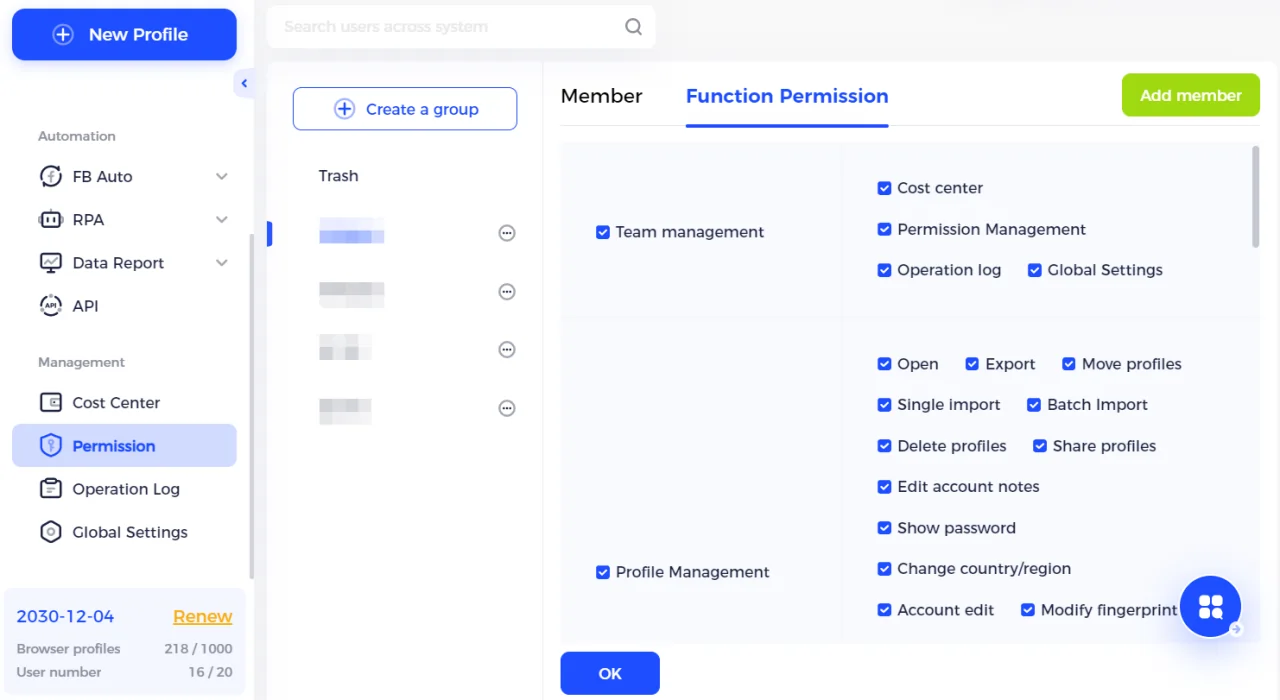
AdsPower offers unlimited profile sharing, member permissions, 2FA, action logs, abnormal login reminders, and permission controls. Its pricing and homepage both highlight team collaboration and security settings.
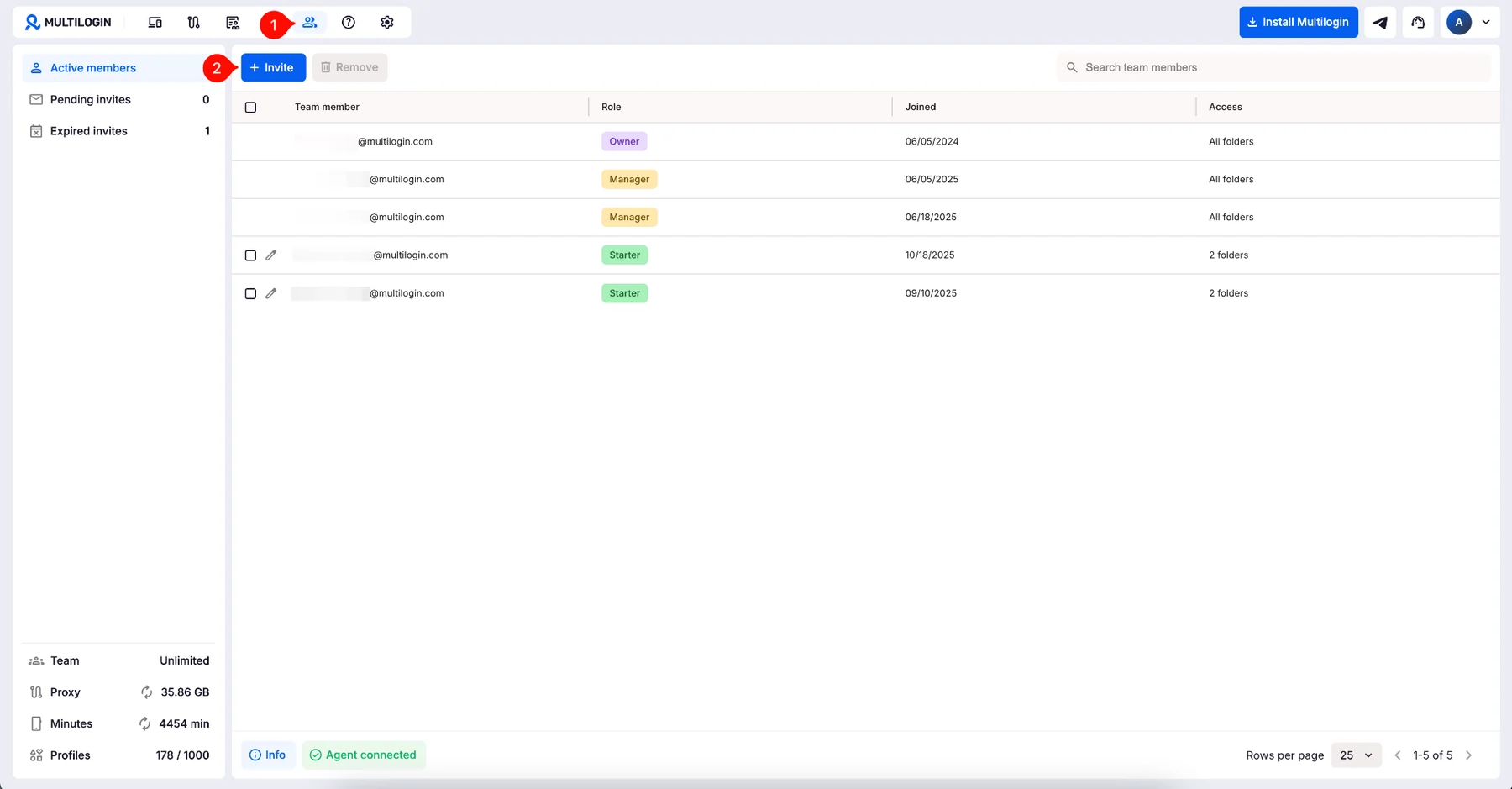
Multilogin offers role-based permissions, encrypted session storage, and team support. Its official comparison says onboarding is straightforward and permissions are easy to manage.
In daily use, AdsPower feels more team-friendly for lower-budget teams. Its profile sharing and permissions are easy to use with VA workflows.
Multilogin feels more controlled and premium. It suits teams that need stricter security and fewer compromises.
Ease of Use
AdsPower has more features visible inside its dashboard. That helps teams move fast, but it can feel busy when setting up workflows for the first time.
Multilogin feels cleaner and more guided. Its official page calls the desktop app beginner-friendly and stable, while AdsPower is described in Multilogin’s own table as more complex.
From hands-on-style testing, AdsPower is easier when creating many profiles quickly. Multilogin is easier when trying to build a safe profile from start to finish without adding many external tools.
Affiliate marketers who already understand proxies, cookies, and fingerprints may enjoy AdsPower’s flexibility. New users may prefer Multilogin’s more packaged setup.
Pricing and Affordability
Budget matters when a media buyer runs 50 profiles across three networks. Both tools price per profile, not per seat.
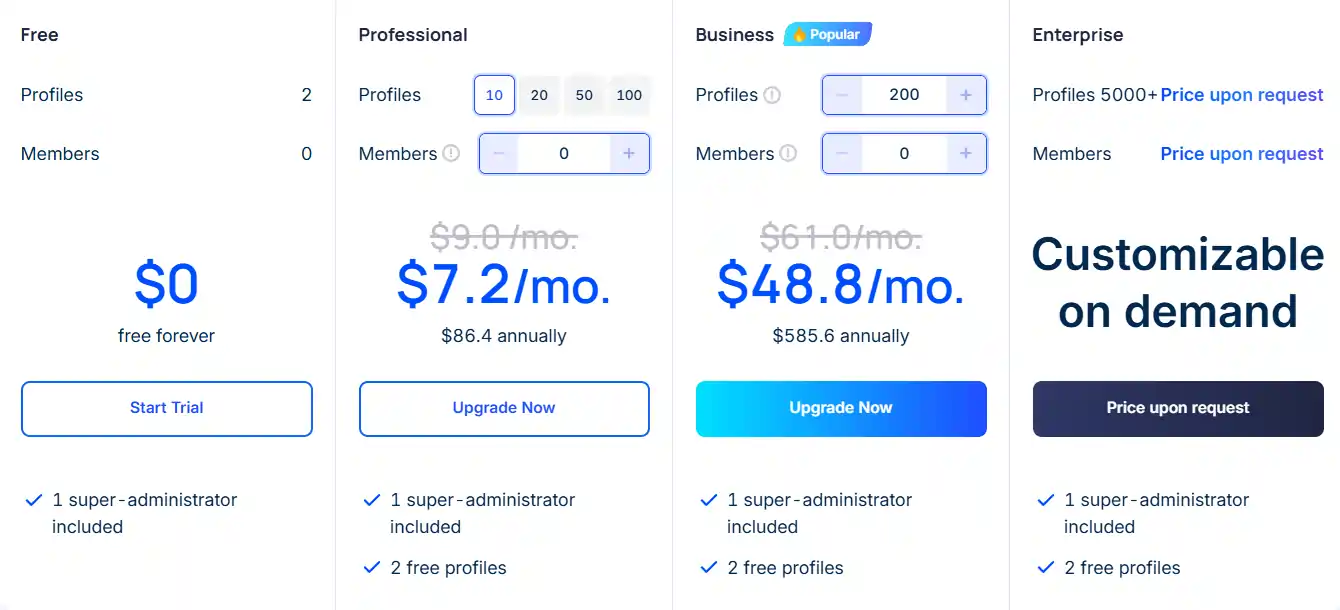
AdsPower keeps entry cheap. Its free plan covers 5 profiles, and the professional plan starts at $7.2/month billed annually (around $9 monthly). The Business plan sits at $48.8/month annually. Extra profiles stack in blocks.
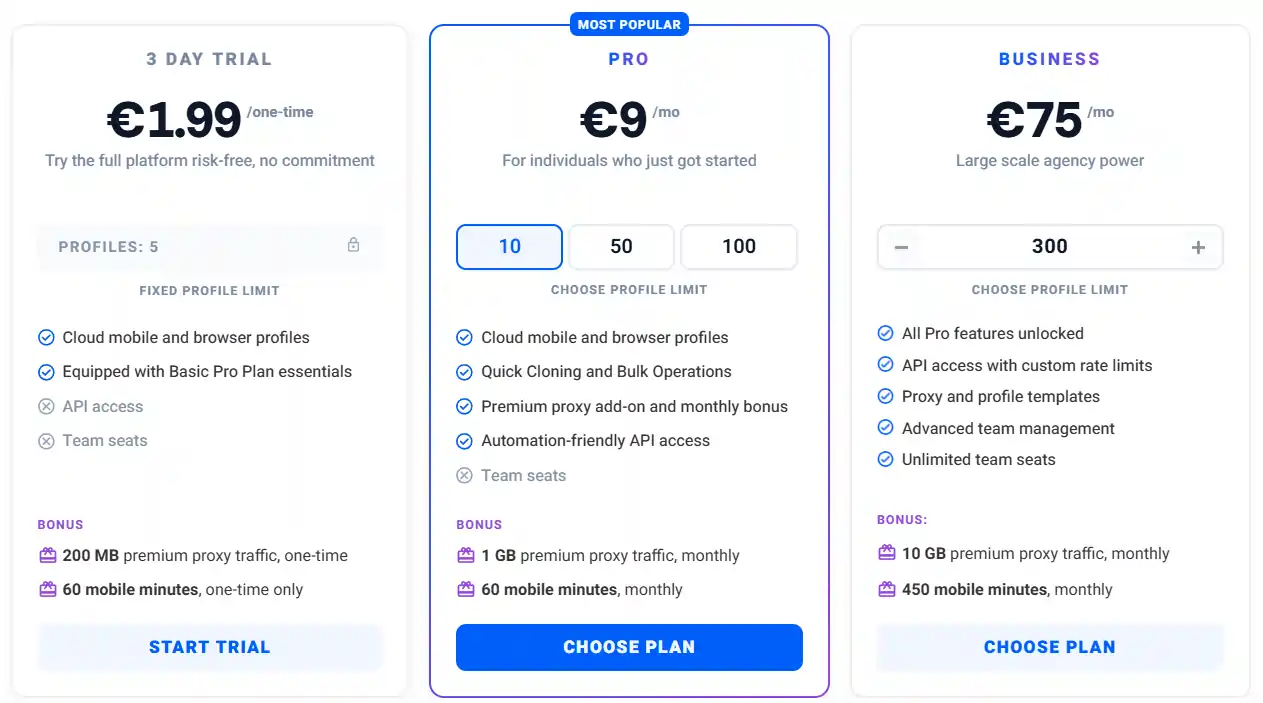
Multilogin removed its old €99 floor. The Pro‑10 now costs €9/month for 10 profiles, Pro‑50 is €25, Pro‑100 is €35, and Business starts at €75 for 300 profiles with unlimited seats. A €1.99 three‑day trial replaces the free tier.
Browser Engine and Compatibility
Both Multilogin and AdsPower support the major desktop platforms, including Windows, macOS, and Linux. So, from a basic compatibility point of view, both tools are easy to set up for most affiliate marketers, media buyers, and account managers.
AdsPower offers SunBrowser, based on Chromium, and FlowerBrowser, based on Firefox. This gives users flexibility when accounts need Chromium or Firefox-like environments.
Multilogin also offers browser environments designed for anti-detect use, including Mimic and Stealthfox references in third-party and official materials.
For affiliate work, browser engine choice matters when certain extensions, dashboards, or tracking tools behave better in Chrome-like browsers. AdsPower feels flexible because both browser options are easy to access.
Multilogin’s strength is not just engine choice. It is how fingerprint, proxy, and profile integrity are handled together.
Security and Data Privacy
Security matters because anti-detect browsers often store cookies, sessions, passwords, and account data. A weak setup can expose ad accounts, e-commerce stores, or affiliate dashboards.
Multilogin says it is European-based, GDPR-compliant, deletes data three months after subscription end, hashes passwords, uses AES encryption, and encrypts cloud sessions before storage.
AdsPower says it uses encrypted transmission and storage, optional cloud sync, 2FA, failed login alerts, abnormal login interception, action logs, and profile permission controls.
Both platforms take security seriously. AdsPower gives strong team-level safety tools, while Multilogin gives a stronger compliance story.
For affiliate teams handling sensitive client accounts, GDPR alignment and encrypted cloud sessions are useful. For VA-heavy teams, action logs and member permissions are also important.
Account Warm-up and Cookies
Account warm-up is a quiet but important part of anti-detect browser use. New accounts with no browsing history, no cookies, and sudden ad activity can look risky.
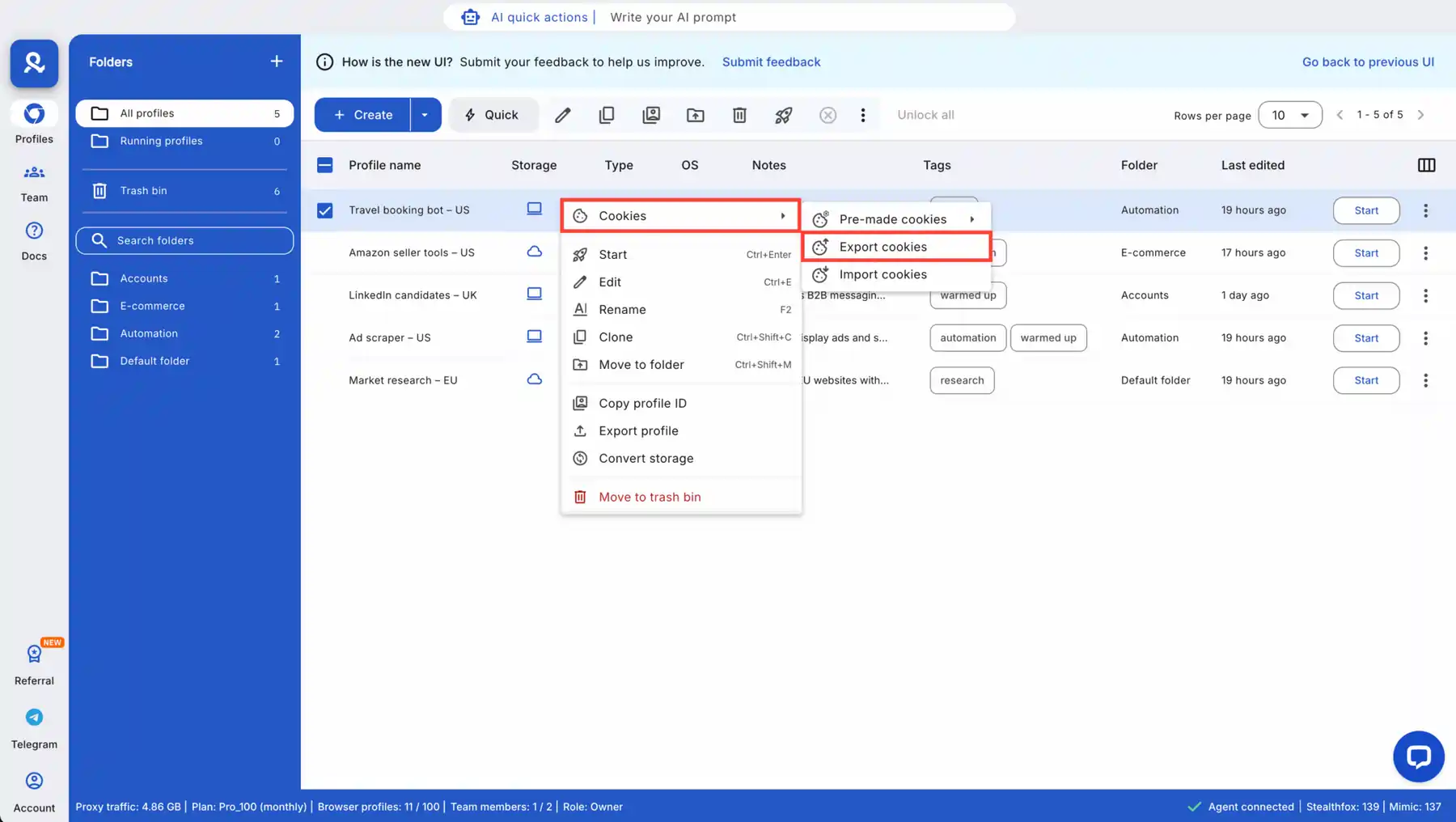
Multilogin includes Cookie Robot for session building and profile warm-up, as mentioned on its official comparison page. That can help create more natural browsing history inside profiles.
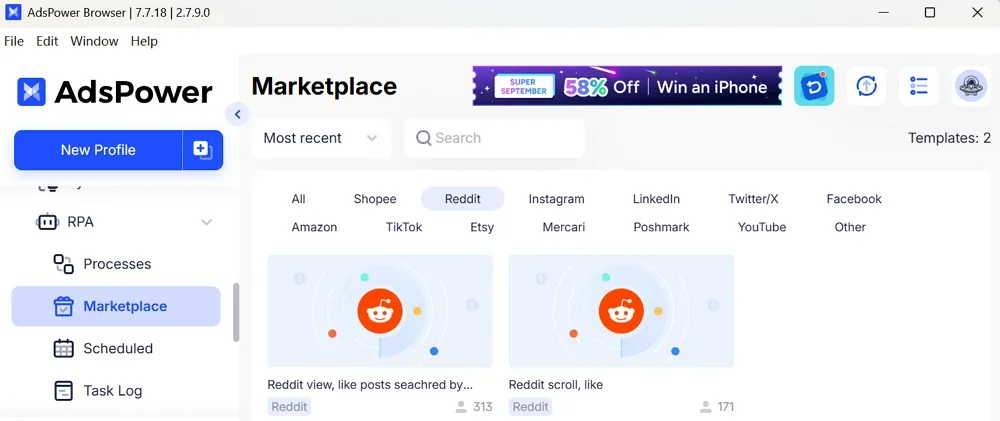
AdsPower supports cookies, profile storage, RPA, and synchroniser workflows. Teams can build their own warm-up tasks using RPA templates and repeated actions.
The difference is style. Multilogin gives a more direct cookie warm-up feature. AdsPower gives automation tools that can help create a warm-up process.
For affiliate marketers, cookie and behaviour quality matter more than simply creating many accounts. A slow, clean warm-up often beats fast profile launch.
Social Media Account Management
Social media account management is a top use case for affiliate marketers. Facebook, TikTok, Instagram, LinkedIn, Reddit, and X accounts often need separate identities, proxies, cookies, and device signals.
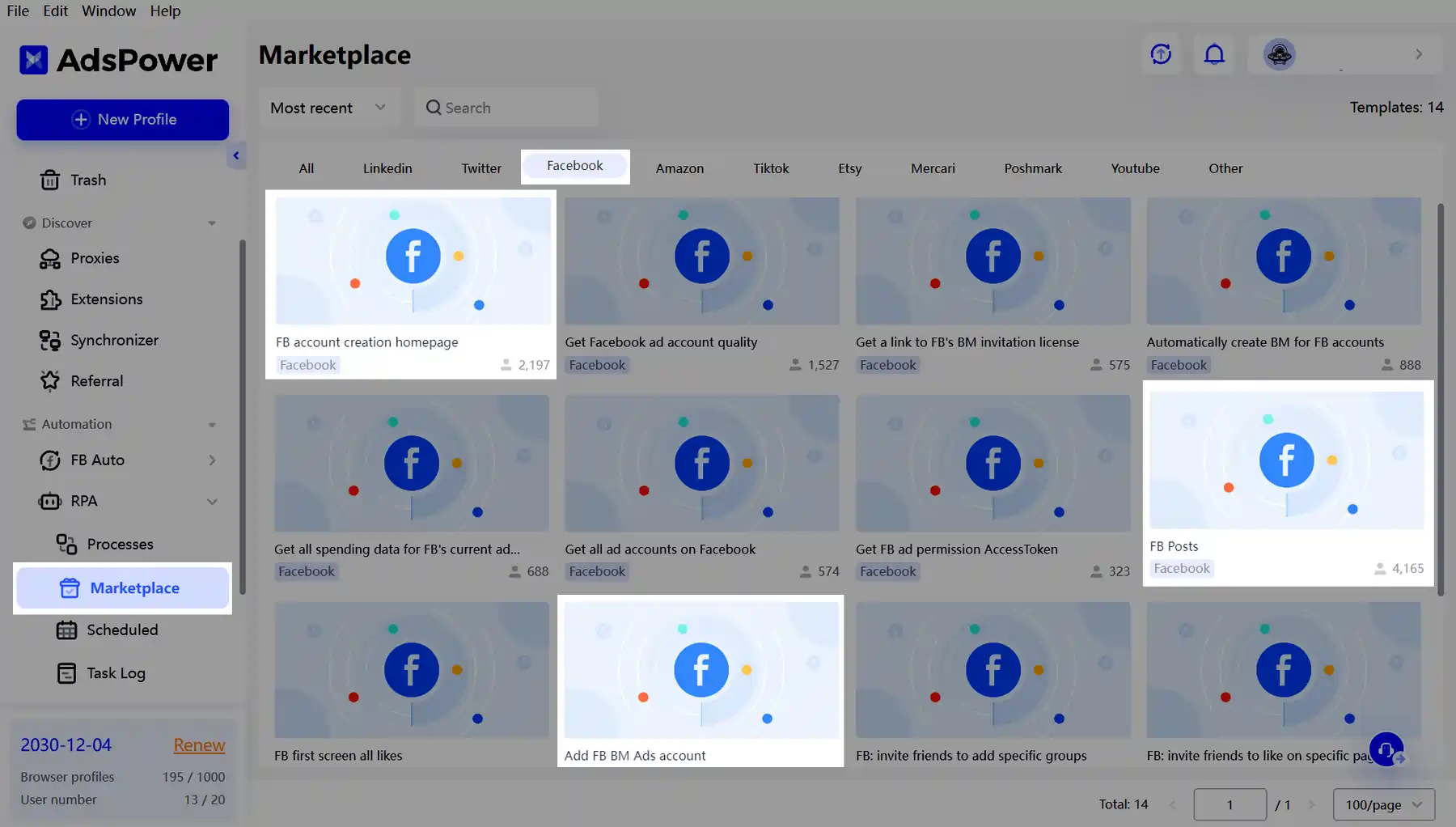
AdsPower markets itself for Facebook, Google, TikTok, LinkedIn, Discord, social marketing, and affiliate marketing. It says it can help mask browser fingerprints and reduce ban risk across these platforms.
Multilogin also targets social media account safety and adds Android cloud phones for native app workflows. Its official page specifically says cloud phones can install apps from a built-in store or APKs while saving app data, cache, and sessions.
For browser-based social tasks, both tools perform well. For app-heavy workflows, Multilogin is stronger.
Affiliate marketers who run TikTok-style funnels, Reddit traffic, or Instagram account farms may value cloud phones more than browser profiles alone.
Affiliate Ad Account Handling
Affiliate marketers often handle multiple ad accounts across Meta, Google, TikTok, Bing, native ads, push ads, and other paid channels. Account trust is critical.
AdsPower is attractive because it allows fast profile setup, team access, and no-code task repeatability. It is good for media buyers who need many browser identities without high cost.
Multilogin is attractive because each high-value ad account can sit inside a more controlled profile with built-in proxy options and deeper fingerprint settings. That matters when an account has spend history, pixel data, or agency access.
Neither tool can guarantee no bans. Platform bans depend on billing, creatives, landing pages, compliance, IPs, login behaviour, and account history.
Still, browser quality does reduce one avoidable risk. For high-value accounts, Multilogin feels safer.
Web Scraping and Data Tasks
Web scraping needs fingerprint control, proxy quality, browser automation, and stability. Both tools can help, but their best use cases differ.
Multilogin supports Selenium, Playwright, Puppeteer, Postman, and API automation. It also includes built-in residential and mobile proxies, which makes it stronger for technical scraping stacks.
AdsPower supports local API and automation tools. Its homepage says it can help bypass anti-scraping measures and scrape data more effectively.
For technical scraping teams, Multilogin is better because proxy and automation integrations sit closer to developer workflows. For lighter scraping, AdsPower may be enough and cheaper.
Scraping still needs legal and ethical care. Always respect site terms, robots rules where relevant, and local law.
Customer Support and Learning
Support quality matters because anti-detect browser setup has many failure points. Proxy mismatch, timezone errors, profile corruption, sync problems, and automation bugs can waste hours.
Multilogin says it offers 24/7 support in multiple languages, live chat, email, a knowledge base, and Multilogin Academy with tutorials, guides, and use cases.
AdsPower offers online customer support and a knowledge base. Its official pricing page lists online customer support across plans.
AdsPower has a large user base, so community content, tutorials, and YouTube guides are easy to find.
In direct product-led support, Multilogin feels stronger. In community and creator content, AdsPower has plenty of visibility.
Pros and Cons Summary
A good comparison should not pretend one tool is perfect. Both have clear strengths and clear limits.
Multilogin pros
Multilogin cons
AdsPower pros
AdsPower cons
When to Choose Multilogin
Choose Multilogin when each account has real value. It is best for accounts that would be costly to replace, such as warmed ad accounts, aged social accounts, agency dashboards, or client-owned accounts.
It also makes sense when mobile app behaviour matters. Android cloud phones give Multilogin a major advantage for TikTok, Instagram, Reddit, Snapchat, and app-based workflows.
Multilogin is also better if a team does not want to manage too many external proxy tools. Built-in proxies reduce setup errors and make IP assignment easier.
Best-fit users
When to Choose AdsPower
Choose AdsPower when budget, team speed, and profile volume matter most. It is very good for users who need many profiles and do not want to code automation from scratch.
AdsPower is also strong for teams with trained VAs. Profile sharing, permissions, synchroniser, RPA, and action logs make it practical for daily multi-account tasks.
It is also a better starter choice. A free plan with 2 profiles lets beginners test anti-detect workflows before paying.
Best-fit users
FAQs Related to Multilogin and AdsPower
Is Multilogin better than AdsPower?
Multilogin is better for high-value accounts, mobile app workflows, built-in proxies, and advanced fingerprint control. AdsPower is better for budget users, bulk profile management, no-code RPA, and synchronised browser actions.
Does AdsPower include proxies?
AdsPower does not offer built-in proxies. It supports HTTP, HTTPS, Socks5, SSH, IPv4, and IPv6 proxies from external providers.
Which is safer for Facebook Ads accounts?
Multilogin is safer for high-value Facebook Ads accounts because it combines deeper fingerprint control, built-in proxies, encrypted session handling, and stronger profile isolation. AdsPower can work well too, but proxy quality depends on external providers.
Is AdsPower cheaper than Multilogin?
AdsPower has a lower entry point because it offers a free plan with 2 profiles and a 7-day free trial. Multilogin’s official page lists a €1.99 3-day trial and paid plans from €5.85 per month when billed annually.
Which browser is better for TikTok accounts?
Multilogin is better for TikTok workflows that need native mobile app activity because it includes Android cloud phones. AdsPower is better for browser-side TikTok tasks and team workflows.
Does AdsPower have RPA automation?
Yes, AdsPower includes RPA robot, local API, and synchroniser tools. Its official pricing page lists those automation features, and its comparison page promotes no-code automation for scaling teams.
Does Multilogin include proxies?
Multilogin offers built-in residential and mobile proxies. Its official comparison page claims 30M+ IPs across 150+ countries, sticky sessions up to 24 hours, bandwidth rollover, and IP quality filtering.
What is better for bulk account creation?
AdsPower is better for bulk account operations because it claims bulk import of up to 1,000 profiles per batch and includes batch management features. Multilogin can scale well too, but it is more suited to quality-focused setups.
Final Ninja Verdict
Multilogin wins this head-to-head comparison by a narrow margin. AdsPower is cheaper, faster for bulk work, and better for no-code automation, but Multilogin is stronger for serious affiliate marketers who need safer account isolation, built-in proxies, Android cloud phones, and deeper fingerprint control.
AdsPower remains one of the best value options in this category. Its free plan, RPA, synchroniser, team controls, and high-volume profile tools make it a smart choice for many teams.
But if we had to choose one anti-detect browser for long-term affiliate operations, we would choose Multilogin. It gives fewer weak links in daily setup because proxy, profile, fingerprint, warm-up, automation, and mobile app support are closer together.