Lose one Facebook ad account and you lose the profile, the pixel history, and usually the card attached to it. That's the real price of running multiple accounts through one normal browser.
GoLogin and AdsPower both exist to prevent that. They're the two antidetect browsers beginners keep landing on in 2026, recommended in the same forum threads, usually with nobody explaining which one suits which kind of operator.
GoLogin
AdsPower
So we ran both. Months of daily use across Facebook Ads, TikTok Shop, and affiliate CPA campaigns, on the same proxies and the same account types, to see where each one actually broke down.
This GoLogin vs AdsPower comparison covers setup time, fingerprint quality, proxy handling, automation, team controls, and pricing, plus the part most reviews skip: what happens when your account count goes from 5 to 50.
Short answer up front: If you've never used an anti-detect browser before, GoLogin gets you running faster. If you already know you're scaling, AdsPower costs less and does more. Everything below is why.
Quick Verdict: Which Anti-Detect Browser Should Beginners Pick?
Our top pick is AdsPower.
It wins on the two things that decide this for most people: what you pay to get in, and how long the tool stays useful before you outgrow it. AdsPower starts at $5.4/mo, gives you two browser engines instead of one, and its RPA plus Synchronizer handle the repetitive account warm-up nobody wants to do by hand.
Batch import, role permissions, and action logs mean it still works when you go from 5 profiles to 200. You buy it once and stop shopping.
GoLogin isn't the loser here. It's the gentler first week. Cleaner dashboard, proxies you can buy inside the app, cloud launch for weak laptops, and 3 free profiles instead of 2. If configuring anything makes you hesitate, that's the safer landing spot.
The problem with GoLogin is the ceiling. Its cheapest paid tier runs $24/mo on annual billing, roughly four times AdsPower's entry price, and the automation is thinner. Most beginners who stay in affiliate marketing past six months migrate anyway. Starting on AdsPower just skips that move.
| Criteria | GoLogin | AdsPower |
|---|---|---|
| Ease of setup | 4.8 | 3.9 |
| Fingerprint protection | 4.4 | 4.7 |
| Proxy handling | 4.7 | 4.0 |
| Automation | 3.9 | 4.8 |
| Team and security controls | 4.1 | 4.7 |
| Pricing value | 3.8 | 4.8 |
| Overall | 4.3 / 5 | 4.5 / 5 |
Feature Comparison: GoLogin Vs AdsPower
| Feature | GoLogin | AdsPower |
|---|---|---|
| Beginner ease | Clean interface, one-click profile actions, cloud launch, web app | More features, more setup choices, stronger learning curve |
| Free plan | 3 browser profiles, no sharing or team access | 2 browser profiles, free forever |
| Entry paid plan | Professional starts at $24/mo annually or $49/mo monthly for 100 profiles | Base starts from $5.4/mo, with 10 profiles |
| Fingerprint control | Covers 50+ device and browser parameters | 50+ customisable parameters, over 20 options |
| Browser engines | Orbita, Chromium-based anti-detect browser | SunBrowser Chromium plus FlowerBrowser Firefox |
| Built-in proxies | Paid plans include 2GB monthly location data and in-app proxy buying | Supports HTTP/HTTPS, Socks5, SSH, IPv4, IPv6, but no built-in proxies |
| Automation | Action Synchronizer, Cookie Bot, Mass Actions, REST API | RPA, Synchronizer, Local API, ready templates |
| Team use | Profile sharing, folders, access rights, session lock | Role permissions, 2FA, action logs, abnormal login alerts |
| Mobile support | Android app listed in pricing features | Windows, macOS, Android, iOS fingerprints listed on official FAQ |
| Best fit | Solo marketers, beginners, small setups | Affiliate teams, media buyers, ecommerce sellers, automation users |
What is GoLogin and Who is it Built For?
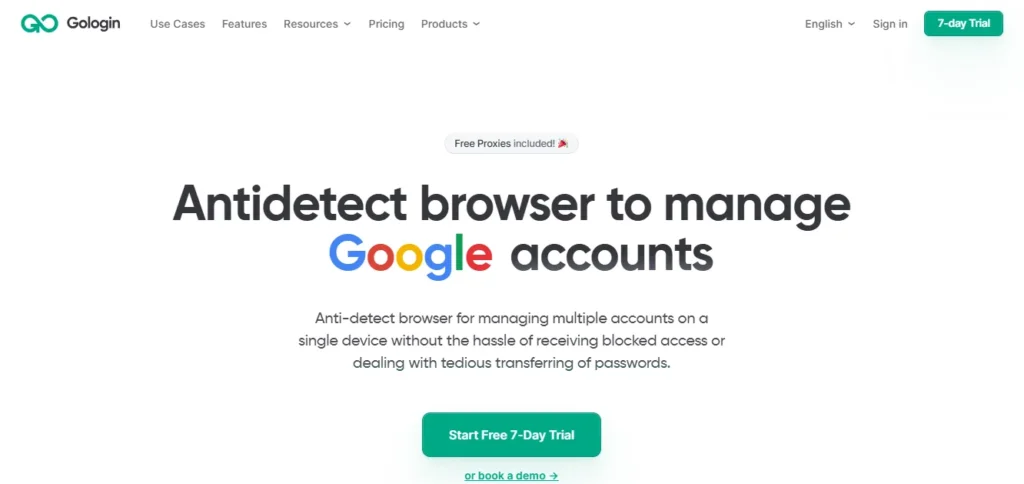
GoLogin is built around simple profile handling, fingerprint protection, built-in proxies, cloud browser use, and team sharing.
Users can create and launch profiles, add proxies, rename profiles, clone profiles, and use bulk actions from one dashboard.
GoLogin’s paid plans include 2GB monthly location data, and its official feature page says users can buy residential, mobile, or datacentre IPs inside the app across 195 countries. That helps beginners who do not want to hunt for proxy providers on day one.
GoLogin also has a web app and cloud launch, so profiles can launch on cloud servers instead of a local device. For beginners with low-end laptops, that can make account work easier.
What is AdsPower and Why do Affiliate Teams Use It?
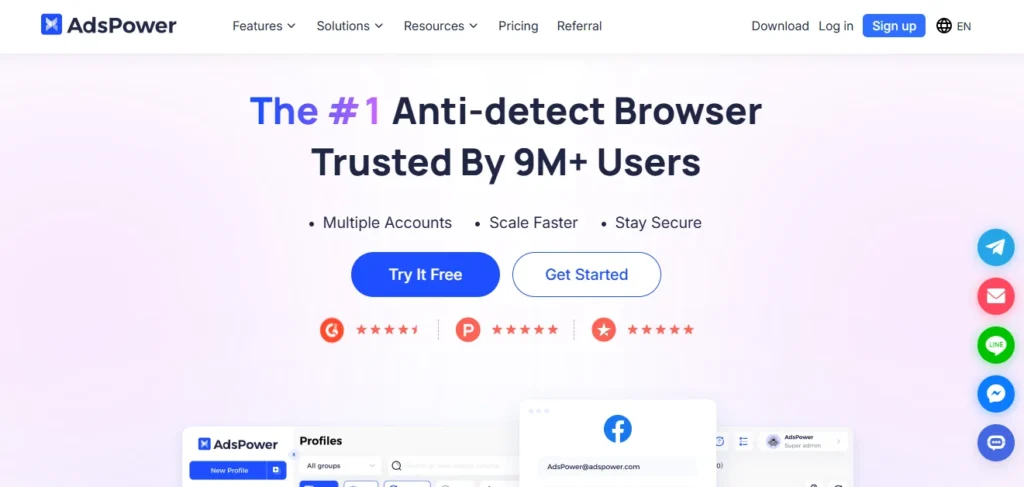
AdsPower is a feature-heavy anti-detect browser built for account scale, automation, batch profile work, and team control.
AdsPower has 9M+ users, 235 countries and regions, 200+ partners, and a 4.8 TrustScore.
AdsPower offers SunBrowser based on Chromium and FlowerBrowser based on Firefox, so users can choose between Chrome-style and Firefox-style setups. That matters if a platform profile looks more natural under one browser type than another.
AdsPower also has RPA, API integration, Synchronizer, ready templates, permission control, 2FA, action logs, failed login alerts, and abnormal login interception. Those extras make AdsPower stronger once affiliate marketers work with many profiles.
First Setup Experience For New Users
Beginners usually care about three things: can profiles be created fast, can proxies be added without confusion, and can mistakes be avoided?
GoLogin feels more beginner-friendly because its official page highlights one-click profile actions, simple proxy paste, profile rename, clone, drag-and-drop columns, tags, notes, statuses, quick search, and profile filtering.
GoLogin has a cleaner interface and is easier to start with, while AdsPower suits users who need built-in automation or batch management. That lines up with our beginner-first view.
AdsPower is not hard, but it exposes more controls early. A beginner may see browser kernels, RPA, Synchronizer, proxy protocols, permissions, logs, and batch options before learning core profile hygiene.
One-click profile actions and paste-in proxy setup get a new user to a working profile in minutes. AdsPower makes you decide about browser kernels, permissions, and RPA before you've even made your first profile.
Browser Fingerprint Protection Compared
Fingerprint quality is core for any browser fingerprint management tool.
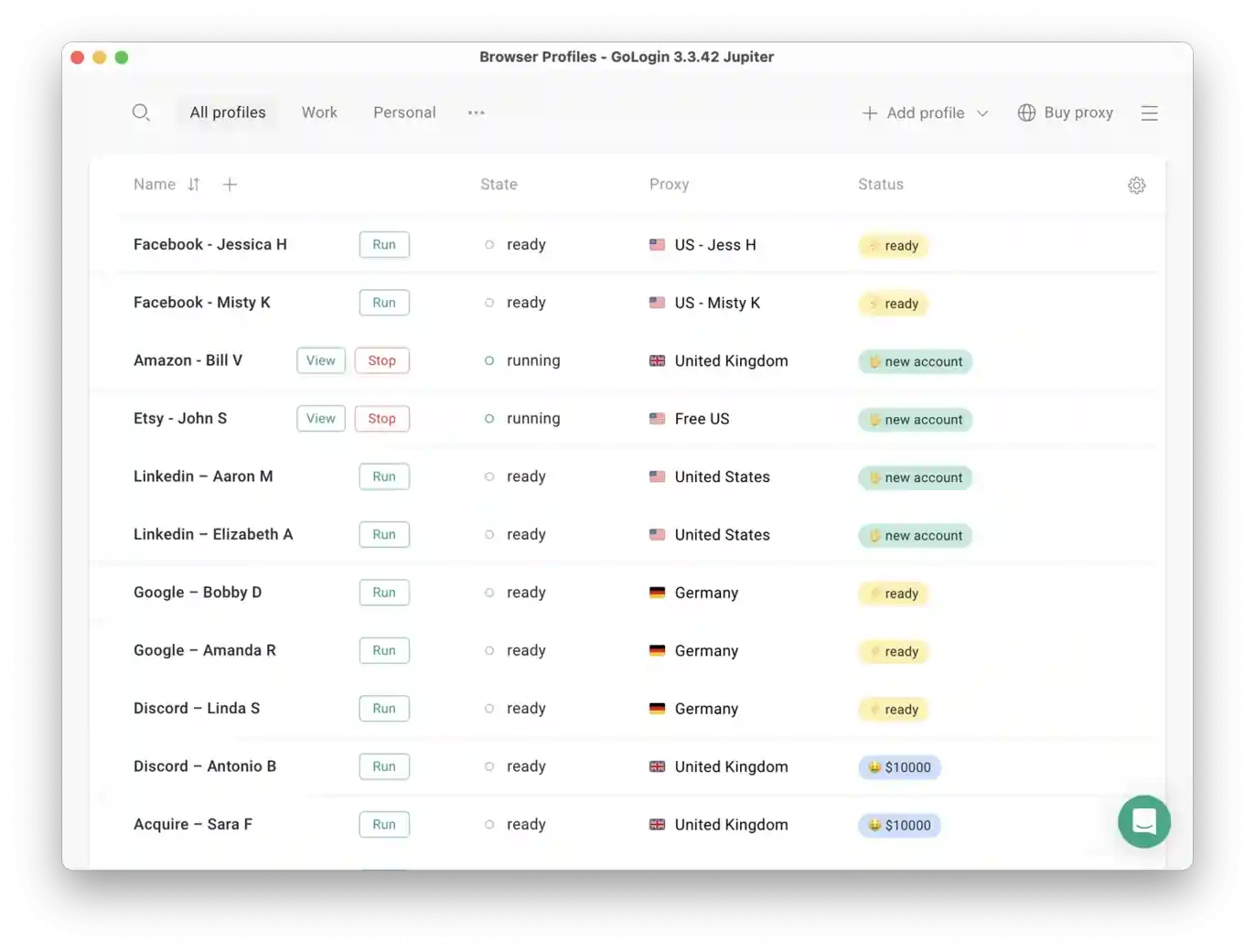
GoLogin says it covers 50+ parameters, including CPU, RAM, GPU, hardware concurrency, battery, WebRTC, timezone, geolocation, locale, user agent, screen, AudioContext, Canvas, WebGL, plugins, extensions, fonts, and behaviour or performance signals.
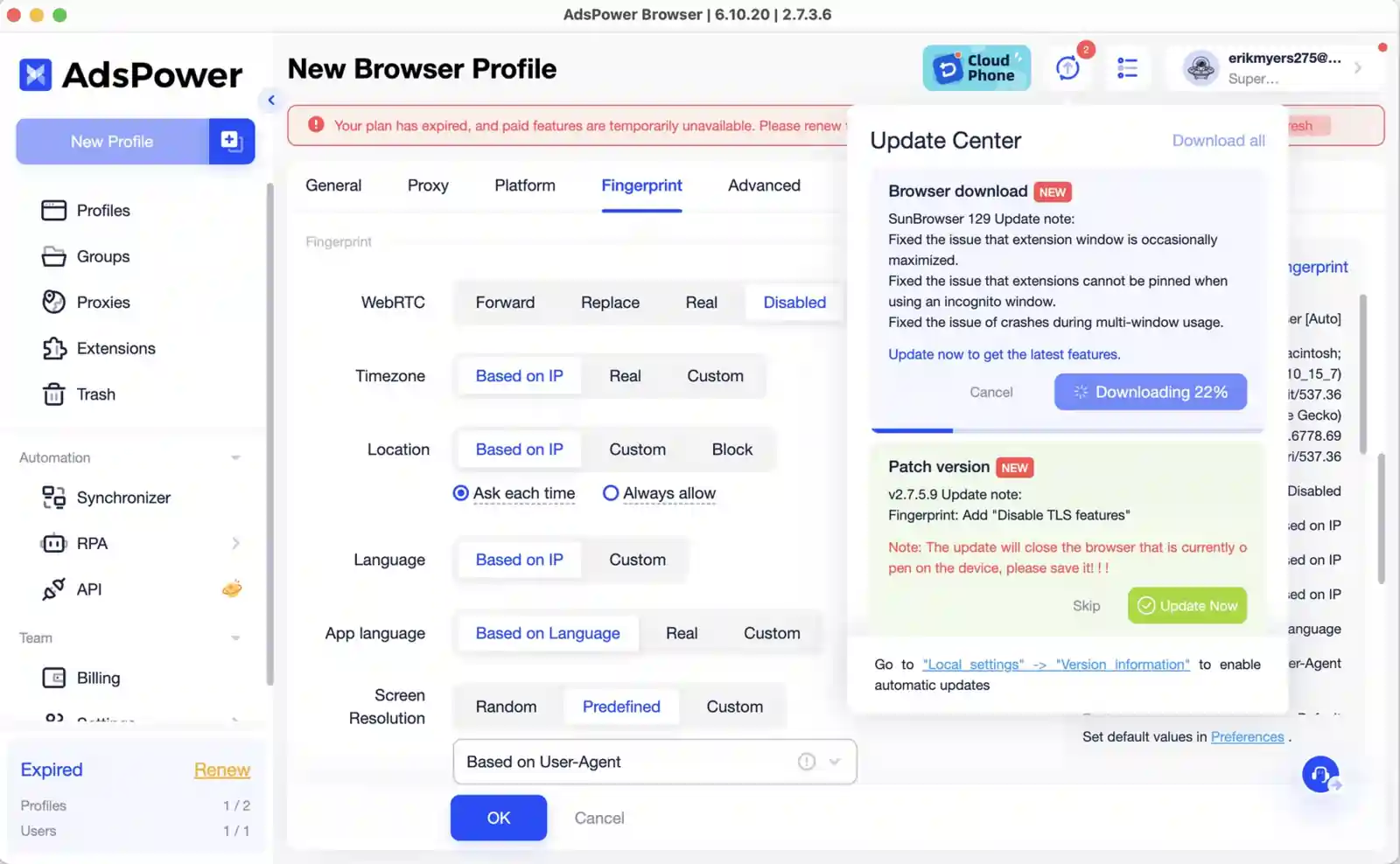
AdsPower supports real browser fingerprints with over 20 options and 50+ customisable parameters. Its official FAQ also lists IP, language, resolution, timezone, cookies, geolocation, fonts, proxy, DNS, Canvas, WebGL, WebGPU, IndexedDB, and more.
Both are strong enough for beginner affiliate workflows when used with clean proxies and safe account habits. AdsPower gets a small technical advantage because it offers Chrome and Firefox stealth browsers plus deeper mobile fingerprint claims.
Both cover 50+ parameters, so the tiebreaker is coverage width. AdsPower spoofs Windows, macOS, Android, and iOS device profiles, and gives you two engines to spoof from instead of one.
Browser Engine Options: Orbita vs SunBrowser and FlowerBrowser
Browser engine choice affects compatibility, extension support, and how natural a profile looks.
GoLogin uses Orbita, a Chromium-based browser, based on public comparison resources. Chromium is enough for most ad platforms, affiliate dashboards, social sites, and ecommerce panels.
AdsPower offers SunBrowser based on Chromium and FlowerBrowser based on Firefox. It also allows Chrome Web Store extensions inside SunBrowser, or custom extension uploads.
For beginners, one Chromium-style browser is simpler. For affiliate teams, having both Chromium and Firefox gives more testing options.
SunBrowser and FlowerBrowser let you pick a Chrome-style or Firefox-style profile depending on which reads more natural to the platform. GoLogin's Orbita is Chromium only.
Proxy Integration: Built-In Pool vs Bring-Your-Own
Proxy setup can make or break beginner success.
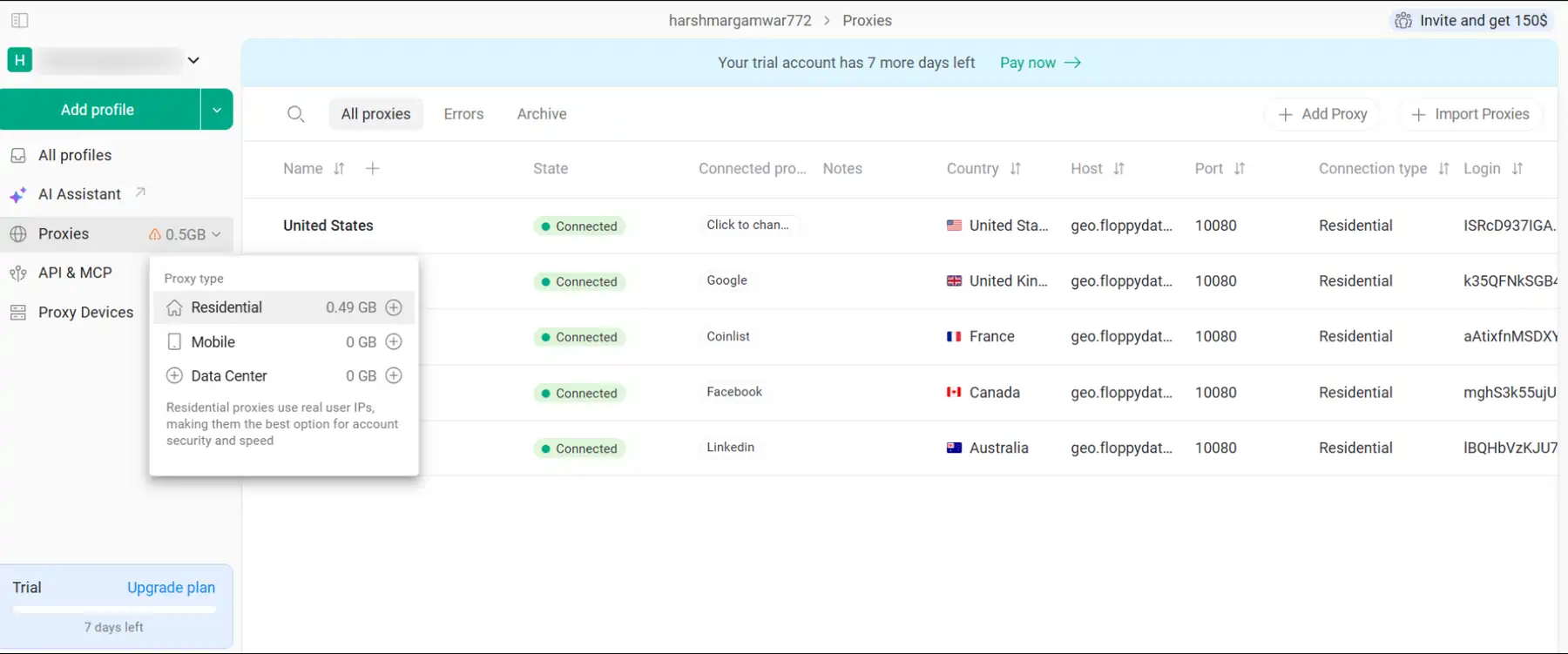
GoLogin has an advantage because paid plans include 2GB monthly location data, plus in-app proxy purchase across residential, mobile, and datacentre IPs from 195 countries. Bright Data’s comparison also notes GoLogin lets users buy and use proxies inside its app.
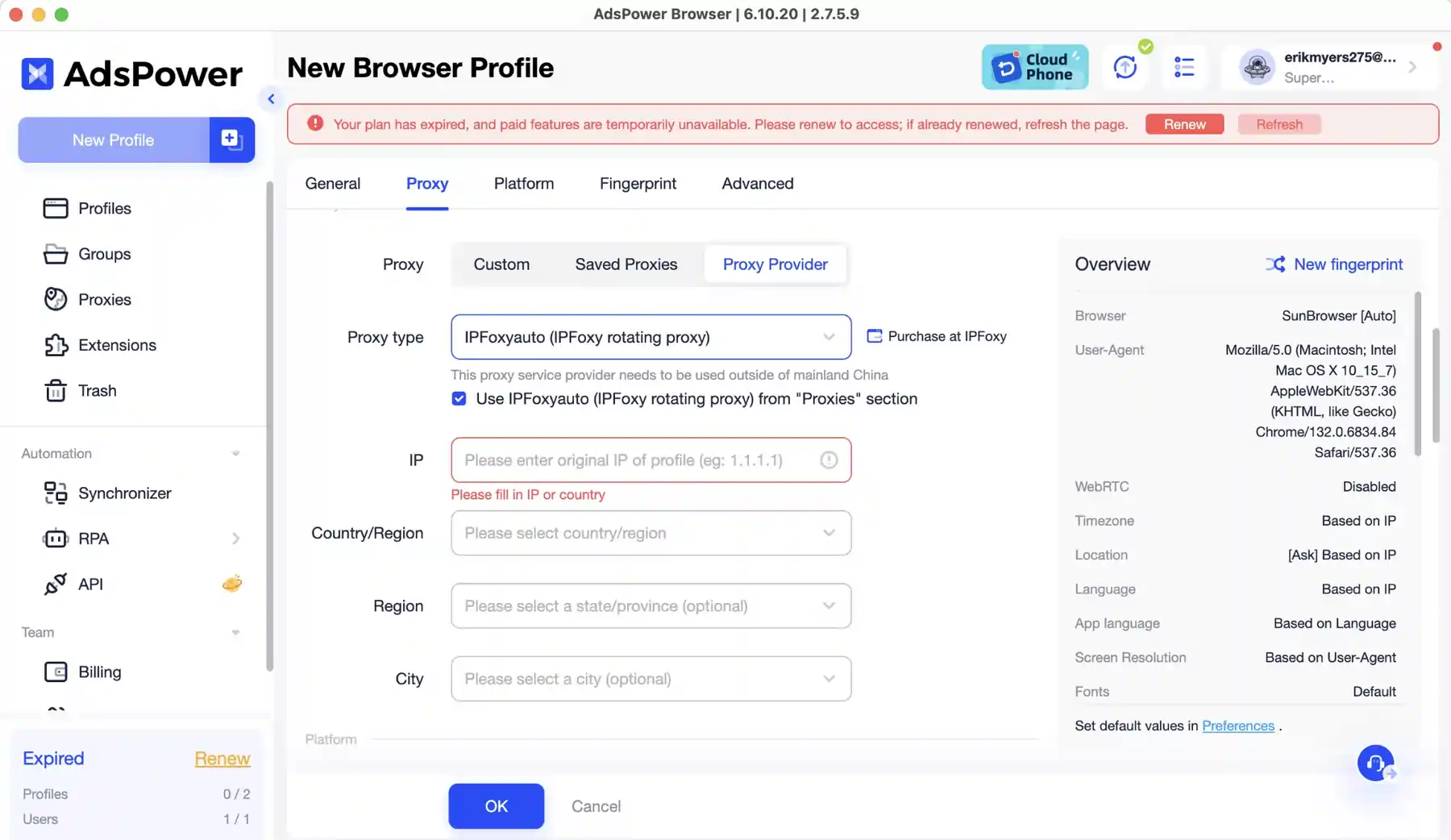
AdsPower supports HTTP/HTTPS, Socks5, SSH, IPv4, and IPv6 proxy setups, and its FAQ says it integrates with providers like Bright Data and Oxylabs. But AdsPower says it does not offer built-in proxies.
For beginners, built-in proxy access reduces setup friction. For experienced affiliate marketers, external proxy control can be better.
You can buy residential, mobile, or datacentre IPs from 195 countries inside the app, and paid plans throw in 2GB of location data. AdsPower assumes you've already sorted out a proxy provider.
Browser Profile Management For Multiple Accounts
Profile management matters when moving from 5 accounts to 50 accounts.
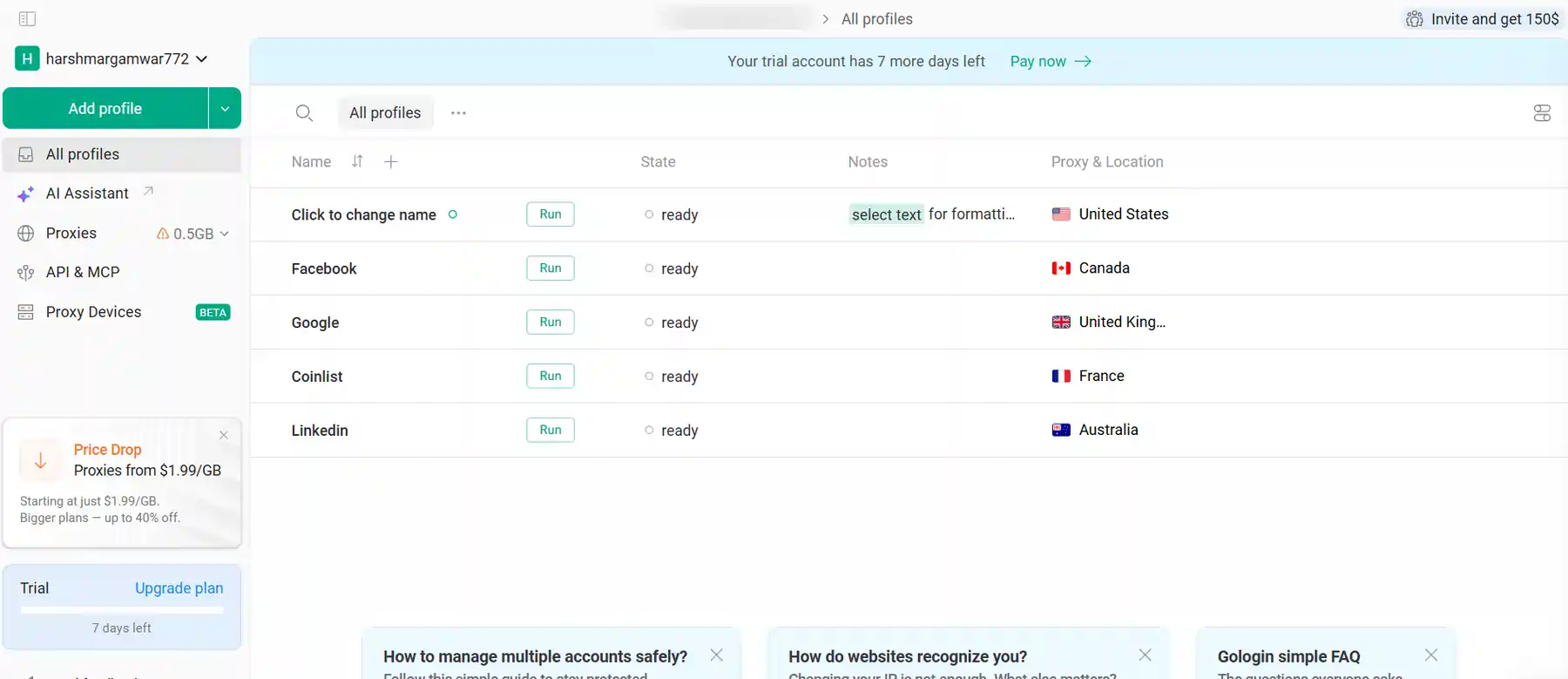
GoLogin supports folders, tags, notes, statuses, renaming, profile cloning, proxy filtering, and bulk actions. It also allows import and export for profiles, accounts, proxies, cookies, bookmarks, and extensions.
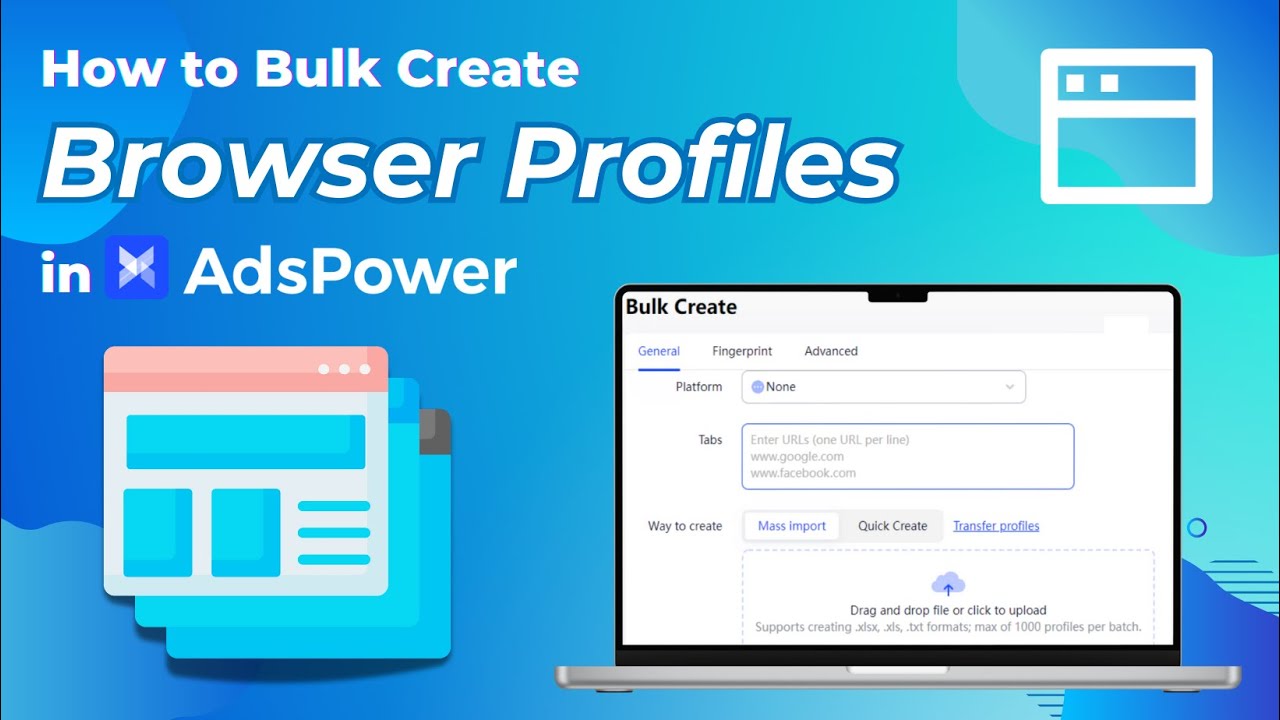
AdsPower offers batch profile management, batch import, profile groups, profile permissions, and profile data encryption. AdsPower’s review post claims users can import up to 1,000 browser profiles per batch via Excel or TXT.
GoLogin feels cleaner for a beginner's desk. AdsPower feels better for affiliate teams that build, group, assign, and audit many accounts.
Batch import of up to 1,000 profiles via Excel or TXT, plus groups, permissions, and profile encryption. GoLogin's folders and tags are tidy, but they're built for tens of profiles rather than hundreds.
Automation Features: GoLogin Actions vs AdsPower RPA
Automation is where AdsPower pulls ahead for growth-focused affiliate marketers.
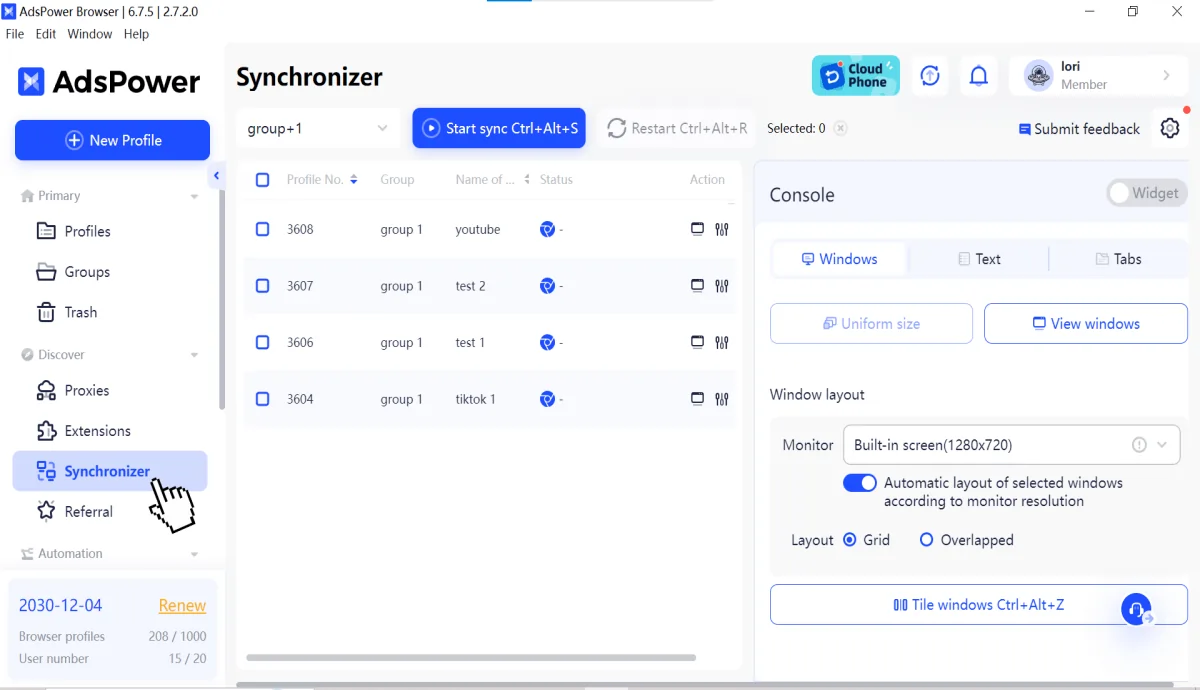
AdsPower includes RPA, API integration, and Synchronizer, with ready templates or custom tasks for repetitive actions across multiple browser windows. Its review page says RPA supports workflows, templates, conditional logic, loops, and selectors.
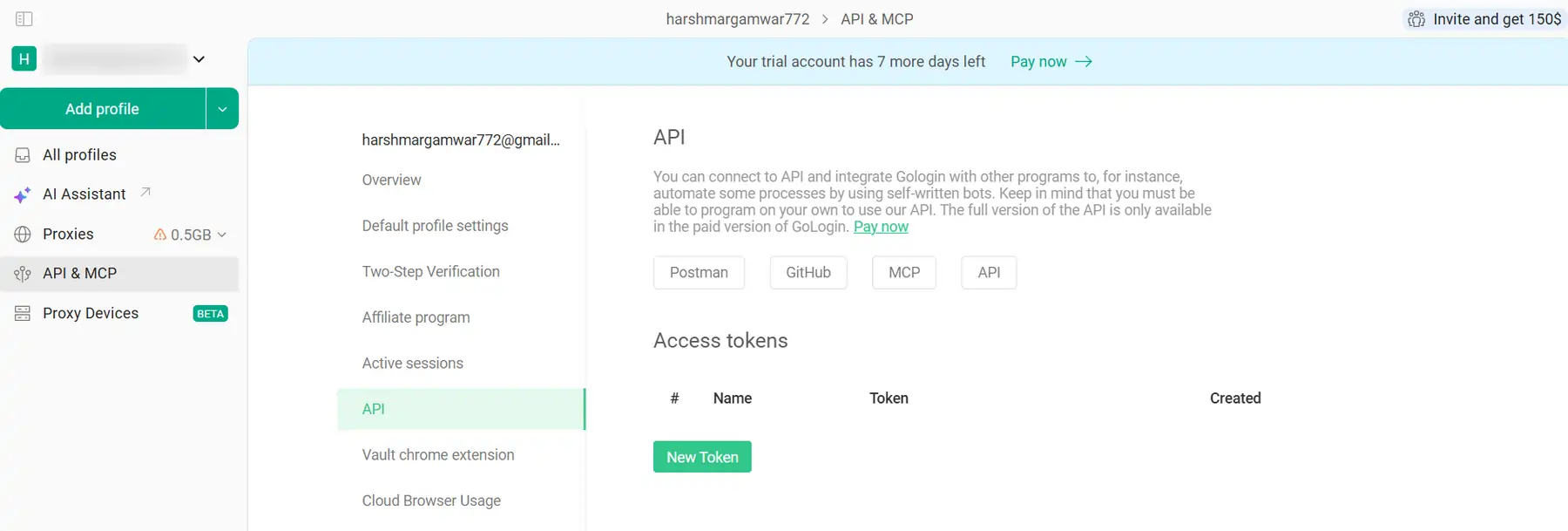
GoLogin includes Action Synchronizer, Cookie Bot, Mass Actions, REST API, SDK, MCP, and cloud launch options for automated scripts and scraping tasks. Its pricing page lists REST API request limits by plan, starting at 300 RPM on Professional.
For no-code users, AdsPower’s built-in RPA feels more useful. GoLogin suits beginners who need light automation, cookie warm-up, and API access without deep setup.
RPA with templates, loops, conditional logic, and selectors means no-code users can automate real workflows. GoLogin's REST API and Cookie Bot work fine, but you need to be comfortable writing something first.
Team Collaboration And Profile Sharing Controls
Team features matter for agencies, media-buying teams, VAs, and client account work.
GoLogin lets users share profiles, folders, or a workspace, set access rights, use session lock, and share work sessions without giving passwords. That is helpful for small teams or remote assistants.
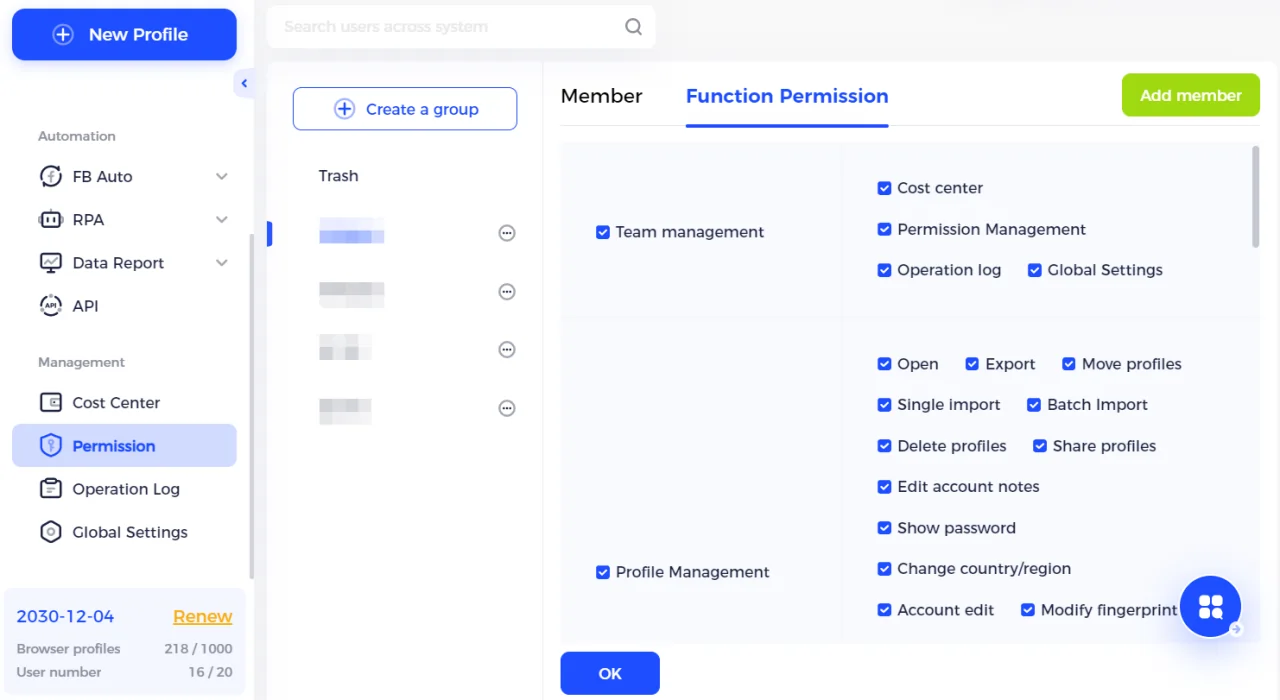
AdsPower has precise profile permissions, user-specific access, 2FA, abnormal login reminders, action logs, encrypted transmission, and protected extension controls. Its pricing table includes unlimited profile sharing and specific permissions for members.
GoLogin is friendly for sharing sessions with VAs. AdsPower gives stronger controls for larger affiliate teams where audit logs and permission limits matter.
RPA with templates, loops, conditional logic, and selectors means no-code users can automate real workflows. GoLogin's REST API and Cookie Bot work fine, but you need to be comfortable writing something first.
Security Features: Session Locks, Logs, 2FA, and Encrypted Data
Security is not only about fingerprint masking. It is also about who can access profiles, how data syncs, and how login risk is handled.
GoLogin says it protects user data at a technical level and supports account sessions without sharing credentials. It also supports cloud launch, cloud browsing, and session locks.
AdsPower highlights encrypted transmission and storage, optional sync, 2FA, failed login alerts, abnormal login interception, profile permissions, action logs, and a bug bounty programme. AdsPower’s review page also says AdsPower holds SOC 2 Type II, ISO 27001, and ISO 27701 certifications.
For beginners, GoLogin feels safer because fewer options reduce mistakes. For teams, AdsPower’s security controls are more complete.
SOC 2 Type II, ISO 27001, and ISO 27701 certifications plus a bug bounty programme are documented, not just claimed. GoLogin's session locks and credential-free sharing are solid, just narrower in scope.
GoLogin vs AdsPower Pricing: Which Tool Costs Less in 2026?
AdsPower uses flexible plan names, while GoLogin has fixed plan tiers with clear profile limits. For beginners, AdsPower is cheaper at the entry level, but GoLogin gives more profiles in its first paid plan .
| Tool | Plan Name | Profiles | Members | Monthly Price | Annual Price / Discount |
|---|---|---|---|---|---|
| AdsPower | Free | 2 profiles | 0 members | Free forever | Free forever |
| AdsPower | Professional | Custom profile count | Custom member count | Custom pricing shown inside pricing calculator | Annual billing available |
| AdsPower | Business | Custom profile count | Custom member count | Custom pricing shown inside pricing calculator | Annual billing available |
| AdsPower | Enterprise | 5000+ profiles | Custom members | Price upon request | Custom |
| GoLogin | Free Plan | 3 profiles | No team members/profile sharing | Free | Free |
| GoLogin | Professional | 100 profiles | 1 team member | $49/mo | $24/mo with annual billing |
| GoLogin | Business | 300 profiles | 1 team member | $99/mo | $49/mo with annual billing |
| GoLogin | Enterprise | 1000 profiles | 1 team member | $199/mo | $99/mo with annual billing |
| GoLogin | Custom | 2000+ profiles | Custom scale | $299/mo starting | $149/mo with annual billing |
$5.4/mo to start versus $24/mo on GoLogin's annual billing. GoLogin does hand you 100 profiles at that first tier, but almost nobody needs 100 profiles in month one.
Which Browser Is Better for Affiliate Marketing Workflows?
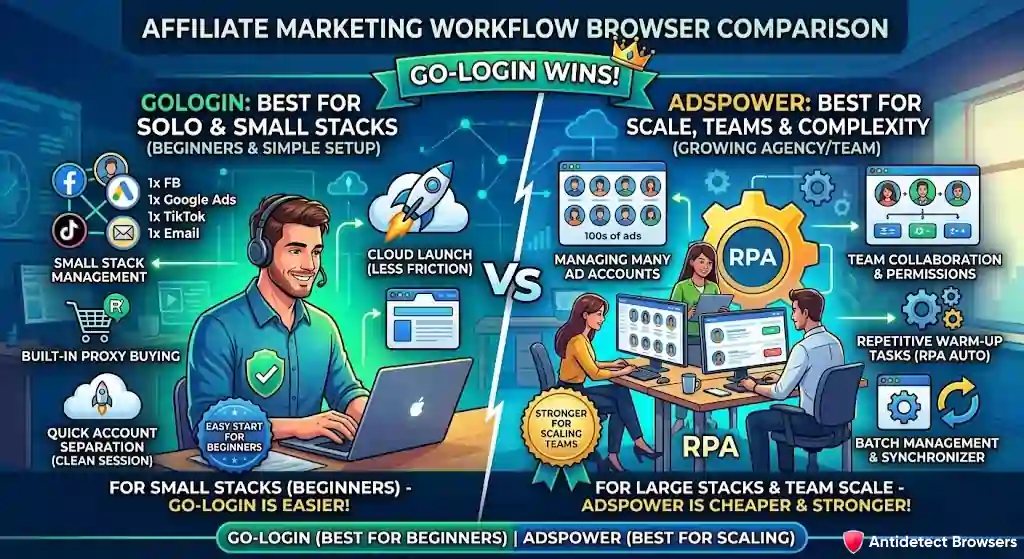
Affiliate marketers need fast account separation, clean session continuity, proxy matching, and less setup pain.
GoLogin is better when a solo marketer manages a small stack: one Facebook profile, one Google Ads profile, one TikTok profile, one email profile, and one landing page tool. Built-in proxy buying and cloud launch reduce early friction.
AdsPower is better when a marketer has many ad accounts, multiple team members, repetitive warm-up tasks, ecommerce accounts, and social profiles. RPA, Synchronizer, batch management, and permission controls save time at that point.
For a beginner affiliate marketer, GoLogin is easier to trust on day one. For a marketer already planning scale, AdsPower is cheaper and stronger.
For a solo marketer running one profile each for Facebook, Google Ads, TikTok, and email, in-app proxies and cloud launch strip out most of the day-one friction. AdsPower's extra power only starts paying for itself once the account count climbs.
Ban Risk Reduction: Which Browser Is Safer for Ad Accounts
No anti-detect browser can promise ad account safety. Still, a good setup reduces easy linking signals.
GoLogin protects WebRTC, Canvas, WebGL, cache, session, history, cookies, extensions, hardware data, fonts, screen data, and many other parameters. AdsPower creates separate profiles with unique fingerprints and says it helps reduce bans, suspensions, disabled accounts, and blocks.
For Facebook, Google Ads, and TikTok, fingerprints are only one part. Payment method, business manager links, IP quality, timezone, cookie age, ad creative, landing page behaviour, and login pattern also matter.
AdsPower directly names Facebook, Google Ads, and TikTok under affiliate marketing use cases. That makes its positioning clearer for performance marketers.
It names Facebook, Google Ads, and TikTok directly in its use cases, and pairs isolated fingerprints with permission controls that stop a team member from creating a linking mistake. Neither tool guarantees anything, though.
Warming Social Profiles: Tools and Techniques Compared
Warm-up means making each profile look natural before heavy use.
GoLogin offers Cookie Bot and Mass Actions for creating, warming up, and growing social accounts. That is useful for beginners who want basic warm-up help without scripts.
AdsPower offers RPA templates, custom workflows, and Synchronizer for repeated tasks across profiles. Its automation stack is better if a user wants to warm many accounts with similar steps.
Beginners should warm accounts slowly. Do not log in to 20 fresh profiles, change locations, add payment methods, and launch ads within a few minutes.
RPA templates repeat identical warm-up steps across dozens of profiles without a single line of script. GoLogin's Cookie Bot handles basic warm-up for a handful of accounts and stops around there.
GoLogin Cloud Browser Access: GoLogin Convenience vs AdsPower Device Control
Cloud features help when a laptop is slow, travel is frequent, or team access needs to happen without exposing local machines.
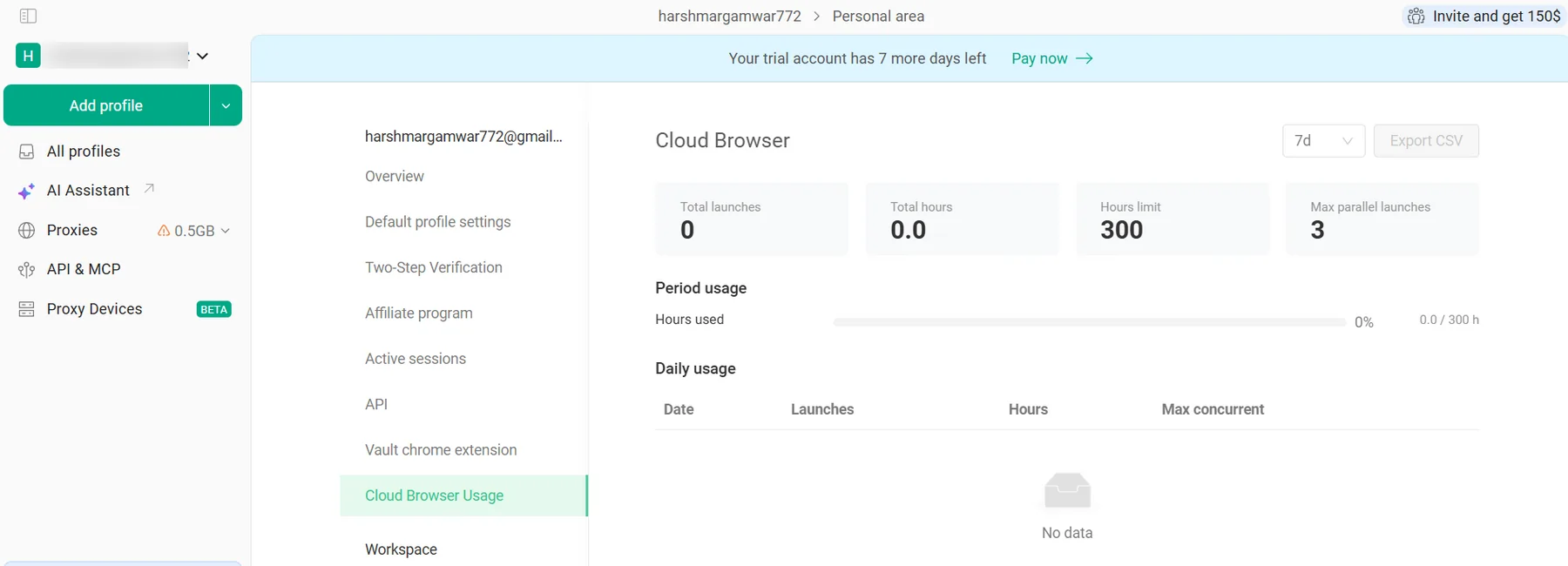
GoLogin has a web app and cloud launch, meaning profiles can run from a safe cloud server rather than a local machine. It has cloud browsing and cloud launches.
AdsPower supports Windows, macOS, and Linux. AdsPower also claims browser fingerprints based on Windows, macOS, Android, and iOS.
GoLogin wins for cloud convenience. AdsPower wins for broader fingerprint device choices.
Profiles run on GoLogin's servers through the web app, so a slow laptop or a week of travel doesn't block account work. AdsPower stays local and leans on your hardware.
Mobile Fingerprints: Which Browser Is Better for TikTok and Instagram?
Mobile fingerprints matter for TikTok, Instagram, app-first platforms, and social workflows where desktop logins can look less natural.
AdsPower says browser profiles can use fingerprints based on Windows, macOS, Android, and iOS. Its official comparison content also highlights iOS device fingerprint simulation as a major difference versus GoLogin.
GoLogin’s pricing page lists an Android app. Public comparison sources suggest GoLogin is mostly Chromium-focused and does not offer Firefox-style or iOS simulation in the same way AdsPower does.
For beginners, mobile simulation may not matter at first. For affiliate marketers working with TikTok, Instagram, or mobile-first funnels, AdsPower gets a clear advantage.
iOS device simulation is the real gap. If your funnel depends on TikTok or Instagram sessions looking mobile-native, GoLogin's Chromium-only setup can't match it.
Browser Stability for Affiliate Dashboards and Social Accounts
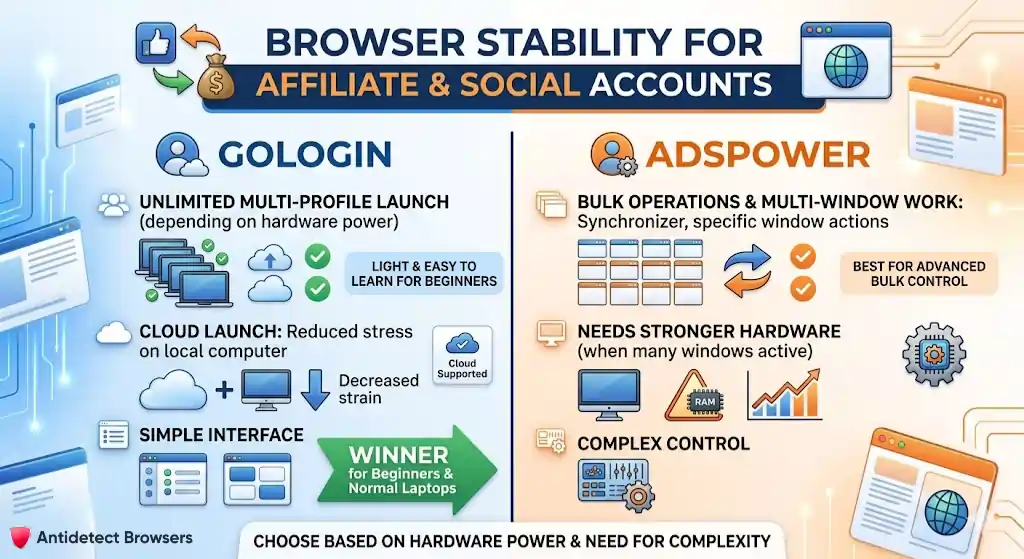
Speed depends on laptop power, number of profiles open, proxy quality, cloud use, RAM, and browser kernel.
GoLogin says several profiles can be launched at once, with hardware as the only limit. Cloud launch can also reduce local machine strain when supported by plan limits.
AdsPower has batch operations, multi-window work, and Synchronizer, which suits many profiles but may need stronger hardware when many windows are active.
For beginners on normal laptops, GoLogin feels lighter to learn. For bulk work, AdsPower offers more control.
Lighter local footprint, and cloud launch moves the load off your machine completely. AdsPower's multi-window batch work wants more RAM than a typical beginner laptop has spare.
Interface And Learning Curve
Interface design matters more than most beginners think.
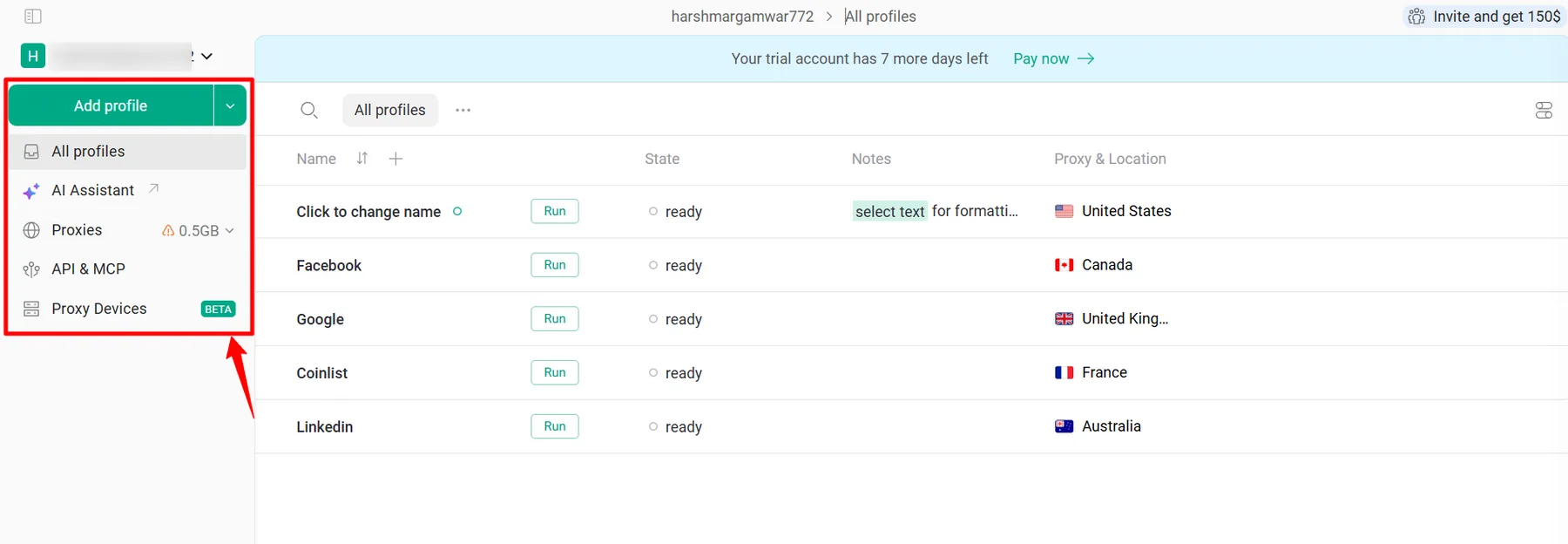
GoLogin keeps core tasks close: create profile, add proxy, clone, rename, share, filter, and launch. That keeps daily work simple for new affiliate marketers.
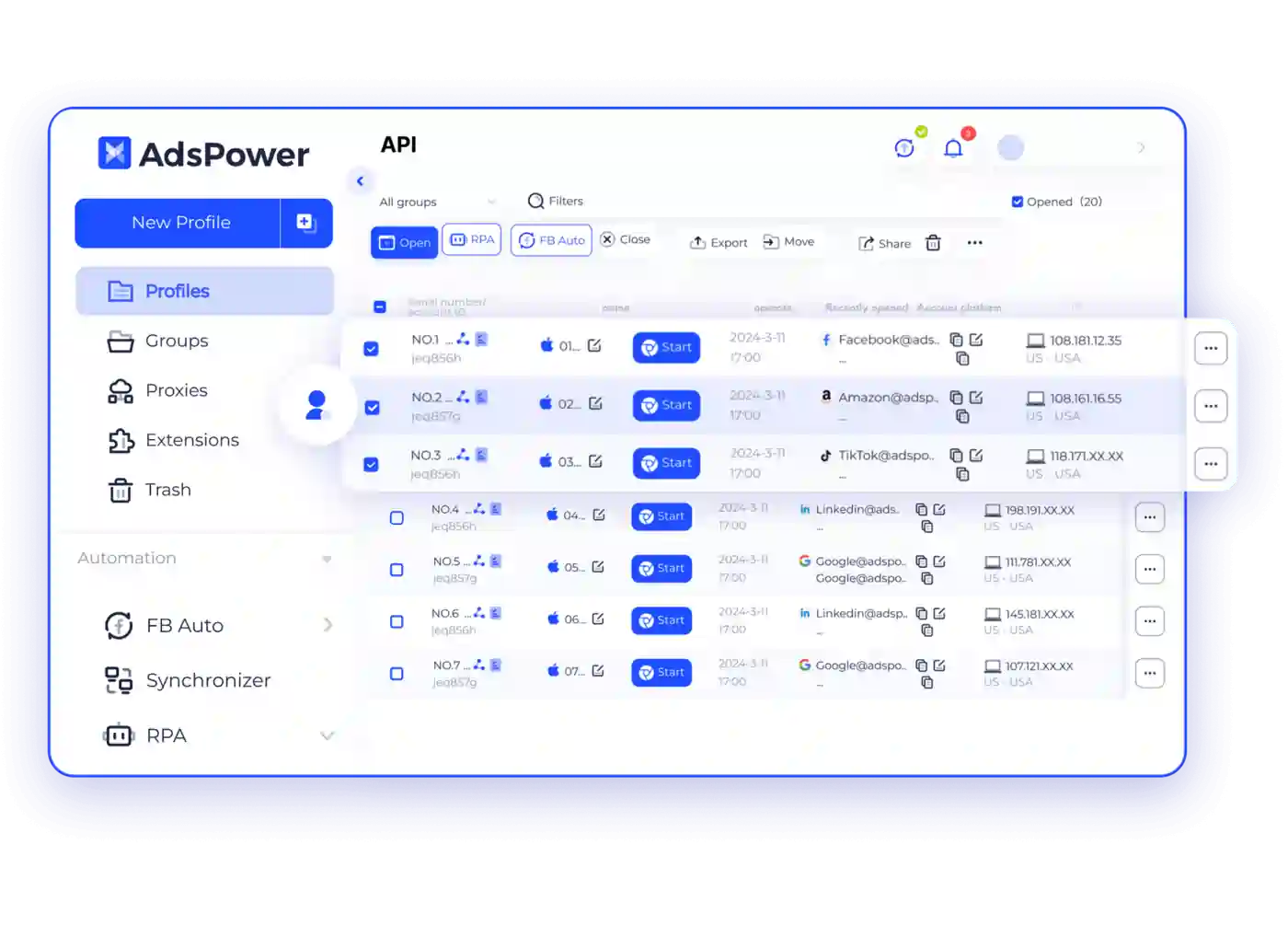
AdsPower gives more panels, settings, browser choices, automation options, and team controls. That is powerful but may feel busy during the first setup.
GoLogin is cleaner and easier to start with, while AdsPower is better for built-in automation or batch management. For a beginner article, that point is important.
Create, clone, rename, add proxy, launch. All five sit on the surface. AdsPower buries the same actions under panels most beginners won't touch for months.
Pros and Cons
GoLogin Pros
GoLogin’s main strength is low-friction setup.
It gives beginners enough power without burying them under too many advanced settings.
GoLogin Cons
GoLogin is not weak, but it is less automation-first than AdsPower.
That difference starts to matter when affiliate marketers grow beyond a small account stack.
AdsPower Pros
AdsPower’s biggest strength is value plus scale.
It gives affiliate teams more account management tools at a lower starting price.
AdsPower Cons
AdsPower can feel more technical during setup.
A beginner may need extra time to understand which settings matter and which can stay default.
FAQs About GoLogin, AdsPower, and Anti-Detect Browsers
Is GoLogin better than AdsPower for beginners?
GoLogin is better for most beginners because it has a cleaner workflow, built-in proxy access, cloud launch, and a free plan with 3 profiles. AdsPower is better once a user needs RPA, batch profile work, stronger team controls, and lower paid entry cost.
Which browser has better fingerprint protection?
Both cover 50+ fingerprint-related parameters based on official data. AdsPower gets a small advantage because it offers Chromium and Firefox stealth browsers, plus broader device fingerprint claims across Windows, macOS, Android, and iOS.
Does GoLogin include proxies?
Yes, GoLogin offers in-app proxy buying and says paid plans include 2GB monthly location data. It lists residential, mobile, and datacentre IP options across 195 countries.
Which is better for Facebook ad accounts?
AdsPower is better for larger Facebook ad account workflows because it has RPA, Synchronizer, team permissions, logs, and affiliate marketing positioning around Facebook, Google Ads, and TikTok. GoLogin is better for a beginner managing fewer ad accounts because setup feels simpler and proxies can be bought inside the app.
Does AdsPower include built-in proxies?
Yes, GoLogin offers in-app proxy buying and says paid plans include 2GB monthly location data. It lists residential, mobile, and datacentre IP options across 195 countries.
Which is better for Facebook ad accounts?
AdsPower is better for larger Facebook ad account workflows because it has RPA, Synchronizer, team permissions, logs, and affiliate marketing positioning around Facebook, Google Ads, and TikTok. GoLogin is better for a beginner managing fewer ad accounts because setup feels simpler and proxies can be bought inside the app.
Can GoLogin and AdsPower work with Selenium or Puppeteer?
GoLogin lists REST API and developer-focused automation options, while AdsPower’s review page says its Local API supports Selenium, Puppeteer, and Playwright integration. API use is better for technical marketers or teams with developers.
Which tool is best for TikTok accounts?
AdsPower has a stronger case for TikTok because it supports RPA, social marketing workflows, and official device fingerprint claims for Android and iOS. GoLogin can still work for TikTok account isolation, but AdsPower looks better for mobile-first workflows.
Our Final Pick After Testing GoLogin and AdsPower
GoLogin wins for beginners because it is easier to set up, includes built-in proxy access, supports cloud launch, and gives 3 free profiles for testing.
AdsPower wins for scaling affiliate marketers because it has lower entry pricing, RPA, Synchronizer, Chrome plus Firefox engines, batch import claims, and stronger team controls.
If an affiliate marketer is starting from zero, GoLogin is a better first anti-detect browser.
If that same marketer plans to manage many accounts, assign VAs, automate warm-up, and reduce monthly tool cost, AdsPower becomes a smart second step.