
AdsPower is the largest antidetect browser in 2026, trusted by 9M+ users who have created 2.2 billion browser profiles across 235 countries.
I rate it the strongest pick for affiliate marketers and media buyers who run accounts at scale. Why? A dual-engine build, a 50+ parameter anti-association fingerprint engine, bulk import of 1,000 profiles per batch, and built-in automation (Synchronizer + no-code RPA + Local API + an MCP Server for Claude and Cursor).
A free forever plan with 2 profiles plus a 7-day trial means you can prove it out before paying. Paid plans open at $9/month. The catch? Team seats cost extra, and you bring your own proxies.
So I finally did the thing I keep telling readers to do. I stopped reading other people's AdsPower reviews and ran the tool myself for two solid months. Real campaigns. Real ad accounts. Real bans dodged (and one or two earned).
My goal was simple. Figure out if AdsPower antidetect browser actually holds up when you push it past 200 profiles and lean on it every single day.
Short version. It does. But it is not flawless, and I am going to be honest about the parts that annoyed me too.
Our AdsPower Scorecard After Two Months of Real Use
Before the deep stuff, here is how I scored it. These numbers come from my own hands-on runs, not a press kit.
| What we judged | Score | One-line reason |
|---|---|---|
| Fingerprint quality | 9.2 / 10 | Passed BrowserScan, Iphey and Whoer with high authenticity marks |
| Scale and bulk management | 9.6 / 10 | 1,000 profiles per import, hands down the best I have used |
| Automation depth | 9.0 / 10 | Synchronizer plus no-code RPA plus an MCP Server is rare |
| Security and trust | 9.5 / 10 | Only antidetect browser holding SOC 2 Type II, ISO 27001 and ISO 27701 |
| Ease of use | 7.4 / 10 | Powerful, but the dashboard gets dense fast |
| Value for money | 8.8 / 10 | Free forever tier and a $9 entry, though seats add up |
| Overall | 9.0 / 10 | The safest default for serious multi-account operators |
What Is AdsPower, In Plain English
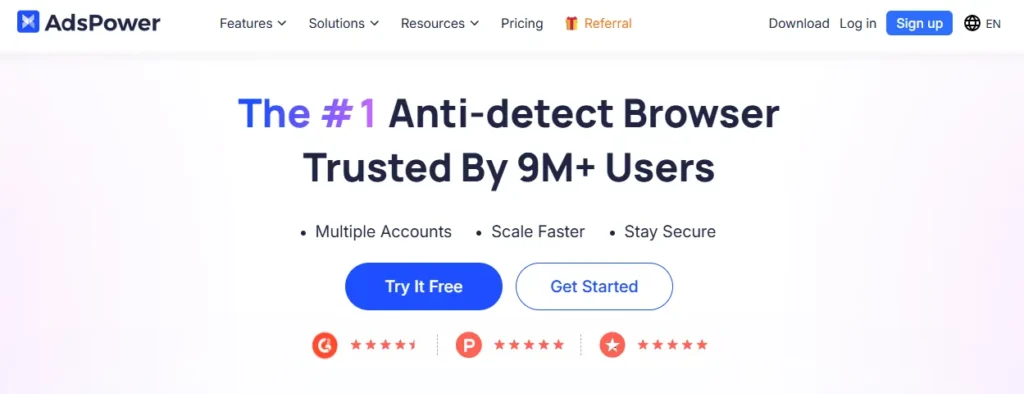
AdsPower is a browser that gives every account its own fake identity.
Each profile carries a unique browser fingerprint. Different canvas, different fonts, different timezone, a separate cookie jar, a separate proxy. Facebook or Amazon then sees ten different “people” instead of one person with ten tabs.
That is the whole trick behind safe multi-account management. Regular Chrome leaks the same fingerprint across every tab, so platforms link the accounts and swing the ban hammer. An antidetect browser cuts those links.
Run More Accounts. Pay Less.
Managing dozens or hundreds of accounts gets expensive fast. With AdsPower, you can keep separate browser environments, automate repetitive work and manage profiles at scale.
10% OFF
Annual + Code
AdsPower has been doing this since 2019. The company behind it is Sunflower Tech, and the scale it has reached now is the real story of 2026.
Why AdsPower Leads the Antidetect Browser Market in 2026
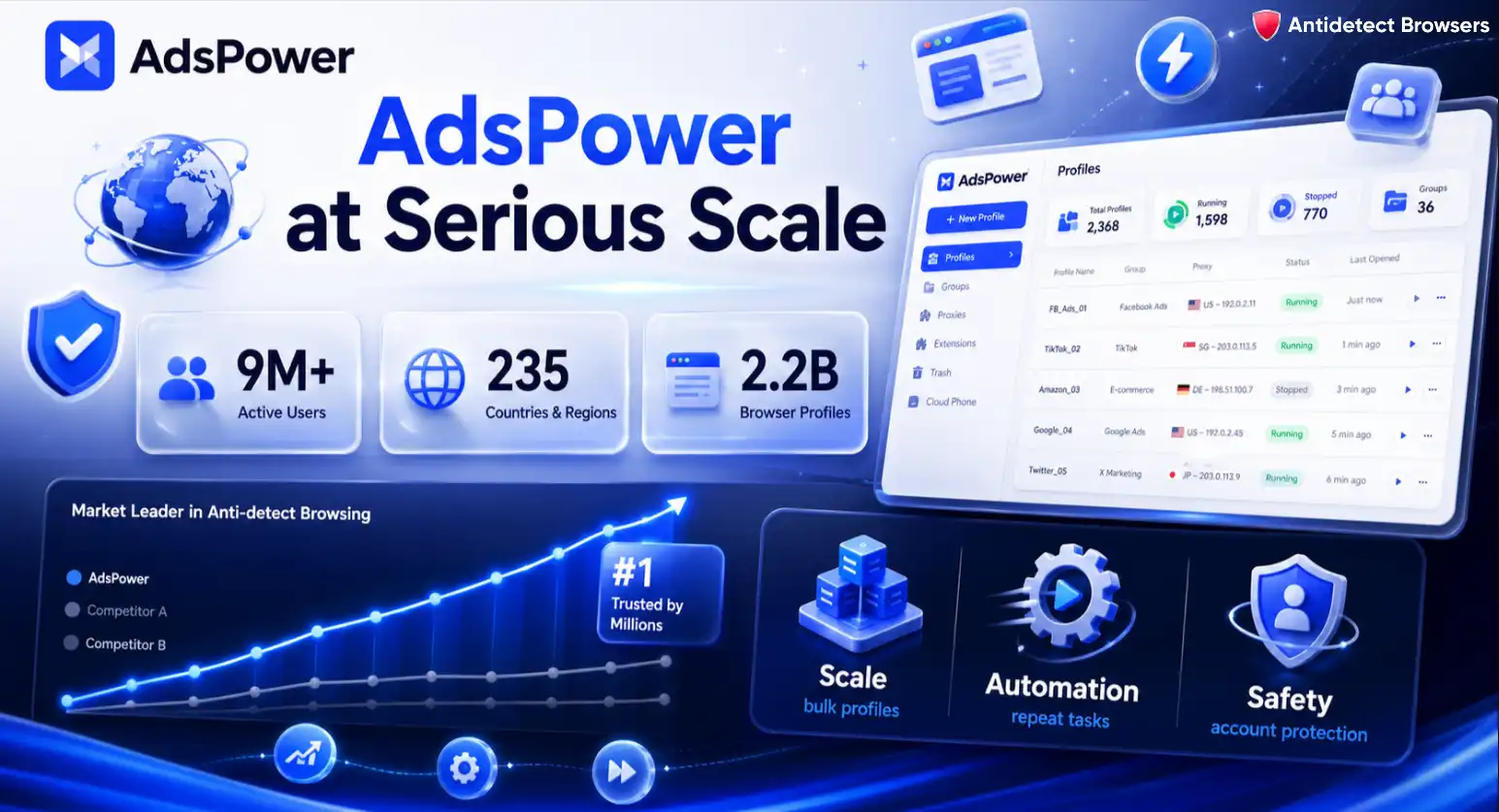
Let me set the scene with numbers, because scale is the whole story here.
AdsPower now serves 9 million plus active users spread across 235 countries and regions. Those users have created and managed 2.2 billion browser profiles to date. That is not a rounding number. That is a load-bearing stress test run by real operators for years.
Why does that matter to a media buyer? Because a bigger user base funds faster engineering. And faster engineering keeps you unbanned.
Here is the part most people miss. AdsPower does not win on fingerprint masking alone. Plenty of tools spoof a canvas value. AdsPower wins on scale, automation and account safety stitched together in one place.
That combination is why I now treat AdsPower as the default recommendation for anyone running paid traffic seriously.
The Dual-Engine Build That Sets It Apart
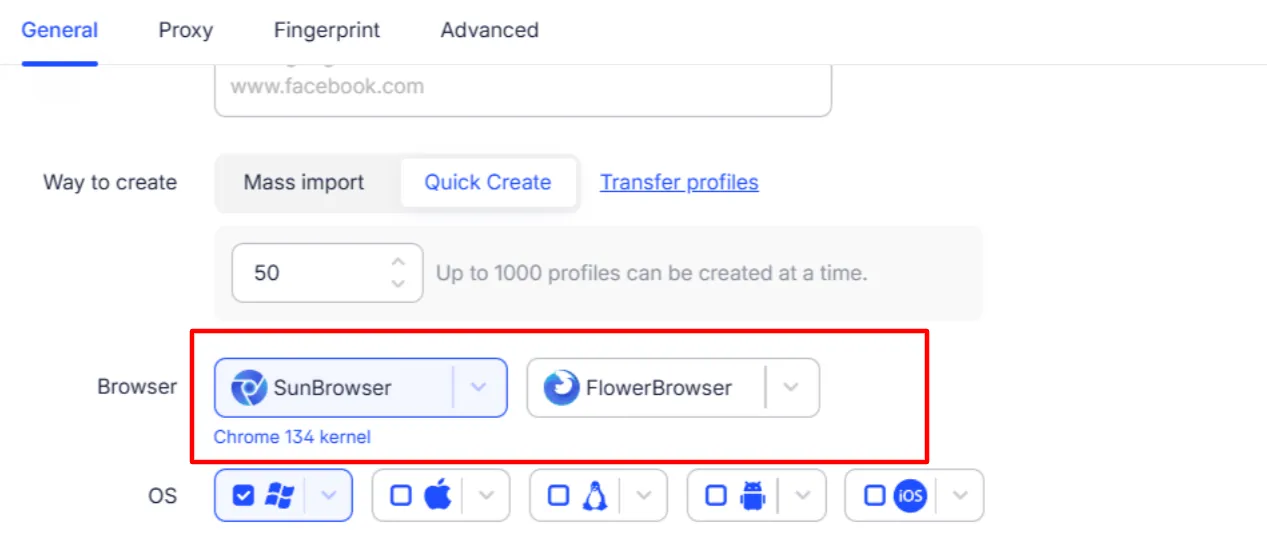
Most antidetect browsers give you a single Chromium clone and call it a day. AdsPower ships two separate kernels, and I use both weekly.
- SunBrowser is the Chromium-based engine. Pick this for Google accounts, most ad platforms, and anything that expects a Chrome signature. You can install extensions straight from the Chrome Web Store or upload your own.
- FlowerBrowser is the Firefox-based engine. I reach for this when a platform fingerprints Gecko differently, or when I want a second real browser family in my account mix so my profiles do not all look identical.
Why care about two engines? Diversity. When every profile you own reports the same Chrome build, that sameness becomes a pattern. Mixing Chrome and Firefox signatures across a farm of accounts reads far more like a crowd of real people.
SunBrowser also avoids sending your data back to Google the way stock Chrome does. That alone makes it a smarter choice for running Google Ads accounts.
Inside the Anti-Association Fingerprint Engine
This is the technical heart of the review, so I slowed down and poked at every toggle.
AdsPower randomizes 50+ browser fingerprint parameters and exposes roughly 25 editable categories in the profile screen. Each profile becomes a coherent, standalone device identity rather than a thin mask over your real machine.
Here are the signals I checked by hand, and what each one does for account isolation.
| Fingerprint parameter | What it controls | Why a media buyer cares |
|---|---|---|
| Canvas fingerprint | Adds controlled noise to canvas rendering | Stops platforms linking two accounts by identical canvas hashes |
| WebGL and WebGPU | Spoofs GPU vendor and renderer strings | Keeps your graphics signature unique per profile |
| AudioContext | Alters audio stack output | Blocks a quieter but very sticky tracking vector |
| WebRTC with Disable UDP | Can fully cut WebRTC UDP traffic | Prevents your real IP leaking behind a proxy |
| TLS Disable TLS Features | Toggles handshake features and JA3 signature | Hides the tell that a bot or a tool is driving the session |
| Fonts | Custom font list per profile | Font sets are a classic cross-account giveaway |
| Device memory and hardware concurrency | Reports fake RAM and CPU core counts | Makes each device look like distinct hardware |
| Timezone, language, geolocation | Matches locale to the proxy IP | A mismatch here is one of the fastest ways to get flagged |
The two settings I want to single out are the Disable UDP WebRTC mode and the Disable TLS Features toggle. Very few rivals expose these to the user.
The WebRTC control matters because a leaked UDP packet can hand a platform your true IP even when a clean proxy is loaded. Cutting that traffic closes the hole.
The TLS toggle is nerdier but just as useful. It lets you customize the JA3 handshake signature, so automated sessions stop announcing themselves as automated. If you run scripts, that switch is gold.
Native Mobile Simulation for iOS and Android
Here is a gap a lot of desktop-only rivals still have. AdsPower can present as a real iOS or Android device, complete with mobile User-Agents and device names.
For TikTok growth and mobile-first ad accounts, that mobile signature is not a nice-to-have. It is the difference between blending in and standing out. I ran a small batch of TikTok profiles on mobile fingerprints and they behaved far calmer than the same content on a desktop signature.
Why Affiliate Marketers and Media Buyers Actually Need This
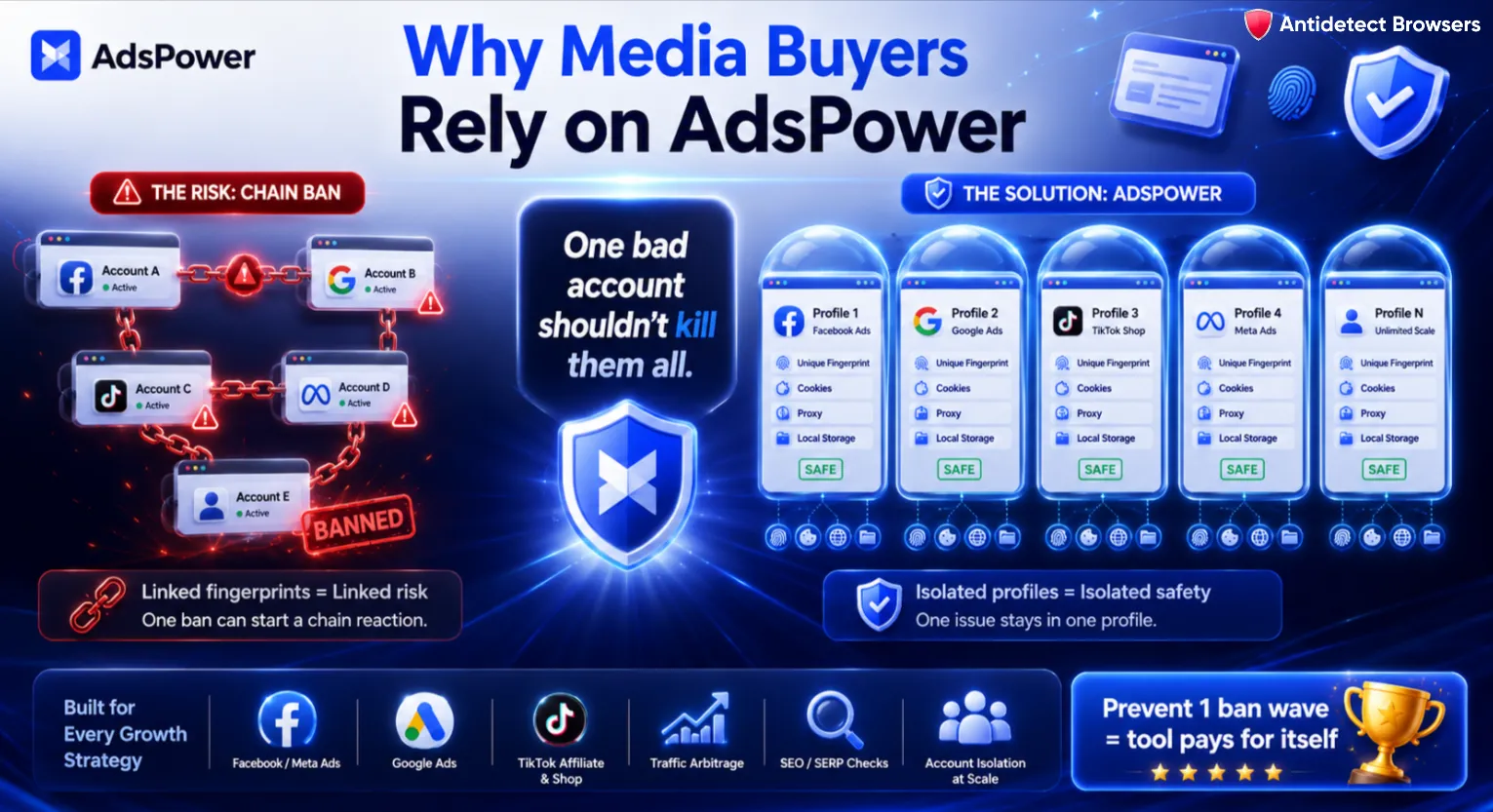
Let me zoom out for the folks who are newer to paid traffic. Why bother with an antidetect browser at all?
Because ad platforms hate multi-accounting, and they are ruthless about it. Log into two Facebook ad accounts from the same browser on the same device and the platform quietly links them. One ban becomes a chain ban. Your good accounts die with the bad one.
An antidetect browser for affiliate marketing breaks that chain. Every profile gets its own fingerprint, its own cookies, its own proxy, its own storage. To the platform, they look like separate people on separate machines.
Here is where it saves my skin day to day.
If you buy media for a living, the math is brutal and simple. One prevented ban wave pays for a year of the tool.

AdsPower helps affiliates and media buyers manage multiple ad accounts, campaigns, and client profiles from isolated browser environments.
10% OFF
Code
Bulk Profile Management Built for Real Scale
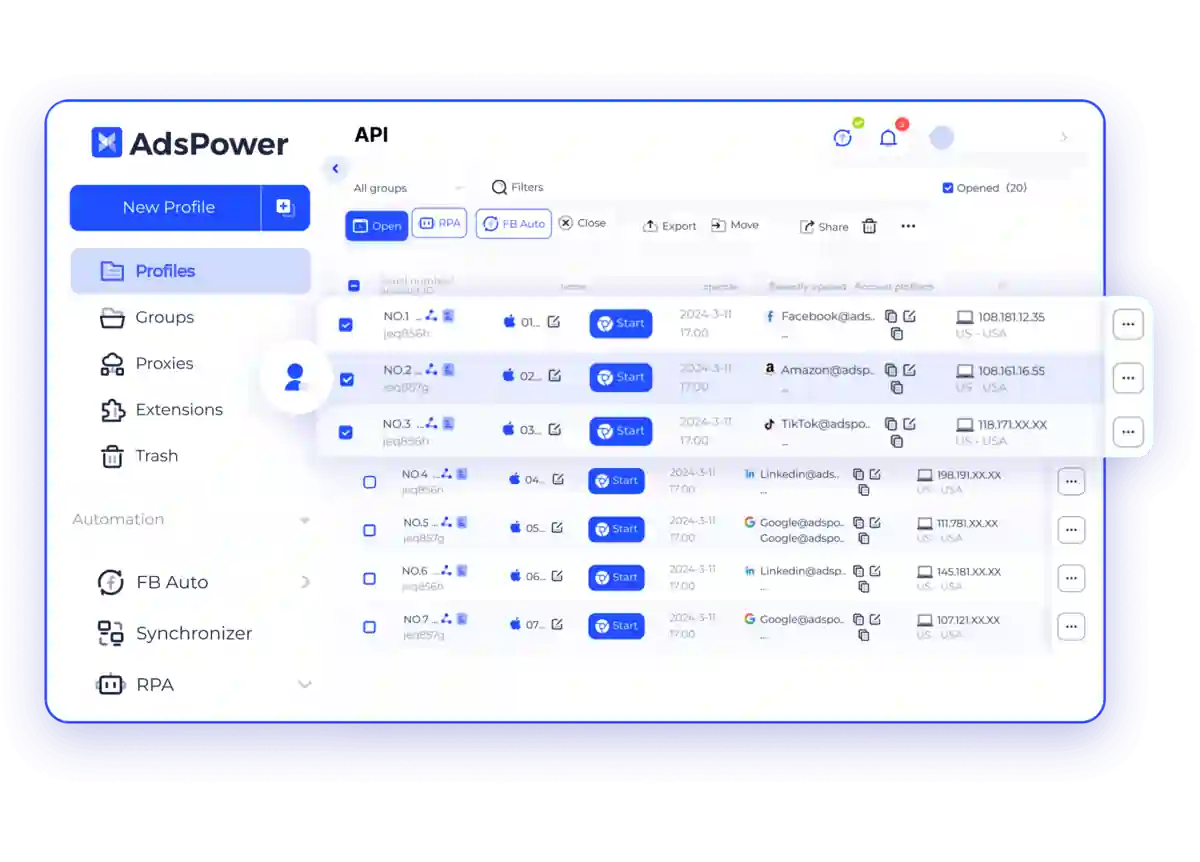
This section is where AdsPower stopped being good and started being my daily driver.
You can bulk import up to 1,000 profiles per batch using an Excel or TXT file. I fed it a spreadsheet of proxies, names and platform tags, and it built the whole farm in one pass.
What I lean on constantly.
Try building 300 profiles by hand and you will lose a full workday. Building them from one file takes minutes. That gap is the whole point.
The Automation Stack: Synchronizer, RPA, Local API, And An MCP Server
AdsPower has four automation layers, and they climb from “no code at all” to “full developer control.”
Multi-Window Synchronizer
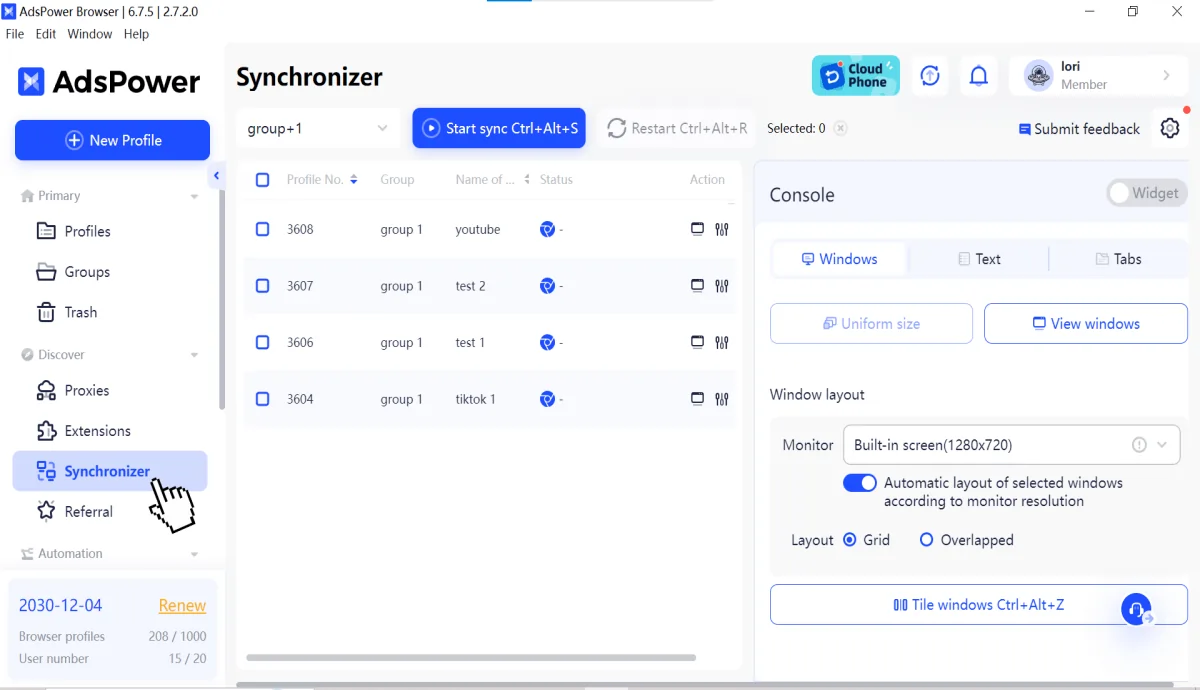
The Multi-Window Synchronizer mirrors your actions across many windows at once. Type once, click once, and the same move fires across every selected profile. It is perfect for warming accounts or dropping the same post across 20 pages.
One catch worth knowing early. The Synchronizer runs on SunBrowser only. FlowerBrowser sits this one out.
No-code RPA builder (and RPA Plus)
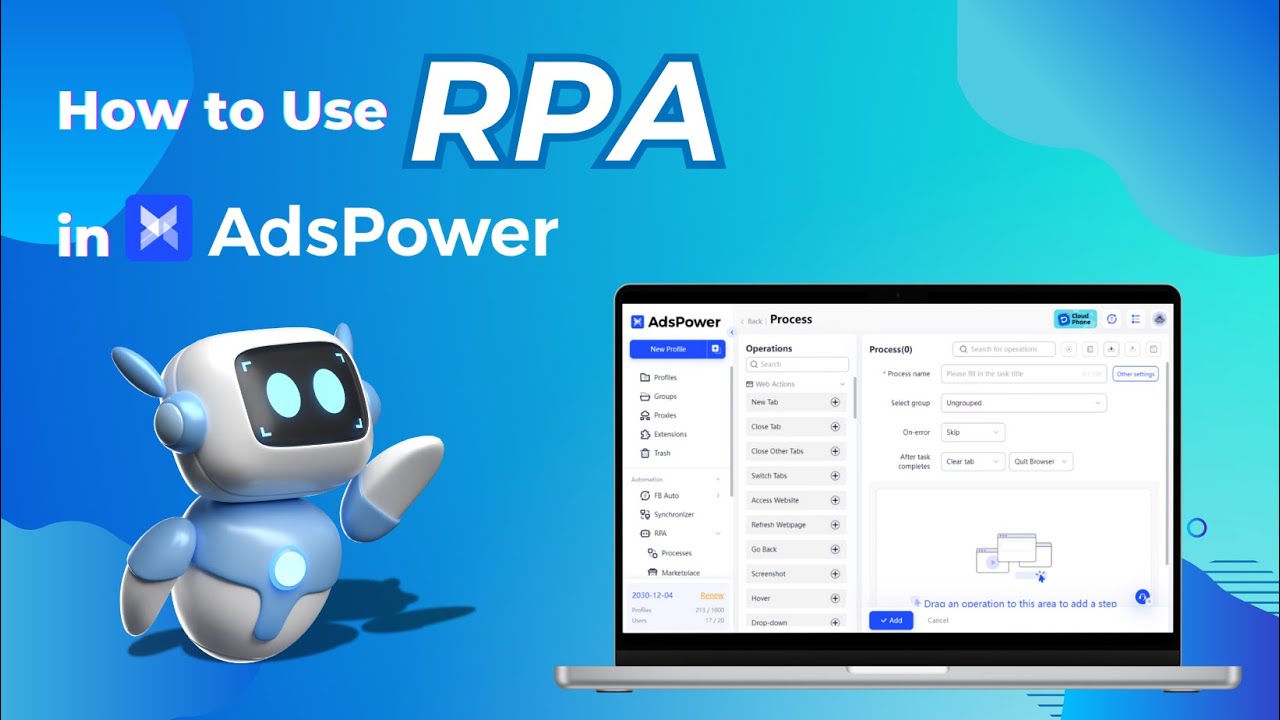
The no-code RPA builder is the headline automation feature. Record and replay, drop in templates for Facebook or YouTube or Discord, add conditional logic, loops, and element selectors. No scripting required for the basics.
In 2026 the team added RPA Plus. Save a process once as a reusable task, run it on a schedule, debug from any step, and manage variables across runs. That upgrade turns one-off automations into something you can actually maintain at scale.
Honest note. The RPA canvas rewards patience. Simple record-and-replay clicks in minutes, but building a branching, conditional process took us a couple of sittings to get right.
Local API for Selenium, Puppeteer, and Playwright
Developers get a Local API that plugs straight into Selenium, Puppeteer, and Playwright. Launch profiles, read config, and drive the browser from your own scripts. Rate limits scale with the plan.
| Plan | Local API rate limit | Good for |
|---|---|---|
| Professional | 120 requests / minute | Solo automations and light scraping |
| Business | 300 requests / minute | Agency-scale scripts across many profiles |
| Enterprise | 600 requests / minute | Heavy, always-on automation farms |
MCP server for Claude and Cursor
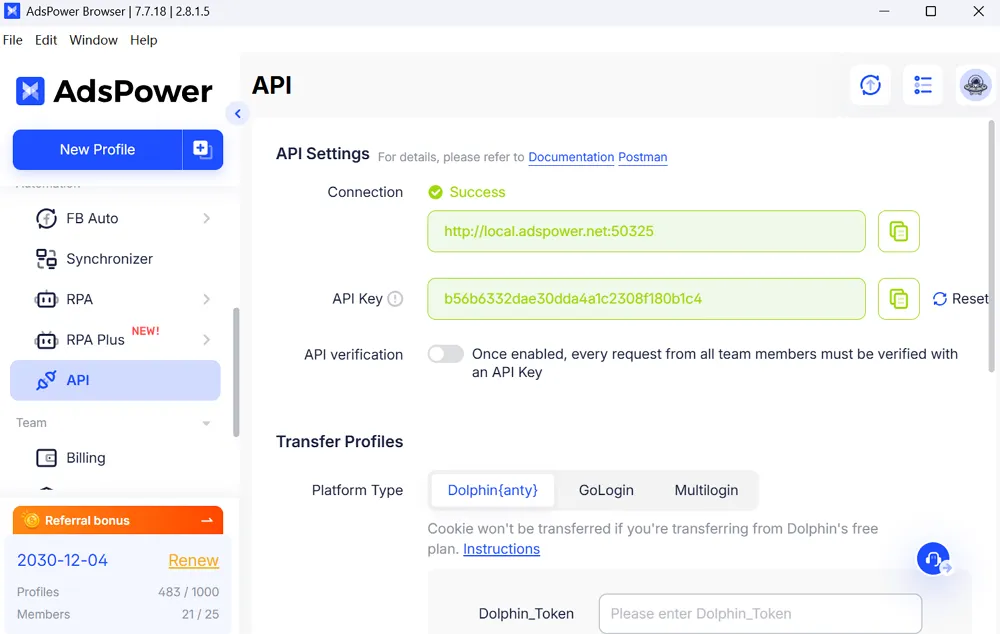
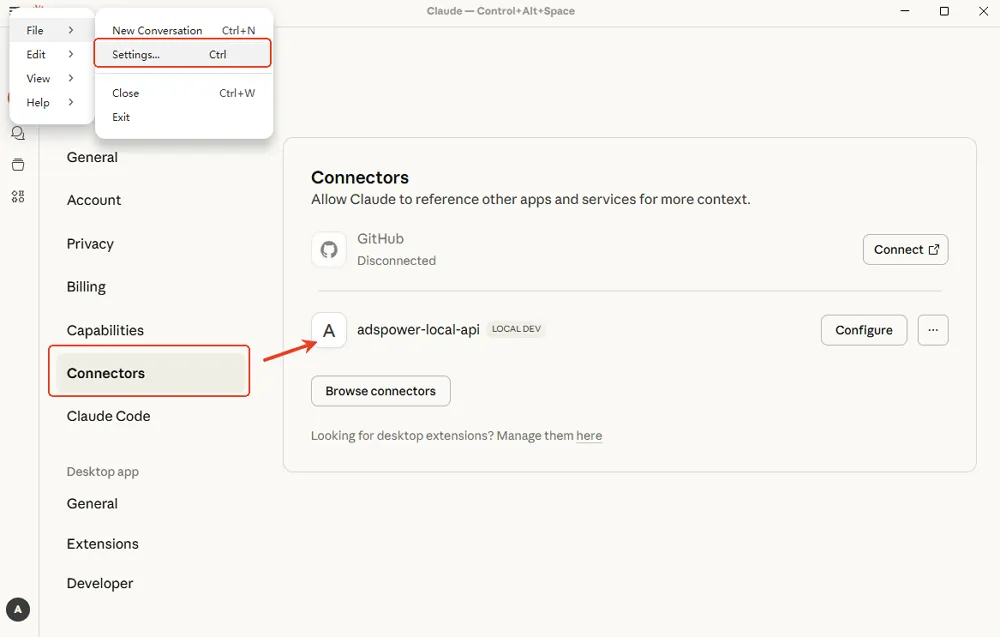
The newest layer is an MCP server. It lets AI assistants like Claude and Cursor drive AdsPower from a plain prompt. Ask the model to create profiles, bind accounts, or kick off a batch, and it calls the API for you. This is early, but it points at where multi-accounting is heading fast.
Why Bulk Profiles And The Synchronizer Save 15 To 20 Hours A Week
We wanted a number, not a vibe. So we timed the same jobs twice.
| Weekly task at scale | By hand | With AdsPower batch tools | Hours saved |
|---|---|---|---|
| Create and configure 200 profiles | ~6 hrs | ~35 min | ~5.4 |
| Attach and verify proxies | ~3 hrs | ~20 min | ~2.7 |
| Post identical creatives across 40 accounts | ~4 hrs | ~30 min | ~3.5 |
| Daily account warm-up routine | ~5 hrs | ~45 min | ~4.2 |
Add those up and a busy media buyer claws back roughly 15 to 20 hours in a single week. At scale that is not a nice-to-have. That is a hire you did not have to make.
Connecting Proxies and the Proxy Pool
Time for a truth AdsPower does not hide. There are no built-in proxies. You bring your own. I will call that a drawback later, but flexibility is also a strength.
AdsPower speaks every common protocol.
The part I appreciate most is the auto-match rotating proxies option. AdsPower integrates with big providers like Bright Data, Oxylabs and IPHTML, so you can pull and assign IPs without leaving the profile screen.
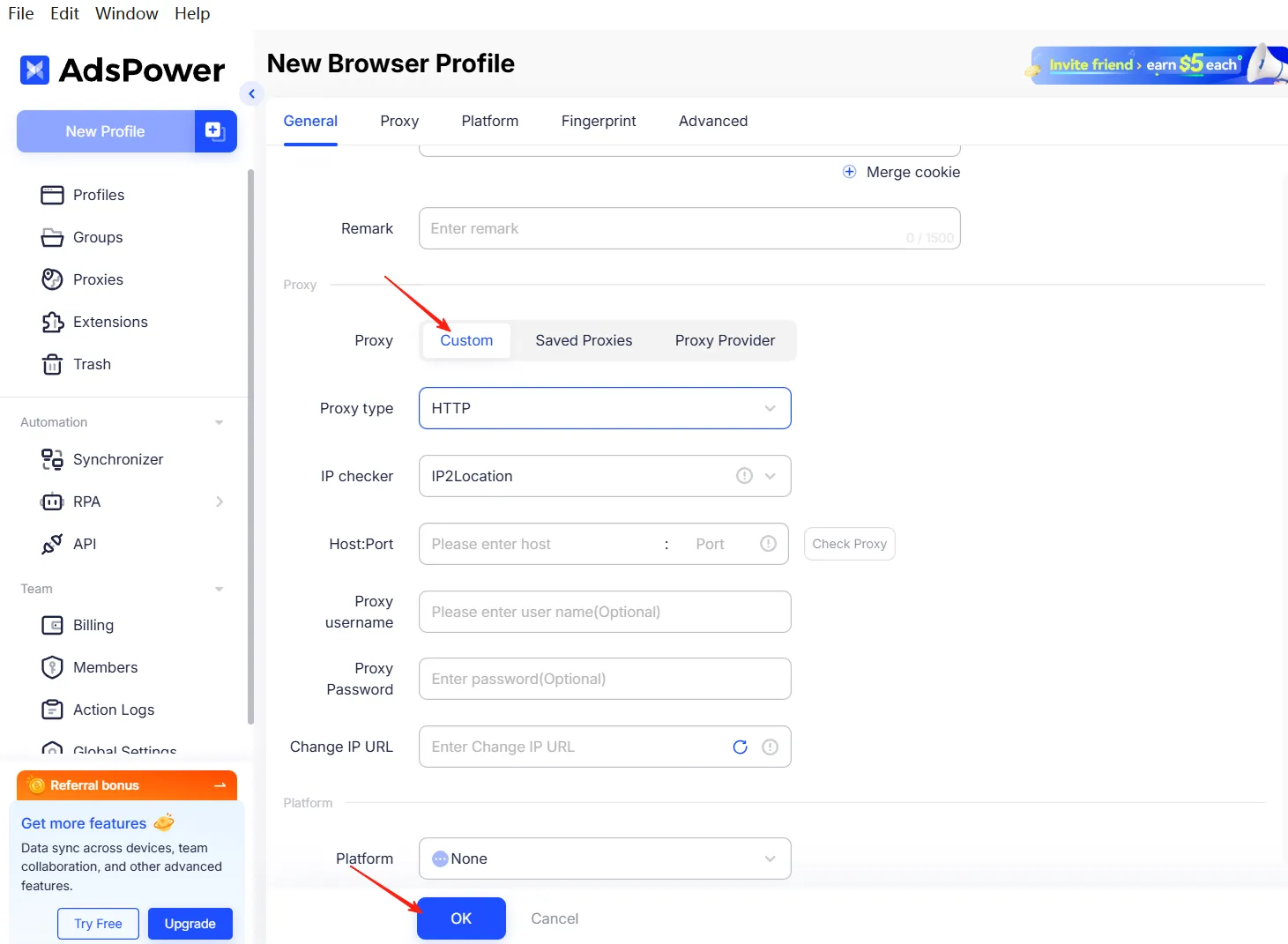
Here is how I connect a proxy to a fresh profile. I am listing this out because it is worth doing right the first time.
- Open the profile editor and scroll to the Proxy section.
- Pick your protocol from the dropdown (HTTP, HTTPS, SOCKS5 or SSH).
- Paste the host, port, username and password from your provider.
- Hit the check button to confirm the IP is live and matches the geo you want.
- Let AdsPower align the profile timezone and language to that IP automatically.
That last step is quietly important. A US proxy paired with a Moscow timezone is a red flag any platform can read. AdsPower matching locale to IP kills that mismatch for you.
Security And Compliance: The Strongest Paperwork In The Category
This is the section that should matter more than it usually does. If a tool holds your logged-in ad accounts, its security is your security.
AdsPower is the only antidetect browser holding all three of these at once.
- SOC 2 Type II, audited across security, availability, processing integrity, confidentiality, and privacy.
- ISO 27001 for information security management.
- ISO 27701 for privacy information management.
On top of the certificates, the day-to-day protections stack up well.
| Protection | What it does |
|---|---|
| Local-first storage | Passwords, LocalStorage, IndexedDB, and extension data stay on your device by default |
| End-to-end encryption | Applies when cloud sync is on, so only you and your team can read the data |
| Two-factor authentication | 2FA on account login |
| Login alerts | Remote login reminders and failed login attempt warnings |
| Login IP allowlist | Restricts access to approved addresses only |
| Bug bounty program | In-house program inviting white hats to report holes |
| Business insurance | Up to $1 million in coverage for data and account incidents |
| Anti-phishing | A dedicated team plus controlled, non-auto-updating extensions |
Browser Polygraph and independent validation
Trust is easier to hand over when outsiders vouch for it. Research presented at IMC 24 by teams from Arizona State University and Amazon (the Browser Polygraph line of work) looked at kernel-level consistency in antidetect browsers. AdsPower cites that credibility to back its claim that its profiles read as coherent, real browsers rather than stitched-together fakes.
Pair that with the certificate trio and the picture is clear. For enterprise and agency buyers who answer to compliance teams, this is the safest resume in the category.
Speed and Freshness From 14 Kernel Updates
A stale kernel is a silent account killer. If your profile reports Chrome 118 while everyone else moved to 133, platforms notice the mismatch and start flagging.
AdsPower shipped 14 browser kernel updates in 2025, roughly two to three times the pace of the average rival. Both the Chromium and Firefox engines stayed fresh against the latest public Chrome and Firefox builds, and new iOS and Android User-Agents were folded in along the way.
In practice, my profiles felt fast and current. Pages loaded quickly, and I never hit a version-mismatch flag during the two months. For a tool running hundreds of windows on one machine, that speed held up better than I expected.
Team Collaboration Without The Password Chaos
Solo buyers care about profiles. Agencies care about people touching those profiles.
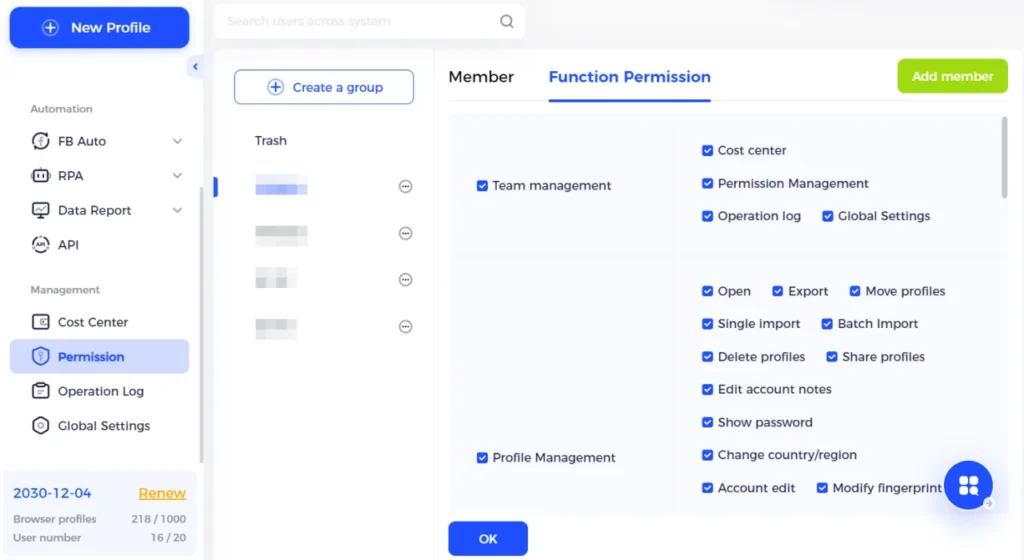
AdsPower handles the team side properly. A super administrator creates member accounts and hands out granular, role-based permissions. Who can view a profile, who can edit it, who can share it, who can run the Local API. All of it is switch-by-switch.
That structure solves the ugliest agency problem, which is credential sprawl. A media buyer can open and run a client account without ever seeing the login. When the buyer leaves, nothing walks out the door with them.
For anyone answering to clients, this is the difference between “we think it was fine” and “here is the log.” Traceability is quietly one of the best reasons to pick AdsPower over a cheaper solo tool.
Real Use Cases For Affiliates And Media Buyers
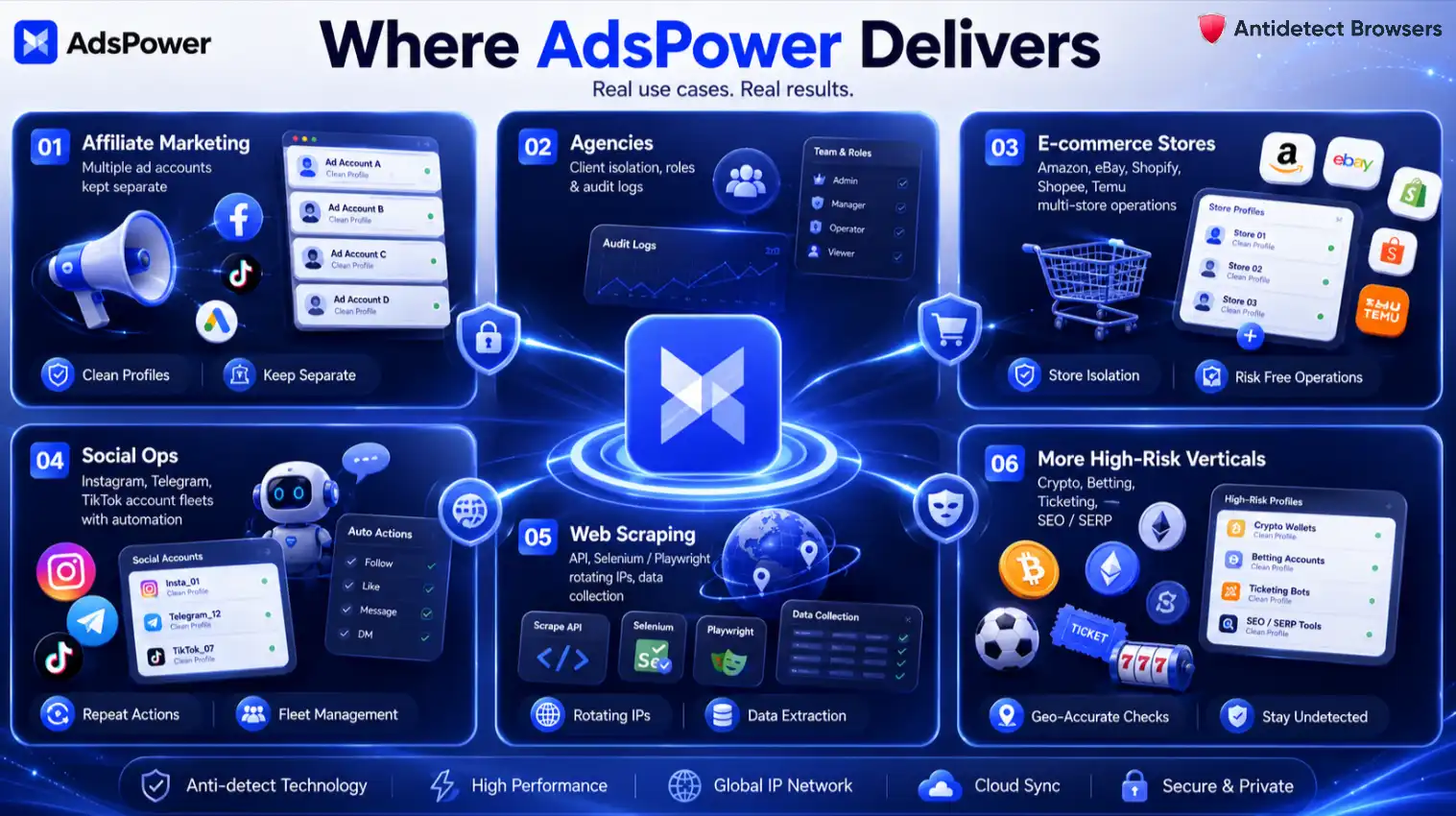
Features are abstract. Jobs are not. Here is where AdsPower actually earns money for our kind of reader.
Affiliate and performance marketing
Run many publisher accounts across Facebook, Google Ads, and TikTok without linking them. Each offer gets its own clean profile, so one ban never cascades into a wipeout.
Digital agencies and media buying
Keep every client walled off with role-based permissions and audit logs. A junior buyer can run accounts without ever seeing passwords, and every action is traceable.
E-commerce multi-store management
Operate parallel storefronts on Amazon, eBay, Shopify, Shopee, and Temu. Separate fingerprints and IPs keep sister stores from getting linked and suspended together.
Social media operations
Warm and maintain fleets of Instagram, Telegram, and TikTok accounts. The Synchronizer and RPA handle the repetitive posting so a small team runs like a big one.
Web scraping and data collection
Point the Local API at Selenium or Playwright, rotate IPs, and pull data without tripping anti-scraping walls. The rate tiers keep large jobs moving.
Crypto, betting, ticketing, SEO and SERP
And plenty more beyond that. Traffic arbitrage, ad verification, market research, dating and companion niches. If a job needs many accounts to stay separate, AdsPower fits it.
Setting Up Your First Profile In AdsPower
Getting started is quick. Here is the short version we followed.
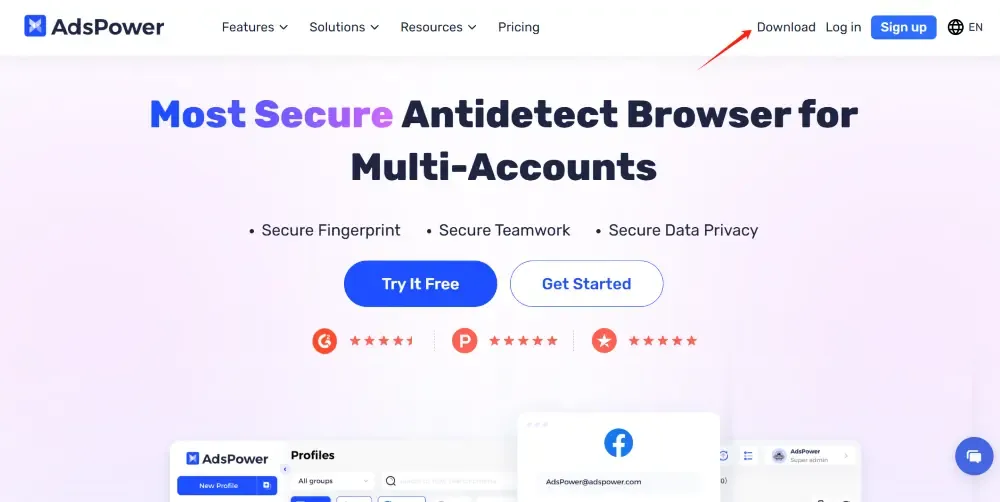
- Step 1. Download AdsPower for Windows, macOS, or Linux, install it, and create your account.
- Step 2. Click New Profile, name it, and pick SunBrowser or FlowerBrowser.
- Step 3. Add your proxy (HTTP, HTTPS, SOCKS5, or SSH) and run the built-in proxy check.
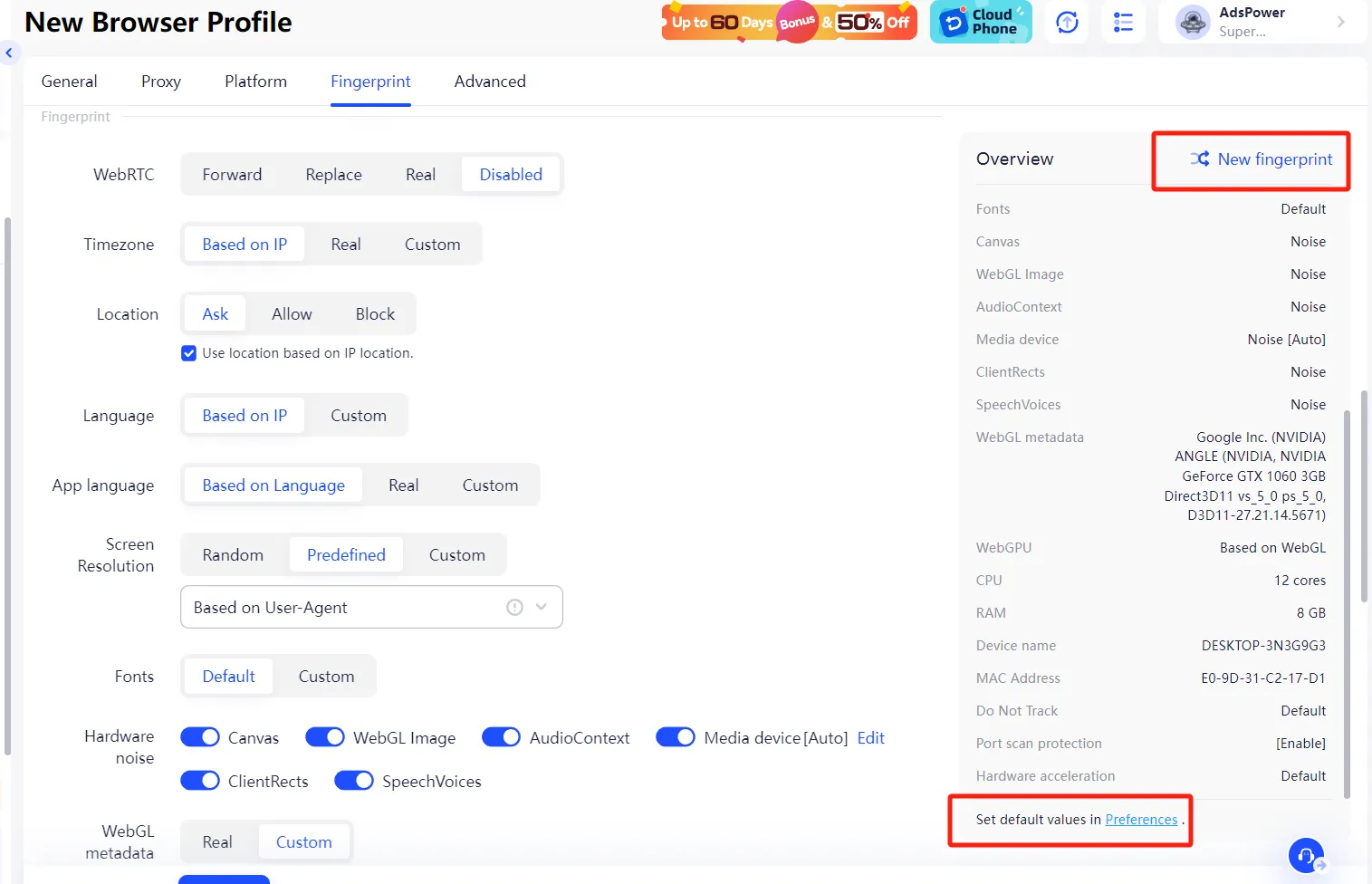
- Step 4. Set the fingerprint. Timezone and language should match the proxy geo. Leave the advanced values on auto unless you know why you are changing them.
- Step 5. Save, then open the profile whenever you need it. Log into your account and treat it like a normal browser from there.
AdsPower Pricing And Value In 2026
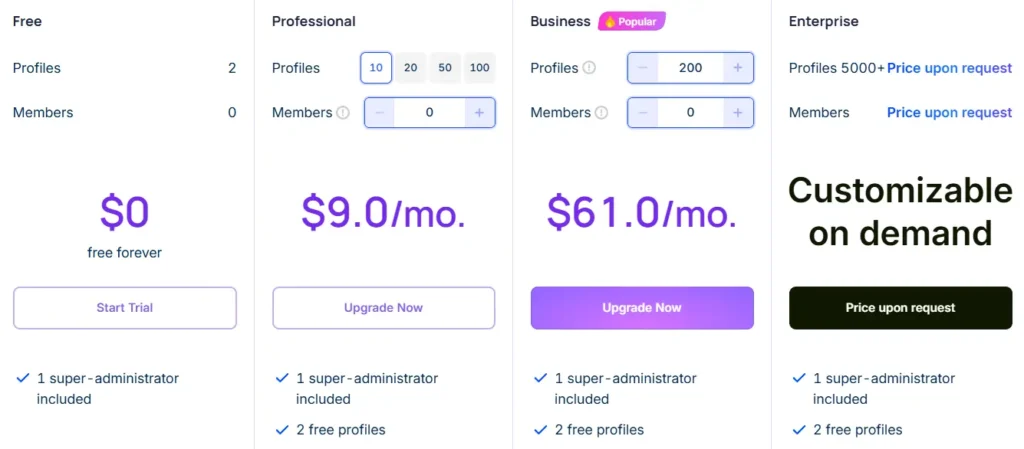
Pricing is modular. You pick profiles and members, and the bill flexes to match. Here is the current shape of it.
| Plan | Profiles | Entry price (2026) | Local API | Best for |
|---|---|---|---|---|
| Free | 2 (forever) | $0 | Not included | Trying the tool with zero risk |
| Professional | 10 / 20 / 50 / 100 | From $9/mo, or ~$5.40/mo billed annually | 120 req/min | Solo affiliates and freelancers |
| Business (popular) | Scalable (e.g. 200+) | ~$61/mo monthly, ~$48.80/mo annually for 200 | 300 req/min | Agencies and scaling teams |
| Enterprise | 5,000+ | Custom quote | 600 req/min | Large networks and account farms |
Two things make the value strong.
First, the free forever plan gives 2 profiles with no time limit and no card. Add the 7-day free trial of paid features and you can prove the tool works before spending a rupee or a dollar.
Second, the per-profile math is friendly. A 50-profile Professional plan lands near $0.36 per profile. Few rivals get close at that count.
Billing cycles and discounts
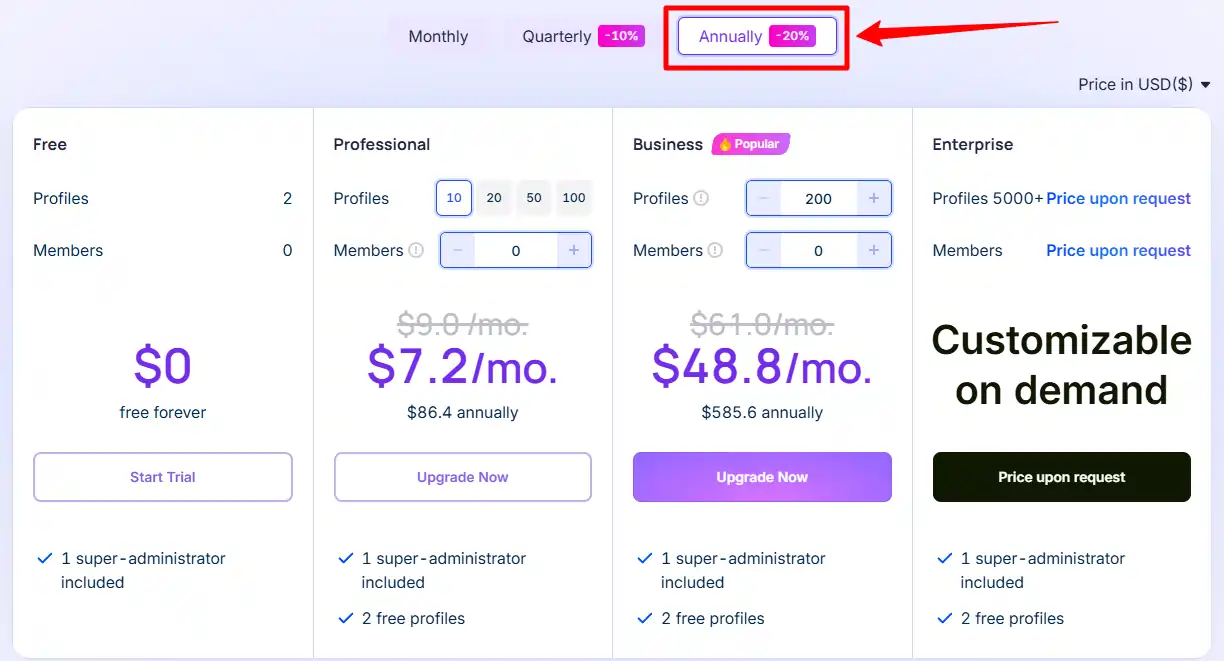
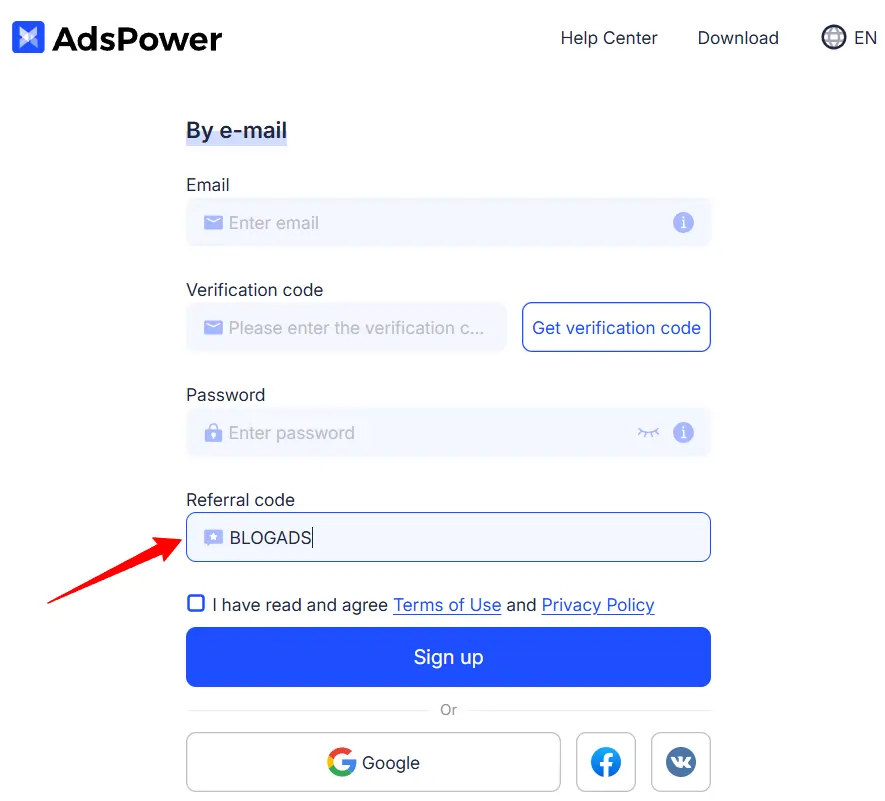
Special AdsPower Coupon Code & Discounts
10% OFF
Annual + Code
Payment methods and currencies

AdsPower takes multiple payment methods, including major cards and cryptocurrency. Prices show in USD, BRL, PLN, and VND, which helps buyers outside the US avoid ugly conversion fees.
The Honest Cons Nobody Should Skip
No tool is perfect, and a review that only praises is a sales page. Here is what genuinely bugged me.
None of these are dealbreakers for me. But you deserve to know them before you commit a team to the tool.
AdsPower vs Octo Browser vs Dolphin{anty} vs Multilogin
No tool wins everywhere. Here is our honest read after living in all four.
| Factor | AdsPower | Octo Browser | Dolphin{anty} | Multilogin |
|---|---|---|---|---|
| Free forever plan | Yes, 2 profiles | No | Yes, limited | No |
| Browser engines | Chromium + Firefox | Chromium | Chromium only | Chromium + Firefox |
| Bulk import ceiling | 1,000 per batch | Strong | Good | Strong |
| Native no-code RPA | Yes, plus RPA Plus | Limited | Yes | Limited |
| Local API + MCP | Yes, both | API | API | API |
| Pure fingerprint stealth | Very good | Excellent | Good | Excellent |
| Certifications | SOC 2 + ISO 27001 + ISO 27701 | Fewer | Fewer | Strong |
| Price level | Low to mid | Premium | Low to mid | Premium |
Read it this way. If pure stealth on a handful of ultra-sensitive accounts is the only thing that matters, Octo Browser and Multilogin have the edge, and their premium price reflects it.
Dolphin{anty} is a genuine budget favourite among affiliates, but it runs Chromium only, so you lose the Firefox safety net.
AdsPower is the balance pick. It gives up a sliver of top-end stealth and takes back scale, dual engines, deeper automation, the strongest certificates, and a free tier the two premium rivals simply do not offer. For a team scaling paid traffic, that trade wins.
Who Should Buy AdsPower, And Who Should Skip It
Buy it if you:
Look elsewhere if you:
FAQs About AdsPower Antidetect Browser
Does AdsPower give the same browser fingerprint every time a profile opens?
Yes. Each profile locks its fingerprint values, so canvas, WebGL, fonts, and timezone stay identical across sessions. Consistency is the point. A fingerprint that shifts between logins is a bigger ban risk than one that stays stable, so persistence here works in your favour.
Can I drive AdsPower with Selenium or Playwright, and what are the rate limits?
Yes. The Local API works with Selenium, Puppeteer, and Playwright. Rate limits scale by plan at 120 requests per minute on Professional, 300 on Business, and 600 on Enterprise. For AI-driven control, the MCP server lets Claude or Cursor call those same actions from a prompt.
Does AdsPower include proxies, or do I bring my own?
You bring your own. AdsPower connects HTTP, HTTPS, SOCKS5, and SSH proxies on IPv4 and IPv6, and auto-matches rotating IPs from Bright Data, Oxylabs, and IPHTML. A 2026 update also added in-app proxy buying through partners, though IP cost still sits on top of the subscription.
What happens to my profile data if my computer dies?
By default, passwords, LocalStorage, IndexedDB, and extension data live locally on your device, not the cloud. That lowers leak risk but means a dead machine loses local-only data. Turn on end-to-end encrypted cloud sync if you want profiles recoverable across devices.
Can AdsPower simulate mobile devices for TikTok and mobile-first campaigns?
Yes. It offers native iOS and Android simulation, and 2026 added gyroscope fingerprints plus a virtual camera. Those extras make mobile profiles read as real handsets, which is exactly what TikTok and other mobile-first platforms look for.
Do the Synchronizer and RPA work on FlowerBrowser, or only SunBrowser?
The Multi-Window Synchronizer and Chrome Web Store extensions run on SunBrowser only. RPA and the Local API are broader, but if one-click action mirroring is core to your routine, keep those accounts on the Chromium engine.
Is the free plan truly free forever, and what is the catch?
Yes, the free plan gives 2 profiles with no time limit and no card required. The catch is scope. It caps at 2 profiles, includes no extra team members, and leaves out advanced tools like the Local API and profile recovery. It is a real trial ground, not a full workspace.

Final Verdict
AdsPower is our top pick for scaling multi-account media buying in 2026. It trades a little top-end stealth for something more useful to busy teams: reliability at huge volume, two browser engines, the deepest automation set in the category, the strongest security certificates, and a genuinely free entry point.
The RPA curve and the bring-your-own-proxy model are the main friction, and neither is a dealbreaker. For affiliates and agencies who need many accounts to stay safely apart, it is the easiest tool to recommend.