Bottom Line Upfront: Incogniton is a Chromium-based antidetect browser built for running many isolated browser profiles from one dashboard. It suits affiliate marketers and media buyers who juggle multiple ad accounts on Facebook, Google, and TikTok. The pull is a genuinely generous free plan plus free built-in proxies. The trade-off is no Firefox engine and no mobile device emulation.
Antidetect Browsers Rating
| Best for | Solo affiliates, small paid-social teams, e-commerce sellers |
| Skip it if | You need native mobile profiles, a Firefox engine, or Linux support |
| Free plan | 10 profiles for 2 months, then 3 profiles forever · no credit card |
| Entry price | $19.99/mo (Starter Plus) · 30% off 6 months · 40% off yearly |
| Engine | Chromium · Windows and Mac (no Linux) |
Most affiliate tools promise the moon and hand you a spreadsheet. Incogniton does the opposite. It looks plain, then quietly does the one job that keeps ad accounts alive.
I have been reviewing antidetect browsers on this site since our first write-up. So when a tool claims the most generous free plan in the space, I want to see the receipts.
This Incogniton review is written after real hands-on use. Not a feature list copied off a homepage. I created profiles, warmed them, ran ads, and watched what got flagged.
Below I break down the free browser profiles, the free built-in proxies, the Cas AI helper, the fingerprint quality, pricing for 2026, and a fair fight against AdsPower, Dolphin{anty} and GoLogin. The bad parts are in here too.
Why Media Buyers And Affiliates Can't Skip An Antidetect Browser
Platforms don't ban you on IP alone. They link accounts through a browser fingerprint made of 50+ signals like canvas, WebGL, fonts, and timezone.
Clear cookies, swap a VPN, log in again. Facebook still knows two accounts came from one machine. That link is what gets a portfolio nuked.
An antidetect browser hands every profile its own storage, cookies, and fake fingerprint. Each one reads like a separate person on a separate device.
Here is where that matters in real paid-media work:
Skip the antidetect layer and you gamble a whole account portfolio on one shared identity. I have watched buyers lose months of warm-up that way.
Where Incogniton Fits For Solo Affiliates And Lean Teams
Most rivals court agencies with 100-seat plans. Incogniton quietly wins the opposite crowd.
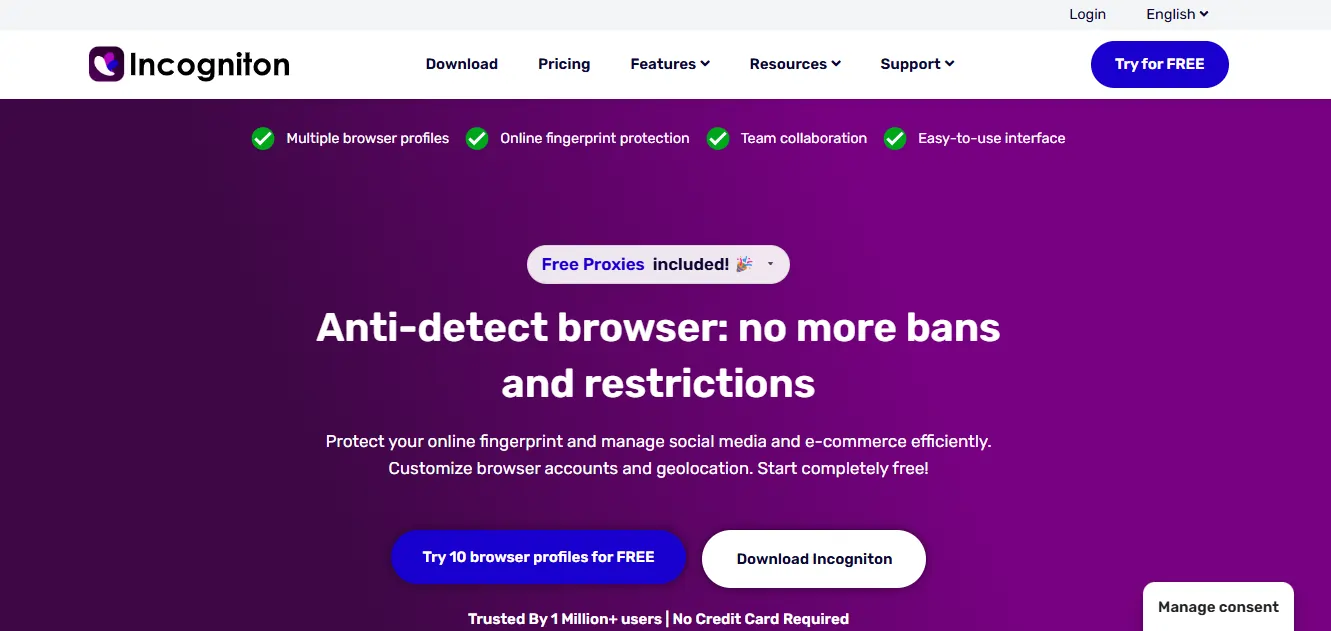
A one-person performance marketer gets ten profiles free for the first two months. Enough to run a test offer end to end.
The pricing then climbs in gentle steps, not enterprise leaps. That matters when a side hustle is funding the tool itself.
WorkingGreen BV, the Amsterdam company behind it, reports 1 million+ users. Yet the product still feels aimed at the small operator, not the boardroom.
First Impressions: The Dashboard On Day One
Installing the first profile took me under three minutes. No onboarding maze, no forced tour.
The main screen lists every profile as a card with its proxy, status, and last-active flag. One glance tells me which accounts are warm and which need attention.
Buttons sit where I expect them. New profile, launch, bulk actions, and proxy settings are all one click deep.
Compared to the busier panels on AdsPower and Multilogin, this layout feels calm. A beginner won't drown in menus on the first login.
The Free Plan That Actually Beats Paid Rivals
Here is the headline nobody else matches cleanly.
Incogniton gives 10 browser profiles free for two months, then drops to 3 profiles free forever. No credit card at signup.
Line that up against the field. Dolphin{anty} offers 10 free profiles. AdsPower and MoreLogin cap the free tier at 2. GoLogin sits at 3 forever.
So the two-month, ten-profile window is the most generous free trial in the space for a beginner sizing up an antidetect browser.
Free Built-In Proxies Across Nine Countries
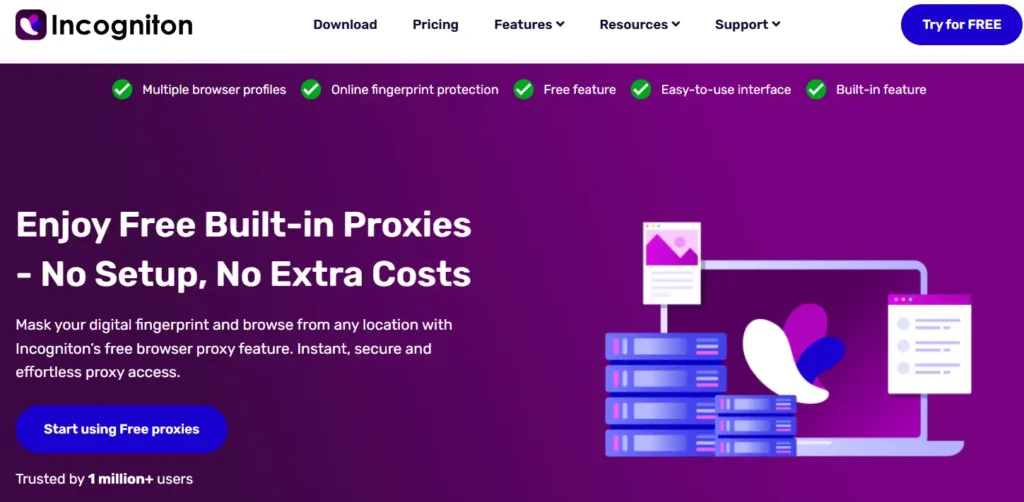
The second freebie sealed it for me. Every plan, free tier included, ships free built-in proxies.
Coverage spans nine locations. Handy for quick geo-checks before you buy your own residential pool.
| Region | Free proxy countries |
|---|---|
| Americas | United States, Brazil |
| Europe | United Kingdom, Germany, Netherlands, Ukraine |
| Asia-Pacific | Hong Kong, Australia, India |
A quick honesty note. Free proxies suit geo-verification and warm-up, not months of heavy account farming. For live spend, plug in your own residential IPs.
Standout Features I Leaned On Daily
Plenty of antidetect tools list the same tick-boxes. A few Incogniton extras earned real screen time during my run.
Cas AI Assistant Inside The App
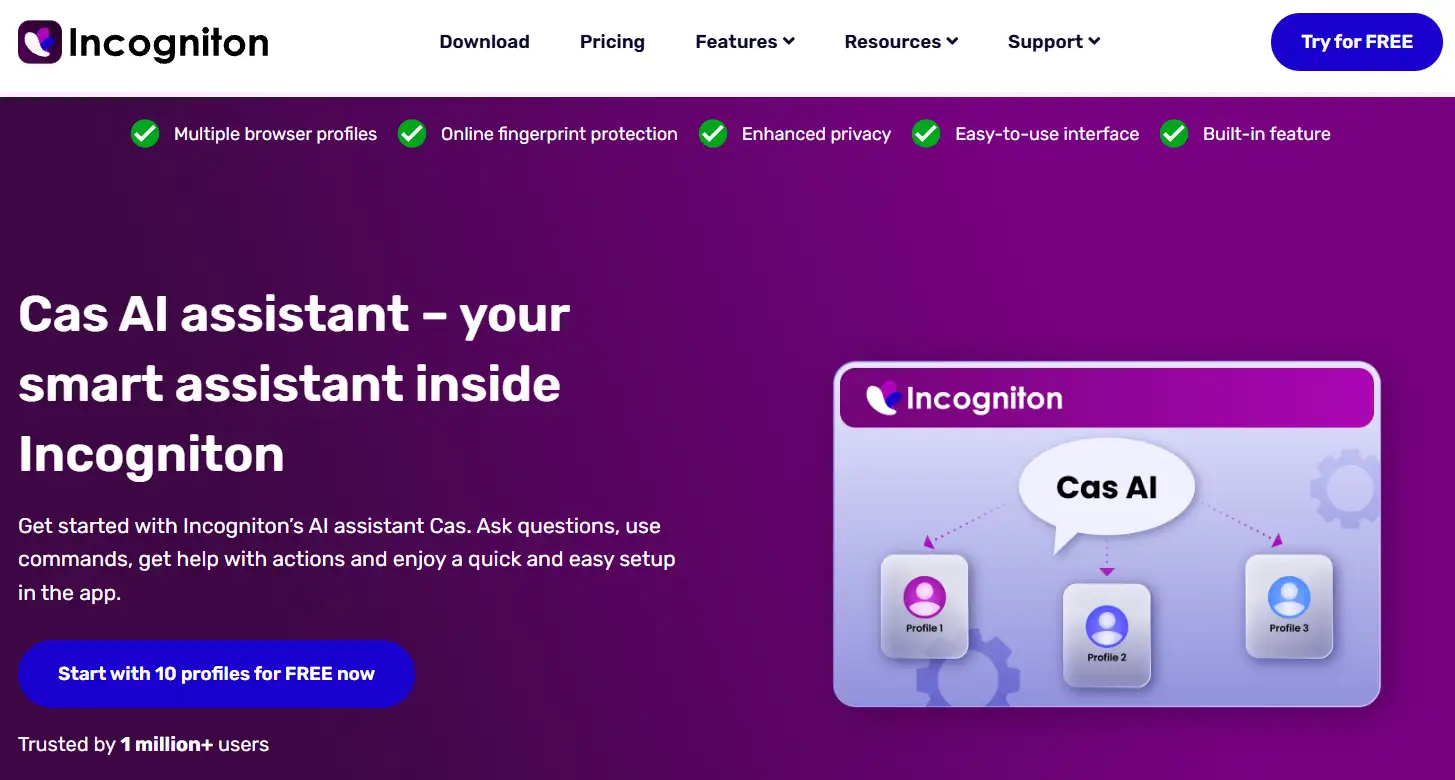
Cas is an in-app AI helper. I typed plain commands and it handled profile actions and answered setup questions without a docs hunt.
For a first-timer, that shaves the fumbling from day one. Ask, act, move on.
Cookie Collector For Instant Trust History
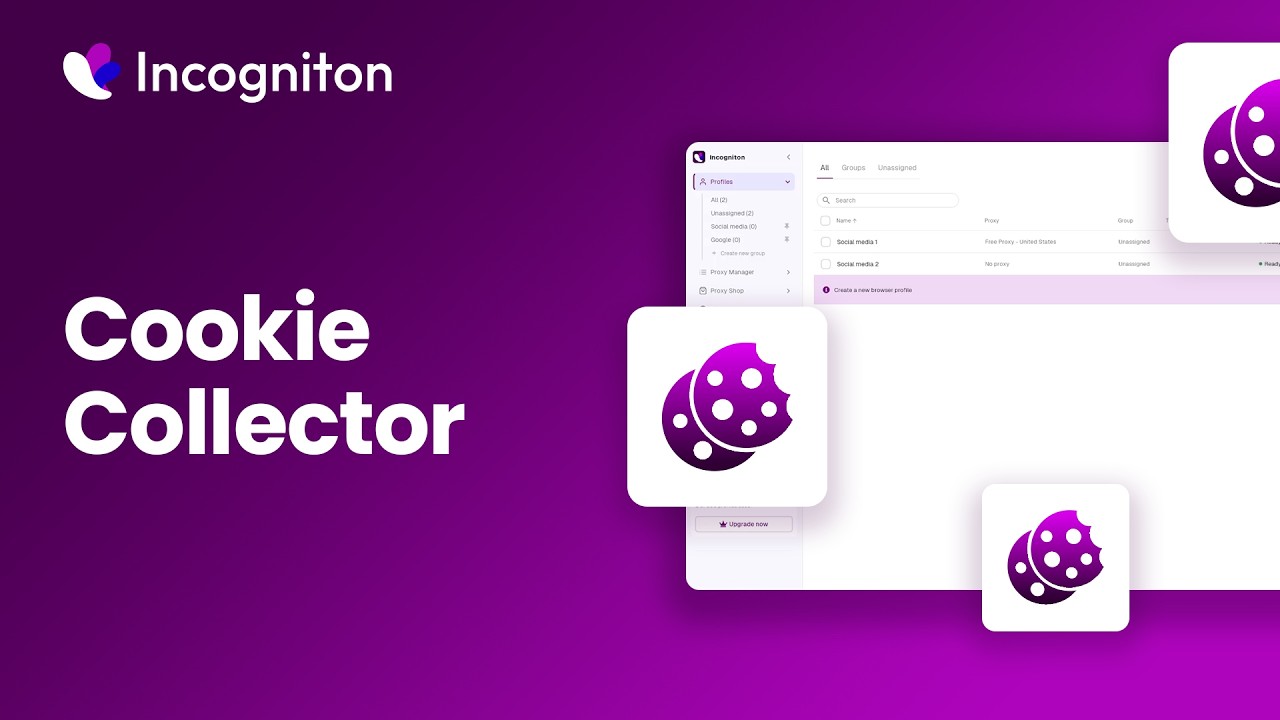
The Cookie Collector auto-browses trusted sites to generate real cookies inside a fresh profile.
New accounts with a cookie trail look aged, not newborn. That warm-up cut my early flag rate noticeably on cold Facebook profiles.
Synchronizer To Mirror One Action Everywhere
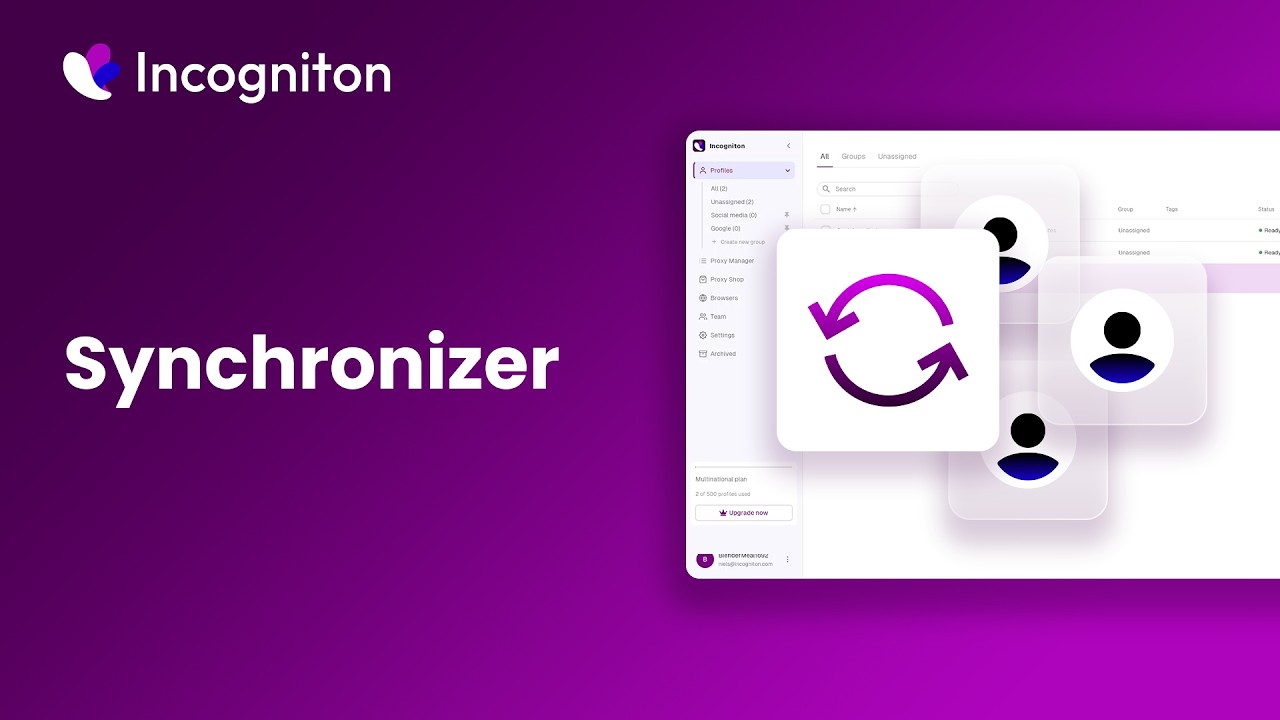
The Synchronizer copies a single action across many profiles at once. Log in, click, fill a form once and it echoes everywhere.
Managing 30 accounts by hand is soul-crushing. This feature turned an hour of repetition into two minutes.
Paste As Human Typing To Dodge Detection
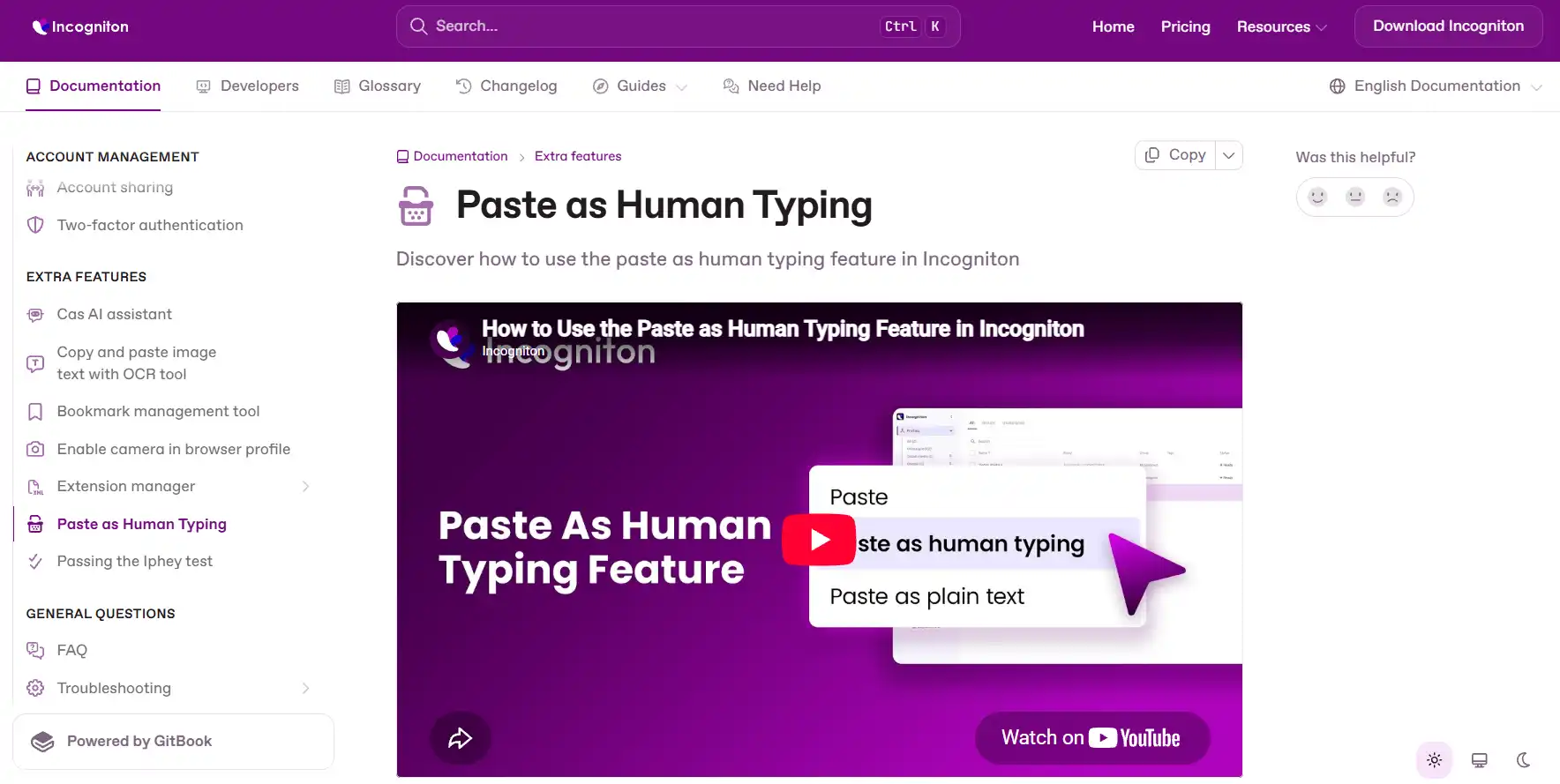
Ad platforms flag machine-fast pastes. Paste as Human Typing enters text at a human cadence instead of dumping it instantly.
Small touch, real payoff. Long ad copy and payment details land without tripping paste-detection.
Team Management With Roles And Permissions
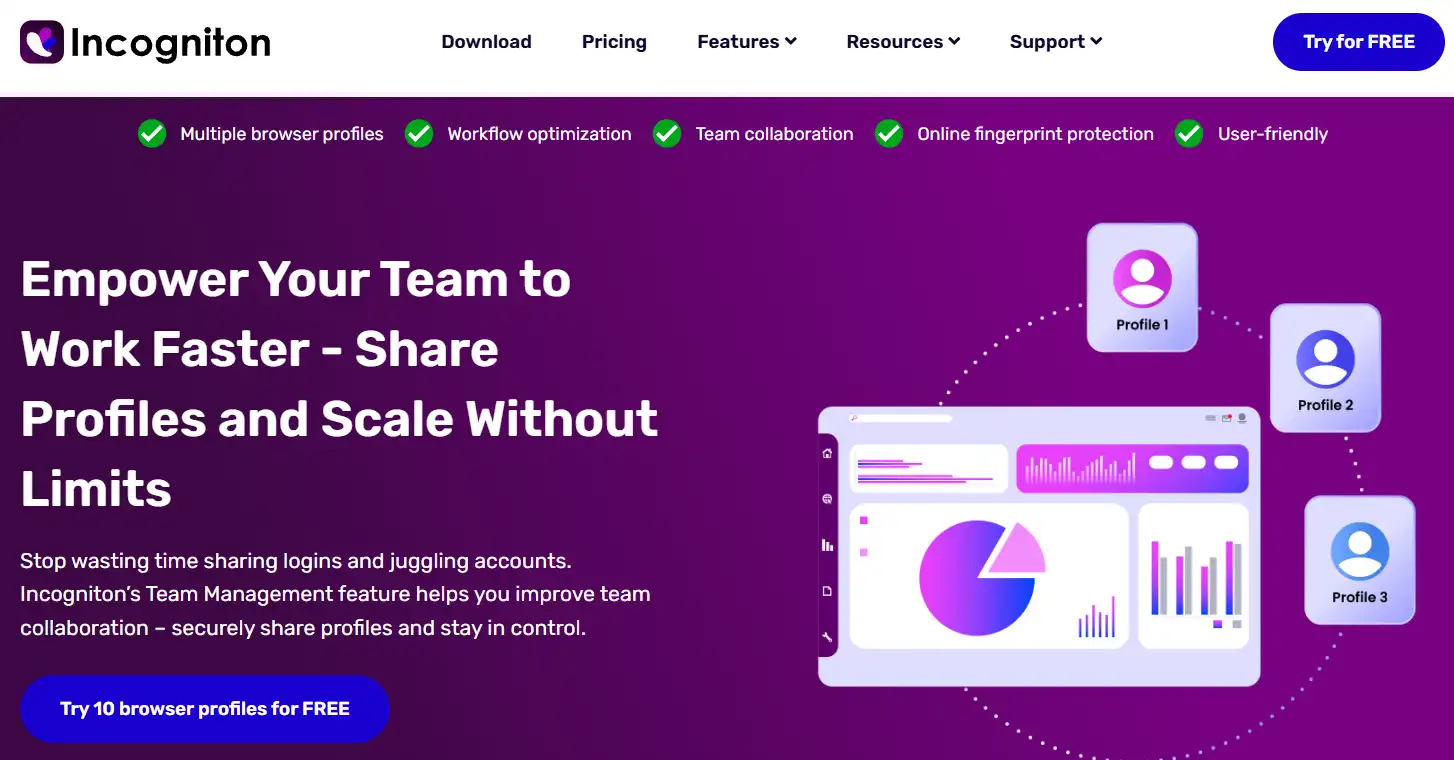
Bring in a VA or media buyer and each gets a separate login. Roles and granular permissions decide who touches which profiles.
No shared master password floating in a Telegram chat. That alone is worth the upgrade for a growing crew.
Fingerprint Quality: My Pixelscan, BrowserLeaks And BrowserScan Results
A pretty dashboard means nothing if the fingerprints leak. So I ran every profile through three checkers.
Incogniton builds each profile on real device fingerprints rather than randomly stitched values. Consistency is what keeps a canvas hash believable.
| Fingerprint checker | My result | What I watched |
|---|---|---|
| Pixelscan | Consistent · no red flags | IP-to-fingerprint match |
| BrowserLeaks | Clean · no WebRTC leak | Canvas, WebGL, real IP |
| BrowserScan | 99% trust score | Overall authenticity |
Canvas and WebGL stayed matched to the reported GPU. Fonts lined up with the spoofed OS. No mismatch handed a platform an easy tell.
Straight talk. Fingerprint quality sat a notch below Multilogin and Octo Browser, yet comfortably inside “safe to run real accounts” territory.
Under The Hood: Chromium Engine And Editable Fingerprints
The engine is Chromium, kept close to current Chrome releases. Familiar, fast, and compatible with almost every site.
Every fingerprint parameter is fully editable. I changed values by hand when I wanted a specific device signature.
Editable fields I confirmed during my run:
That hand control is the difference between a random identity and a believable one. Beginners can trust the auto-generator; power users can override anything.
Automation And API For Scaling Ad Accounts
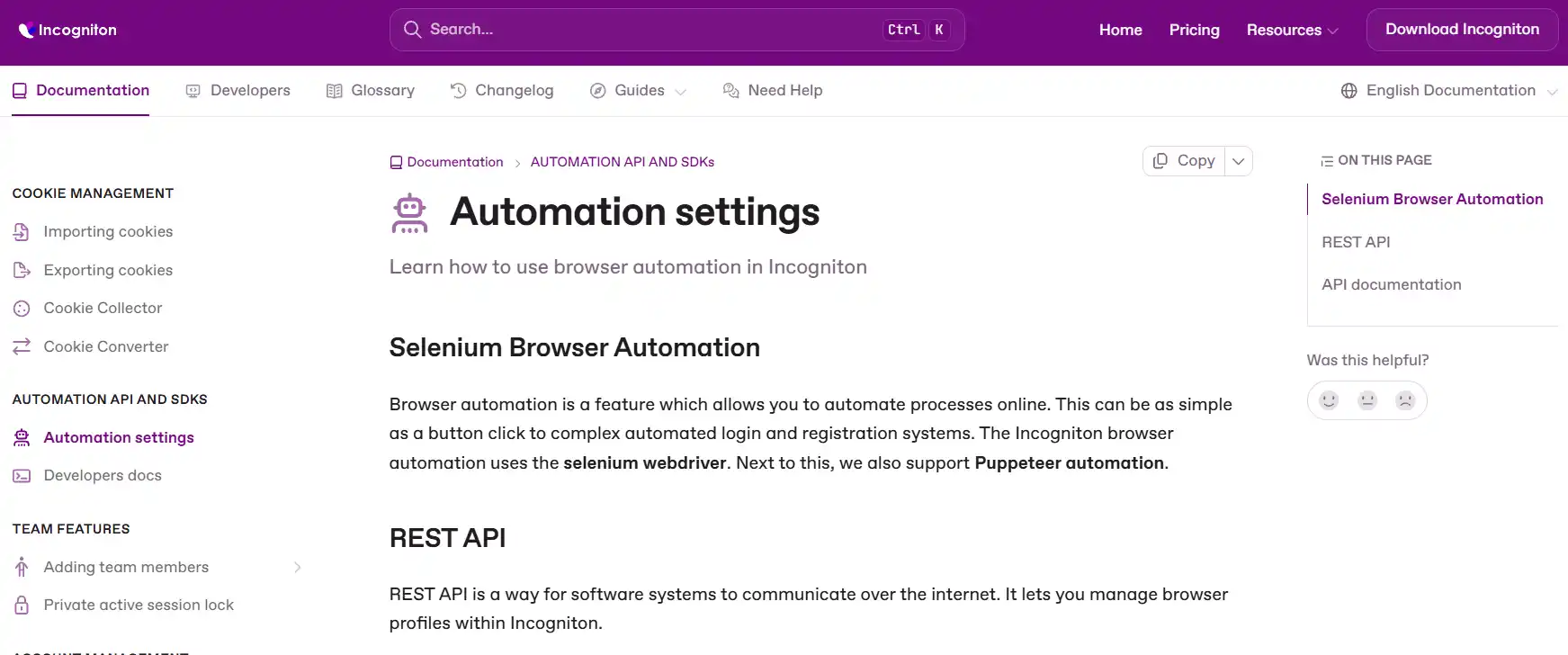
Once profile counts pass 50, manual clicking dies. Incogniton opens three automation doors.
I fired the API at a batch of 20 profiles. Creation, launch, and teardown all ran clean through Puppeteer.
One caveat worth flagging early. Automation and API access begin on the Entrepreneur tier, not the cheapest paid plan. More on that in the pricing section.
Encrypted Cloud Storage And Multi-Device Access
Profiles save to encrypted cloud servers, not just your hard drive. Log in on a laptop and a desktop and the data syncs between both.
I started a session on Windows and picked it up on a Mac with zero re-setup. For anyone who travels between machines, that continuity is gold.
Widevine DRM For Streaming Campaigns
Incogniton supports Widevine DRM, so streaming platforms play protected content inside a profile. Niche, but vital if your offers touch video or streaming traffic.
Cloaking-Safe Checks And Bulk Creation In Practice
Two jobs eat a media buyer's day. Checking cloaked pages safely, and spinning up profiles in volume. Incogniton handled both without drama.
For cloaking-safe checks, I opened each landing page from a fresh, isolated profile on a matched geo. No shared cookies meant a page never “remembered” me between checks.
That isolation matters. A dirty browser can leak intent and skew what a cloaker shows. Clean profiles gave me the real visitor view every time.
For volume, bulk profile creation cloned my template across a batch. I generated 25 profiles, auto-assigned proxies, and mapped fingerprints in a single pass.
Airdrop farmers and crypto multi-wallet users will like this same flow. One template, many isolated identities, minimal manual clicking.
The Synchronizer then pushed a shared login action across the batch, so account warm-up ran in parallel instead of one tab at a time.
Proxy Options: Built-In Shop Plus HTTP, SOCKS5 And SSH
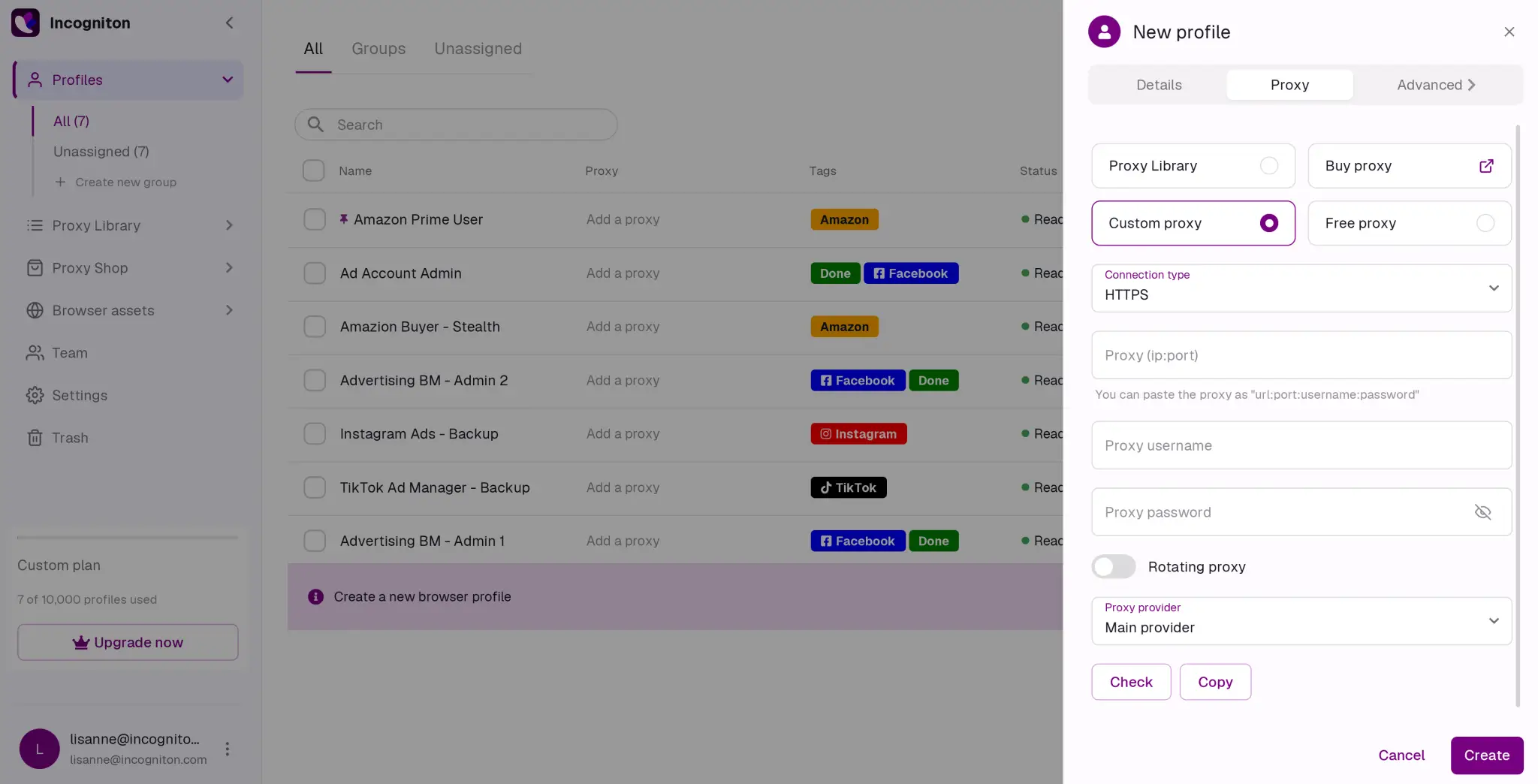
Fingerprints handle the browser. Proxies handle the IP. You need both, and Incogniton covers the second half well.
Supported proxy types:
| Method | Good for |
|---|---|
| HTTP / HTTPS | Standard residential and datacenter pools |
| SOCKS5 | Faster routing for automation-heavy jobs |
| SSH | Tunnelled connections for extra privacy |
| Built-in Proxy Shop | Buying IPs inside the app, no third party |
The in-app Proxy Shop means a beginner never leaves the dashboard to source IPs. Convenient, though I still prefer bringing my own residential provider for live spend.
Setting Up My First Profile Inside Incogniton
Getting a profile live took me under three minutes. Here is the exact order I followed.
- Step 1. Download and install: Grab the app for Windows or Mac and sign in. No card needed for the free starter package.
- Step 2. Create a new profile: Hit a new profile and let the fingerprint generator build a fresh identity, or edit fields by hand.
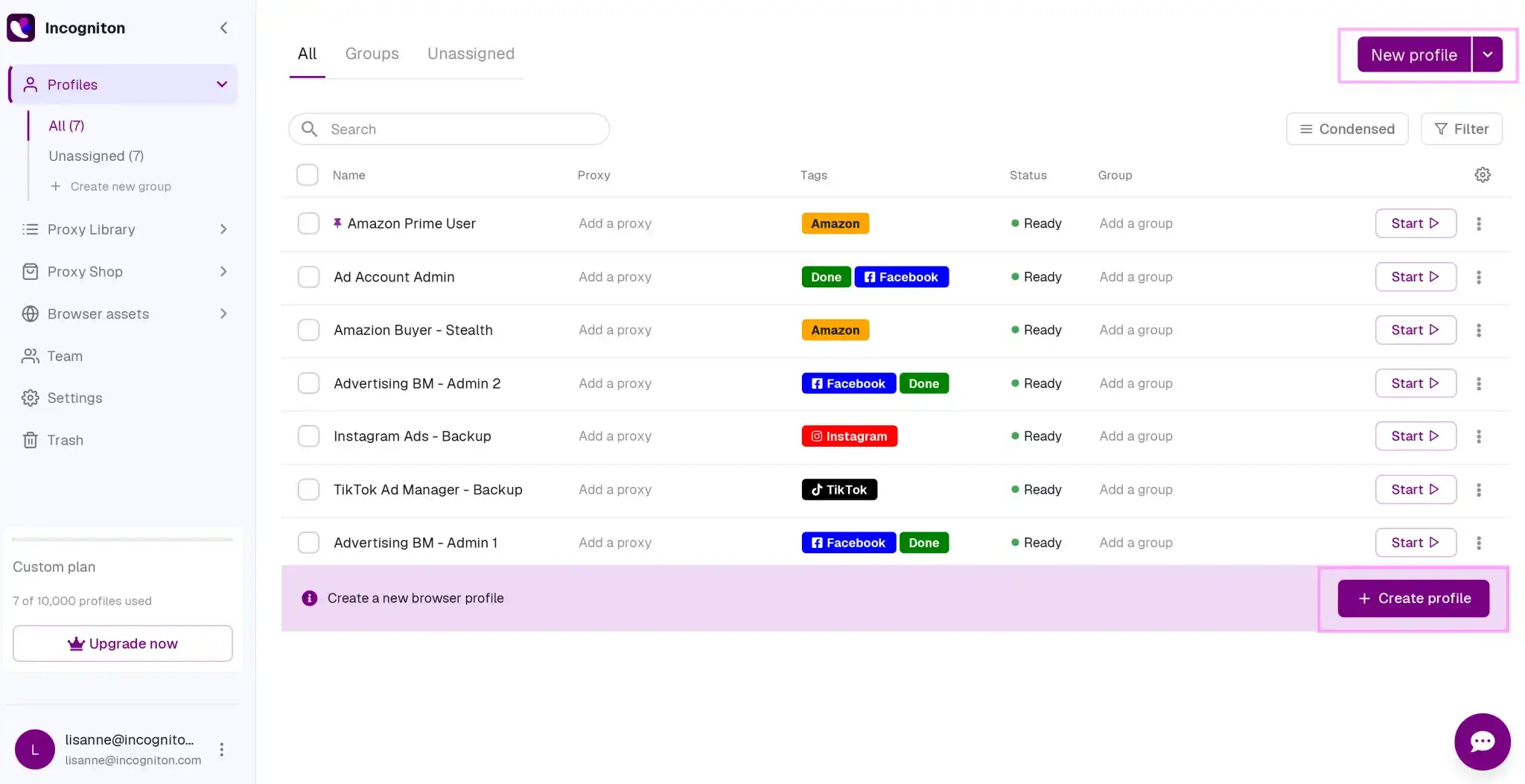
- Step 3. Attach a proxy: Pick a free built-in proxy for a quick geo-check, or paste your own HTTP or SOCKS5 credentials.
- Step 4. Run a fingerprint scan: Open Pixelscan or BrowserScan inside the profile and confirm every value stays consistent.
- Step 5. Warm the profile: Turn on the Cookie Collector, browse a few trusted sites, then log into your target account.
- Step 6. Scale with bulk creation: Happy with one profile? Clone the setup across a batch and assign proxies in one pass.
How I Ran Multiple Facebook And Google Ad Accounts Without Cross-Linking
The point of any antidetect browser is keeping ad accounts from linking. Here is the exact setup I used during my month with Incogniton.
I built one profile per ad account. Each got a matched proxy, a unique fingerprint, and its own cookie history from the Cookie Collector.
Timezone and language on every profile matched its proxy region. A US account on a New York IP carried a US timezone and English locale, nothing mismatched.
Before touching Business Manager, I warmed each profile for three days. Light browsing, a few logins, some casual scrolling to build a natural trail.
Then I linked payment methods using Paste as Human Typing so card details never dropped in as an instant machine paste.
Result after 30 days. Four of my five ad profiles stayed clean, one hit a routine verification checkpoint, and none linked to another. For a low-cost setup, that survival rate held up.
Who Actually Runs Incogniton — Real Use Cases
Across my run and reader reports, six groups lean on it hardest.
Incogniton Pricing In 2026: Plans, Discounts And Payments
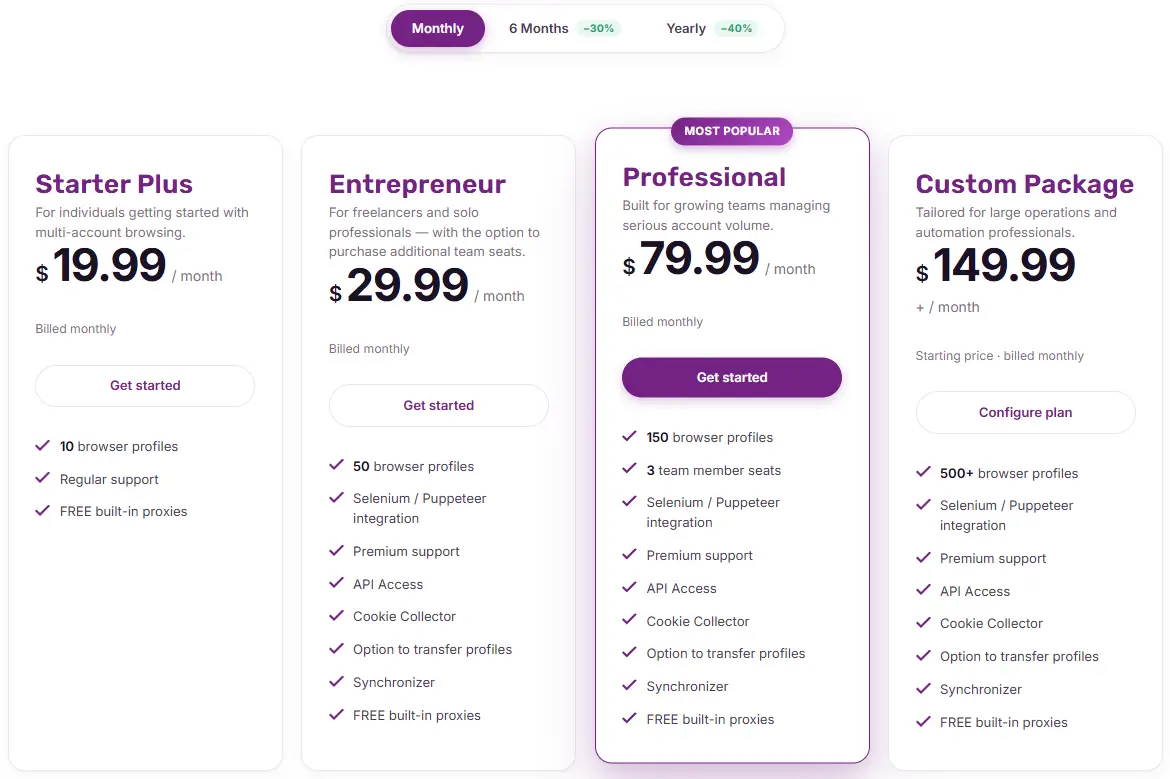
Four paid tiers plus the free starter. Prices below show the standard monthly rate.
| Incogniton Plan | Monthly | Profiles | Headline extras |
|---|---|---|---|
| Free Starter | $0 | 10 → 3 after 2 months | Free proxies, Cas AI, bulk actions |
| Starter Plus | $19.99 | 10 | Keeps 10 profiles, regular support |
| Entrepreneur | $29.99 | 50 | API, Selenium, Cookie Collector, Synchronizer, premium support |
| Professional | $79.99 | 150 | 3 team seats, roles and permissions |
| Custom | $149.99+ | 500+ | 10+ seats, dedicated manager, SLA |
Discounts That Actually Move The Needle
Commit longer and the price drops hard.
Run those numbers on the Professional tier and 150 profiles land near $47.99/mo on the annual deal. Cheap per profile for a serious operator.
Payment Methods
Checkout is flexible. Cards, wallets, and crypto all clear.
Why Entry Cost Undercuts Most Rivals
Add the pieces up. A free-forever tier of 3 profiles, plus free built-in proxies, plus a card-free signup.
Most competitors charge for proxies separately or gate the free tier at 2 profiles. So a beginner reaches a working setup here for close to zero.
Incogniton vs AdsPower vs Multilogin vs Dolphin{anty} vs GoLogin
I ranked these five side by side on the metrics buyers ask about most. No sugar-coating.
| Browser | Entry price | Free plan | Free proxies | Engine | Mobile / cloud phone |
|---|---|---|---|---|---|
| Incogniton | Free, then $19.99 | ✅ 10 → 3 | ✅ 9 countries | Chromium only | ❌ |
| AdsPower | $9 | ✅ 2 forever | ❌ | Chromium + Firefox | ❌ |
| Multilogin | $11/mo | ✅ 5 profiles | ✅ Residential included | Mimic + Stealthfox | ✅ Cloud Phone |
| Dolphin{anty} | $10 | ✅ 10 profiles | ❌ | Chromium only | ❌ |
| GoLogin | $9 | ✅ 3 forever | ✅ 2GB residential | Orbita Chromium | ❌ |
Reading it honestly:
Verdict on the pack. Incogniton wins on price and free extras. Multilogin wins on raw stealth and mobile reach.
The Downsides: What I Didn't Like About Incogniton
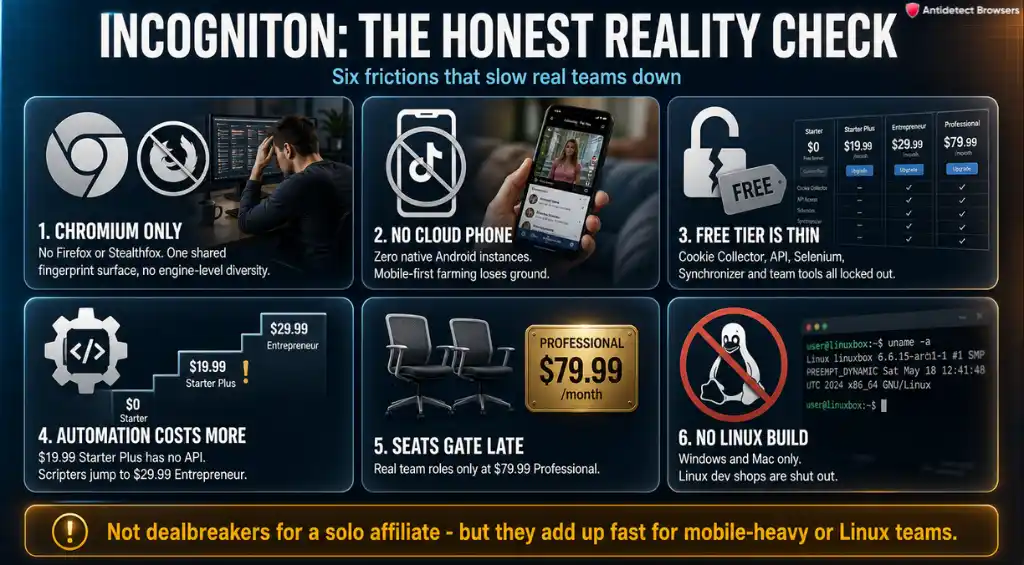
No tool is flawless, and I refuse to pretend otherwise. Here is where Incogniton frustrated me.
None of these are dealbreakers for a solo affiliate. For a mobile-heavy or Linux shop, they add up quickly.
Who Should Buy Incogniton And Who Should Skip It
| Buy it if you… | Skip it if you… |
|---|---|
| Are new to multi-accounting and want a free on-ramp | Farm TikTok accounts and need native mobile |
| Run a solo or 2–3 person paid-social operation | Demand top-tier stealth for high-risk accounts |
| Want free proxies bundled for quick geo-checks | Build automation on a Linux server |
| Value low cost per profile over raw feature depth | Need a second Firefox engine for diversification |
FAQ About Incogniton: The Stuff People Actually Ask
Does Incogniton pass Pixelscan and BrowserScan without red flags?
Across my five profiles, Pixelscan read as consistent and BrowserScan returned a 99% trust score. Canvas, WebGL, and fonts all matched the spoofed device, with no WebRTC leak on BrowserLeaks.
Can I automate profile creation with the REST API and Puppeteer?
Yes, on the Entrepreneur tier and above. The REST API, Selenium, and Puppeteer all handle create, launch, and delete calls. The free plan and Starter Plus include no automation, so budget for at least Entrepreneur if you script.
Do the free built-in proxies work for running live Facebook Ads?
Use them for geo-verification and warm-up, not sustained ad spend. Free proxies span nine countries but sit on shared pools. For live campaigns, attach your own residential IPs via HTTP or SOCKS5.
Will my profiles sync across Windows and Mac devices?
Profiles save to encrypted cloud servers, so a session started on Windows opens on a Mac with no re-setup. There is no Linux build, so that platform is out.
How is Incogniton different from a VPN for multi-accounting?
A VPN only swaps your IP. Platforms link accounts through the browser fingerprint, which a VPN never touches. Incogniton spoofs canvas, WebGL, fonts, and dozens of other signals per profile, so accounts stay unlinked.
What exactly happens when the free trial ends after two months?
Your 10 free profiles downgrade automatically to 3 free-forever profiles. Nothing is deleted, and no card is charged. Upgrade to Starter Plus to keep all 10 active.
Does Incogniton support Widevine for streaming offers?
Widevine DRM works inside profiles, so protected streaming content plays normally. Useful if your campaigns route through video or streaming platforms.
Final Verdict: My Take After A Month On Incogniton
Incogniton is the friendliest front door into multi-account browser management I have paid for this year.
The free ten profiles, the free proxies, and the card-free start make the entry cost close to nothing. Clean scans and calm 30-day accounts back that up.
It won't out-stealth Multilogin or farm TikTok like a cloud phone. For a solo affiliate marketer or lean media-buying team, none of that stings.
My final score stands at 4.7/5. Start free, warm a profile, and only pay once the accounts prove out.