Your TikTok account got flagged again. Same proxy. Fresh browser profile. Clean cookies. Gone in two days anyway.
We have lived that loop more times than we care to admit. And here is what took us far too long to learn. A phone app does not care about your browser fingerprint. It reads hardware. Sensors. Build numbers. Carrier data. A desktop profile simply cannot fake those.
That is why cloud phone providers have taken over our testing bench in 2026. We have been breaking and benchmarking antidetect tools since 2022. Over that stretch, our mobile work slowly moved off emulators and onto real Android devices in the cloud. So we rented phones from all eight providers below, logged into real social and ad accounts, and watched what survived.
⚡ Quick answer: The top cloud phone providers in 2026 are Multilogin, GeeLark, MoreLogin, GoLogin, DuoPlus, VMOS Cloud, BitCloudPhone and UgPhone. Multilogin is our top pick because its phones felt the most like real handsets through every warm-up we did. GeeLark and MoreLogin are the strongest picks for heavy automation. UgPhone sits apart as a gaming and AFK tool rather than an account tool.
🏆 Our top pick: Multilogin
Device, IP and identity all set up in one place, with the fewest surprises across every account we touched.
Grab a coffee. We will walk you through why phones beat browsers for app platforms, how we scored each provider, and the honest wins and flaws we hit along the way.
Why App-First Platforms Pushed Affiliates Toward Android Cloud Phones
Think about where your traffic lives now. TikTok, Instagram, WhatsApp, Snapchat. Most of the action happens inside a mobile app, not a browser tab. And mobile apps see far more than a website ever can.
A browser profile spoofs things like canvas, WebGL and fonts. Great for desktop ad dashboards. Native apps, though, dig into the phone itself, and we unpack those checks further down. Meanwhile, look at how much money now flows through app-only surfaces:
Here is the catch. A desktop antidetect browser was never built to answer those questions. So for years, mobile marketers had two options. Buy shelves of real phones, or gamble on emulators that apps learned to sniff out.
Cloud phones changed that maths. You rent a remote Android device, give it its own IP and identity, and control it from your laptop. No cables. No drawer full of burner phones. For anyone doing social media account farming, ad account warm-ups or app-based affiliate offers, that is a big deal.
Honestly? The moment we moved our TikTok warm-ups from an emulator to an ARM cloud phone, the difference showed up within a week. Fewer checkpoints. Fewer shadowbans. Less hair pulling.
Cloud Phone vs Android Emulator vs Physical Phone Farm: The Honest Trade-Offs
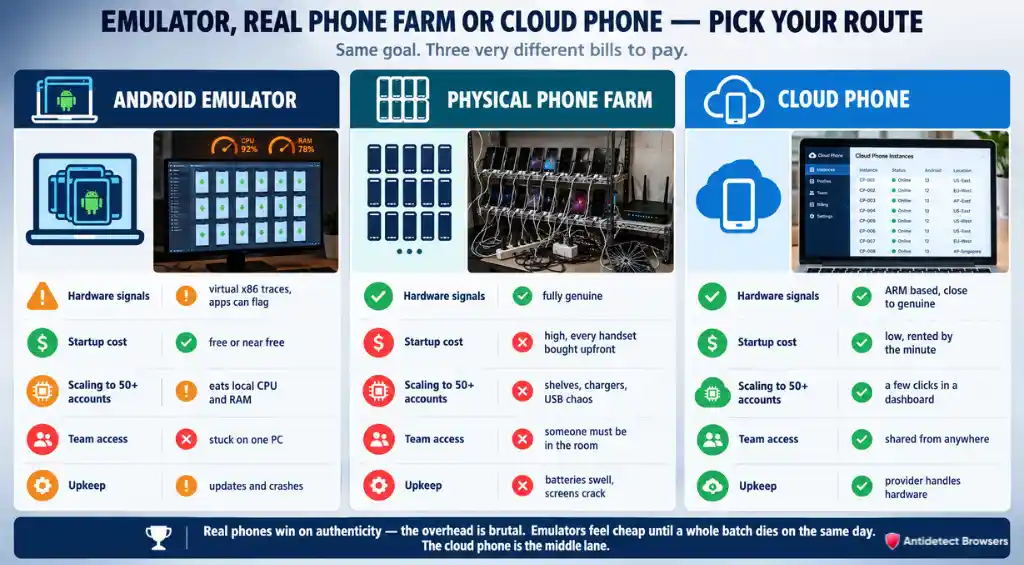
Before picking a provider, it helps to see where cloud phones sit next to the other two routes. We have used all three. Each one burned us at some point.
| Factor | Android Emulator | Physical Phone Farm | Cloud Phone |
|---|---|---|---|
| Hardware signals | Often virtual x86 traces apps can flag | Fully genuine | ARM based, close to genuine |
| Startup cost | Free or near free | High, every handset is bought upfront | Low, rented by the minute or month |
| Scaling to 50+ accounts | Eats your local CPU and RAM | Shelves, chargers, USB hubs, Wi‑Fi chaos | A few clicks in a dashboard |
| Team access | Stuck on one PC | Someone has to be in the room | Shared from anywhere with permissions |
| Upkeep | Updates and crashes | Batteries swell, screens crack | Provider handles the hardware |
Physical farms still win on raw authenticity. No argument there. But the overhead is brutal once you pass a few dozen devices. Emulators, on the other hand, feel cheap until a whole batch of accounts dies on the same day.
That middle lane is why a good emulator alternative for TikTok and Instagram is now a cloud phone. You get near-real hardware, remote access and zero shelves in your spare room.
How We Scored Every Cloud Phone Provider
We do not score off sales pages. Every provider here got the same treatment on our side.
Then we weighted the results the same way we score antidetect browsers, adapted for phones:
| Criterion | Weight | What we looked at |
|---|---|---|
| Device authenticity | 30% | ARM hardware, real model data, identity consistency |
| Account survival | 25% | Checkpoints, bans and reach during warm-ups |
| Performance | 20% | Boot speed, lag, video upload smoothness |
| Team collaboration | 10% | Roles, sharing, access control |
| Value for money | 10% | What you get for the spend at scale |
| Automation | 5% | RPA, API, ADB, sync control |
Authenticity carries the most weight for a simple reason. If the phone looks fake, nothing else matters. Survival comes next because a ban wipes out every hour you spent on content. Speed matters too, since a laggy phone turns a ten-minute warm-up into forty.
One more thing. Every provider here also got the same awkward questions from us. What happens when an account is burned? How fast can a new teammate get access? What breaks when you double the phone count overnight? The answers shaped the verdicts as much as any score.
Top 8 Cloud Phone Providers in 2026: Our Hands-On Reviews
| Provider | Hardware approach | Automation layer | Team controls |
|---|---|---|---|
| Multilogin | Genuine Android on cloud-hosted devices | Batch creation and one-click cloning of phone setups | Role-based access for owners and operators |
| GeeLark | ARM cloud phones, not an emulator | RPA templates, synchroniser, API and CLI | Team permissions with operation logs |
| MoreLogin | Real ARM chips | RPA with Make, Zapier and n8n, API and ADB | Assign, restrict or revoke access per device |
| GoLogin | Virtual Android on remote servers | GoLogin API with multi-step sessions | Not detailed for Cloud Android |
| DuoPlus | ARM chip phones deployed globally | AI agent, RPA, API, ADB and operation sync | One-click device sharing and team collaboration |
| VMOS Cloud | Physical ARM devices in data centres | Synchroniser and Open API | Team Hub with roles and permissions |
| BitCloudPhone | Real mobile chipsets | RPA on Computing Power 12 and 15 models, API batches up to 500 devices, ADB | Sub-accounts with adjustable profile limits |
| UgPhone | Tiered cloud servers from 3 to 8 cores | 24/7 AFK and multi-instance play | Not published |
1. Multilogin Cloud Phone: Real Handset Models With Mobile Proxies Baked In 🏆
Our score
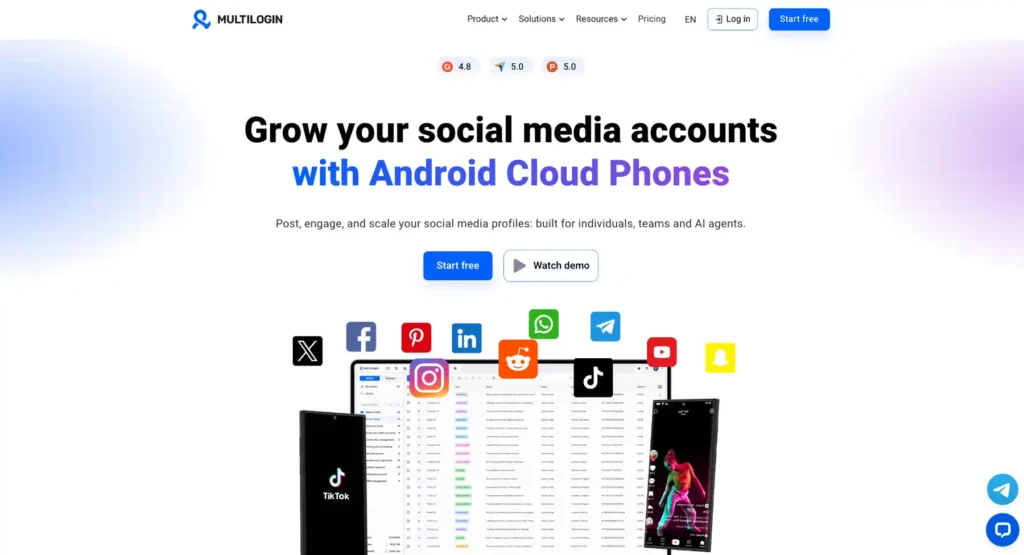
Multilogin is our top pick for one reason above all. Its Android cloud phones behave like phones you would actually buy in a shop. When you create a device, you pick a brand, a model and an Android build, and the model choices change with the version you pick. That small detail matters. A phone that claims to be a flagship on an OS it never shipped with is exactly the kind of mismatch apps catch.
During our warm-ups, logins, app data and history stayed walled off per device, with nothing bleeding across profiles. The bit that saved us the most grief was the setup screen itself. It warns you when your signal type and proxy do not fit together. We learned that lesson the hard way on other tools. Here, it is part of setup.
Another quiet win: the device location locks to whichever proxy you check at creation. So we always test the IP first, then create the phone. Mirroring the screen to our laptop felt smooth, and the free plan let us try a phone without a card or a time limit before committing.
Multilogin Coupon: Get 50% Off Cloud Phones
Save 50% with Multilogin coupon code AFFMAVEN50 on Android cloud phones, mobile proxies, and secure social media account management.

Use Code 🎁
AFFMAVEN50
Multilogin at a Glance
| Android builds | 10 to 16, with 14 to 16 suggested for modern apps and ads |
| Handset brands | 12, including Samsung, Google, OnePlus, Xiaomi, TECNO and vivo |
| Example models | Galaxy S24+, Pixel 9 Pro, Xiaomi 13 Pro |
| Signal modes | Wi‑Fi, or Cellular with SIM and signal bars (Android 12 and newer) |
| Built-in IPs | Sticky mobile proxies with city targeting, ISP proxies static for 30 days |
| Own proxies | HTTP, HTTPS and SOCKS5 |
| Desktop app | Mac, Windows and Linux |
What Won Us Over ✅
Where It Stumbles ⚠️
Our verdict: The most believable cloud phones we tested for social and ad accounts. Fewer moving parts, fewer nasty surprises.
2. GeeLark: Where AI Content Creation Meets ARM Cloud Phones
Our score
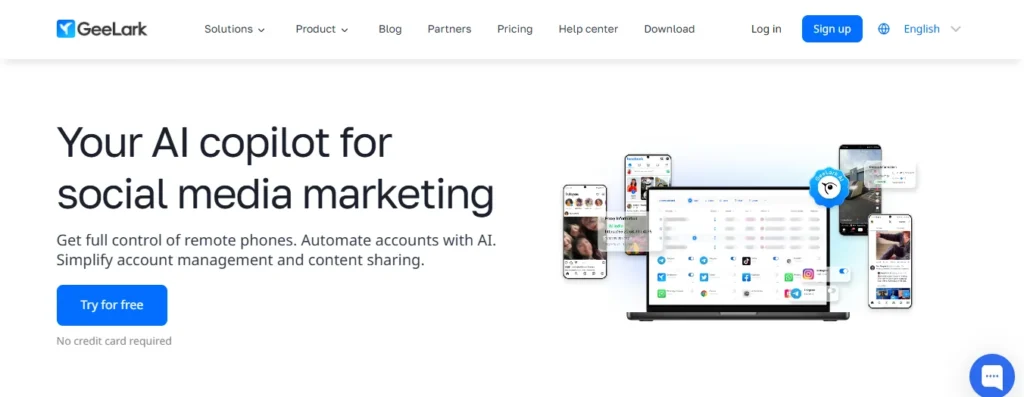
GeeLark pitches itself as cloud phone infrastructure for scaling social media, and after weeks inside it, we get the pitch. Most providers hand you a phone and wish you luck. GeeLark hands you a phone, a content studio and a scheduler in the same window.
Our favourite workflow went like this. Generate a short video with one of the built-in AI models, push it to a batch of TikTok and Instagram phones, then schedule posts so they do not all land at once. No exporting. No juggling three different apps. For affiliate pages that live on volume, that saves hours every week.
The phones themselves felt snappy for social apps. Accounts we warmed up held steady, and the unique device fingerprint on each phone looked fresh rather than cloned. Just know that the free tier is a taster, not a working setup.
GeeLark Coupon Code: Unlock 20% Off Cloud Phones
Save 20% with GeeLark coupon code AFFMAVEN and scale AI video creation, social media automation, and cloud phone management for less.

Use Code 🎁
AFFMAVEN
GeeLark at a Glance
| Operator | 42 STUDIO PTE. LTD, Singapore |
| Android builds | Android 9 up to Android 15 |
| Identity randomisation | IMEI, MAC address and OS details |
| GPS and SIM simulation | 150+ countries |
| AI video and image models | Seedance, Veo, KLING, Nano Banana, Hailuo |
| Interface languages | 8, with support in 5 languages |
What Won Us Over ✅
Where It Stumbles ⚠️
Our verdict: The strongest content-to-posting pipeline on this page. Content teams will feel right at home.
3. MoreLogin Cloud Phone: Synchronised Phone Farms Without the Cables
Our score
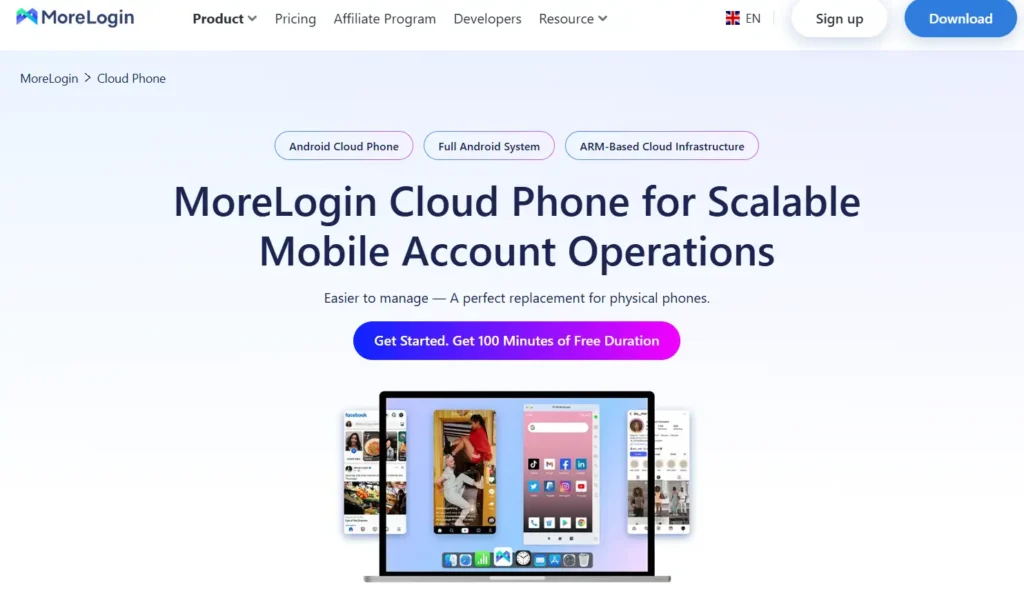
MoreLogin came to cloud phones from the antidetect side, and the cloud phone feels designed to sit next to its browser profiles. That pairing is handy. Desktop ad dashboards go in the browser, app-only work goes on the phone, and both live under one login.
Where MoreLogin really shone for us was mass actions. We mirrored taps and typing from one phone across a whole group, then fed in different bios and comments from a spreadsheet so no two accounts looked identical. That mix of sync and variation is exactly what a farm needs. Copying the same text into 40 phones is how you get 40 bans.
Network setup also felt friendly. Add your IP first, and the phone builds itself for that region. One less thing to misconfigure at 2 a.m.
MoreLogin Coupon: Get 15% Off Cloud Phones
Save 15% on MoreLogin cloud phones with code AFFINCO. Scale Android phone farms, sync actions, and manage multiple accounts for less.
Use Code 🎁
AFFINCO
MoreLogin at a Glance
| Android builds | Android 12 to Android 15 |
| Device extras | Camera, audio and file uploads |
| Batch scale | 100+ cloud phones created with one click |
| Free start | 2 permanently free profiles and 100 cloud phone minutes |
| User base claimed | 1,013,091+ users |
What Won Us Over ✅
Where It Stumbles ⚠️
Our verdict: A cloud phone farm in a dashboard. If your day is mostly repetitive actions across dozens of accounts, MoreLogin pays for itself fast.
4. GoLogin Cloud Android: Lightweight Warm-Up Phones for Browser Users
Our score
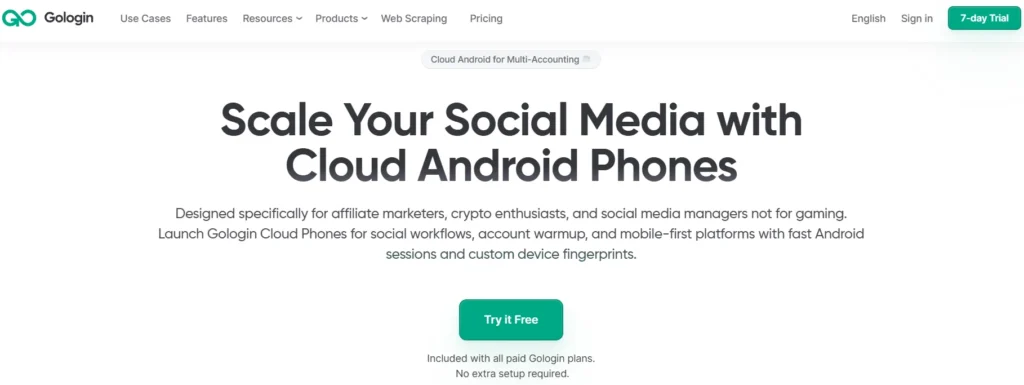
GoLogin treats Cloud Android as an add-on to its browser product rather than a standalone phone platform. Every paid plan includes it, so if you already use GoLogin for desktop profiles, you can open a phone without signing up anywhere else. GoLogin is also upfront that these phones are not for gaming. Fair enough. They are clearly aimed at social warm-ups.
In practice, it felt light. Nothing installs on your machine, so even an older laptop coped fine. We liked the ready-made warm-up routines for TikTok, Instagram, YouTube and Facebook. Click, pick a profile, and the phone scrolls and engages on its own. For a beginner, that removes a lot of guesswork.
The flip side is depth. Compared with the dedicated phone providers above, there is less to tweak and less detail about what hardware sits underneath. For a handful of accounts, that is fine. Push past that and you will want a platform built for phones first.
GoLogin at a Glance
| Operator | SCALEHAT LLC |
| Customer base claimed | 15,000+ customers and 1.5 million accounts |
| App installs | Google Play or your own APK |
| Session safety | Profile backup and session resume |
| Trial | 7 days, no card, 3 template sessions on 1 profile |
What Won Us Over ✅
Where It Stumbles ⚠️
Our verdict: A handy bolt-on for GoLogin users who need a few mobile accounts warmed up. Not a full phone farm.
5. DuoPlus: Android 15 Cloud Phones You Open Straight From a Browser Tab
Our score
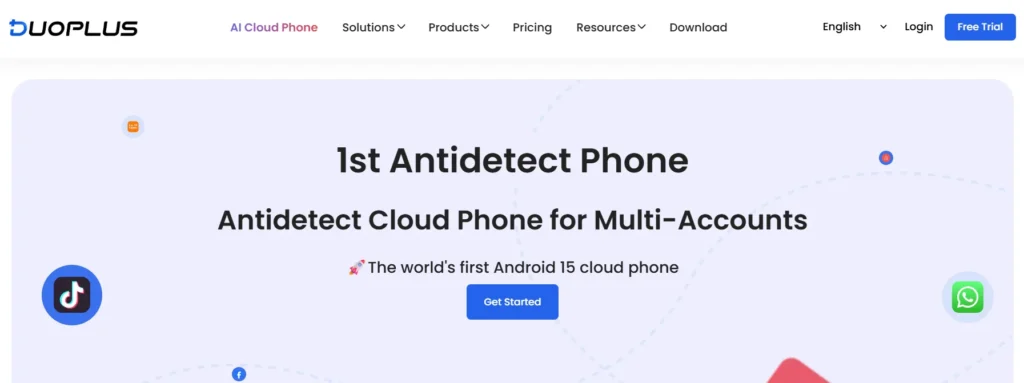
DuoPlus comes from the technical team behind AdsPower, and you can feel that antidetect DNA. It calls itself the first Android 15 cloud phone, and on our tests, recent apps installed and behaved without fuss. No client to download either. We opened phones from a laptop browser and once from a phone browser on a train. Worked fine.
The feature we kept coming back to was one-click device reskin. When an account gets burned, you switch the device to a brand new environment with no link to the old one. No deleting, no rebuilding. For high-churn work like ad account testing, that is gold.
DuoPlus also leans hard into proxies, with ready setups from several proxy brands, including IPFoxy, Kookeey and IPCOOK. Live stream automation and gaming bots are on the menu too, which shows how broad its audience has become.
DuoPlus at a Glance
| Operator | DUOPLUS PTE. LTD, Singapore |
| Location and SIM data | 150+ countries |
| SMS numbers | Cloud Number with physical and virtual numbers |
| Device limits | No purchase, multiplicity or opening limit |
| Private deployment | Available through duoplus.io |
What Won Us Over ✅
Where It Stumbles ⚠️
Our verdict: The most flexible cloud phone for burn-and-replace workflows. Reskin alone justifies a test.
6. VMOS Cloud: Data Centre Handsets With Integrity Claims Up Front
Our score
VMOS has been on the web since 2019, and VMOS Cloud is the part of its stack aimed at account work. It splits its phones into two clear tracks. Standard cloud machines lean towards games like ROBLOX and Genshin Impact. High-end real machines are the ones for TikTok, Facebook, YouTube, Telegram and WhatsApp. We stuck with the second track for our tests.
What caught our eye was the AI layer. You type what you want in plain English, such as scroll, like and comment in a niche, and VMOS AI turns it into a workflow. It is not magic, and we still had to tidy up a few flows. Still, it got a non-technical teammate building warm-ups on day one.
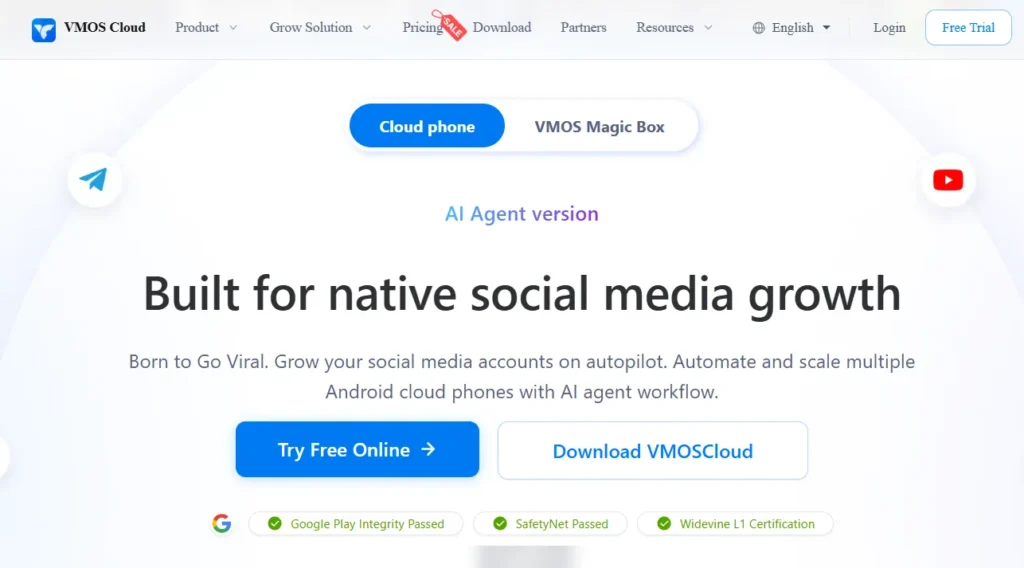
VMOS also makes bold claims about passing Google checks, which matters for apps that refuse to load on tampered devices. Still, test your own target apps during the trial before you scale.
VMOS Cloud at a Glance
| Operator | Minical International Limited |
| Integrity claims | Google Play Integrity, SafetyNet, Widevine L1 |
| Regions | 17, including US, Brazil, Germany, Japan, Singapore and Indonesia |
| Real device testing brands | Samsung, Huawei, Tecno, Motorola, Nokia, Google Pixel, Xiaomi and more |
| Data on exit | Encrypted data deleted when the subscription ends |
What Won Us Over ✅
Where It Stumbles ⚠️
Our verdict: Great for teams who want AI-written automations and wide region choice. Pick the high-end track for accounts.
7. BitCloudPhone: Carrier-Matched Android Profiles From the BitBrowser Camp
Our score
BitCloudPhone is the mobile arm of BitBrowser, and it targets studios that need dozens of identical setups. Cross-border sellers, mobile game teams and agencies are its home crowd. The pitch is consistency: build one clean environment, then stamp it out across a fleet.
What impressed us was the network matching. Plug in an IP and the phone lines up its regional settings to fit. That is the exact mismatch that sinks so many accounts, and here it is handled for you. We also liked the built-in app store of vetted apps. New phones came up ready to work instead of needing ten installs each.
Power users get plenty of low-level control too, which is rare in this group and handy for custom bots.
BitCloudPhone at a Glance
| Parent brand | BitBrowser |
| Device identities | Samsung, Vivo and Oppo profiles |
| Mobile carriers | 600+ worldwide |
| Root | One-click rooting |
| Sister products | BitCloudPhone iOS and BitCloudPC |
| Desktop support | Mac, Windows 10 and Windows 11 |
What Won Us Over ✅
Where It Stumbles ⚠️
Our verdict: A sharp pick for studios that want carrier-accurate phones and root access.
8. UgPhone: Low-Latency Cloud Phones Built for 24/7 Gaming
Our score
UgPhone is the odd one out here, and we mean that kindly. Operated by GLOBALTOO TECHNOLOGY PTE LTD since 2022, it claims 23.88 million+ users and is built around keeping mobile games online around the clock. Think idle farming and AFK grinding while you sleep.
We tested it anyway, because plenty of affiliates promote mobile games and play-to-earn offers. Gameplay felt smooth, and the bigger tiers handled heavy games without stutter. For social accounts, though, we missed the identity tools and proxy controls the others offer.
Node choice matters here. Pick the server closest to the game's own servers and lag drops right away.
| Tier | Cores | RAM | Storage | Android | Server nodes |
|---|---|---|---|---|---|
| UVIP | 3 | 3 GB | 30 GB | 10 | Hong Kong, Germany, Japan, US, Singapore |
| GVIP | 3 | 4 GB | 64 GB | 10, 12 | Hong Kong, Germany, Japan, US, Singapore |
| KVIP | 6 | 5.3 GB | 64 GB | 10, 12, 13 | Hong Kong, Germany, Japan, Taiwan |
| MVIP | 8 | 8 GB | 128 GB | 10 | Hong Kong, Taiwan, Japan, Singapore |
| SVIP | 8 | 16 GB | 200 GB | 10 | Hong Kong, Singapore, Germany, US |
What Won Us Over ✅
Where It Stumbles ⚠️
Our verdict: Brilliant for always-on mobile gaming. Look elsewhere for social or ad accounts.
Proxy Pairing for Cloud Phones: Matching Wi‑Fi, Cellular and Location
A cloud phone handles the device. A proxy handles the IP. You need both, and they have to agree with each other. This is where most of our early bans came from, so let us save you the pain.
Start with signal type. A phone on Wi‑Fi should sit on a residential or ISP IP. A phone showing a SIM card and signal bars should sit on a 4G or 5G mobile proxy. Mix them up and an app sees a phone claiming mobile data while connecting from a home broadband line. That is a red flag.
Next, line up the small stuff:
Then keep it sticky. Rotating IPs every few minutes might work for scraping, but social apps hate it. For account work, we use sticky mobile sessions or static ISP IPs and leave them alone. One phone, one IP, one identity. Boring? Yes. Boring keeps accounts alive. 🙂
What TikTok, Instagram and Other Apps Check on a Cloud Phone in 2026
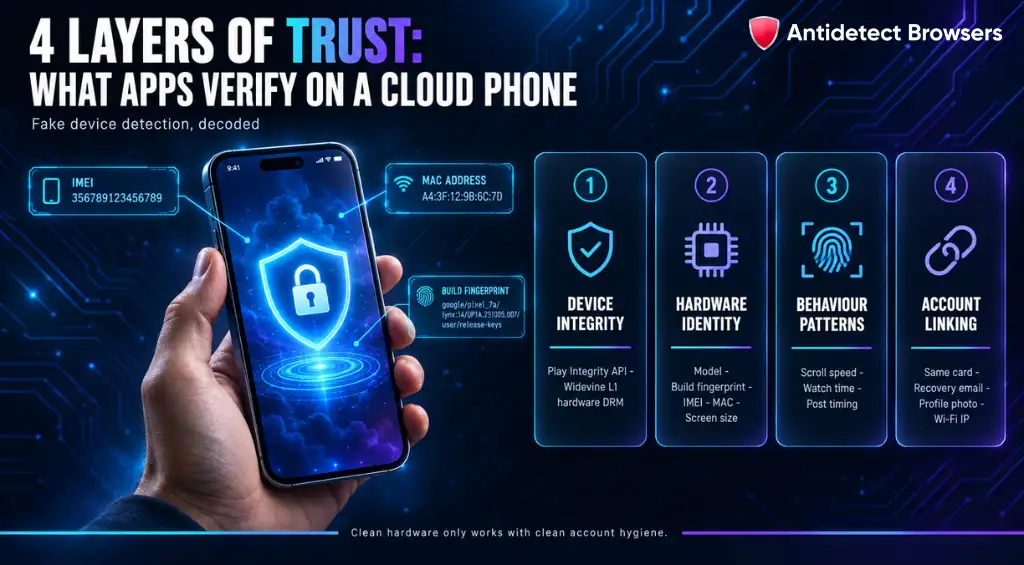
Apps have become far sharper at spotting fake devices. Knowing what they look at helps you judge any provider's claims.
Device integrity checks sit at the top. Google retired SafetyNet in favour of the Google Play Integrity API, and many apps now ask it if the device and OS look genuine. A cloud phone that fails here may refuse to open certain apps at all. Widevine L1 is another signal, mostly for streaming apps, since it shows hardware-backed DRM support.
Then come the hardware identity signals. Model name, build fingerprint, IMEI, MAC address and screen size all need to line up. A Pixel model with a Samsung build string is an instant tell. This is why we rate providers with real model catalogues so highly.
Behaviour matters too. Apps track how fast you scroll, how long you watch, when you post and how often accounts share patterns. Synchronisers are brilliant, but blasting identical actions at identical times across 50 phones creates a pattern of its own. Add delays and variation.
Finally, there are account linking signals: shared payment cards, the same recovery email, identical profile photos, or the same Wi‑Fi IP across accounts. No cloud phone can hide those for you. Clean hardware only works if your account hygiene is clean too.
Data Safety, Team Access and Platform Rules for Cloud Phone Users
Renting a phone means someone else holds your logins, cookies and session tokens. That deserves a moment of thought before you hand over client accounts.
Here is what we look for on the security side:
For agencies, these controls matter as much as fingerprint quality. One careless teammate with full access can undo months of warm-up work in an afternoon.
And a straight word on rules. Cloud phones are legitimate tools for app testing, client account work, regional checks and keeping work and personal profiles apart. But every platform sets its own terms on multiple accounts and automation.
Read them for the platforms you work on, keep your activity genuine, and never use these tools for fraud or ban evasion. The accounts that last are the ones that behave like real people.
Cloud Phone Providers FAQ
Which cloud phone provider is our top pick in 2026?
Multilogin. Across our social and ad account tests, its phones held up with the fewest checkpoints and the least setup friction.
Are cloud phones safer than Android emulators for multiple accounts?
In our testing, yes. Accounts on cloud phones hit noticeably fewer checkpoints than the same accounts on emulators. Proxy quality and account behaviour still play a huge part.
Can one cloud phone hold several social media accounts?
It can, but we do not recommend it. One account per cloud phone keeps device IDs, app data and IPs separate, which stops one ban from dragging others down with it.
Do cloud phones need a proxy?
Yes. A cloud phone changes the device, not your IP, so every phone needs its own clean, sticky proxy.
Which cloud phones support automation?
Most of them do, though depth varies a lot. Some stop at bulk actions, while others offer RPA builders, APIs and ADB for custom scripts.
Is a cloud phone the same as an antidetect browser?
No. An antidetect browser spoofs a desktop or mobile web fingerprint. A cloud phone gives you a whole remote Android device for native apps. Many teams use both side by side.
The Final Word on Picking a Cloud Phone Provider
Mobile apps have outgrown browser tricks. If your money comes from TikTok, Instagram or app-based offers, a cloud phone is no longer a nice extra. It is the base layer.
No single provider nails everything. Some win on realism, some on automation, and one lives purely for gaming. That is why we judged each on how its phones held up with real accounts, not on how long its feature page is.
Start small. Spin up two or three phones, pair them with clean proxies and warm them up slowly. Watch the numbers for a couple of weeks. Then scale what survives. That is exactly how we test, and it has not let us down yet. 🚀