GoLogin is a Chromium-based antidetect browser that gives every account its own unique browser fingerprint, so platforms treat each profile as a separate real person. It ships built-in residential proxies, a no-code AI Assistant, and an MCP for AI agents.
For affiliate and performance marketers running lots of accounts, it's one of the easiest and most affordable ways to stop shared-fingerprint bans from wiping out a whole account stack.
This GoLogin review comes from a team that tests antidetect browsers for a living over at antidetectbrowsers.com.
We've had accounts flagged, lost ad profiles overnight, and learned the hard way what actually keeps a stack alive.
So when we say we ran GoLogin across our own campaigns and client work for months, we mean we pushed it. Below is everything we found, the good and the parts nobody puts on a sales page.
💡 Bottom line upfront
GoLogin is trusted by 15,000+ customers managing 1.5 million+ accounts combined, and it holds a 4.8/5 on G2 plus 4.6/5 on Capterra. It spoofs 53 fingerprint parameters per profile, bundles residential and mobile proxies (2GB a month on paid plans, 195 countries), and in 2026 added a plain-language AI Assistant and a Browser MCP that plugs into Claude, ChatGPT and Cursor. Entry pricing starts at $24/mo on annual billing, and there's a real free plan with 3 profiles. It isn't perfect, and we'll show you exactly where it bites.

Why Affiliate Marketers Actually Need An Antidetect Browser
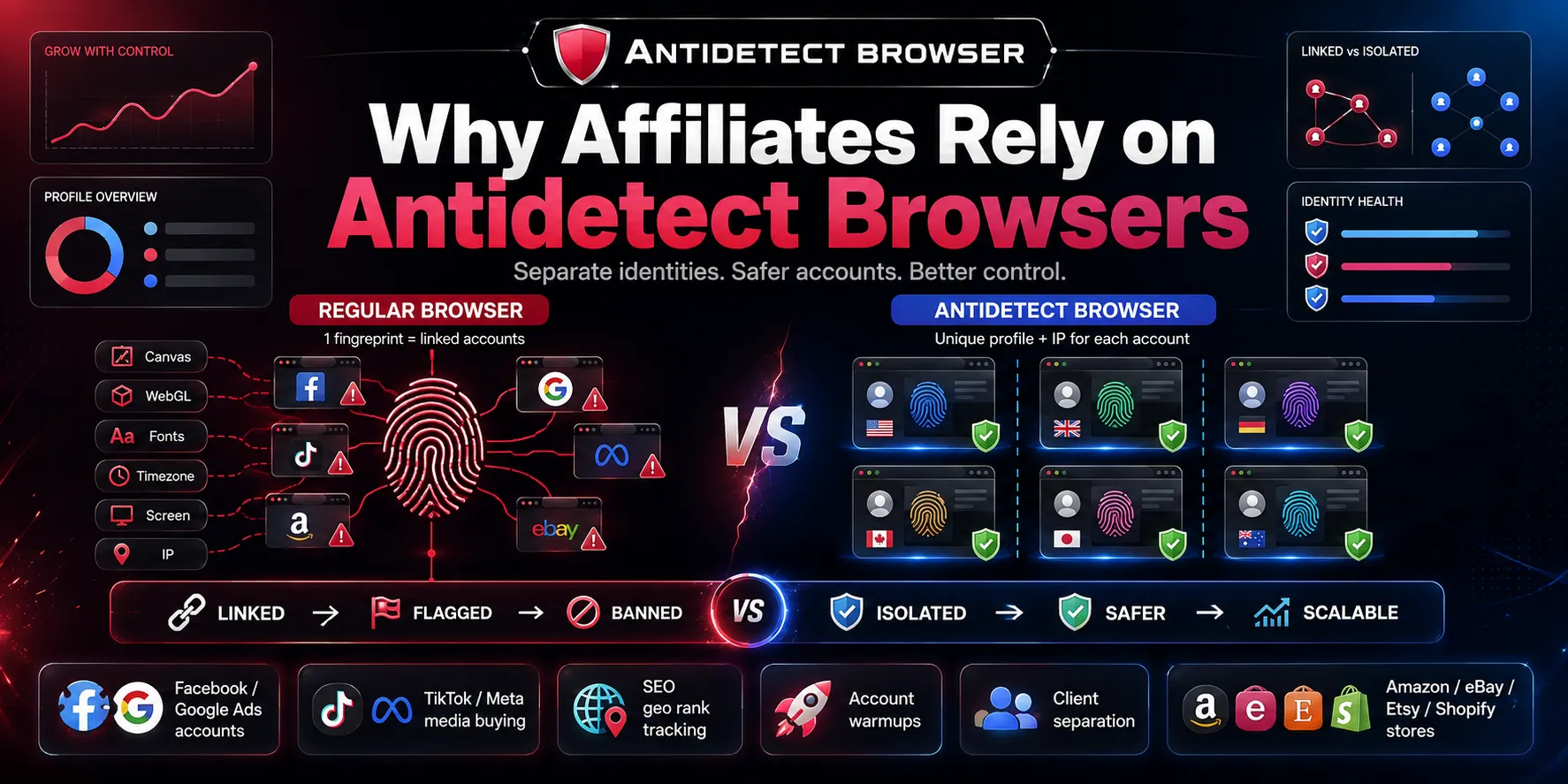
Here's the problem in one sentence. Every regular browser hands websites the same digital fingerprint every time, so all your accounts look like one person.
That fingerprint is a bundle of signals. Your canvas fingerprinting output, WebGL, fonts, timezone, screen size, and IP all get read the moment a page loads. Meta, Google, TikTok and the marketplaces stitch those signals together.
When two accounts share one fingerprint, they get linked. And once they're linked, one ban becomes a chain reaction. Flag one, they nuke the rest.
An antidetect browser breaks that link. Each profile gets its own hardware and software identity plus its own IP, so multiple accounts management stops looking suspicious.
For our kind of work, that's not a nice-to-have. Here's where it earns its keep every single day.
The thread running through all of it is the same. One flagged account on a shared browser fingerprint drags every sibling account down with it. Isolation is the whole game.
The Antidetect Browser Market Is Booming In 2026 (And Where GoLogin Fits)
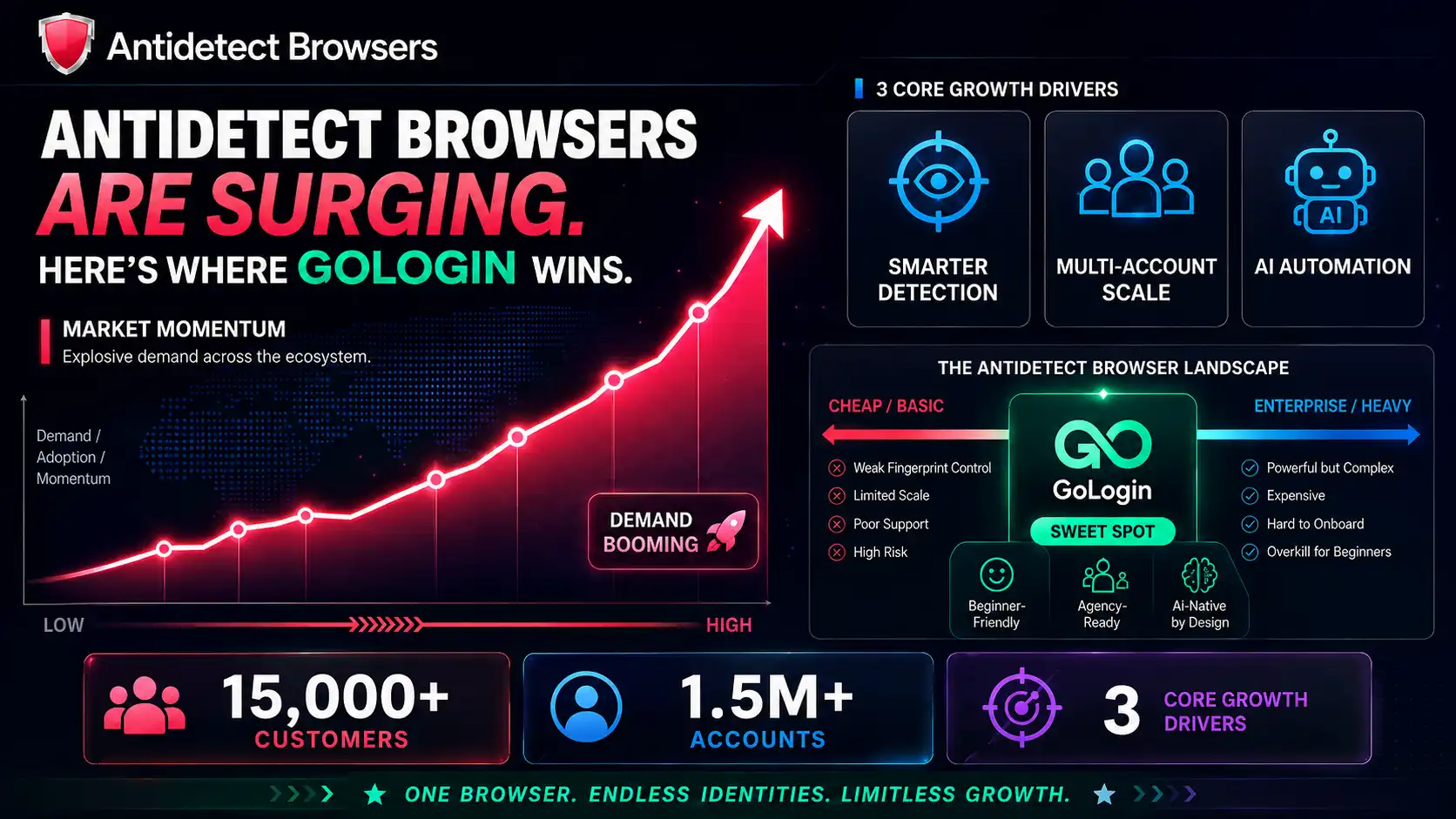
The multi-accounting space has gone from a niche affiliate trick to a mainstream growth tool. A few forces are driving that.
GoLogin sits in the sweet spot of that market. It isn't the cheapest and it isn't the most enterprise-heavy option. It's the one that's easy enough for a beginner yet deep enough for an agency, and in 2026 it leaned hard into being AI-native.
Those 15,000+ customers and 1.5 million+ accounts aren't a vanity metric either. That's a big pool of real fingerprints, which matters because blending in with a crowd is the point.
GoLogin At A Glance: The Core Numbers We Care About
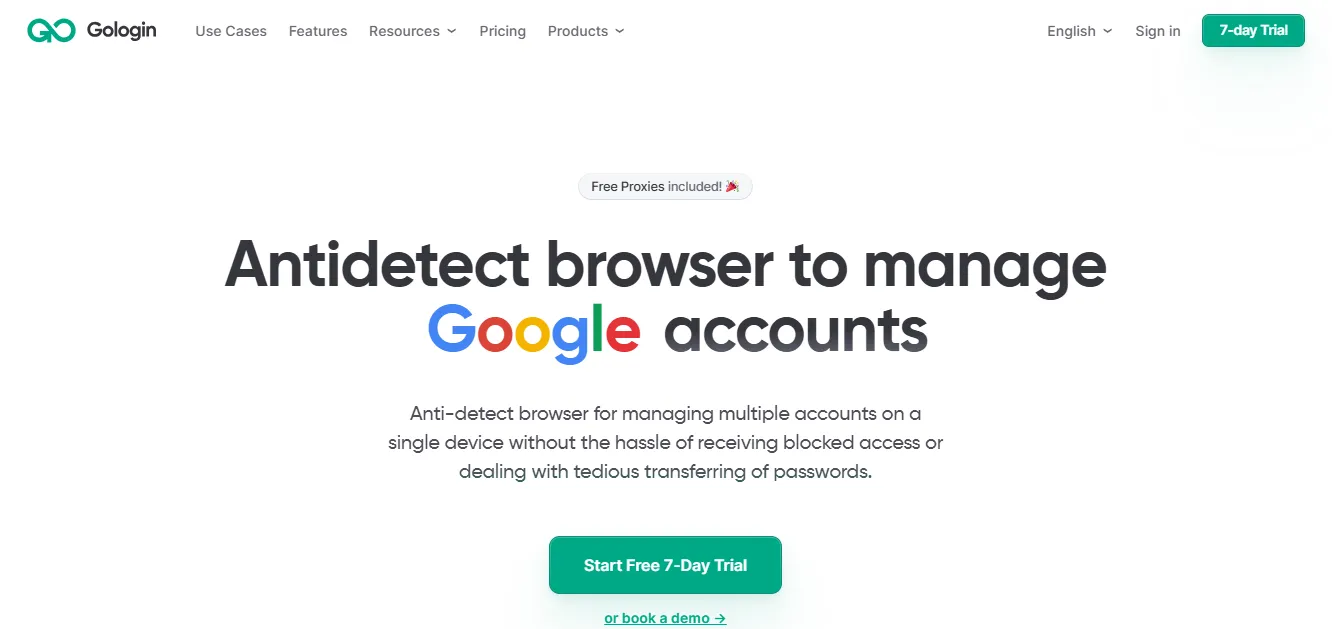
Before we get into feel and hands-on notes, here's the spec sheet we keep coming back to.
| What we checked | GoLogin (2026) |
|---|---|
| Browser engine | Chromium-based (Orbita), auto-updates, Chrome-level speed |
| Fingerprint depth | 53 fingerprint parameters across 50+ hardware and software points |
| Built-in proxies | Residential, mobile, datacenter. 2GB/mo on paid plans. 195 countries |
| Free plan | 3 profiles, most features, no card. 7-day full-access trial |
| Entry price | $24/mo annual (50% off) or $49/mo monthly |
| AI automation | No-code AI Assistant + Browser MCP for Claude, ChatGPT, Cursor |
| API | Up to 1200 requests/min, sandbox access, Selenium + Puppeteer |
| Platforms | Windows, macOS (Intel + M-series), Linux, Android app, Web app |
| Ratings | 4.8/5 G2 · 4.6/5 Capterra |
Every Profile Gets Its Own Digital Identity (The Fingerprint Engine)
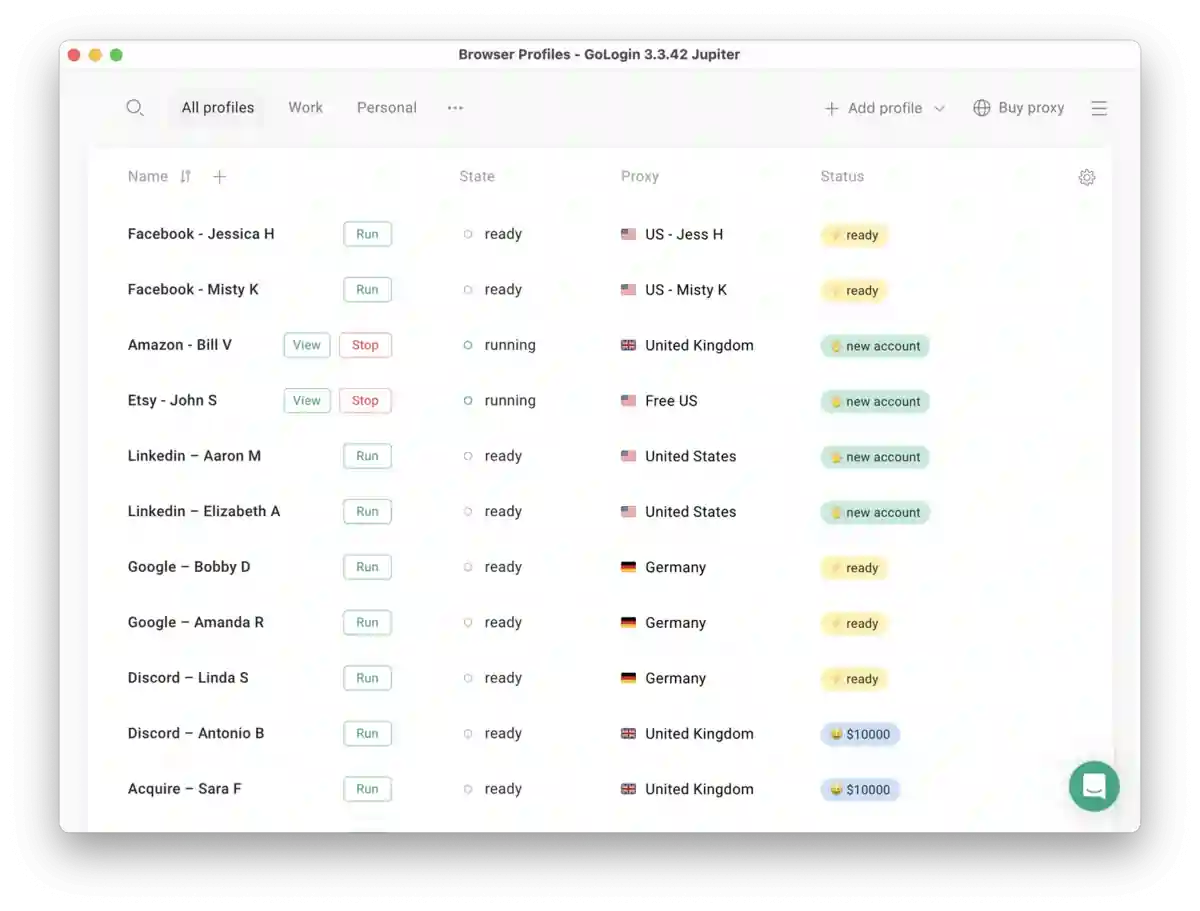
This is the part that matters most, so we spent the most time on it. GoLogin builds a fresh identity for each profile across more than 50 parameters.
When you spin up a profile, it sets a new unique browser fingerprint covering the stuff platforms actually read.
That last point is the one beginners miss. A profile fails not because one value is wrong, but because two values disagree. GoLogin keeps the story consistent, which is why the profiles held up in our runs.
The other framing GoLogin uses is fair. A profile behaves like a virtual machine but costs roughly 12x less and runs as fast as your own computer, because it's a container approach rather than a heavy VM. In practice it feels like Chrome, just with a mask on.
Built-In Residential Proxies You Don't Have To Hunt For
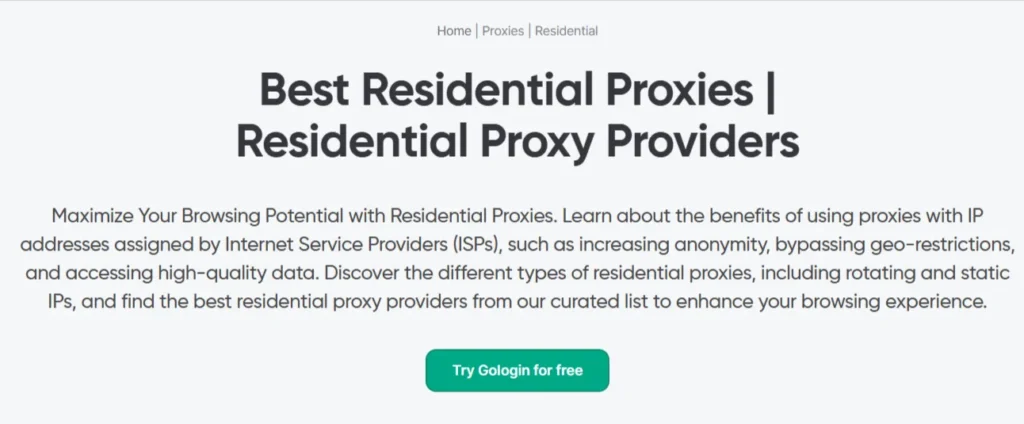
A fingerprint is only half the mask. The IP is the other half, and this is where GoLogin saved us real hassle.
Most antidetect browsers make you go find proxies elsewhere. GoLogin bakes them into the app.
Prefer your own provider? You can paste a custom proxy in one click, and it supports HTTP, HTTPS, SOCKS4 and SOCKS5. There's even Tor proxy support for onion access.
Our honest take. The bundled 2GB is great for account management and light work. For heavy account farming or video-based warmups, we still lean on our own residential proxy pool, and we'll flag why in the negatives.
Share The Session, Not The Password (Team Features Done Right)
This feature alone sold a few people on our team. GoLogin lets you hand a teammate a live session instead of login credentials.
When your VA opens a shared profile, they're already logged in. They never see the password, and you never have to reset anything after they leave.
For agencies splitting work across remote staff, this is the cleanest permission setup we've used in this category. There's a real limit on team seats though, and we cover that honestly further down.
A Dashboard Built For Bulk, Not For One Account
Running three accounts is easy anywhere. Running three hundred is where the interface makes or breaks you.
GoLogin's dashboard is drag-and-drop with a snappy 100ms response, and it's built for volume.
We tagged profiles by client and geo, dropped them into folders, and never lost track of what was what. For profile management at scale, this held up under a mess we'd usually struggle to keep tidy.
The Full GoLogin Product Suite (It's More Than A Browser Now)
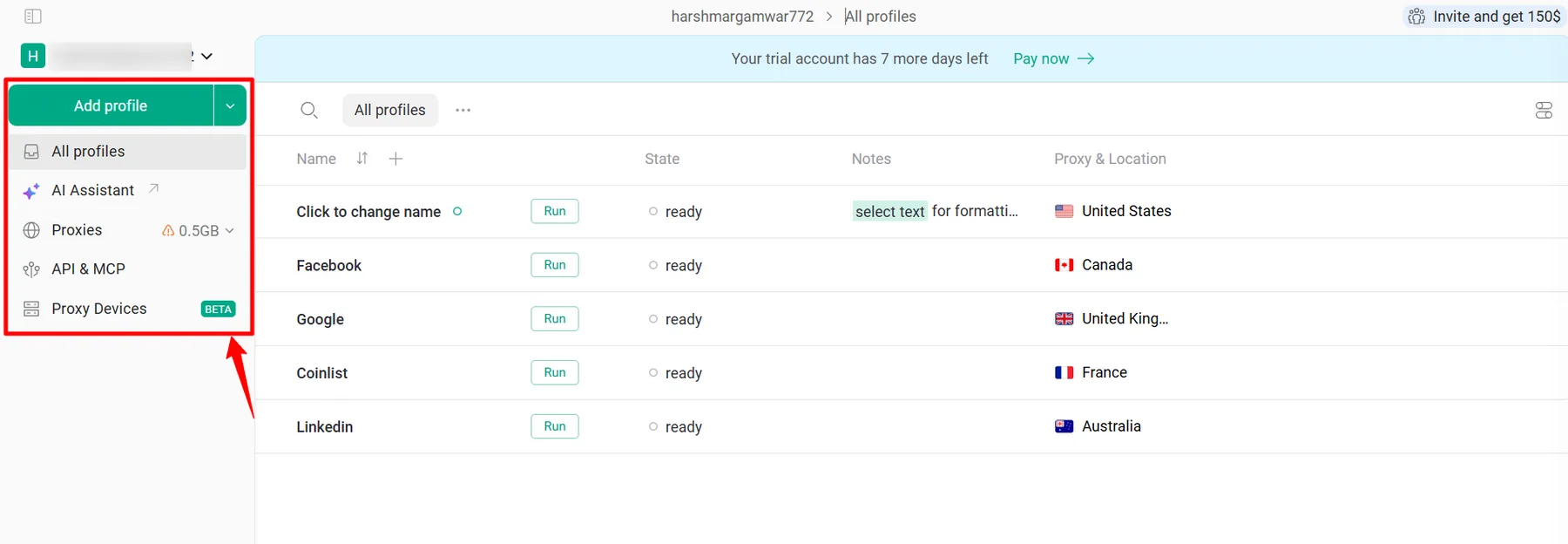
In 2026 GoLogin stopped being just a desktop app. It's a small stack of products, and a couple of them matter a lot for our line of work.
| Product | What it does for us |
|---|---|
| Cloud Browser | Run profiles on a remote server. No local install, launch from any device |
| Cloud Android | Mobile fingerprints for TikTok and Instagram, run in the cloud |
| Web Unlocker | Get past tough anti-bot pages for data collection |
| Scraping Browser API | Headless or headful scraping with Puppeteer and Selenium support |
| Browser MCP | Lets AI agents like Claude and Cursor control profiles programmatically |
| AI Assistant | Plain-language, no-code automation inside real antidetect profiles |
The cloud pieces are the quiet heroes for remote teams. A VA in another country can run a profile on GoLogin's server without downloading a thing, and the profile launches with the right fingerprint every time.
The GoLogin AI Assistant Is The Real 2026 Story
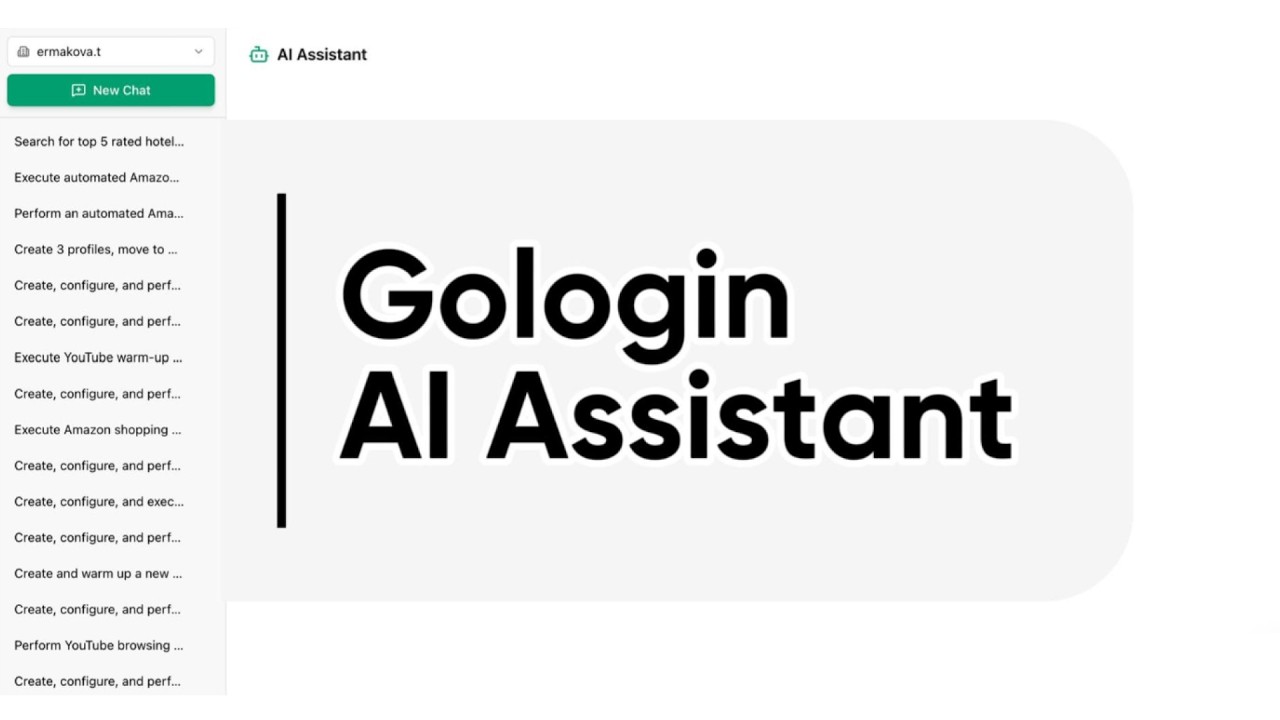
If one feature separates GoLogin from the pack right now, it's this. The AI Assistant runs no-code browser automation directly inside your antidetect profiles.
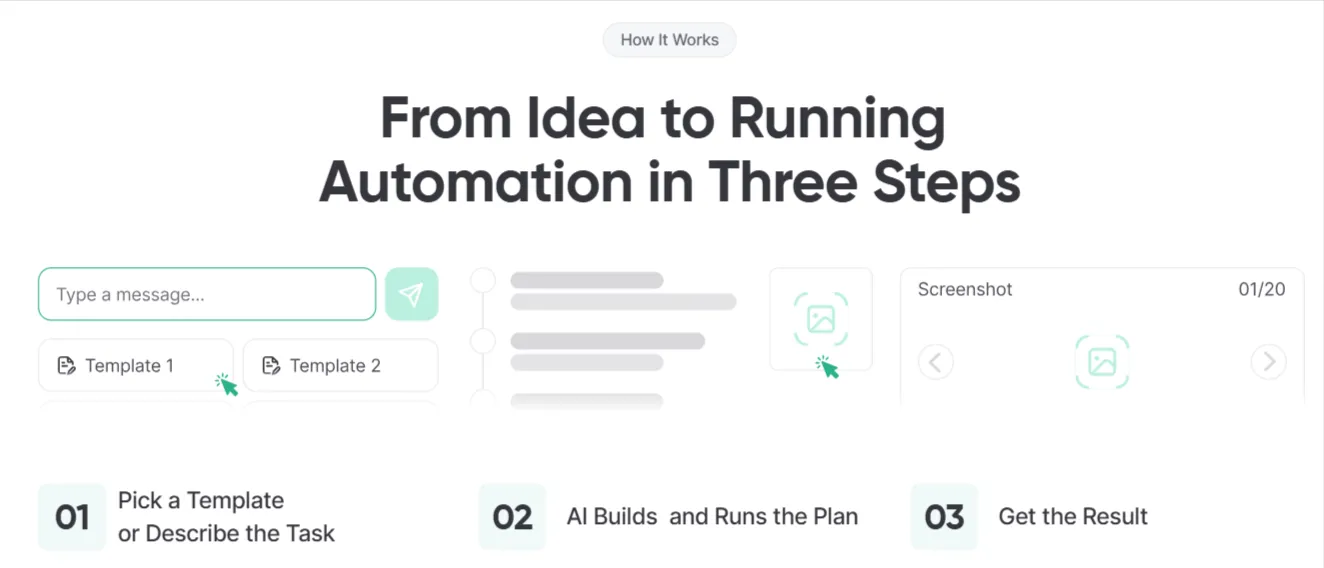
You describe a task in plain English. It builds a profile with a fresh fingerprint, assigns a proxy from your workspace, launches a cloud browser, and runs the job step by step.
You watch it happen. There's a live status log and a screenshot carousel, so you see exactly what the browser is doing while it works.
Type something like “warm up 5 Instagram profiles for 20 minutes each” and it just goes. No selectors, no config files, no scripts.
It also ships with ready-to-run templates, which is where we started before writing custom requests.
Why this beats a generic bot. Every task runs in a real GoLogin profile with a genuine fingerprint, so platforms see a person, not a headless script that gets banned on sight.
It's included on all paid plans, with AI sessions counting against your profile limit. There's a free trial that gives you 3 template runs over 7 days with no card and no API token, which is enough to feel it out but not enough to stress it. More on that gripe later.
Browser MCP: Point Claude Or ChatGPT At Your Profiles
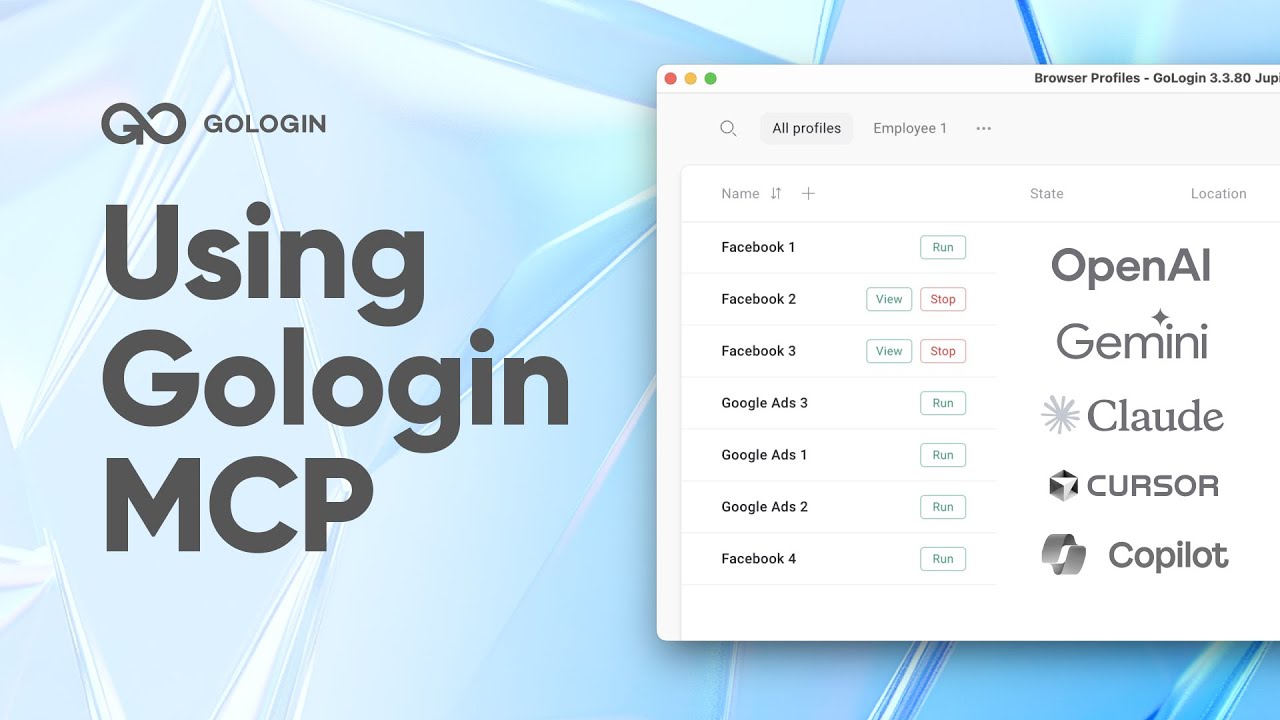
For the builders on the team, the MCP for AI agents is the piece we got excited about.
Model Context Protocol is the standard that lets an AI agent operate real tools. GoLogin's Browser MCP exposes core profile actions to agents like Claude, ChatGPT, Gemini, Cursor and Copilot.
Once connected, an agent can create, start, stop and list profiles for you. It becomes the engine behind self-running scripts and scraping jobs.
Getting set up is short.
- Grab your GoLogin API token from the console.
- Install and run the MCP server (the code is open on GitHub at github.com/gologinapp/gologin-mcp).
- Connect your AI agent or script, then start controlling profiles in plain language.
We wired it into an agent to rotate profiles for a scraping run, and it handled the create-launch-stop loop without us babysitting it. This is the kind of AI-plus-automation setup we build for clients, and having it native inside the antidetect browser removes a whole layer of glue code.
A High-Performance API And Automation Stack
The AI features sit on top of a proper developer API, and the ceilings scale with your plan.
| Plan | API rate limit |
|---|---|
| Professional | 300 requests/min |
| Business | 500 requests/min |
| Enterprise | 800 requests/min |
| Custom | 1200 requests/min |
The API comes with sandbox access, so you can build and check integrations before pointing them at live profiles.
For teams already scripting their browser automation, this is plenty of headroom. Just note the concurrent cloud launches are capped by plan, which we get into below.
Security We'd Trust With Client Accounts
We won't put a client's ad accounts behind a tool we don't trust. GoLogin's security setup gave us enough comfort to do it.
That last one is the quiet reassurance for agency work. Your client logins live inside profiles the vendor can't read.
GoLogin Support That Actually Answers At 2am
We test support by messaging at odd hours, because that's when a banned account panic actually happens. GoLogin held up.
Support runs 24/7/365 with a 3-minute response commitment, and you can reach them across several channels.
Real talk. Fast first responses don't always mean deep technical answers on complex edge cases, but for day-to-day account and billing issues, the speed was a genuine relief.
Affiliate-Marketer Use Cases We'd Point You To
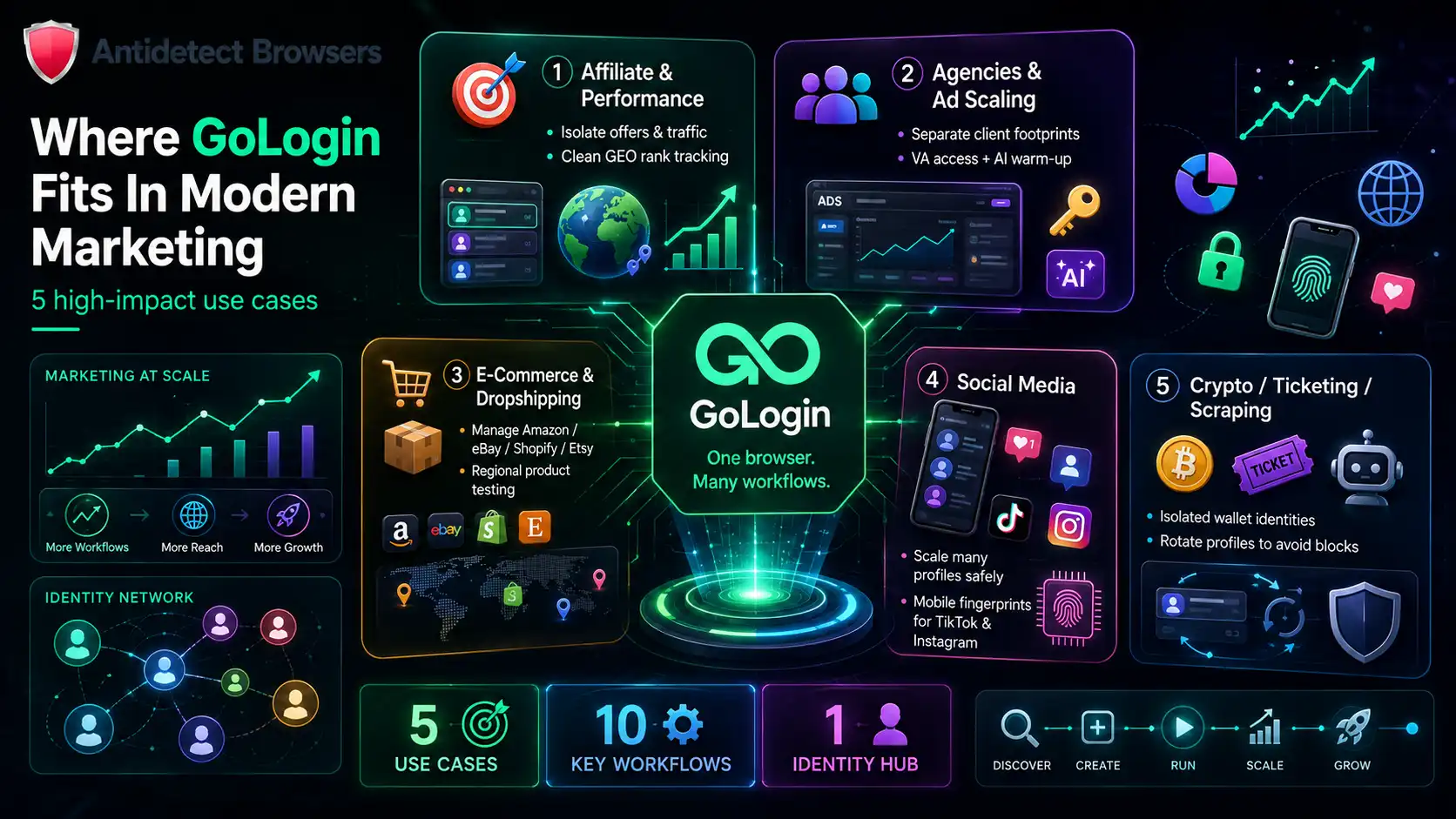
We won't dump one giant list on you. Here's how GoLogin maps to the jobs marketers actually run, grouped by intent.
Affiliate And Performance Marketing
Agencies And Ad Account Scaling
E-Commerce And Dropshipping
Social Media Management
Crypto, Ticketing And Scraping
GoLogin Pricing In 2026 (And The Honest Catch)
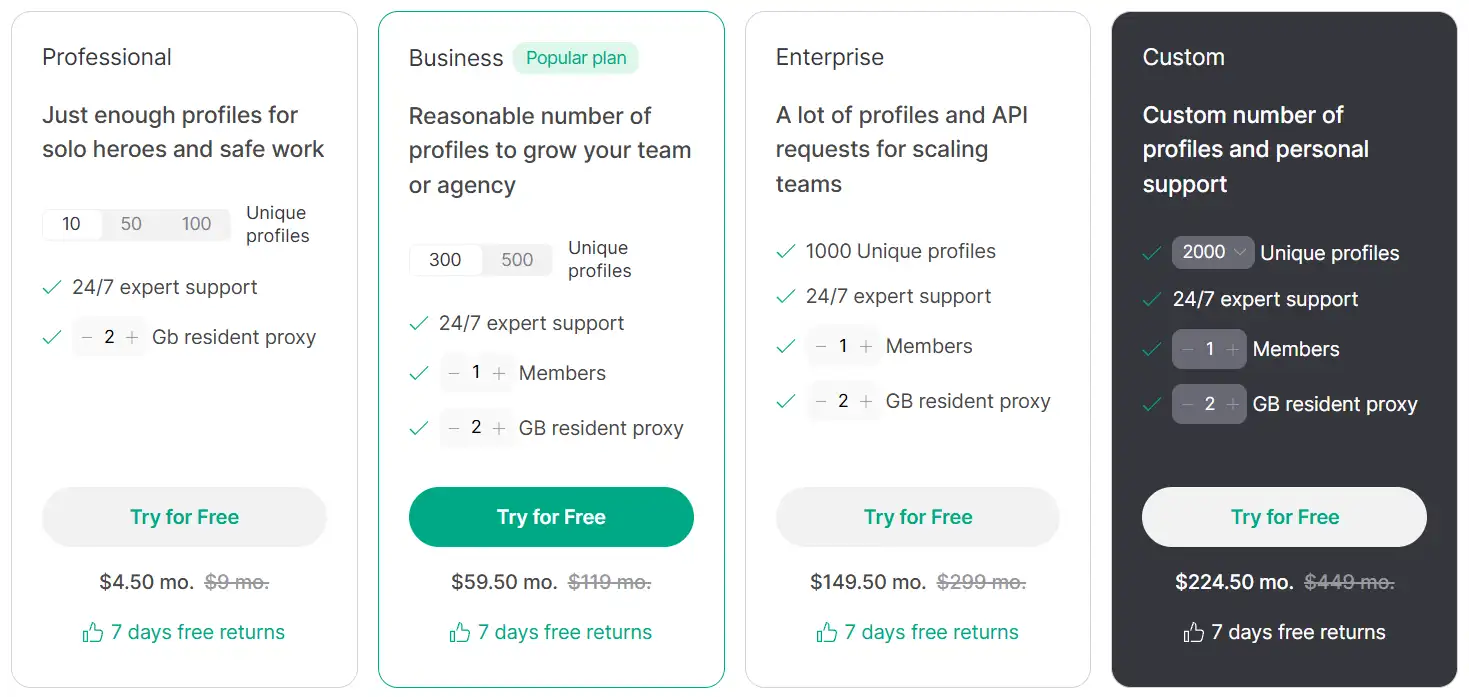
Pricing is refreshingly simple. Annual billing knocks 50% off, and the per-month numbers below already reflect that.
| GoLogin Plan | Annual (per mo) | Monthly | Profiles | Cloud launches | API |
|---|---|---|---|---|---|
| Professional | $24 | $49 | up to 100 | 1 | 300 RPM |
| Business ⭐ | $59.5 | $119 | 300 | 2 | 500 RPM |
| Enterprise | $149.5 | $299 | 1000 | 3 | 800 RPM |
| Custom | $224.5 | $449 | 2000–100k | 4 | 1200 RPM |
Every paid plan bundles the same core kit. That's 2GB of proxy data, the Android app, cloud browsing, the fingerprint database, and 24/7 support.
The free plan is real, not a teaser. You get 3 browser profiles and most features, minus profile sharing and team members. There's also a 7-day full-access trial with no card required, so you can run the paid features before paying.
The honest catch. Entry pricing is competitive, but the profile jumps are chunky. Professional caps at 100 profiles, and the next real step up lands you at 300. If you sit at, say, 150 profiles, you're paying for 300. Weigh that before you commit.
Browser Speed, Payment Flexibility And Remote Cloud Profiles
A few smaller things came up in daily use that don't fit neatly elsewhere, but marketers ask us about them constantly.
- First, speed. Because GoLogin is Chromium-based and containerized rather than a heavy virtual machine, profiles open fast and browse at Chrome-level pace. We ran a dozen profiles at once on a mid-range laptop and it stayed responsive, with the real limit being our own hardware rather than the app.
- Second, plan and payment flexibility. Annual billing halves the price, and you can size your plan to the profile count you actually need instead of paying for headroom you'll never touch. The 7-day full-access trial and the free 3-profile plan mean you can prove the value before any card comes out.
- Third, remote cloud profiles are a genuine edge for distributed teams. A VA anywhere can launch a profile on GoLogin's cloud server with the correct fingerprint and proxy, no install, no local resources. Pair that with session sharing and precise profile permissions, and a five-person team spread across three countries can run one account stack cleanly.
The bundled IPs cover 195 countries and work great for account management, but for very high-volume operators, mixing in your own dedicated residential proxy keeps IP freshness high. The one-click custom proxy paste makes that swap painless.
GoLogin vs Top Antidetect Browsers
No tool wins on every axis, and we'd be lying if we said GoLogin did. Here's how it stacks against the four rivals marketers ask us about most.
| Browser | Free tier | Entry price | Engine | Stand-out strength |
|---|---|---|---|---|
| GoLogin | 3 profiles | from $24/mo | Chromium | Built-in proxies + AI Assistant + MCP |
| Octo Browser | Trial only | from ~$21/mo | Chromium | Fingerprint reputation and polish |
| Dolphin{anty} | 10 profiles | from ~$10/mo | Chromium | Big free plan + Facebook automation |
| AdsPower | 5 profiles | from ~$5–9/mo | Chromium + Firefox | Pay-per-profile flexibility + no-code RPA |
| MoreLogin | 2 profiles | from ~$9/mo | Chrome + Firefox | Cloud phones + dual-engine option |
Now the fair part, because each rival genuinely beats GoLogin somewhere.
- Dolphin{anty} wins on the free tier. Its free plan is one of the largest around, and its Facebook and traffic-arbitrage tooling is loved by paid-traffic affiliates.
- MoreLogin wins on cloud phones and engine choice. If you need Android cloud devices for TikTok or a Firefox-core profile, GoLogin can't match that today.
- Octo Browser wins on fingerprint reputation. Heavy operators often rate its consistency as the gold standard, and the app feels very polished.
- AdsPower wins on pricing flexibility. You pay for the exact number of profiles and seats you need, and its no-code automation is deep.
Where GoLogin pulls ahead is the balance. It's the one that pairs easy profile management, in-app residential proxy data, and genuine AI automation in a single app that a non-technical founder can actually run. For most affiliate operations, that combination beats being best at one thing.
The Negatives We Didn't Love About GoLogin
We promised honesty, so here are the real gripes, not the filler ones. These are the things that annoyed us in daily use.
None of these are dealbreakers for how we work. They're the honest trade-offs of a low-cost, easy-to-run cloud antidetect browser, and going in aware of them means no nasty surprises.
Who Should Actually Buy GoLogin
After months on it, here's our clean read on the fit.
Who might look elsewhere. Heavy agencies needing many true team seats, anyone who specifically needs a Firefox-core fingerprint, and operators running huge parallel cloud automation on a budget.
FAQs Related to GoLogin Antidetect Browser
How many fingerprint parameters does GoLogin spoof, and is that enough in 2026?
GoLogin configures 53 fingerprint parameters across more than 50 hardware and software points, covering canvas fingerprinting, WebGL, AudioContext, fonts, WebRTC, timezone and geolocation. The key isn't just the count, it's that values stay consistent with each other and the IP, which is what modern detection checks for.
Does GoLogin stop WebRTC leaks from exposing my real IP?
Yes. Each profile handles IP, DNS and WebRTC together, so your true IP doesn't leak out from behind the proxy. That matters because a WebRTC leak is one of the fastest ways an otherwise clean profile gets linked to your real location.
Can I use my own proxies instead of the built-in 2GB?
You can. Paste a custom proxy in one click, with support for HTTP, HTTPS, SOCKS4 and SOCKS5, and there's Tor support too. For heavy account farming we recommend bringing your own residential proxy pool and saving the bundled 2GB for lighter tasks.
Does the API support Selenium and Puppeteer for automation?
Yes, both Selenium and Puppeteer are supported, in headless and headful modes. The API scales from 300 up to 1200 requests per minute by plan, includes sandbox access, and lets you create and control cloud profiles programmatically.
Will GoLogin run my mobile accounts for TikTok and Instagram?
It emulates mobile fingerprints so a profile looks like it's coming from a phone, which is what TikTok and Instagram expect. There's also Cloud Android for running those profiles on remote servers, though dedicated cloud-phone rivals go deeper on that specific niche.
Is my data safe if I put client accounts inside GoLogin?
Your accounts sit behind AES-256 end-to-end encryption with 2FA, hosting on AWS and Google Cloud, and device session tracking. Importantly, the GoLogin team can't see the data inside your profiles, so client logins stay private to you.
What happens after the free AI Assistant trial runs out?
The trial gives 3 template runs over 7 days with no card. After that, the AI Assistant opens fully on any paid plan, with custom plain-language requests, all templates, and AI sessions counted against your profile limit.
Final Verdict: Is GoLogin Worth It In 2026?
Yes, for most affiliate and performance marketers, GoLogin is an easy recommendation. It nails the core job of giving every account a clean, consistent, unique browser fingerprint, and it wraps that in the most beginner-friendly package in the category.
The 2026 additions are what push it forward. A no-code AI Assistant and a Browser MCP for Claude and ChatGPT turn scraping and warmups into something anyone on a team can run in plain English.
It isn't flawless. One engine, tight team seats, a modest proxy cap and a stingy AI trial are real limits. But priced from $24 a month with built-in proxies and a free plan to prove it first, the value is hard to argue with.
If you're running multiple accounts and want isolation plus AI automation without a technical headache, it earns a spot in your stack.